Meta Quest 3 Mixed Reality Setup at Home: Room, Passthrough and First Apps
We may earn a commission when you buy through links on this page. As an Amazon Associate I earn from qualifying purchases. How this works
Prepare a clear, evenly lit room, review your boundary and complete Space Setup when an app needs your room layout. The boundary marks movement space; the scan maps surfaces and furniture. Turn on passthrough through Quick settings, or use Quest 3’s enabled double tap or Quest 3S’s action button. Begin with an app whose space and input requirements match your setup.
Quest mixed reality setup starts with your room. Lighting, free floor space and the game you choose determine what to prepare. A boundary and a room scan do different jobs, so check both before your first session.
Follow the room checks, boundary and Space Setup steps below. Then learn the Quest 3 and 3S passthrough controls, place a readable window, and pick a first app. The troubleshooting section covers dark views, lost tracking and drifting objects.
Compatibility and source notes
This guide covers Quest 3 and Quest 3S, using Meta’s documentation and store listings. The October 2026 review updates controls, window terminology and app model support. We have not playtested these apps. If you are choosing hardware, see Meta Quest 3 vs Quest 3S. For the terms, see XR, VR, AR and MR explained.
Start below with light, clear floor space and a boundary. Complete the scan separately when an app uses your room layout.
Use our Quest passthrough guide for image limits, lighting and app-version troubleshooting.
Compare six Quest mixed reality games by seated play, room transformation or physical movement.
Room and lighting requirements
Mixed reality relies on the headset’s cameras, both to show your room and to track your position. Meta’s help pages give the following guidance for the room:
| Factor | What Meta recommends |
|---|---|
| Light level | At least 50 lux for full-color passthrough. Meta’s quick check is whether you can comfortably read a book in the room. |
| Light quality | Bright, even lighting for tracking, but no direct sunlight in the play area. |
| Reflective surfaces | Keep mirrors, glass and polished marble out of the area. |
| Small lights | Avoid small light sources such as Christmas lights or LED strips. |
| Stationary space | A stationary boundary defaults to 1 m by 1 m (3 ft by 3 ft), centered on you, for sitting or standing in place. |
| Roomscale space | At least 2 m by 2 m (6.5 ft by 6.5 ft) of safe, unobstructed space for moving around. |
| Obstacles and hazards | Keep the area inside the boundary clear of obstacles. Meta’s safety warnings list walls, doors, windows, stairs, balconies, ramps and doorways as hazards to identify and avoid. |
Individual apps can ask for more room. Laser Dance’s developer requires a shortest path of at least 3 m (10 ft) between its two wall buttons, in one room on one floor. Check your intended app before moving furniture or buying equipment.

Boundary and Space Setup (room scan)
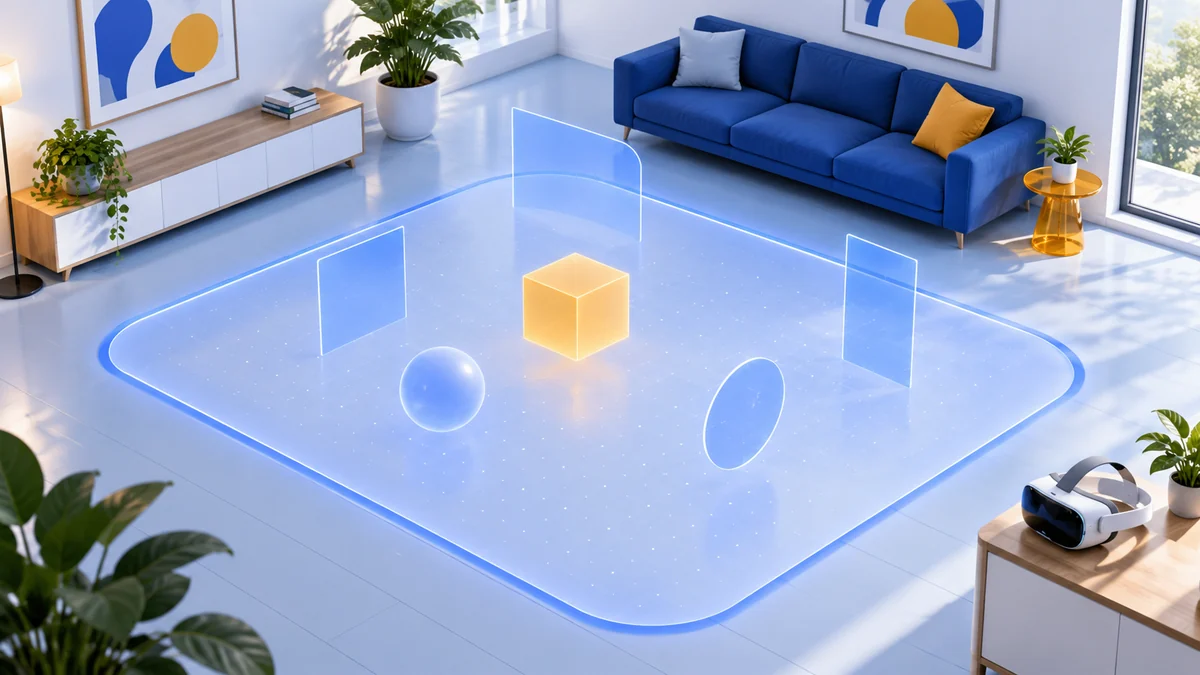
Quest headsets use two related setup steps. The boundary marks your intended movement area and provides alerts. It cannot physically stop a collision. Space Setup maps the room for apps that use its surfaces. One does not replace the other.
Boundary. According to Meta’s suggested boundary and Space Setup article, when a suggested boundary appears, review it against the actual free space before accepting it. You can edit it, draw your own, or choose a stationary boundary. To set it up again later, go to Settings, then Environment setup, then Boundary. Meta’s boundary setup article explains the difference between the stationary and roomscale modes.
Space Setup. With assisted Space Setup, the headset runs a quick 3D scan and creates a simplified map of room surfaces, including furniture and walls. The scan runs automatically when you launch an app that uses Spaces. You can also start it from Settings, then Environment setup, then Space Setup.
Meta’s boundary troubleshooting article adds three tips that help the headset remember the space later:
- Stand as close as possible to the center of the play area while you draw the boundary.
- Look around the whole room while you draw it, not only in one direction.
- Keep the area inside the boundary clear of hazards and obstacles.
Furniture awareness and spatial data
Spaces let compatible games position content on surfaces or make it appear to interact with physical furniture. According to Meta’s spatial data article, the headset recognizes surfaces and outlines, such as furniture, walls and doors, and labels objects such as a table, couch or windows.
An app needs your permission before it can use this spatial data. When an app first asks, you can choose to allow it or not. The article says that if you share spatial data with an app, that app’s policies apply. To change your choice later, go to Settings, then App library, then Spatial data, and switch individual apps on or off.
Turn passthrough on and off
Passthrough shows a real-time view of your surroundings through the headset’s cameras. According to Meta’s passthrough help article, Quest 3 and Quest 3S both have color passthrough. The two headsets offer different shortcuts for it:
| Method | Quest 3 | Quest 3S | How it works |
|---|---|---|---|
| Quick settings | Yes | Yes | Press the Meta button on the right controller to open the Navigator. Then select Quick settings from the System bar and select Passthrough. |
| Double tap | Yes | Not listed | Tap either side of the headset twice to turn passthrough on or off. First turn on Double Tap for Passthrough in the Passthrough settings. |
| Action button | No button | Yes | Press the action button, located on the bottom right of the headset, to switch between passthrough and immersive virtual surroundings. |
These system shortcuts help you check your surroundings. They do not add an MR mode to every VR game. Our passthrough capability guide explains the distinction.
Place virtual windows in your room
2D apps such as Browser open in movable windows. Meta’s current window guide uses the term dock for attached windows and cinema view for enlarging one window.
- Move: aim at a window’s outer edge, select the white line and drag it to a new position.
- Resize: where supported, grab the curved white line at a corner.
- Minimize: use the window control; the app keeps its state. Navigator marks minimized apps with a white dot above their icon.
- Cinema view: enlarge a window and adjust dimming or a curved versus flat screen.
Meta documents up to three attached windows plus three placed around you. Controllers and hand tracking can move and resize them. Start with one readable window at your desk, then add others when they have a purpose.
Mixed reality apps to try first
Choose the first app by available space. These five listings currently include Quest 3 and Quest 3S; our full MR games comparison adds Demeo, input details and the main tradeoff for each game.
| App | What it does in mixed reality | Room to plan for |
|---|---|---|
| First Encounters | Meta’s arcade introduction brings creatures into your room | Roomscale |
| Cubism | Assemble colored blocks while keeping the room visible | Sitting supported |
| Puzzling Places | Build scanned places as 3D jigsaws; local MR co-op is available | Sitting supported |
| Starship Home | Arrange a starship in your room and care for alien plants | Roomscale |
| Laser Dance | Dodge laser patterns adapted to your room | At least a 3 m path between its buttons |
Read the current listing’s supported platforms, player modes and input options before buying. In particular, Cubism’s developer limits its mixed reality and hand tracking features to the standalone Quest version. Buying the PC VR version does not provide those features through Link.
Plan the app before the accessories
Try an experience that fits the space you already have. A Link cable or a new gaming PC is not a prerequisite for the standalone Quest MR games in this guide. If you also want SteamVR or PC simulators, use our PC VR requirements guide.
Common problems and fixes
| Problem | What Meta suggests |
|---|---|
| “Tracking lost” message | The headset shows an error when its full position tracking (6DoF) cannot work. You can continue with rotation-only tracking (3DoF), but that does not track you walking around. To fix it, check whether the room lighting has changed and add light if needed. If that does not help, clear the boundary history. |
| Passthrough looks dark | Raise the light level to at least 50 lux. The book test above is a quick check. |
| Headset forgets the boundary | Changes between daytime and nighttime lighting, moved furniture and new wall decor can all stop the headset recognizing the space. Redraw the boundary from the center of the room while looking all around. |
| Virtual objects drift | Clear your physical space history: open the Navigator, then select Quick controls, Settings, Privacy and safety, Device permissions, and select Clear next to Clear physical space history. This removes boundaries, Spaces and spatial anchors, so you will need to set up your space and place objects again. |
| Drift or tracking trouble continues | Use a smaller play area, because Meta says drift is more common over large areas such as a whole home. Minimize reflective surfaces such as mirrors, glass and polished marble. Avoid direct sunlight, and clean the tracking cameras following Meta’s care guidelines. |
Clear physical space history only as a last resort. It removes your boundaries, Spaces and spatial anchors. According to Meta, the next time you launch a mixed reality app you will be asked to set up your space again, and any objects you placed in mixed reality apps will need to be placed again.
Safety in mixed reality
Passthrough lets you see your room, but Meta’s Quest 3 and Quest 3S health and safety warnings point out its limits and list precautions:
- The camera view is less clear and narrower than natural vision. It may lag, and distance, depth or color may be inaccurate.
- People and pets can enter your activity space without you or the headset noticing. Keep them out of the area, especially anyone who may not understand that your view is limited.
- Choose an activity space that suits the app you are using, and keep it clear of obstacles. Stay away from stairs, balconies, windows, walls and fixtures such as radiators.
- Take regular breaks, and start with short sessions when you are using a new headset or new content. For new users, Meta’s warnings suggest starting with sessions of about 30 minutes followed by a 15-minute break.
- Using a Meta Quest requires an account, and Meta sets a minimum age of 10. Requirements may vary by country.
If you feel unwell during or after a session, stop. Our guide to VR motion sickness covers the common causes.
Mixed reality setup FAQ
Do Quest 3 and Quest 3S run the same mixed reality apps?
Many do, but check each listing. All five apps in the table above currently list both headsets in Meta’s store metadata. The main setup difference is the passthrough shortcut: double tap on Quest 3 and the action button on Quest 3S.
How much room do I need for mixed reality?
Meta recommends at least 2 m by 2 m of clear space for roomscale play. A stationary boundary is 1 m by 1 m by default. Some apps need more, so check the play modes and any size notes on the app’s listing.
Do I need to scan my room again after moving furniture?
Possibly. Meta says moved furniture and changed lighting can stop the headset recalling a saved boundary, in which case you draw it again. If objects placed by mixed reality apps drift, Meta’s fix is to clear your physical space history, after which you set up your space again.
Can I use mixed reality in a dim room?
Meta recommends at least 50 lux for full-color passthrough. Meta also warns that if a room is too dark, the headset may lose the ability to use 6DoF position tracking.
Choosing the headset for this setup?
Confirm that your intended apps list the exact model first, then compare storage, included items and return terms. See our Quest model comparison or the headset buying hub.
This guide summarizes Meta’s published instructions and store listings. We did not test these apps ourselves. Read how we research. More mixed reality guides are on the Mixed Reality hub.
Research behind this guide
Check the linked specifications and support documents, or read how we research. Original review experience stays attributed to its author.
View 19 sources
- Meta Quest Help: How to use Passthrough on Meta Quest
- Meta Quest Help: Suggested boundary and assisted Space Setup on Meta Quest
- Meta Quest Help: Set up your boundary for Meta Quest
- Meta Quest Help: Troubleshoot Meta Quest headsets: Boundary
- Meta Quest Help: Manage spatial data sharing on Meta Quest
- Meta Quest Help: Moving and adjusting windows on Meta Quest
- Meta Quest Help: Learn how headset tracking works on Meta Quest
- Meta Quest Help: How to fix tracking issues with your Meta Quest controllers
- Meta Quest Help: Troubleshooting object drift during mixed reality experiences
- Meta: Health and safety warnings, Meta Quest 3
- Meta: Health and safety warnings, Meta Quest 3S
- Laser Dance: Developer FAQ and play area requirements
- Cubism: Developer FAQ
- Meta Horizon Store: Mixed reality on Meta Quest (collection)
- Meta Horizon Store: First Encounters
- Meta Horizon Store: Cubism
- Meta Horizon Store: Puzzling Places
- Meta Horizon Store: Starship Home
- Meta Horizon Store: Laser Dance
Explore the related guides in Mixed Reality.