VirtualSpeech Pricing: Plans, Costs and Free Options
We may earn a commission when you buy through links on this page. As an Amazon Associate I earn from qualifying purchases. How this works
At the 24 September 2026 check, VirtualSpeech’s Individual plan cost $45 monthly or $399 yearly. Enterprise and Education required a quote. The free Lite version offered limited practice without saving progress. A headset was optional: paid access worked in the browser and VR app. Start with Lite, then choose monthly billing for a short preparation period or annual access if you expect to practise throughout the year.
VirtualSpeech’s subscription and an optional headset are separate purchase decisions. You can practise in a browser, so start by choosing the access you need and how long you will use it. A short preparation period can make monthly billing more sensible than a year-long commitment.
Compare the plans, free option and renewal and refund rules below. Check headset requirements before adding hardware, or see the VirtualSpeech review for the training features.
Platform status and source notes
VirtualSpeech pricing: checked 24 September 2026
VirtualSpeech sells one self-serve plan: Individual, at $45 a month or $399 a year, which unlocks the full course library, every practice type and AI feedback. Enterprise and Education plans are quoted per organisation. A free Lite version of the app covers four AI roleplay scenarios but does not save your progress. You don't need a VR headset: everything runs in a browser, and a Meta Quest, Pico or HTC Vive standalone headset is optional. Prices are from VirtualSpeech's pricing page.
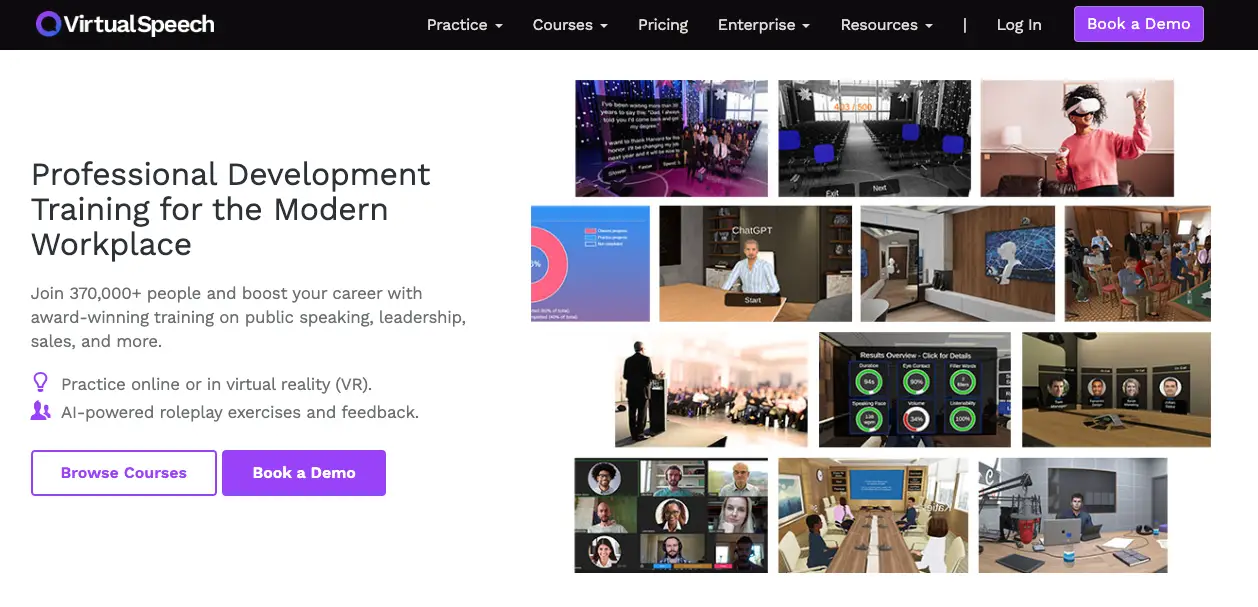
VirtualSpeech plans and prices
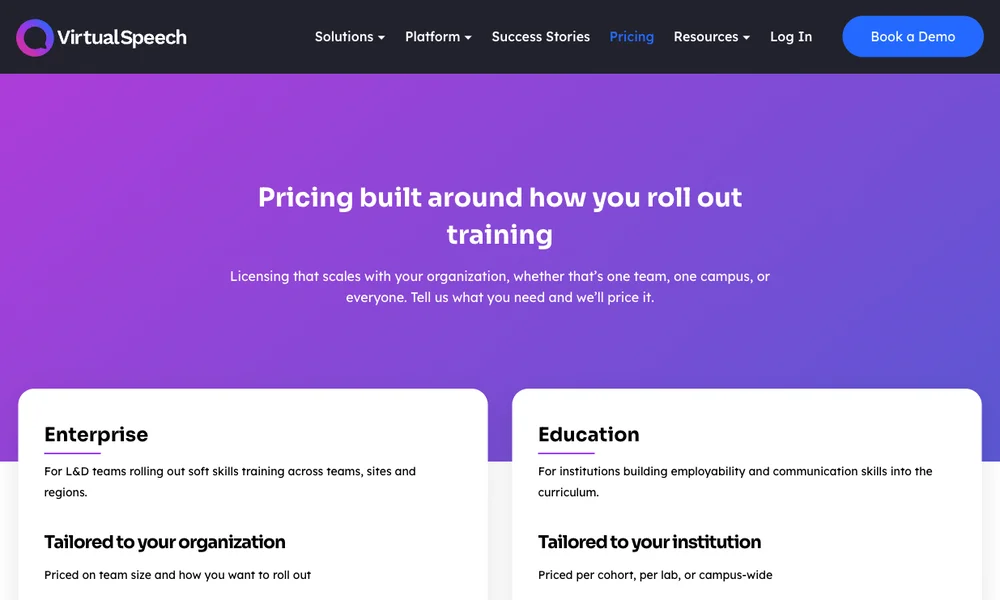
VirtualSpeech’s pricing page lists three plans. Prices below are as listed on 24 September 2026, in US dollars.
| Plan | Price | Who it’s for | How to buy |
|---|---|---|---|
| Individual | $45 per month, or $399 per year | One learner | Self-serve checkout |
| Enterprise | Custom quote, based on team size and rollout | Companies and training teams | Book a demo |
| Education | Custom quote, per cohort, per lab or campus-wide | Universities, colleges and schools | Talk to the education team |
The annual Individual plan works out to about $33.25 a month. Paying monthly for a full year would cost $540, so the annual plan saves $141, roughly 26% (VirtualSpeech markets it as “save 30%”). The annual plan only makes sense if you’re sure you’ll keep practising for most of the year; for a single upcoming presentation or interview, one or two months is cheaper.
The plan line-up has changed since this article was first written in 2023. The earlier version listed the Individual plan at $34 a month billed annually or $44 billed monthly, so the individual price has barely moved. It also listed a Team plan at $199 a month and an Education plan at $19 a month (both billed annually); neither is on the pricing page any more. Teams now go through the Enterprise quote, and schools through the Education quote.
What the Individual plan includes
According to the pricing page, the Individual plan includes the full content library, all practice types and AI feedback. VirtualSpeech’s help centre calls this paid tier the All Access plan and lists what it adds:
- The complete library of online courses, with certificates when you complete them
- VR and mixed-reality practice exercises
- More than 40 AI-powered roleplays with performance metrics
- The option to upload your own material, such as slides, to practise with
- An AI career coach you can talk to about your feedback
Once you’ve paid, you get a login code that you enter in the VR app to unlock the paid content on a headset, as described in VirtualSpeech’s account access guide. The same subscription works in the browser, so you don’t pay separately for VR.
Enterprise and Education pricing
VirtualSpeech doesn’t publish per-seat prices for organisations. The Enterprise and Education plans add custom roleplays, skills analytics, single sign-on and LMS integration, a no-code tool for authoring your own roleplays and a dedicated customer success manager. According to the pricing page FAQ, most organisations start with a pilot of one to two weeks, a standard rollout goes live within two weeks, and custom scenarios take three to four weeks. Data can be stored in US or European regions.
For a rough benchmark, VirtualSpeech’s AWS Marketplace listing offered a 12-month contract for 10 users of the Enterprise platform at $3,990 when we checked on 24 September 2026, which is the same $399 per user per year as the Individual annual plan. For more than 10 users, the listing asks buyers to contact VirtualSpeech. A direct quote may differ, especially for larger groups or custom content.
Is there a free version or free trial?
There is a free version. The help centre describes VirtualSpeech Lite, which needs no subscription and includes four AI-powered avatar roleplay scenarios with AI coaching after each one, plus warm-up exercises and public speaking practice with limited feedback. The catch is that Lite doesn’t save sessions or track progress. The VirtualSpeech app on the Meta Store is listed with in-app purchases.
We found no free trial for the Individual plan on the pricing page or in the terms and conditions. The 7-day free trial mentioned in the earlier version of this article is no longer advertised. Free trials are now described only for organisations, as pilots. For individuals, the practical ways to try before committing are the Lite version and the refund window described below.
Refunds, renewal and cancellation
VirtualSpeech’s terms and conditions set out these rules:
- Automatic renewal: subscriptions renew automatically at the price you agreed to. To stop renewal, turn auto-renewal off or email VirtualSpeech at least 24 hours before the end of the current period.
- Refunds: you can get a refund up to 7 days after payment, or until you’ve completed 20% of the online classes or spent more than 15 minutes in practice exercises, whichever comes first.
The 15-minute limit is short. If you’re testing whether VirtualSpeech suits you, use the free Lite version first rather than spending your refund window on paid exercises.
Do you need a VR headset?
No. VirtualSpeech’s homepage says the platform runs in a browser on a laptop or tablet with nothing to download. VR is an optional extra for practising in front of a virtual audience. According to VirtualSpeech’s supported devices page, the VR app works on these standalone headsets:
| Brand | Supported headsets | Mixed reality |
|---|---|---|
| Meta | Quest 2, Quest 3, Quest 3S, Quest Pro | Yes |
| HTC | Vive Focus 3, Vive XR Elite | XR Elite only |
| Pico | Neo 3, Pico 4, Pico 4 Ultra, Pico 4 Enterprise | Yes |
PC VR headsets such as the Oculus Rift, Valve Index and HP Reverb aren’t supported, and nor are phone-based viewers like Google Cardboard or Merge VR. If you don’t own a headset and are thinking of buying one mainly for VirtualSpeech, the Quest 3 and Quest 3S are Meta’s current models on the supported list; our Meta Quest 3 vs Quest 3S comparison covers the differences. That cost comes on top of the subscription, so try the browser version first.
How VirtualSpeech compares on price
VirtualSpeech is one of the more expensive self-serve options for speaking practice. Prices below were taken from each company’s own website on 24 September 2026.
| App | Individual price | Free option | Platforms | VR practice |
|---|---|---|---|---|
| VirtualSpeech | $45/month or $399/year | Lite version (4 roleplays, no saved progress) | Browser, standalone VR headsets | Yes |
| Ovation | $15/month, billed annually | 7-day free trial | Desktop computer (including Mac), Meta Quest | Yes |
| Yoodli | Pro $8/month or Advanced $20/month, billed annually | Starter plan with 5 lifetime sessions | Browser | No |
| Orai | $12/month, $49.99/year or $149 lifetime | Free download | iOS, Android, web | No |
A few points behind the table:
- Ovation is the closest like-for-like alternative, because it also puts you in front of a virtual audience in VR. Its Individual plan includes the desktop and VR apps, a web portal and monthly AI credits. The Ovation app is on the Meta Store, and the company’s homepage says it also runs on a computer without a headset. For organisations, Ovation publishes prices: $80 per license per month for education and $100 for business, with its example five-license plans at $400 and $500 a month. A license there means one user active at a time.
- Yoodli is an AI roleplay and speech coach that runs in the browser. It has no VR mode, but its paid plans cost a fraction of VirtualSpeech’s.
- Orai is a phone and web app for speech feedback. The prices come from Orai’s own comparison page, which is marketing material from a competitor, but the VirtualSpeech figures on it match VirtualSpeech’s pricing page.
Which option should you choose?
- You want structured courses plus practice, with certificates: the VirtualSpeech Individual plan. Pay monthly for a short, focused push, or annually if you’ll use it for most of the year.
- You’re not sure yet: start with VirtualSpeech Lite. It shows you the roleplays and practice rooms without using up the 7-day, 15-minute refund window.
- You mainly want to rehearse in VR in front of an audience: compare Ovation. It costs about $180 a year billed annually versus $399 for VirtualSpeech, and it has a free trial.
- You mostly want AI feedback on how you speak and don’t care about VR: Yoodli or Orai are much cheaper, and both have free options.
- You’re buying for a team or a class: ask VirtualSpeech for an Enterprise or Education quote and a pilot. The AWS Marketplace listing’s $3,990 for 10 users a year gives you a benchmark to negotiate from, and Ovation’s published per-license prices are useful for comparison.
VirtualSpeech pricing FAQ
How much does VirtualSpeech cost?
The Individual plan costs $45 a month or $399 a year. Enterprise and Education plans are priced per organisation on request. Prices were checked on 24 September 2026 on VirtualSpeech's pricing page.
Is VirtualSpeech free?
Partly. The free VirtualSpeech Lite version includes four AI roleplay scenarios with AI coaching, plus warm-up exercises and public speaking practice with limited feedback, but it doesn't save sessions or track progress. The full course library, certificates and all roleplays need the paid plan.
Does VirtualSpeech have a free trial?
We found no free trial for individuals on the pricing page or in the terms. Organisations can usually run a pilot of one to two weeks. Individuals can get a refund within 7 days of paying, as long as they haven't completed 20% of the online classes or spent more than 15 minutes in practice exercises.
Is there a student or education discount?
Not as a published price. The earlier $19-a-month Education plan and the 10% student discount are no longer listed. Schools, colleges and universities get a custom Education quote instead.
Do I have to pay extra to use VirtualSpeech in VR?
No. The same subscription works in the browser and in the VR app; you enter a login code in the headset to unlock your paid account. You do need a supported standalone headset, such as a Meta Quest 2, 3, 3S or Pro, a Pico 4 or an HTC Vive Focus 3.
How do I cancel VirtualSpeech?
Turn off auto-renewal, or email VirtualSpeech at least 24 hours before the end of your current billing period. Otherwise the subscription renews automatically.
This guide replaces an earlier version by John, first published August 2023.
Research behind this guide
Check the linked specifications and support documents, or read how we research. Original review experience stays attributed to its author.
View 14 sources
- VirtualSpeech: Pricing
- VirtualSpeech: AI soft skills training for teams (homepage)
- VirtualSpeech Help Center: Subscription Plans
- VirtualSpeech Help Center: Accessing your Account in VR
- VirtualSpeech Help Center: Supported Extended Reality (XR) Devices
- VirtualSpeech: Terms & Conditions of Service
- AWS Marketplace: VirtualSpeech - AI Soft Skills Training (VR and Online)
- Meta Store: VirtualSpeech on Meta Quest
- Ovation: Pricing
- Ovation: Homepage
- Meta Store: Ovation on Meta Quest
- Yoodli: Pricing
- Orai: Orai vs VirtualSpeech
- Orai: Homepage
Explore the related guides in VirtualSpeech Review: Courses, VR Practice and Alternatives.