VirtualSpeech Review: Courses, VR Practice and Alternatives
We may earn a commission when you buy through links on this page. As an Amazon Associate I earn from qualifying purchases. How this works
VirtualSpeech suits people who want structured courses and practice with feedback in one service. You can use it in a browser before buying a headset. The September 2026 checks found optional VR support for standalone Meta, Pico and HTC headsets, rather than phone viewers or PC VR. Try Lite first; compare Ovation for audience rehearsal and browser coaches if you mainly want speech feedback.
If you want to rehearse a presentation, interview or difficult conversation, choose the training tool before buying VR hardware. VirtualSpeech offers courses and practice with feedback, and a headset is optional. The useful question is whether you need instruction as well as a place to practise.
Start with the equipment and learning requirements, then compare its practice features and alternatives. The FAQs cover headset support and free options.
Platform status and source notes
VirtualSpeech: status checked 24 September 2026
Still available and actively developed. VirtualSpeech is now an AI soft-skills training platform: online courses, more than 50 ready-made AI roleplays and practice rooms that run in a web browser on a laptop or tablet, with VR as an option. The VR app works on standalone headsets only: Meta Quest 2, 3, 3S and Quest Pro, Pico Neo 3 and Pico 4 models, and HTC Vive Focus 3 and XR Elite, according to its supported devices page. The Samsung Gear VR, Oculus Go and Daydream versions this review originally covered are gone, and phone-based VR is no longer supported. The Individual plan costs $45 a month or $399 a year on the pricing page, and a free Lite version has four AI roleplays. It's still worth a look if you want courses and practice with feedback in one place. If you only want to rehearse in VR, Ovation is cheaper; if you don't need VR at all, browser coaches such as Yoodli cost less still.
Original review context: John’s first-person account below comes from the review published in January 2020. Its original course and headset descriptions are followed by the platform and pricing updates recorded on 24 September 2026.
Does the thought of public speaking terrify you? Do you have a sales position and want to improve your skills?
5 years ago I started a new job which included frequent public speaking. I had never taken a public speaking or communication course and was very nervous.
VirtualSpeech would have been a great service to have back then. With VirtualSpeech I could have practiced speaking in front of a virtual audience and immediately gotten feedback about how I did.
In this article I’ll review VirtualSpeech so you can determine whether it can help you.
What to Check Before Buying a VR Speech Training App
Online education has become a great way to learn about skills, including public speaking; but the public speaking courses usually lack the ability to really develop the speaking skills you are learning through practice as you would get in a real-world class. VR speech learning apps solve that problem by providing simulations where you can practice the speaking skills you are learning. Some can also provide feedback by monitoring things like speech patterns, eye contact, and movement as you will see in the information below.
If you want to learn public speaking and you have the opportunity to take a course in person, that may be a better option. However, for people who don’t have the ability to attend a course in person or want to quickly develop new skills for their job, virtual public speaking apps may be just what you need.
There are several public speaking apps available which offer virtual reality scenarios for practicing the skills you are learning.
Whether you are considering VirtualSpeech or another learning app, there are a few things you should consider, first.
- What kind of VR equipment and/or smartphone do you have?
The various speech training apps were developed for different platforms. Before you decide on an app, check to see if it’s compatible with the equipment you have or, if not, what the additional cost will be to get that equipment. As of September 2026, VirtualSpeech and Ovation both also run without a headset (in a browser or a desktop app), while phone-based viewers are no longer supported by VirtualSpeech. - Do you need instruction or just practice?
Most of the speech training VR products only provide the VR environments to practice speaking. There may be evaluation and feedback features in the practice software, but that’s different from receiving instruction from a person as to how to speak publicly in the first place. When this review was first written, VirtualSpeech was the only one of these products which offered online courses on public speaking. - Is customization important to you?
Some apps let you upload your own slides, choose the size and mood of the audience, or build custom scenarios for a company. If you need these features, check that the app supports them before you pay. - What is your budget and how long do you need the product?
Pricing ranges from free to a few hundred dollars a year, and most of these apps, VirtualSpeech and Ovation included, are now sold as subscriptions.
Presenting: VirtualSpeech
VirtualSpeech is a speech learning app which offers both online courses for various types of speaking and realistic virtual simulations in which to practice those speaking skills. They offer a wide variety of courses and training simulations to choose from including public speaking (speeches), job interviews, business networking, boardroom presentations, press conferences, and more. It has since added AI roleplays, in which avatars respond to what you say, for situations such as sales calls, leadership and difficult conversations.
VirtualSpeech offers evaluation and reporting which help you hone your skills. The product can track eye contact, voice attributes, your speed of delivery, and use of filler words. You can also record your training sessions for further review.
When we first reviewed it, VirtualSpeech was the market leader for VR speaking training, and no other app offered its combination of online courses and VR practice. Competitors have since widened their range: Ovation, for example, now covers job interviews and difficult conversations as well as speeches (see the alternatives below).
This product is for people who want to learn about and train in speaking, both public and private. VirtualSpeech is also for those who fear public speaking (or any other kind of speaking) and want to get over that fear. If, however, you have a very limited budget or you only want to rehearse in VR without courses, you may want to check out some of the alternatives.
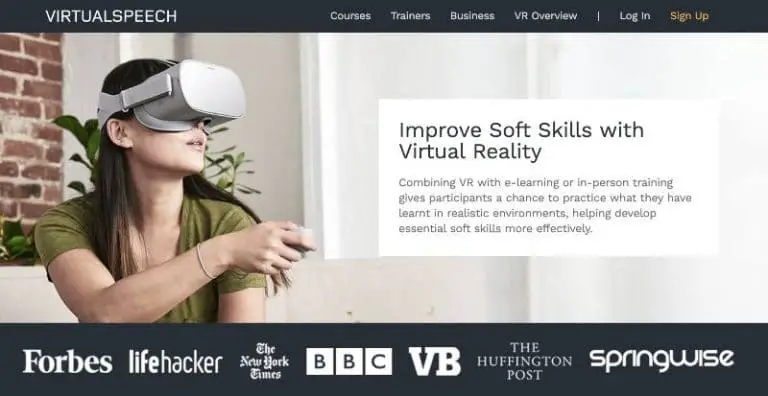
VirtualSpeech is available in a web browser on a laptop or tablet and as a VR app for standalone headsets: Meta Quest 2, Quest 3, Quest 3S and Quest Pro, Pico Neo 3, Pico 4, Pico 4 Ultra and Pico 4 Enterprise, and HTC Vive Focus 3 and XR Elite. The original versions for Samsung Gear VR, Oculus Go and Daydream View are no longer supported: VirtualSpeech’s supported devices page says it doesn’t support phone-based VR such as Google Cardboard, or PC headsets such as the Oculus Rift, Valve Index and HP Reverb.
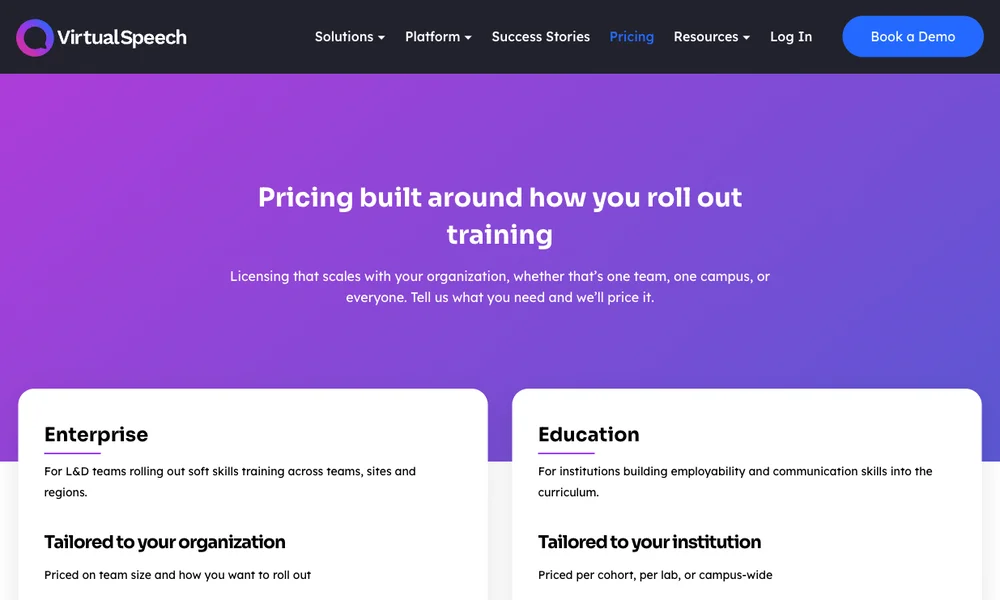
Cost: the Individual plan is $45 a month or $399 a year (checked 24 September 2026 on the pricing page); Enterprise and Education plans are quoted per organisation. A free Lite version is available, and a VR headset is optional and costs extra. Our VirtualSpeech pricing guide covers the plans, refunds and cancellation in detail.
Pros
- Realistic simulations
- Feedback and history tracking
- Instructional online courses available
- Training and simulations for a wide variety of speaking situations
- Works in a browser, so a headset isn’t required
- Free Lite version to try it first
Cons
- No dedicated hand-gesture metric is listed; body language is scored only when you practise in a headset
- More expensive for individuals than most alternatives
- The VR app needs a standalone headset; phones and PC VR headsets aren’t supported
VirtualSpeech Features
Online Courses
There are 13 courses available at the writing of this review, including Essential Public Speaking, Job Interview Preparation, Business Networking, Sales Pitch and Closing, and more.
These courses offer hours of instructional education about the type of speaking you want to learn about and develop. At the time, these courses included up to 70 lessons and up to 6 VR scenarios.
As of September 2026, the courses page lists 17 courses, including Public Speaking Mastery, Difficult Conversations, Leadership Communication, Media Training and English for Business. According to VirtualSpeech’s plan comparison, paid subscribers get digital certificates for completed courses and exercises.
Among the apps compared in this review, online courses are a feature unique to VirtualSpeech.
Realistic Virtual Practice Environments
VirtualSpeech offers a wide variety of environments in which to practice and hone your skills. These environments include different size speech venues, boardrooms, interview offices, and more. In addition, there is a level of avatar interaction which creates a more realistic setting.
With surround sound, the simulations include distracting sounds like coughing, phones ringing, and speaking. You can also upload slides for a presentation so you can give your presentation in as realistic a scenario as possible.
The Meta Store listing now mentions more than 50 practice environments, mixed-reality support and AI-powered roleplay conversations.
Practice Evaluation Feedback
As you practice the speaking skill that you are learning in the virtual simulation, the software tracks things like eye contact, the speed you speak, the use of filler words, and voice volume. After you finish the scenario, VirtualSpeech will show you scores for those tracked behaviors and compare those scores to what experts have determined are the best behaviors.
You can then use this feedback to improve your speaking skills by working on the behaviors for which your score wasn’t optimal.
VirtualSpeech’s current presentation practice page lists speaking pace, filler words and hesitations, listenability, eye contact and, when you practise in a headset, body language. The AI audience can also ask questions based on what you actually said, and you can add your own questions in advance.
Save and Upload for Review or Additional Feedback
Even with the computerized evaluation and feedback you receive with VirtualSpeech, it is still helpful to get more detailed feedback from real people. They can comment on things that aren’t tracked by the system and give further advice for correcting mistakes.
To help with this, your sessions in the simulation can be recorded and then uploaded to your learning portal. You can then send those sessions for further evaluation to a trainer if you have one, or to your instructor, if you are taking the course.
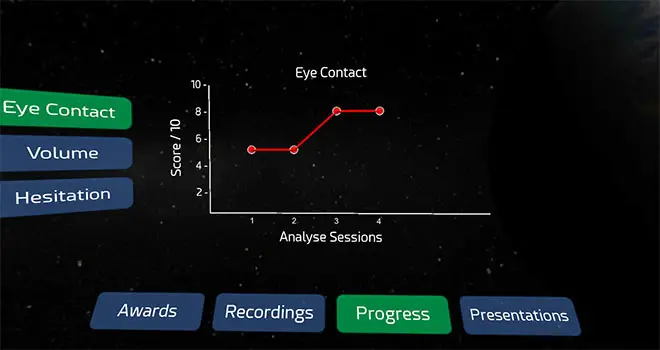
Track Progress
As mentioned above, VirtualSpeech evaluates various speaking behaviors and scores your results. Those scores are saved. Then each time you try a simulation again, you can compare your score to your previous scores to track your improvement over time. Progress tracking needs the paid plan: the free Lite version doesn’t save sessions or progress.
Custom Course Development
If you are part of a company that would like to either use the existing VR scenarios or create custom scenarios, VirtualSpeech is willing to do that. You can add your branding to VR scenarios in addition to creating custom scenarios and custom venues. So, if you want your employees to be able to practice presentations in a VR scenario that looks just like your conference room, you can do that. This allows companies to use VirtualSpeech’s VR technology to train their staff.
The Enterprise and Education plans now also include a no-code tool for building your own roleplays, skills analytics, single sign-on and LMS integration, according to the pricing page.
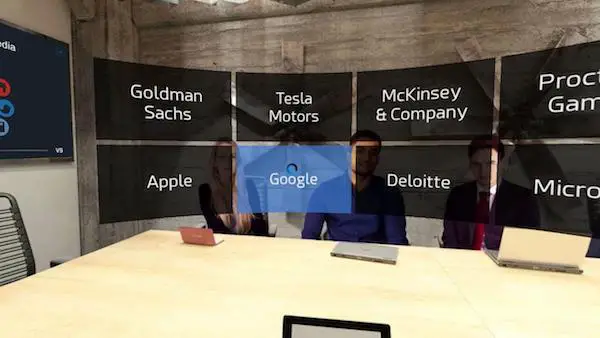
What are people saying about VirtualSpeech?
I scoured the internet and found some user reviews that seemed rather positive.
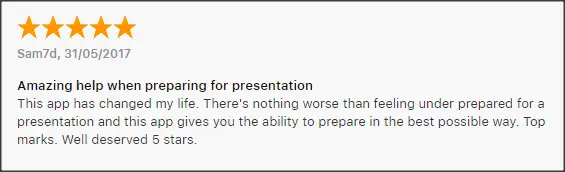
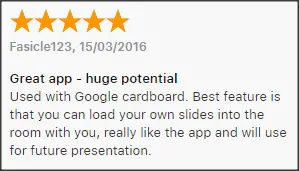
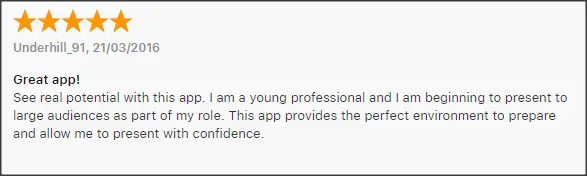
Those reviews date from 2018. As of September 2026, the VirtualSpeech app on the Meta Store has an average rating of 3.7 out of 5 from 109 reviews.
Alternatives to VirtualSpeech
Note: The three alternatives in the original review were PC VR apps for the Oculus Rift and HTC Vive, headsets that are no longer sold. Ovation and Virtual Orator are still available, with current platforms and prices below. We couldn't confirm that Presentation Simulator is still available. Newer options are listed at the end of this section.
| App | Platforms | Price for individuals | Courses |
|---|---|---|---|
| VirtualSpeech | Browser; Meta Quest, Pico and HTC Vive standalone headsets | $45/month or $399/year; free Lite version | Yes |
| Ovation | Windows, Mac; Meta Quest | $15/month billed annually; 7-day free trial | No course library listed |
| Virtual Orator | PC VR (SteamVR, Oculus PC); Meta Quest listed on its website | €169.99 on Steam | No |
| Presentation Simulator | Oculus Rift, HTC Vive | Free (availability unconfirmed) | No |
| Yoodli | Browser (no VR) | Free Starter; Pro $8/month, Advanced $20/month billed annually | No |
Prices were taken from each company’s website or store page on 24 September 2026.
#1 Ovation
Ovation was released in October 2018. It has all the VR simulation capabilities VirtualSpeech has, but also has some additional, helpful evaluation and training features. Ovation can track hand movement and microphone position (simulating hand-held microphone usage). These features aren’t available in VirtualSpeech.
Also, Ovation offers live feedback for eye contact, filler words, and microphone placement in addition to reports shown after your speech. VirtualSpeech only has reporting after the fact. Ovation doesn’t, however, offer online training courses like VirtualSpeech does; its website describes practice and feedback tools rather than a course library. It has added AI avatars for job interviews and difficult conversations, though, so it’s no longer limited to speeches.
One additional note is that Ovation appears to be primarily targeted at enterprise usage. While this is helpful if you need an enterprise solution, for regular users it means that some of the setup controls are not very intuitive.
Ovation now runs on Meta Quest headsets, with the Quest 3 and Quest 3S recommended on its VR app page, and as a desktop app for Windows and Mac. The Meta Store listing had a 4.4 out of 5 rating from 56 reviews when we checked.
Ovation’s pricing page lists $15 a month for individuals, billed annually, with a 7-day free trial. Organisations pay $80 per license a month for education and $100 per license a month for business, where a license means one user active at a time (checked 24 September 2026).
If you don’t need instruction via online courses and are only looking for practicing/training for speech giving, Ovation may be a great option for you. With its additional feedback features, it gives VirtualSpeech a run for its money.
Similarities to VirtualSpeech
- Realistic virtual environments to simulate public speaking
- Multiple venues and venue sizes
- Can record speeches
- Ability to upload slides for the presentation
- Post-speech feedback and history tracking
- You can get customization (at an additional cost)
Differences from Virtual Speech
- Hand movement tracking
- Mic placement tracking
- Scenarios now cover presentations, interviews, sales pitches and difficult conversations
- No online training courses
- Live feedback
- Cheaper for individuals
You can learn more about Ovation at https://www.ovationvr.com
#2 Virtual Orator
Virtual Orator is very similar to VirtualSpeech, though without the option of online training courses. One interesting feature Virtual Orator has which was not available in VirtualSpeech at the time is programmable audience responses/questions. Responses or questions can be pre-programmed into the scenario and a virtual member of the audience will give the response or question during your presentation. VirtualSpeech has since added AI-generated audience questions and lets you add your own.
As with all the alternatives I mention here, Virtual Orator does not offer online courses for instruction, and it is limited to speech giving training.
Virtual Orator is now sold on Steam for SteamVR and Oculus PC headsets, and its website also lists a Meta Quest version and institutional licences. Windows Mixed Reality headsets are no longer an option: Microsoft deprecated Windows Mixed Reality and removed it in Windows 11, version 24H2, with support ending after November 2026.
The Steam store listed Virtual Orator at €169.99 when we checked on 24 September 2026. The earlier prices of $300 for single users and $3000 for the enterprise edition are no longer published, and the website doesn’t list prices for institutional licences.
If you want to be able to program audience responses, this may be worth looking into. Keep in mind that the Steam version needs a PC VR setup.
Similarities to VirtualSpeech
- Virtual environments that realistically simulate public speaking
- A variety of locations and crowd sizes to choose from
- Can record speeches
- Presentation slides can be uploaded and used in simulations
- Feedback given after the simulation is finished and history tracking
Differences from Virtual Speech
- Programmable audience responses/questions
- Limited to only speech giving
- No online training courses
You can learn more about Virtual Orator at https://virtualorator.com/ (its old publicspeaking.tech address no longer works).
#3 Presentation Simulator
Presentation Simulation is the simplest of the alternatives. It only offers the public speaking simulation. There is no feedback, live or after the speech and no courses for instruction. There are a few venues/sizes to choose from.
This is just a practice simulation for public speaking. However, it has one very nice feature. It’s free (or you can give a $9.99 donation).
Available for Oculus Rift or HTC Vive. Both headsets are discontinued, and we couldn’t confirm that Presentation Simulator is still available to download.
Presentation Simulation is free.
If you just want to get over your nerves before a speech or presentation and don’t want to spend much (or any) money, this may be a good option for you. If you can’t get it to run, the free options below cover the same need.
Similarities to VirtualSpeech
- Public speaking simulations in realistic environments
- Multiple (though fewer) venues and venue sizes
- Ability to include slides for the presentation
Differences from Virtual Speech
- Limited to only speech giving
- No online training courses
- No tracking and feedback
- No history of progress
- It’s free
Presentation Simulator’s original website, presentationsimulator.com, didn’t load when we checked in September 2026, so we no longer link to it.
Other options to consider
- VirtualSpeech Lite: the free version of VirtualSpeech itself. According to the plan comparison, it includes four AI roleplay scenarios, AI coaching after each roleplay and public speaking practice with limited feedback, but it doesn’t save sessions or progress.
- Yoodli: a browser-based AI roleplay and speech coach with no VR mode. Its pricing page lists a free Starter plan with five lifetime roleplays, and Pro and Advanced plans at $8 and $20 a month, billed annually.
- GeneratePPT’s VR presentation simulator: a free browser tool that lets you upload slides and rehearse on a virtual stage on a computer or, through WebXR, in a compatible headset. It doesn’t use your microphone or score your delivery (it only reports timing), so it’s a free stand-in for Presentation Simulator rather than for VirtualSpeech.
Is VirtualSpeech Worth It?
Public speaking and even private conversational speaking can be difficult and just plain scary. You may not even know where to start or you may know how to speak, but need to work to hone your skills.
VirtualSpeech can help you get over your fears and work at improving your skills. By placing you in a realistic simulation, you prepare yourself for the challenges of speaking. With feedback and history tracking, you can continue to work to improve your ability to speak. The inclusion of online courses for instruction sets VirtualSpeech apart from its competitors.
The other feature that sets VirtualSpeech apart is the wide variety of speaking situations you can learn about and practice in. When this review was written, all the alternatives only offered speech giving; Ovation has since added interviews, sales pitches and difficult conversations, but VirtualSpeech is still the only one here that pairs its practice scenarios with courses, on topics from business networking to sales pitch closing, and more.
If you need to work on your speaking skills or get over a fear of public speaking and especially if you need instructional training for how to speak, I encourage you to go to https://virtualspeech.com/ and learn more about what they have to offer.
Is it worth paying for? Based on our research, yes, if you’ll use both the courses and the practice rooms: try the free Lite version first, and remember you don’t need a headset. If you mainly want to rehearse a talk in VR, Ovation costs less than half as much per year. If you don’t care about VR, Yoodli gives AI feedback for a fraction of the price.
VirtualSpeech FAQ
Is VirtualSpeech still available?
Yes. As of September 2026, VirtualSpeech sells an Individual plan and custom Enterprise and Education plans, and its VR app is on the Meta Store as a free download with in-app purchases.
Does VirtualSpeech work on Oculus Go, Gear VR or a phone headset?
No. VirtualSpeech's supported devices page lists only standalone Meta Quest, Pico and HTC Vive headsets and says phone-based VR such as Google Cardboard isn't supported. PC headsets such as the Oculus Rift aren't supported either.
Do I need a VR headset to use VirtualSpeech?
No. The platform runs in a web browser on a laptop or tablet. VR is optional, and the paid plan includes both VR and online practice.
How much does VirtualSpeech cost?
The Individual plan is $45 a month or $399 a year, according to the pricing page. Organisations get a custom quote. See our VirtualSpeech pricing guide for refunds and cancellation.
Is there a free version of VirtualSpeech?
Yes. VirtualSpeech Lite is free and includes four AI roleplay scenarios and basic practice, but it doesn't save your sessions or track progress.
Research behind this guide
Check the linked specifications and support documents, or read how we research. Original review experience stays attributed to its author.
View 17 sources
- VirtualSpeech: AI soft skills training (homepage)
- VirtualSpeech: AI-powered roleplays for soft skills
- VirtualSpeech: Pricing
- VirtualSpeech: Professional development courses
- VirtualSpeech: Presentation skills practice in VR or online
- VirtualSpeech Help Center: Supported Extended Reality (XR) Devices
- VirtualSpeech Help Center: Subscription Plans
- Meta Store: VirtualSpeech on Meta Quest
- Ovation: Homepage
- Ovation: VR public speaking practice app
- Ovation: Pricing
- Meta Store: Ovation on Meta Quest
- Virtual Orator: Homepage
- Steam: Virtual Orator
- Microsoft Learn: Deprecated features in the Windows client (Windows Mixed Reality)
- Yoodli: Pricing
- GeneratePPT: Public Speaking & Presentation Simulator + VR
Explore the related guides in VR apps.