Samsung HMD Odyssey Plus vs. HTC Vive: Comparison and Current Status
We may earn a commission when you buy through links on this page. As an Amazon Associate I earn from qualifying purchases. How this works
Neither discontinued headset is our starting point for a first setup. The Vive’s external tracking needs base stations and controllers. The Odyssey+ needs an older Windows Mixed Reality setup or the unofficial Oasis driver on newer Windows. John originally preferred the Vive for tracking; today, software support and a complete working kit come first. Review the source notes and alternatives before buying.

128 GB configuration
Standalone VRStandalone games with Fresnel lenses.
Check first: Check the app library, optical fit and return policy.
Check price on Amazon Paid link · Amazon
512 GB configuration
Pancake opticsPancake lenses and a higher-resolution display than Quest 3S.
Check first: Compare the complete purchase, including any accessories.
Check price on Amazon Paid link · Amazon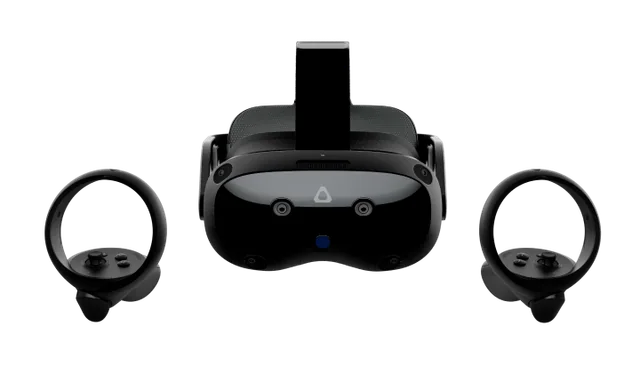
Check the exact retailer bundle
VIVE headsetA standalone and PC VR option discussed in this guide.
Check first: Check the required PC connection and accessory setup.
Check price on Amazon Paid link · AmazonAn Odyssey+ may look appealing beside a used HTC Vive because it needs no external tracking stations. That convenience depended on Windows Mixed Reality, which current Windows 11 removed. A Vive needs its base stations and controllers, so check the full setup before the display.
Start with how and where you play, then read John’s original comparison of tracking, setup and PC requirements. For a first purchase, consider the alternatives before the historical winner.
Platform status and source notes
Status: both headsets are discontinued, and the Odyssey+ platform is being retired
HTC Vive: the original Vive launched in April 2016. In September 2019 HTC told UploadVR it was being phased out, and HTC's current product lineup no longer lists it. A working used Vive can still run SteamVR: Valve still lists the HTC Vive as a supported headset.
Samsung HMD Odyssey+: released in October 2018 as a Windows Mixed Reality (WMR) headset, and no longer part of any current lineup we could find. Microsoft deprecated WMR in December 2023 and removed it from Windows 11, version 24H2. Existing headsets keep working with Steam through November 2026 only on Windows 11, version 23H2 or earlier; after that, WMR gets no further updates or support. A community driver called Oasis, bundled with the SteamVR beta since September 2025 according to Wikipedia, can run WMR headsets on newer Windows 11 builds, but only with Nvidia graphics.
Our advice: don't buy either headset new or used unless it is very cheap and you accept these limits. See what to buy instead. Checked 24 September 2026.
Original comparison opening (2020)
If you are in a hurry and just want to find out which Virtual Reality headset is better, then I recommend the HTC Vive. Note: the Vive has since been discontinued, so treat this as a comparison of two older headsets.
There are so many good virtual reality systems available today that it can be difficult to know which is best for you. If you’re going to drop several hundred dollars on a headset, you need to know you’re making the right choice.
It used to be that the Oculus Rift or HTC Vive were the obvious front-runners.
However, lately, some headsets have come on the scene that give them a run for that number one spot.
One of those impressive competitors is the Samsung Odyssey Plus. It boasts higher resolution graphics and room-scale motion tracking, but can it beat out the HTC Vive? Let’s find out.
What to Check Before Buying a Used Odyssey Plus or Vive
Check whether you can run the headset before choosing a tracking system. The Odyssey+ depends on a retired Windows platform; the Vive needs a complete SteamVR tracking kit. Neither works as a standalone headset.
If evaluating equipment you already own or a specific used listing, the next decision is practical: will you keep it in one room, or move it between compatible PCs? John’s original sections explain how the tracking hardware affects that choice.
What Kind of VR Experiences Do You Want?
Are you an action, diving-around-the-room kind of VR player or are you someone who wants to explore 3D 360-degree travel destinations. If you are moving around a lot in virtual reality and using your hands all around your body, external motion tracking is a must.
If you are exploring VR environments or playing cockpit-style games, then inside-out tracking should work fine for you. With the Vive and Odyssey having different kinds of tracking systems, this is important for you to know.
Do You Want to Take Your Headset Out of Your House?
External sensors can provide excellent motion tracking. However, they are typically installed in one room.
So, you need to be in that room to use your VR headset. When the motion tracking sensors are built into your headset, you can easily use it anywhere. You only need to have a computer capable of running the headset.
If you want to be able to take your headset to your friend’s house, you’re better off with a headset with the sensors built into the headset. If you only want to use your headset at home, external sensors are your better option.
Odyssey Plus vs. HTC Vive, Feature by Feature
Original 2020 comparison: The first-person observations and launch-era verdicts below are John’s original coverage. They are retained for readers comparing older hardware; they are not recommendations to buy a first setup today.
The HTC Vive and Samsung Odyssey Plus are both high-quality VR headsets. Purchasing either will likely give you an excellent experience.
In fact, when comparing these headsets, I found many similarities. However, each has its strong points and weaknesses. So, the best headset for you depends on what you want out of your headset.
In this article, I’ll compare the key features and benefits of each headset so you can make the best decision on your purchase. These features include:
- Visual Display
- Comfort
- Audio
- Motion Tracking
- Ease of the Setup
- Wireless
- What VR Apps You Can Use
- Hand Controllers
- Computer Requirements
Visual Comparison
Both headsets offer the same 110-degree field of view and have OLED screens.
However, the Samsung displays are a combined resolution of 2880×1600 while the HTC Vive Headset is only 2160×1200. You would think its higher resolution would give the Odyssey a much better image, but the two headsets are surprisingly similar.
The Vive does have some screen door effect (it looks like you are looking at the image through a screen) which the Odyssey doesn’t have. Score one for the Odyssey. However, the Samsung’s image tends to be blurrier than the Vive. The Odyssey does win out, but in the end, there’s not all that much of a difference.
I also want to quickly mention the refresh rate. The HTC has a refresh rate of 90 Hz.
The Samsung has either 60 or 90 Hz, depending on your PC setup. I highly recommend going with the better PC setup (called Ultra) or the 60 Hz refresh rate can cause your video to stutter or freeze.
Winner: Samsung Odyssey Plus – The higher resolution and lack of screen door effect cause it to edge out the Vive.
Comfort
Both headsets have adjustable harnesses. The HTC harness goes both around your head and over the top while the Samsung just goes around your head. The Samsung is a bit heavier, but that extra weight is well dispersed so you won’t really notice it.
User reviews are mostly positive for the HTC’s comfort. The Odyssey has more mixed reviews.
Many people report the Odyssey being as comfortable as the Vive, but some people also say they have issues. Some report heat after prolonged use and others report discomfort on their forehead.
Winner: HTC Vive – While both tend to be comfortable, I’ve seen too many comfort issues reported by users for the Samsung to make this a tie.
Audio
Both headsets have excellent 3D, 360-degree spatial audio. The difference is that Samsung has built-in headphones where the HTC does not.
You need to either use headphones you already own with the Vive or purchase their audio strap for an additional cost.
Winner: Samsung Odyssey Plus – I actually tend to prefer using my headphones for most VR headsets because I have very good headphones. However, the Samsung’s built-in headphones are excellent and shouldn’t disappoint, and they aren’t an extra cost.
Motion Tracking
The two headsets both offer 6-Degrees of Freedom and room-scale motion tracking.
So, your virtual experience is very immersive with both. There is a critical difference, though, in the way the systems track your motion.
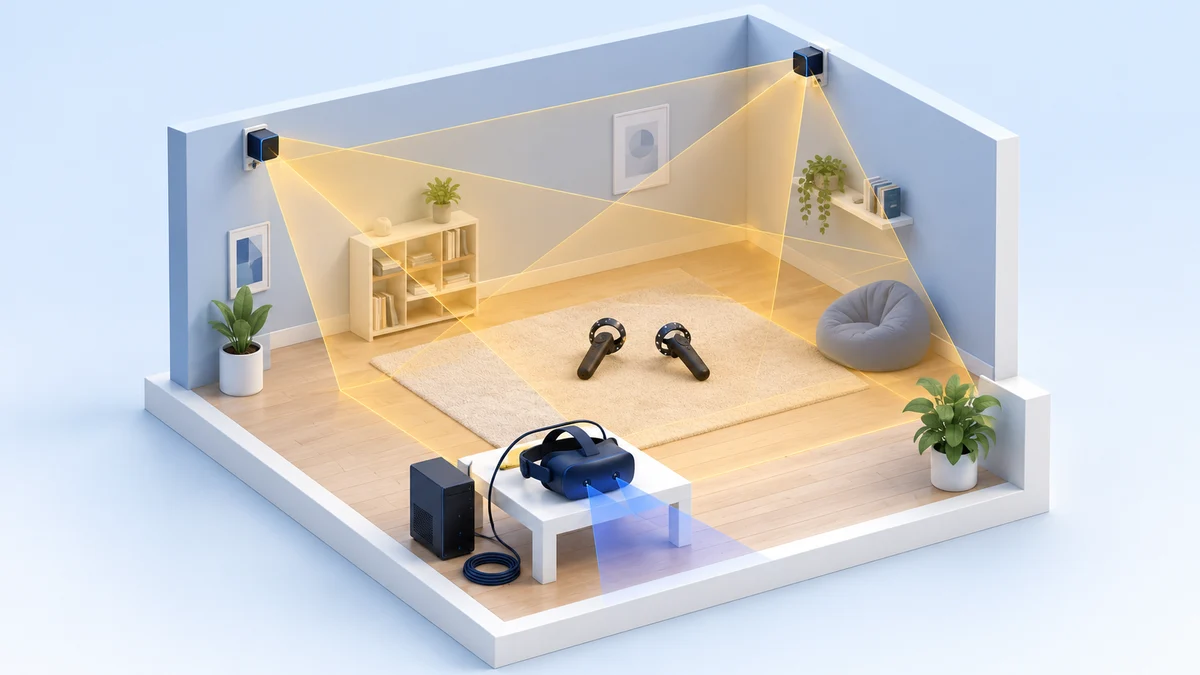
The HTC Vive uses external sensors, called lighthouses, to track both your headset and your hand controllers. The Samsung Odyssey Plus uses cameras on your headset to track your movement and your hand controllers.
Both headsets do an excellent job of tracking, but the HTC is a little better in general.
Also, because the Odyssey’s tracks with cameras in the front of your headset, if your hands aren’t in front of you, it loses track of them. This interferes with your gameplay.
If you use virtual reality apps that don’t include using hand controllers or you play cockpit games where your hands are in front of you, the Samsung should work well for you. If you play more active games that use a lot of hand movement, the Odyssey can have problems.
Winner: HTC Vive – The Vive would win in motion tracking even without the Samsung’s hand-tracking issue. However, the hand-tracking makes HTC the clear winner for motion tracking.
Setup
The phenomenal tracking HTC offers comes at a price. You have to set up their lighthouse sensors around your gaming area. That makes setup of the Vive more complicated and time-consuming.
Winner: Samsung Odyssey Plus – Having the motion tracking built into the headset makes for a much quicker and easier setup.
Wireless
While both headsets typically tether you to your computer, the HTC Vive has an optional wireless adapter you can purchase. It isn’t the cheapest thing in the world, but losing the tether is a complete game-changer. HTC still hosts a support page for the VIVE Wireless Adapter that lists the original Vive as compatible; we could not confirm whether it is still sold new.
You won’t have to worry about tripping over the tether, hitting it with your hand, or getting too far from your computer. All this makes for a more enjoyable and immersive experience.
Winner: HTC Vive – It costs you a bit more, but at least you can get it if you want. There is no wireless option for the Odyssey.
App Library
The Vive has access to apps in both SteamVR and the Oculus Store. The Samsung has access to apps in both those stores and the Microsoft Store.
Note: Oculus Store games only ever ran on these headsets through Revive, an unofficial community compatibility layer, not through official support. The Microsoft Store’s WMR apps depend on the Mixed Reality Portal, which Microsoft removed along with WMR in Windows 11, version 24H2.
Technically, this means you have more virtual reality apps to use with the Odyssey. However, the Microsoft Store’s VR library of apps was relatively small and unimpressive. So, you aren’t missing out on much.
Winner: Tie – I know I said the Odyssey has access to more apps since you can use the Microsoft Store. I just don’t think those apps add much, if any, value to the enormous library of much better apps on Steam and Oculus.
Hand Controllers
Both the Vive and Odyssey have wand-style hand controllers with ergonomic controls and motion tracking.
The Vive’s controllers are a little heavier. Some people think lighter is better while others think having something a little heavier feels more immersive when playing games with swords or guns, which would have weight.
How intuitive the controls of either system’s controllers are is a subjective choice. Some people like the HTC controllers better and others like the Samsung ones. Neither rise up to the gold-standard of the Oculus Rift controllers, but both are good.
Winner: Tie – Both controllers do the job well, and which one feels better comes down to personal preference.
Computer Requirements
Being a Windows Mixed Reality (WMR) headset, Samsung has two sets of computer specs.
One gives you the base VR experience and the other gives the ultra experience. Not only is the Ultra better, but due to the refresh rate (discussed above), I think it’s necessary. So, I’m comparing the requirements for Ultra.
The two headsets have nearly identical computer requirements (listed below). Both require a decent gaming computer, though nothing too crazy. However, there are a few differences. Specifically, the Samsung requires more RAM and a specific slot for your graphics card. The graphics card slot is important. Even if you have a graphics card that meets the requirements, you may have to upgrade your motherboard.
Also, know that with WMR headsets, like the Odyssey, feature updates only come included with OS updates. So, you have to put your entire OS into a beta state to get the most recent features. This may cause issues in other areas of your computer usage.
Note: this no longer applies. Microsoft stopped developing WMR, and its archived setup guide now says WMR headsets are supported only on Windows 10, version 20H2 through Windows 11, version 23H2, not on 24H2 or newer. On the HTC side, the Steam client has required Windows 10 or later since 1 January 2024, according to the SteamVR store page, so the Windows 7 and 8.1 entries below are out of date.
HTC Computer Requirements (HTC support):
- GPU: NVIDIA GeForce GTX 1060 or AMD Radeon RX 480, equivalent or better
- CPU: Intel Core i5-4590 or AMD FX 8350, equivalent or better
- RAM: 4 GB or more
- Output: HDMI 1.4, DisplayPort 1.2 or newer
- USB: 1x USB 2.0 or better port
- OS: Windows 7 SP1, Windows 8.1 or later
Samsung Computer Requirements (the WMR 90 Hz PC guidelines):
- CPU: Intel® Core™ i5 4590 (4th generation desktop), quad-core or AMD Ryzen 5 1400 3.4 GHz, quad-core or better
- RAM: 8 GB DDR3 or better.
- Storage: 10GB
- GPUs: Nvidia GeForce GTX 1060 or AMD Radeon RX 470/570 or greater (Note: GPU Must be hosted in a PCIe 3.0 x4+ Link slot.)
- Windows Display Driver Model (WDDM) 2.2.
- Output: HDMI 2.0 or DisplayPort 1.2, External or integrated VGA (800x600) monitor
- USB: 1x USB 3.0 Type-A or Type-C
- Bluetooth: Bluetooth 4.0
- OS: Windows 10 Fall Creators Update or later at launch; now Windows 10, version 20H2 through Windows 11, version 23H2 only
Winner: HTC Vive – Both headsets have very similar requirements. However, the Samsung’s specific GPU slot requirement and tie-in to Windows updates give the Vive the advantage.
HTC Vive or Odyssey Plus: Choosing the Right One
As you get ready to buy a VR headset, it’s essential you choose the virtual reality system that works best for you. You don’t want to spend hundreds of dollars to find out you could have had something better.
So, which is better: the HTC Vive or the Samsung Odyssey Plus?
Why the HTC Vive Came Out Ahead Overall
Historical verdict: This recommendation reflects the original 2020 comparison, when the headsets were on sale. Use the platform notes and alternatives for a purchase today.
For my money, the HTC Vive is the better overall VR system. The motion tracking is second to none, and that is key to your virtual experience. The Samsung may have slightly better graphics, but the graphics quality of the Vive is still excellent. Also, the option to go wireless is a literal game-changer. I believe the HTC delivers the more immersive experience and that’s what VR is all about.
That said, if you are playing games that don’t require your hands to go out of sight and you don’t want to spend the money on the HTC’s wireless option, the Samsung is probably the better option for you…and it saves you a little money.
If you want unparalleled tracking and awesome graphics, check out the new HTC Vive Pro. It delivers the best of both worlds.
Note: HTC told UploadVR in March 2020 that the original Vive Pro was end of life. The later Vive Pro 2 also appears in HTC’s product lineup, but its overview says “VIVE Pro 2 is no longer available”. A product entry does not confirm that it is sold new.
What to Buy Instead of an Odyssey Plus or Vive
Neither headset is our recommendation for a first setup. The alternatives below retain the 24 September 2026 research and price snapshot. Check the exact model, required equipment and current retailer terms before purchasing:
- Meta Quest 3S or Quest 3: standalone headsets that can also play PC VR games over a cable or Wi-Fi. Meta’s comparison page lists the Quest 3S from $349.99 and the Quest 3 at $599.99 (prices checked 24 September 2026).
- HTC Vive Focus Vision: HTC’s standalone headset with a DisplayPort mode for wired PC VR, 2448 × 2448 pixels per eye and inside-out tracking, according to HTC’s spec sheet.
- HTC Vive Pro 2: a later Lighthouse-tracked headset retained from the original alternatives. HTC’s overview says it is no longer available, so it is not a recommendation for a new first setup.
- Valve Steam Frame: a standalone, streaming-first headset from Valve released on 18 September 2026 from US$1,059, according to Wikipedia.
For more head-to-heads, see our VR comparisons, including Meta Quest 3 vs Quest 3S.
Research behind this guide
Check the linked specifications and support documents, or read how we research. Original review experience stays attributed to its author.
View 16 sources
- Deprecated features in the Windows client (Microsoft Learn)
- Windows Mixed Reality: Before you start (Microsoft Learn, archived)
- Windows Mixed Reality minimum PC hardware guidelines (Microsoft Learn, archived)
- Using SteamVR with Windows Mixed Reality (Microsoft Learn, archived)
- Windows Mixed Reality (Wikipedia)
- HTC Vive (Wikipedia)
- HTC confirms the original Vive is being phased out (UploadVR)
- HTC discontinues the Vive Pro (UploadVR)
- VIVE product lineup (HTC)
- VIVE system requirements (HTC support)
- VIVE Wireless Adapter support (HTC)
- VIVE Focus Vision specs (HTC)
- SteamVR on Steam (Valve)
- Revive compatibility layer (LibreVR on GitHub)
- Compare Meta Quest headsets (Meta)
- Steam Frame (Wikipedia)
Explore the related guides in VR comparisons.