Best VR & AR Development Online Courses to Enroll In
We may earn a commission when you buy through links on this page. How this works
Try a free official learning path before paying for a VR course. Unity's Create with VR is a starting point for building an app; Epic's learning library covers Unreal Engine. Match the course to your chosen engine, computer and experience. Several courses reviewed below contain older headset material or have changed availability. A general C++ course can teach useful foundations, but it is not automatically a complete VR development course.
A VR development course should help you build for the headset you want to use. Before enrolling, check the engine it teaches, the computer it needs and how much programming experience it assumes.
I originally compared five courses, including the Unreal Engine C++ course. This guide keeps those reviews with their status notes, then adds free official alternatives. Work through the equipment and time requirements first, compare the courses, and choose a route suited to your first project.
Compatibility and source notes
Status checked 24 September 2026.
- Unreal Engine C++ course: our link leads to GameDev.tv's paid Udemy course, now called Unreal Engine 5 C++ Game Development and listed as made in collaboration with Epic Games. It was last updated in June 2026 and has about 26.5 hours of video across four game projects, but no VR section. Epic's own free material is in the Epic Developer Community learning library.
- Udemy 2D, 3D and VR Games Masterclass: still on sale, with about 85.5 hours of video, but last updated in September 2019. Its VR lessons predate current headsets.
- Circuit Stream: the 10-week VR course is no longer in its adult catalog. The closest option is the 30-week, Unity-based Game Development Bootcamp at $12,746 paid upfront.
- UC San Diego: edX says the three-course VR App Development certificate is currently unavailable for purchase. Its two VR courses are archived, and only the Computer Graphics course is still running.
- Udacity Intro to VR: still free, but last updated on 7 March 2022.
What to consider instead: Unity's free Create with VR course and Meta's and Apple's developer documentation, covered in the free alternatives section below.
Original author's recommendation: “If you are in a hurry and just want to find out a good Virtual Reality course then I recommend trying Unreal Engine C++ Development Course.” This was the original recommendation; the course status above explains its general C++ focus and lack of a VR section.
Things to Consider Before Enrolling in a VR Development Course
Let’s be honest with ourselves: software development isn’t easy.
There’s a lot of work that goes into making even a basic game, and you need to know what you’re doing.
Because of this, I thought I’d share some things that I’d consider before jumping in and enrolling in a VR development course.
What Kind of PC Do You Have?
One of the major things that gets overlooked is the equipment that software developers need to develop VR content. You’re going to need a pretty beefy PC to develop VR software, as the content needs to be able to run through a headset. There are usually substantial loads put on rigs when playing VR, and when you’re crunching and rendering and bug testing, you’re going to want to make sure your PC is up to the test.
At the very least, I’d recommend taking a look at our article to determine whether or not your PC is ready for VR.
A PC isn’t the only route any more. According to Meta’s Unity documentation, Quest apps can be previewed through Meta Horizon Link on Windows or with the cross-platform Meta XR Simulator. Apple Vision Pro apps start in Xcode with the visionOS SDK, so for those you’ll need a Mac.
Do You Have Software Development Experience?
If you’re thinking about just jumping in and developing VR apps with no experience at all, you’re most likely going to fail. Honestly, VR development is an extension off of normal software development, so you’re going to want to make sure you have the basics down before you start working in a whole new area.
The more you know before starting with the VR aspect, the better.
What Kind of Time Commitment Can You Make?
As I mentioned above, designing any software isn’t easy.
Even when you get the basics down, you’re going to have a lot of time into putting everything together, fixing bugs, and making sure that the app is as freakin’ awesome as it can be.
The grind can be grueling.
In order to avoid leaving your projects in the lurch once you get started, ensure that you have the time to put into learning this new skill. While it’s time heavy, the potential for great reward is also there.
Distributing Your VR Game or App
Once you get a game or app developed, what are you going to do with it?
How are you going to get it out to the masses? This is an overlooked aspect of development in general, but it’s something you should be thinking of when you start putting your ideas together.
If you’re developing a PC-style game, you can release your games on Steam or HTC’s Viveport. Standalone Meta Quest apps are submitted through the Meta Horizon Developer Dashboard for Meta’s store, according to Meta’s developer documentation.
Phone-based VR apps built with Google’s open-source Cardboard SDK can still be released through the Google Play Store and Apple App Store, and Apple Vision Pro apps are distributed through the App Store. Each of these marketplaces has their own pros and cons, as well as compatible hardware.
Make sure you research each of these and determine where you’re going to launch your masterpiece.
Is the Investment Worth It?
Looking introspectively, I think we can all admit that you’re going to be investing a lot of time into learning to develop VR content. This investment isn’t just money; your time comes into play as well.
If you’re going to be putting all of these resources in, what are you getting out of it?
Independently developing games and software can be lucrative, but it’s no sure thing.
Conversely, knowing how to develop is a marketable skill, and there are always people looking to hire software developers.
I think that learning how to develop and design from scratch is a great investment professionally and personally, but you need to be willing to stick with it. If you don’t, you’re just wasting your time.
Do You Need a Certificate?
Many of the online courses you’ll find can teach you the same things, but not all offer something when you’re done. There are some programs that award you a certificate, but that is more or less there to make you feel like you accomplished something.
That piece of paper doesn’t hold the weight of a college diploma, and you have to be cautious about using them on your resume.
Rest assured, though. There are plenty of places that will hire you based on what you learn in these courses rather than needing you to have a fancy piece of paper.
What Kind of a Learner Are You?
Are you the type of person who can learn things on your own, or do you need someone to walk you through a program? This is important to know, as different programs are designed with different learning styles in mind.
Some of the more standard learning sites will expect you to be able to read through lessons and do work on your own, whereas others have lecturers that walk you through what to do step-by-step.
I myself prefer to have someone telling me what to do in videos, as I’m more of an audio-style learner.
If you don’t know what kind of learner you are, you can take this quiz from Arden University to find out for yourself. Arden itself notes on that page that labelling yourself as one type of learner isn’t helpful in the long run, so treat the result as a hint.
Is Hiring Out an Option?
If you decide that you don’t have the time to commit to developing your own app, there are alternatives out there. If you can put together the base stages of your idea and execution plan, you can always try to shop out the work. There are sites like Upwork that have competent freelance workers, and there are firms that will help design your app.
You should know that these services don’t come cheap, though. Paying someone to go through the aches and pains of making your software isn’t cheap. You’re going to be shelling out for this and paying more than you would if you did the learning. That’s the tradeoff, and you should weigh the pros and cons before deciding to leap in.
One more thing: You get what you pay for. Keep this in mind when you’re shopping out your work.
The lowest bid will almost certainly result in subpar work. Vet your workers and be sure to hold them accountable for milestones.
The Best VR Development Courses Online
I’ve taken some time and looked at all of the major platforms that offer online VR development courses.
There are some really good spots out there, but there are also some that are really not worth your time.
Here are the top five courses that I was able to track down.
Unreal Engine C++ Development Course
Note: The description below mixes two things. Our link goes to a paid Udemy course by GameDev.tv, now titled Unreal Engine 5 C++ Game Development and described as made in collaboration with Epic Games. Its current curriculum covers C++ and four non-VR game projects, with no VR section. The free material, the 75-plus courses and the "Introducing Unreal Engine" starting point describe Epic's own learning library, now hosted on the Epic Developer Community. "Free to use" in the pros list applies to Epic's library, not to the Udemy course. We haven't re-counted Epic's catalogue.
This course focuses on Unreal Engine and C++, and learning the ins-and-outs of a major engine in one structured course is always a welcome experience. This course isn’t focused on virtual reality, instead starting you off with the basics of game development, so you’ll need to add VR skills separately. I really like the layout of the classes, and find the instruction to be pretty cut and dry.
If you’re developing on a budget, this may be the best way to get your feet wet.
I should note that Unreal is owned by Epic Games, the same folks that developed the uber-hit Fortnite. That game is developed in this engine, as are countless other big titles from top developers around the world. If you’ve played a video game in the past few years, you’ve almost certainly played something on the Unreal Engine.
You’re going to find more than 75 different courses available on the site, with learnable skills including:
- C++ programming
- Lighting techniques
- Optimization
- Ray tracing
- Blueprinting
- VFX services
- And more
In all, everything you need to learn about software development is here, but it should be noted that VR development is just one small portion of the overall picture.
I really am a big fan of the basic workflow found in these lessons. You have a simple list of videos and projects to follow, and if you can keep on track, you’ll eventually come upon little quizzes to test your knowledge. Pass those, and you’re ready for the next one.
If you’re new to programming, start with the Introducing Unreal Engine course to get a good feeling for the software. You can then move on to the Your First Hour With Unreal Engine to start your path.
Pros
- Free to use
- Excellent instructors who use the engine on a daily basis
- Doesn’t require you to have any knowledge in programming
Cons
- Self-paced, which means you have to be motivated to continue
- Not exclusively focused on VR, which could be a letdown if you have development experience
Udemy 2D, 3D, and VR Games Masterclass
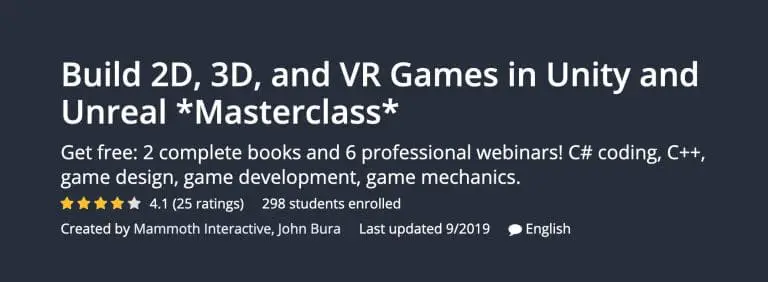
This course is offered through online learning portal Udemy, and the course is presented by Mammoth Interactive and John Bura. You get more than 85 hours of instructional videos (I told you this was a big time investment!) as well as resources for projects.
I really like the comprehensiveness of this course, and the fact that it’s all in one place and linear means that you can start at the beginning with no experience at all and walk out knowing how to develop an excellent game in Unity or Unreal.
Some of the skills you’ll learn in this course are:
- Using Unity
- C# coding
- Inputs
- Prefabs
- VR with Unity introduction
- An intro to Blender
Unlike Epic’s free library mentioned above, this course isn’t free, so you’re going to have some skin in the game.
If you can put up the money though, this is a great course that’ll teach you how everything you need to know.
I really like the ability to go back and rewatch lessons as well as use your software with the included files to get some hands on training. This is without a doubt the best way to teach yourself a hard topic.
You’ll also have the ability to message the instructor to get you past any issues you’re having.
One great thing about Udemy is that you can learn almost anything on there. I have used the site in the past for everything for learning some extra drone skills to learning to use Adobe Premiere Pro.
If you can think of it, there’s a pretty good chance that Udemy teaches it.
Pros
- Very comprehensive set of tutorials
- Friendly and easy-to-understand instructor
Cons
- Costs a decent amount of money
- May be too slow-paced for some users
Circuit Stream
Circuit Stream is a company that built its reputation on courses specifically related to VR and AR development. When this article was written, the company had a VR program that ran 10 weeks where you took online courses and then had a one-on-one session with an instructor to go over what you’d learned. In a lot of respects, this was a lot like a college class, as each session ran for four hours.
Update: That 10-week VR program is no longer listed. Circuit Stream's adult catalog now offers career bootcamps in game development, game design, software development and product management, plus a 10-week AI Builders Bootcamp. The closest match is the Game Development Bootcamp: 30 weeks of live online classes (about 5 hours a week) in Unity and C#, with "AR/VR Developer" listed as one possible job outcome, priced at $12,746 on 24 September 2026. It's a career programme rather than a VR-only course.
The original class requirements were pretty basic, as you just needed a PC or Mac and a copy of the Unity software. You don’t need a virtual reality headset, although I’d certainly recommend you pick one up if you’re going to develop VR software.
The price of the course is up there, coming in higher than a lot of the other options listed. This makes sense, as you’re getting one on one time, but it’s something to be considered if you’re on a tight budget.
I will say that I was impressed with the free workshop that they have, as it gave me an excellent idea on how the operation worked.
Pros
- One on one instruction is excellent for education
- You don’t “need” a VR headset to use this course
- They can help you develop your idea into a working product
Cons
- More expensive than a lot of other options
- No standalone VR course in the current catalog
UC San Diego Virtual Reality App Development Course
If Circuit Stream looked like a college course, then UC San Diego’s is more like the real deal.
The program is taught by Jurgen P. Schulze, a research scientist and adjunct professor of computer science at UC San Diego, and helps students learn the various components associated with VR app development.
According to the edX program page, it has three courses: How Virtual Reality Works, Creating Virtual Reality (VR) Apps and Computer Graphics. You build a VR app in Unity in the second course, and the Computer Graphics course covers real-time rendering and ray tracing. The first course has you write simple VR programs with WebVR, which MDN lists as deprecated in favour of WebXR, so expect to translate that part to current web tools.
Each course was designed to run six weeks, at an estimated 6, 6 and 9 hours per week. However, edX now says the certificate is currently unavailable for purchase. The How Virtual Reality Works and Creating Virtual Reality (VR) Apps courses are marked as archived, with their last runs ending on 31 December 2024, so you can only view their materials. Only Computer Graphics is still open. Once again, the quality of the instruction is top-notch, and you’ll be able to apply the skills you learn here to many other software development areas.
If I do have a knock here, it’s that the course is self-paced, but has deadlines for ending. You need to wrap up one of the three included courses before you move to the next in order to complete the program. Once you get all three courses done though, you do earn a certificate, which looks nice on resumes.
Pros
- Class is conducted by a well-renowned university
- Comprehensive information in the three courses
- The instructors make it easy to learn
Cons
- The certificate can’t currently be bought, and both VR courses are archived
- The WebVR material is dated
- There are deadlines to finish by
Udacity Intro to VR
I am a big fan of Udacity, as I have used it in the past to brush up on a digital marketing course.
The group offers a free Introduction to Virtual Reality course, which gives users a crash course on the technology as well as getting started with programming and coding related projects. Udacity’s page lists four lessons covering VR basics, hardware platforms and setting up Unity, taught by Matt Sonic and Vasanth Mohan. It was last updated on 7 March 2022, so treat the hardware lessons as background rather than current buying advice.
Without a doubt, this program is not nearly as comprehensive as the others listed, but you can use it as a stepping stone. You can move from this program onto Udacity’s paid programming courses where you earn skills.
Udacity’s paid content is sold as a monthly subscription covering more than 500 courses rather than a flat fee, which gives you incentive to work through the course in a timely manner. The pricing page didn’t show a dollar figure when we checked, so we can’t say how it compares with the other options here.
Pros
- A great entrypoint into the world of virtual reality
- The learning platform is attractive and easy to use
Cons
- Not as in-depth as other VR development programs
- Further paid courses require a subscription
Free Official Alternatives Worth Checking First
Before paying for a course, it’s worth trying the free material published by the engine and headset makers themselves:
- Create with VR on Unity Learn: a beginner course of about 30 hours that takes one VR project from design document to finished app. Unity lists it for Unity 6.3, and Unity Learn describes its learning experiences as free.
- Unity’s VR Development pathway: a six-week follow-on built around Unity’s XR Interaction Toolkit, aimed at people who already know basic Unity and coding.
- Epic Developer Community learning library: Epic’s own Unreal Engine tutorials, courses and demos.
- Meta’s Unity documentation for Quest: starts with a “Hello World” VR app and covers the Meta XR Core SDK, testing and store submission.
- Apple’s visionOS developer pages: SwiftUI, RealityKit and Unity routes for Apple Vision Pro apps.
Which VR Development Course Should You Start With?
If you’re all-in on wanting to develop VR software, there are plenty of online courses that you can take.
These vary in price and quality, but there are some great options out there. I am a particular fan of the Udemy course, as it’s the most in-depth of the programs offered, and it also features all of the resources you’ll need to be successful.
If you’re looking for a structured, Unreal-focused option, the Unreal Engine C++ course on Udemy is still linked here. If you want to spend nothing, start with Unity’s free Create with VR course or Epic’s own learning library.
Research behind this guide
Check the linked specifications and support documents, or read how we research. Original review experience stays attributed to its author.
View 18 sources
- Circuit Stream: adult course catalog
- Circuit Stream: Game Development Bootcamp
- Virtual Reality (VR) App Development Professional Certificate (UC San Diego on edX)
- Creating Virtual Reality (VR) Apps (UC San Diego on edX)
- Unreal Engine 5 C++ Game Development (Udemy)
- Build 2D, 3D, and VR Games in Unity and Unreal Masterclass (Udemy)
- Introduction to Virtual Reality (Udacity)
- Udacity pricing
- Epic Developer Community: Unreal Engine learning library
- Create with VR (Unity Learn)
- VR Development pathway (Unity Learn)
- Unity Learn home page
- Meta Horizon OS: Unity development overview (Meta for Developers)
- visionOS developer overview (Apple Developer)
- Google Cardboard developer site
- WebVR API (MDN Web Docs)
- Viveport
- What type of learner are you? (Arden University)
Explore the related guides in VR guides.