Noon VR Plus Headset Review: Advantages & Disadvantages
We may earn a commission when you buy through links on this page. As an Amazon Associate I earn from qualifying purchases. How this works
Noon VR Plus is worth considering only if you already own one and have a phone that fits its 4.7 to 5.7-inch bay. It can serve as a basic viewer for compatible split-screen video apps. Do not buy it for PC streaming: the KOOM app and desktop software are unconfirmed. For controller-based games, compare the current alternatives.

128 GB configuration
Standalone VRStandalone games with Fresnel lenses.
Check first: Check the app library, optical fit and return policy.
Check price on Amazon Paid link · Amazon
512 GB configuration
Pancake opticsPancake lenses and a higher-resolution display than Quest 3S.
Check first: Compare the complete purchase, including any accessories.
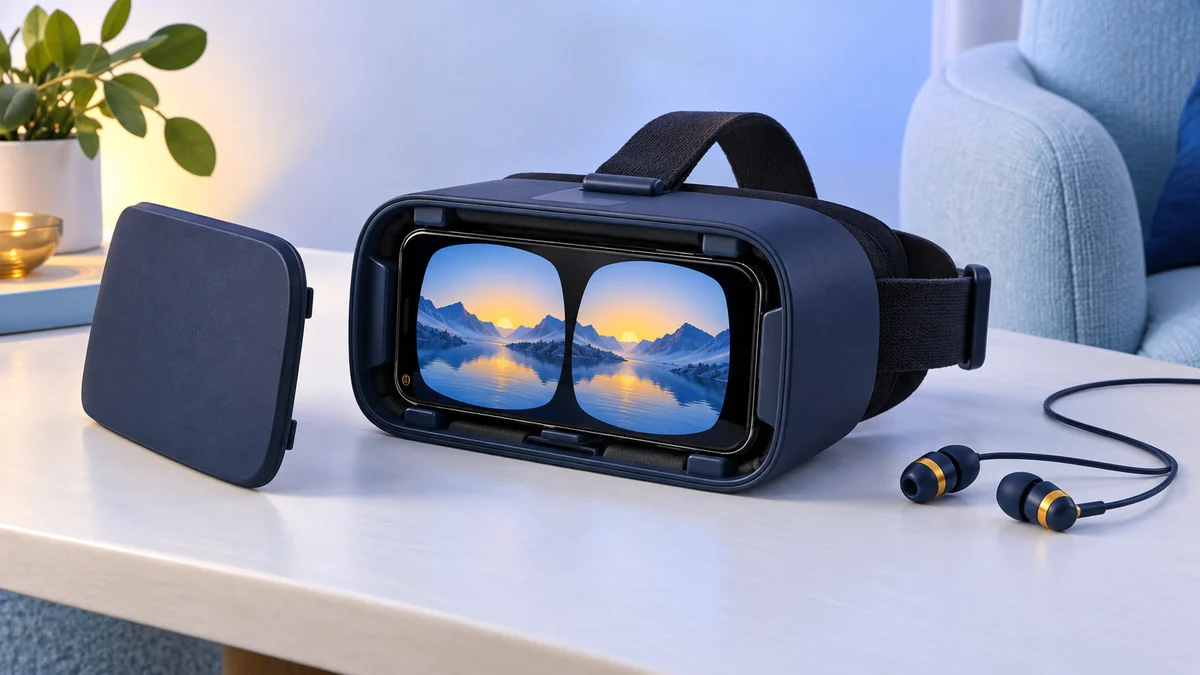
Check price on Amazon Paid link · AmazonWatching a movie through a phone viewer can cost less than buying a dedicated headset. The Noon VR Plus was designed for that kind of viewing, but phone fit and usable apps matter more than its original feature list.
Start with the buying requirements, then read the original account of comfort and fit. We also explain the historical PC streaming feature and outline alternatives for video or games.
Product status and source notes
Manufacturer support checked 16 October 2026. FXGear still describes NOON VR, but the linked noonvr.com domain now leads to an unrelated website. We could not verify current headset support or a maintained download route for its companion software. Do not rely on the historical PC-streaming feature without first confirming a working installer and compatible PC.
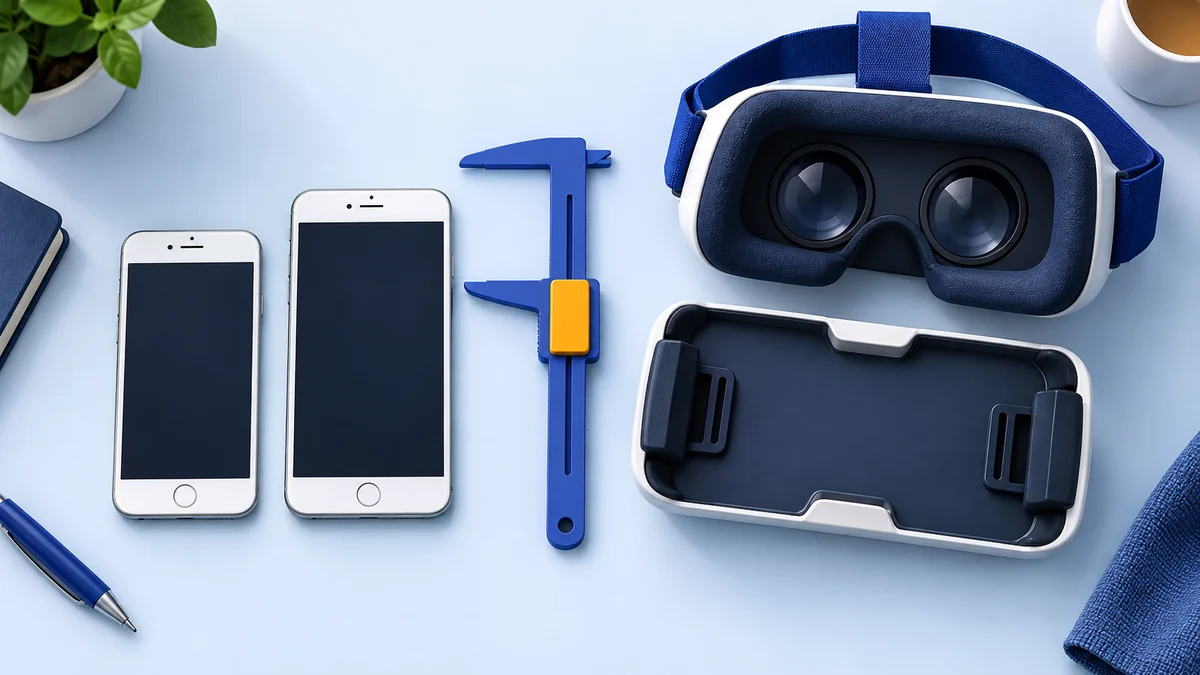
Still usable? Only in part. It is a phone holder with lenses, so it still works with apps that have a Cardboard-style split-screen mode, such as the Google Cardboard app for Android and iPhone (the iOS version needs iOS 15 or later). YouTube's Cardboard mode works only in the Android app. We couldn't confirm that the KOOM/Noon app or the Noon VR PC streaming software is still available, so treat the PC streaming feature described below as historical. Check the phone size too: the Amazon listing says it supports phones with 4.7 to 5.7-inch screens, while most current iPhones on Apple's comparison page have 6.1 to 6.9-inch screens, so a recent phone may not fit.
What to consider instead: a Cardboard-compatible viewer sized for your phone for 360-degree video, or a standalone Meta Quest 3S or Quest 3 for full VR and PC streaming. See current alternatives.
Original review introduction
Do you think that getting a good VR headset can be spendy?
Well, not really if you know where to look.
I remember searching online for affordable headsets some time back, but the options didn’t seem to be many.
The Noon VR Plus headset aims to change that, and is both affordable and let you enjoy a wide range of VR content.
What to Consider Before Buying the Noon VR Plus
You might want to keep a few things in mind when searching for a VR headset. The headsets in budget category rely on a smartphone and may not fulfill your gaming needs adequately. If you want something to watch 360-degree content and movies, then go for it!
But if you are one of those who desire a complete VR experience with controllers and gaming, then you should go for a dedicated headset. The Oculus Rift mentioned in this review is discontinued; today the usual choice is a standalone headset such as the Meta Quest 3S or Quest 3, which can also connect to a PC.
Now let’s explore the things to consider.
The Use of Headset
With so many kinds of VR headsets in the marketplace, you may be spoiled for choice. With tethered headsets, you can opt for the ones which can be hooked to your computer or the gaming console.
If you would like a smoother and less risky introduction to virtual reality, Smartphone VR will be just right for you. Enjoying mobile or app content will also be a breeze with the Noon VR Plus model.
Having the Right Equipment
You need a computer with higher specifications or a gaming rig to use tethered VR headsets. If you want to buy a mobile VR headset, then make sure that your mobile has the required screen resolution. In terms of size, many older phone viewers were designed for 4 to 6-inch screens, while most current phones are larger, so check the maximum phone size before you buy.
Field of View
Headsets with a narrow field of view produce a less immersive experience. So, take care to choose one with a wider field of view.
Other Considerations
You cannot use all headsets with glasses. If you wear glasses, remember to check out this feature before you buy them.
The Affordable VR Companion: Noon VR Plus Headset
The Noon VR Plus is an affordable option which comes from the Korean technology company FXGear. You have to use a smartphone to unlock the VR capabilities and can even stream content from the PC.
The Android or iOS smartphones should have a minimum screen resolution of 1920 x 1080 pixels and gyro sensors for the intuitive controls to work. Enjoy the 3D experience when you use the Noon Mobile App to discover content and convert your mobile videos for the best VR experience. (Note: we couldn’t confirm that this app is still offered.)
The Noon VR Plus supports a 95-degree field of view, which is a bit lower than the Noon VR Pro version. But the Noon VR Plus is much lighter at 213 grams, which is great for long hours of easy entertainment.
If you want to get the most out of your PC and mobile content, then Noon Plus is just right for you. VR enthusiasts with glasses will find it a breeze to use for extended hours of play.
Noon VR Plus may not be enough for the users who want to indulge in skill learning or intensive gaming.
Pros
- Affordable
- Ventilation to prevent lens fogging
- Remote feature for streaming PC content on the headset
- Fits a wide range of mobiles
- Eyes don’t get fatigued
Cons
- Doesn’t support Windows mobiles
- Current companion-app and PC-streaming support unverified
- Straps don’t seem durable
- No controllers
View the listing on AmazonPaid link · Historical or unverified listing
Design
The Noon VR plus features a simple design. It comes with a big protective cover on the front of the device to keep the lenses clean. The cover also blocks bright lights and provides a darker environment to enjoy your content optimally.
You will also see a rubber strap that is connected to the top and bottom of the headset. You can unhook it at the bottom to fix your smartphone. There are two rotatable feet at the bottom part for securing your phone and bringing it in line with the lenses.
I used the feet to adjust my iPhone 6, and it sat snugly within the strap without any problems. I also used a bigger Samsung Galaxy S8 mobile and was able to achieve the same results.
Comfort and Fit
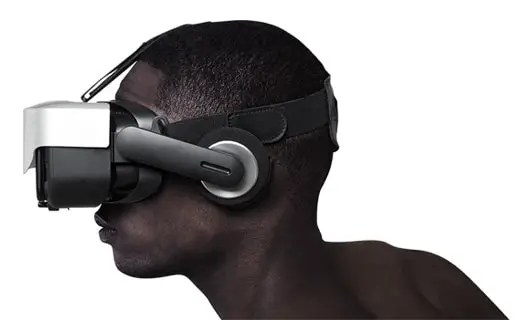
The comfort and fit of a virtual reality headset can be a deal maker or breaker. In the Noon VR Plus model, you will find two straps behind the headset. One strap goes from top to bottom while the other runs from side to side. Make sure to get a good snug fit around your head before you get your game on!
To be honest, my head is a bit bigger than ordinary people, but it was easy to get the Noon VR Plus to sit comfortably around my face. There is thick and soft padding around the lenses which doesn’t put any stress on your nose or around the eyes.
I watched The Revenant for about one hour without feeling any nausea or discomfort. The headset is also lightweight, so unless you have a super heavy phone, things will work out fine!
Controls
You can control your VR experience and set the preferences using the motion of your eyes. Do note that your phone should have a gyro sensor to enable this function.
If you want to select an option, you just need to point your eyes towards its direction and hover the cursor for two seconds. I found the feature to be responsive and it made a click sound to confirm my choices without any lag. You can also adjust the focus and get rid of double images using the easy-to-reach dial on top of the device.
The VR videos are also easy to control, and you can play, pause and adjust the volume with eye movement. You can center the screen and access the main menu with a single tap on the front cover of the headset.
Display Quality
The quality of display of your Noon VR Plus is determined by your mobile specifications.
You need at least 1920 x 1080 pixels resolution for the device to work, though I would recommend higher resolutions for the best experience. It is easier to make out the smaller details in the videos, and the display is pixel-accurate and snappy!
FXGear advertised its Noon VR streaming technology as supporting video up to 11K resolution, and the headset itself simply shows whatever your phone displays, so you can even use a 4K phone like the Xperia XZ Premium with 3840 x 2160 resolution!
Anti-Blue Light Lenses
Many VR headsets make your eyes feel fatigued after extended use. Noon VR Plus scores high here with its lenses, which the Amazon listing describes as anti-fatigue and scratch-resistant, designed to relieve visual fatigue.
I wasn’t convinced after reading about it, but the real-life experience changed my opinion. FXGear has provided a more life-like VR experience by optimizing the environment and enhancing clarity. I didn’t feel any eye exhaustion even after watching ten short videos back to back.
Noon scores brownie points here for considering the user’s eye health!
Ventilation
Don’t you just hate it when your lens gets fogged in the middle of a VR experience? Noon VR Plus seems to have taken note of this problem while designing their headset. The device features ventilation ports on the top which allows for optimum airflow to keep your lenses clean. Even if you are in a hot or humid locale, you wouldn’t likely have any lens fogging issues, even in the summer.
The KOOM App
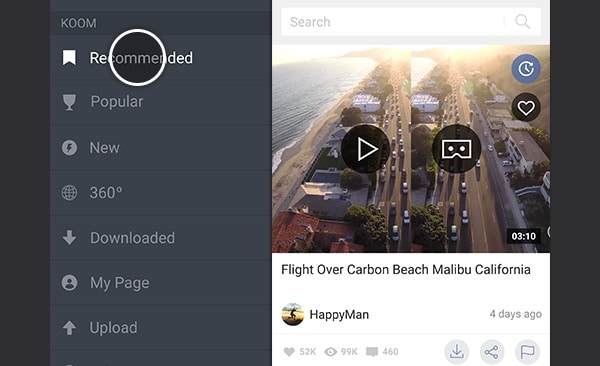
Noon VR Plus comes with the KOOM app which lets you discover VR content provided by FXGear. I found the 360-degree simulations to be really captivating, but sometimes they turned a bit smudgy. You can find many videos of concerts and natural landscapes to keep you busy.
You can easily view your phone videos using this headset. You can also upload any videos and use the video conversion feature of the app to get clear videos in immersive and 3D mode. The quality can feel like early days 3D movies but gives you a different experience of watching your phone videos.
Noon VR Remote
Do you know what’s probably the most useful feature of the Noon Plus headset?
I really like the feature which allows me to sync my computer with the headset using the KOOM app and directly access high-resolution videos and games on the headset.
The setup process is also straightforward. You have to download the Noon application on your computer (Windows and Mac) and enter the system generated IP address into the app on your phone. Doing this, will allow you to broadcast PC content over a WiFi connection to the headset.
You can even stream to multiple Noon VR headsets from a single computer and enjoy a fun time with friends and family.
Note: we couldn't find a current download for the Noon VR PC software or the KOOM app, and the official Noon VR site no longer works, so don't buy the headset for this feature today. Meta Quest headsets offer PC streaming through Link and Air Link, which connect to a Windows PC by USB-C cable or Wi-Fi.
What are People Saying about Noon VR Plus?
You cannot be sure about the quality of a product unless you know what the customers are saying about it.
I searched different websites and e-commerce stores to find authentic reviews by genuine customers and found quite a few.
Most of the users are delighted to find a VR headset in this price range which can even sync with a computer. The customers also talked about how the device can handle any format of VR videos and play them beautifully to provide an immersive experience.
Here are a few testimonials describing the journey of the customers with Noon VR Plus (collected when this review was first written):
https://www.amazon.com/gp/customer-reviews/R20SEKDA3NJ4UR/
https://www.amazon.com/gp/customer-reviews/R2G6H0XZM81EK9/
https://www.amazon.com/gp/customer-reviews/R2EVIRHP7Z3MI7/
Alternatives to the Noon VR Plus
1. VR Wear 3D Headset
VR Wear 3D headset is much cheaper than the Noon VR Plus and can be suitable for beginners. It also uses a two-way harnessing system but comes with pads at strategic positions for extra comfort.
The VR Wear has a slightly wider field of vision at 100 degrees while Noon VR features 95 degrees. You can use a varied range of phones just like Noon VR though it’s a bit tricky to set up the headset.
VR Wear 3D headset comes with a magnetic button which lets you control the menus. You don’t have any eye or head motion-controlled feature in this device.
People on a tight budget can check out this headset.
Similarities
- Two-way harnessing system
- High-quality lens
- Comfortable face pad
Differences
- Much cheaper
- Comes with magnetic button
- Wider field of view
- Headphone jack
2. BNext 3D VR Headset
BNext is yet another affordable VR headset priced below the Noon VR Plus. One big difference is that you cannot sync it with a computer like the Noon and have to depend on your smartphone for content. Apart from that, you can access online VR videos and games from app stores and Youtube.
Both the headsets use a two-way harnessing and eyesight protection system. The BNext headset supports phones from 4 to 6 inches, while the Noon VR Plus Amazon listing gives 4.7 to 5.7 inches. People who want to save some money and are satisfied with mobile-only VR will find the product useful.
You can explore the BNext 3D VR here!
Similarities
- Two-way harnessing system
- Eye protection technology
- Foam padding for comfort
Differences
- Cannot access computer content
- Can be used for augmented reality
- Slide-in phone inserting mechanism
View the listing on AmazonPaid link · Historical or unverified listing
3. Oculus Rift Headset (Discontinued)
Note: the original Oculus Rift ended production in March 2019 and was replaced by the Rift S, which Facebook said would stop selling in 2021. The section below is kept for reference; see the current alternatives that follow.
Oculus Rift features in the premium category of VR headsets.
You need a high-end computer with a fast processor, dedicated GPU and 8GB+ RAM to power the headset. There is no need for a separate mobile as the headset comes with its inbuilt screen.
The only similarity between Noon VR and Oculus Rift is that both can play VR content. But apart from that, almost everything is different! You get the actual feel of VR and can immerse yourself in intensive gaming and other demanding applications.
If you really wanted to redefine your digital entertainment, the Oculus Rift was an ideal choice when this review was written. Today its place has been taken by Meta’s standalone Quest headsets.
Similarities
- Two-way harnessing system
- Can play VR and 360-degree content
Differences
- Highly comfortable face padding
- Dedicated VR screen
- Immersive gaming and movie experience
Current Alternatives to the Noon VR Plus
| Option | What it is | Best for |
|---|---|---|
| Cardboard-compatible phone viewer | Lenses and a phone holder; uses the Google Cardboard app and Cardboard-mode apps | Cheap 360-degree video, if the viewer fits your phone |
| Meta Quest 3S | Standalone headset with controllers, from $349.99 (128 GB) as of 24 September 2026 | Full VR games and apps, PC streaming via Link or Air Link |
| Meta Quest 3 | Standalone headset, $599.99 (512 GB) as of 24 September 2026 | Sharper display and wider field of view than the Quest 3S |
For a phone viewer, check the maximum phone size and whether your apps still offer a VR mode. For a comparison of the two Meta headsets, see our Meta Quest 3 vs Quest 3S guide.
Is the Noon VR Plus Still Worth Buying?
Noon VR Plus offered an affordable way to enjoy VR content with the help of your smartphone, and it was a good choice for beginners who didn’t want to spend a truckload of cash on a VR headset.
Its remote feature was intended to stream content from a computer. Current companion-software support has not been verified, and the original lens marketing does not establish eye protection. For a new setup, compare a phone viewer with verified fit or a standalone headset such as Quest 3S.
Have you used the Noon VR Plus headset or have a couple of pro tips to share?
Share this guide to help your peers find a VR headset that suits them.
Noon VR Plus FAQ
Is the Noon VR Plus still sold?
Current manufacturer support has not been verified. FXGear still describes NOON VR, but its linked Noon VR domain leads to an unrelated website. Confirm the hardware and working software before relying on this historical platform.
Does the Noon VR Plus PC streaming still work?
We couldn't confirm it. We found no current download for the Noon VR PC software or the KOOM app. For PC streaming today, Meta Quest headsets use Link and Air Link.
What apps work with the Noon VR Plus today?
Any app with a Cardboard-style split-screen mode should work, including the Google Cardboard app and, on Android only, the YouTube app's VR mode.
Research behind this guide
Check the linked specifications and support documents, or read how we research. Original review experience stays attributed to its author.
View 9 sources
- FXGear (official site)
- Google Cardboard (Google AR & VR)
- Google Cardboard app (Apple App Store)
- Watch VR videos and 360 videos (YouTube Help)
- Compare iPhone models (Apple)
- Meta Quest headsets compared (Meta)
- Set up and connect Link and Air Link (Meta Quest Help)
- Oculus Rift CV1 (Wikipedia)
- Facebook to discontinue Rift product line in 2021 (Road to VR)
Explore the related guides in VR headsets.