Best Virtual Reality Headsets for iPhone 7 & 7 Plus
We may earn a commission when you buy through links on this page. As an Amazon Associate I earn from qualifying purchases. How this works
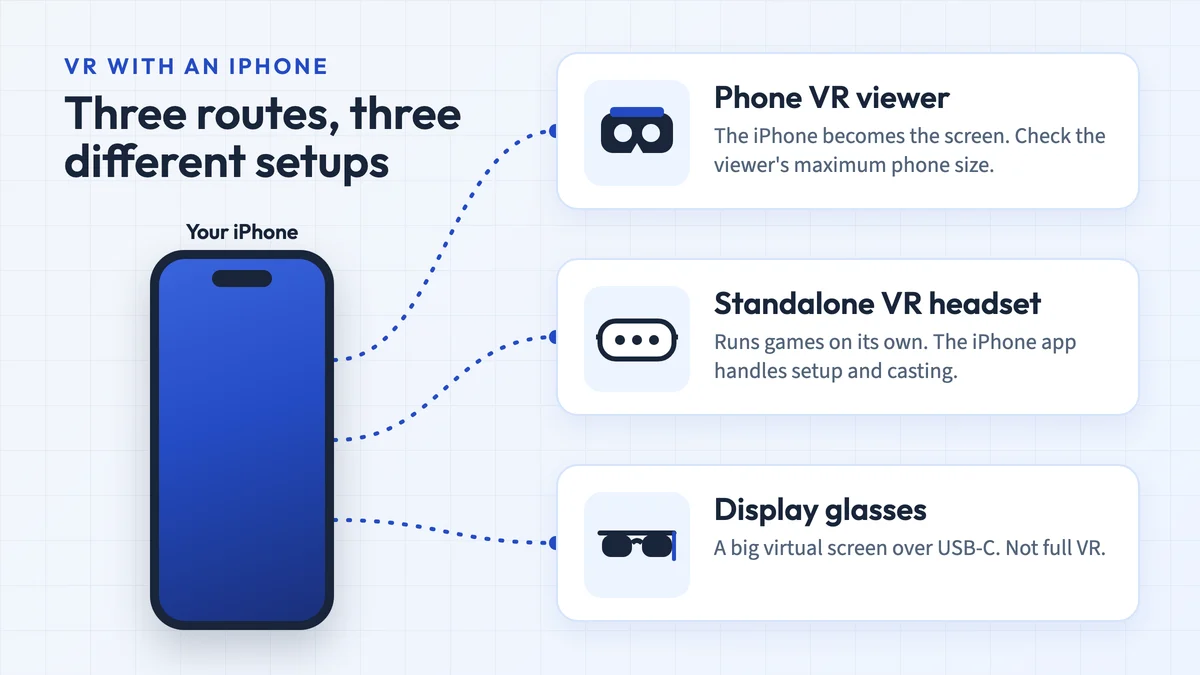
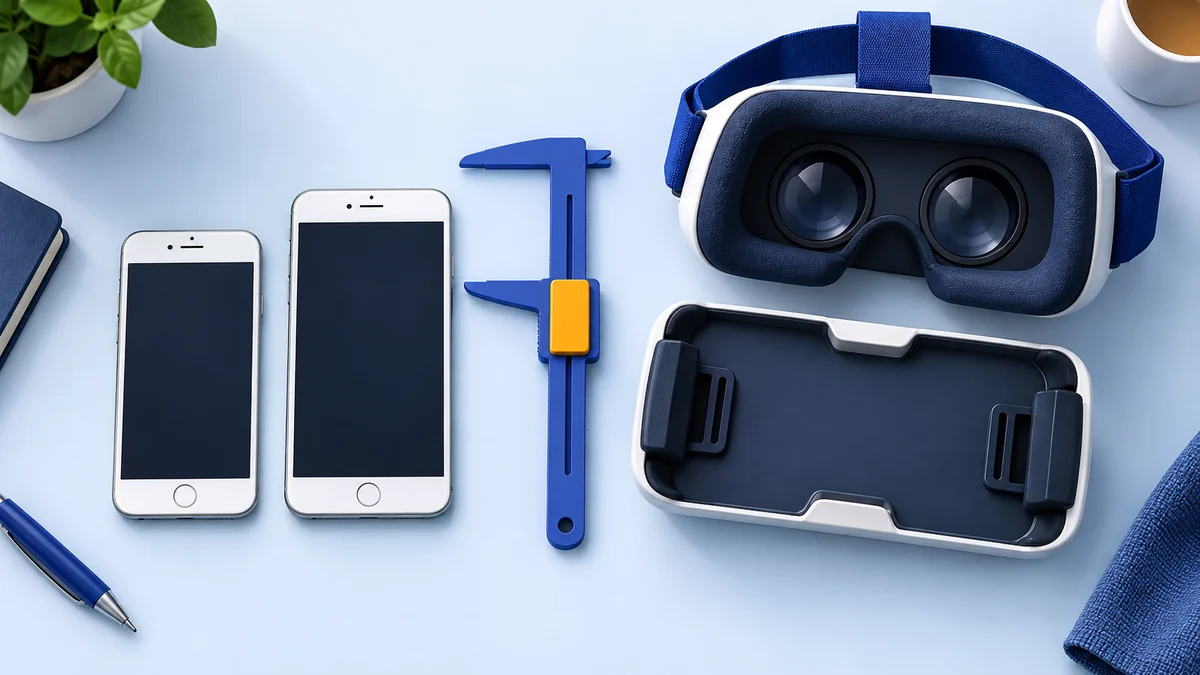
Try an app on your iPhone 7 or 7 Plus before buying a viewer. Cardboard was listed for iOS 15 at the September check, but other apps set their own requirements. Confirm the viewer fits your 4.7- or 5.5-inch phone, aligns the lenses and supports the app’s controls. These seven historical picks have unverified current listings. YouTube Cardboard mode does not support iPhone.

128 GB configuration
Standalone VRStandalone games with Fresnel lenses.
Check first: Check the app library, optical fit and return policy.
Check price on Amazon Paid link · Amazon
512 GB configuration
Pancake opticsPancake lenses and a higher-resolution display than Quest 3S.
Check first: Compare the complete purchase, including any accessories.
Check price on Amazon Paid link · AmazonAn iPhone 7 can power simple phone VR when the app still supports iOS 15. Choosing a viewer also means checking physical fit and input; a bundled remote does not guarantee working game controls. Apple Vision Pro is a separate device. For a newer iPhone, see our best VR headset for iPhone guide.
Start with app setup and the fit checklist below. Then read the seven original headset comparisons and the section on what an iPhone 7 can still do. The 2018–2020 product verdicts describe their original listings, whose current availability is unconfirmed.
Product status and source notes
The phones: Apple released the iPhone 7 (4.7-inch screen) and iPhone 7 Plus (5.5-inch screen) in September 2016 and stopped selling them in September 2019. Their last supported software is iOS 15, which still receives occasional security updates (Wikipedia); they can’t run iOS 27 (Apple Support).
Does phone VR still work? Yes, for basic use. The Google Cardboard app is still on the App Store and needs iOS 15 or later, so it still installs on both phones (App Store). YouTube’s Cardboard mode, however, is Android-only and doesn’t work on iPhone (YouTube Help). Expect fewer apps each year as developers raise their minimum iOS version.
The headsets below: these are generic phone VR shells reviewed in 2018–2020. We could not confirm that the exact listings are still sold, and Google stopped selling official Cardboard viewers in 2021. Any current phone headset that lists a 4.7- or 5.5-inch phone range will hold these iPhones.
Consider instead: if you want real VR games and apps, a standalone headset such as the Meta Quest 3S ($349.99 in the US since 19 April 2026, per Meta) does far more than any phone headset. See Is an iPhone 7 still good for VR? below.
Original review context (2018–2020): the author’s original pick was the Gearsone Virtual Reality Goggles. That preference is preserved in the review below; check the dated status and exact listing before purchasing.
What’s the Best Way to use iPhone 7+ VR headset gear?
Before you could enjoy this technology, a compatible virtual reality headset has to come in handy.
Once you have it, first you will need a VR app on your iPhone. There are great apps available on the App Store, and one of the best is the Google Cardboard app. It still installs on the iPhone 7 and 7 Plus because it requires iOS 15, the last version these phones run; Google’s help page explains how to find other Cardboard apps and pair them with your viewer by scanning its QR code (Google Cardboard Help).
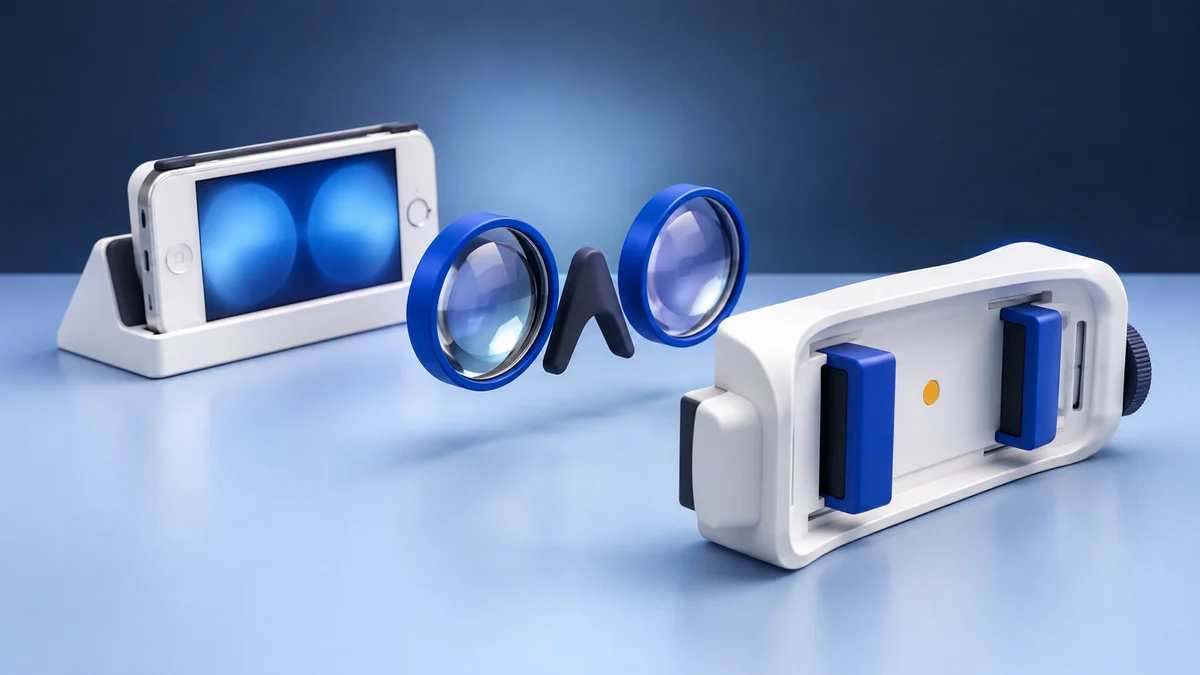
Once you have it installed, insert your iPhone into the headset. But depending on its attachment mechanisms, you will need to slide, Clip, or clasp the iPhone onto it. After that, hang it on your head or hold it close to your eyes. Focus your eyes toward the lenses to experience a virtual reality environment.
You could also adjust the lenses to suit your eye view.
But this depends on the model because not all come with this feature.
Great Tips on How to Get the Top Goggles
Due to the many models available on the market, it might be pretty tricky to make the right choice.
But there’s no need to worry because we’ll provide you with great tips that will help get the best when shopping for one.
Read through the Reviews
On online stores, customers do put down good reviews if they love the model they purchased.
They will also do the same, if there are hiccups with some of its parts such as lenses, face pieces, head straps and many more. Hence, read the reviews where buyers share their happiness or complaint.
Don’t also forget to check if it has overheating problems.
Look for VR Headset with Adjustable Lenses
iPhone 7 VR headset gear with Adjustable lenses will help those with vision problems. This feature allows you to adjust the focus of the lenses for a clearer view.
Also, with this in place, you could tweak the lenses to become thinner or broader, or in and out to fit your eye.
Get the Right size
Don’t forget that the iPhone will be locked into it, and you will also have to stick it up on your head. For this reason, you should consider the weight, size and if it will fit your face.
Hence, if you don’t have a headache, and eye problems, get one with a nice form-fitting cushion and a good set of head straps.
Cost of Virtual Reality Glasses
Getting a pricey one doesn’t mean it will work great and provide you with great comfort. Cheaper ones could also lead to greater frustration.
But one thing is that you should consider the features that best suit your needs.
Compatibility
This is one of the most important things to consider because not all work great with iPhone 7 and 7 plus.
So, make sure you check that the phone is listed in the product description.
The iPhone 7 has a 4.7-inch screen and the 7 Plus a 5.5-inch screen, so look for a headset whose listed phone-size range includes your model. Many newer headsets are designed around 6-inch-plus phones; a small phone in a large tray can sit off-centre behind the lenses.
Input controller
Virtual reality headset with touch functionality or Remote control gives a more interactive experience. However, it all depends on your specific needs.
To enjoy a better interactive experience, it’s best you get one with a remote control feature.
Note that many cheap Bluetooth remotes only act as media controls on an iPhone, so they may not work as a game controller in every app.
Other Great Features to have in Mind
Aside from compatibility and build quality, there are other great features you should consider.
These include lenses, built-in earphones, fitted cushions, head straps, and much more.
With this in place, it gives more comfort and exciting experience.
What Are the Benefits of Using VR For iPhone 7?
VR headset provide you with great benefits.
Let’s give you a few reasons that will make you want to get iPhone 7 plus VR headset.
View the World around us from A Different Perspective
Some people think the device is another way to watch Videos or play games, but there are so much more to it. The device provides a better way on how you could view the world at large.
Nothing feels so good to experience different environments at a particular place. With VR headset you could view the world in a whole new level.
Gives a Great Learning Experience
If you could remember, it might be challenging to learn about something by reading through it.
But, you could learn better when experiencing it.
That’s how VR headset works; it gives you a learning environment that will make you pick up new skill faster.
Provide Better Entertainment
Yes, it gives a clear view while playing your cool video and games.
With the smart phone lock into the front, it gives you the feeling of partaking in everything going.
Note: the original version of this guide suggested Facebook Spaces for socialising in VR. Spaces was one of Facebook’s early social VR apps, and Meta’s later social platform, Horizon Worlds, followed it (Wikipedia). We found no current social VR app that works with iPhone phone headsets.
Reviews Of the Best VR Headset iPhone 7 And 7 Plus
It is certain that from the information provided above you’ve gotten great insight. Now, let’s reveal to you the reviews of the best iPhone 7 and 7 Plus VR headsets.
Note: these reviews date from 2018–2020. Phone VR shells like these are often relisted under new names or revisions, and we could not confirm that each linked listing is still available or unchanged. Pros and cons describe the products as originally reviewed.
#1. BNEXT 3D Goggle Virtual Reality Headset
First, on the list of iPhone 7 VR gear, we have the BNext 3D Virtual Reality Headset.
These 3D goggles for iPhone 7 and 7 Plus pack a punch of exciting features. It stands out as one of the best for your practical entertainment needs.
Pros
- It comes with an excellent price for its functions.
- The headset has comfortable padding around the face.
- Adjustable for all head sizes.
- Its motion tracking features make it perform like an iPhone 7 Plus Google cardboard.
- Decent full field of view.
- Easy to set up.
- It has space around for proper ventilation.
Cons
- This headset has no buttons and no controllers. This makes it impossible for you to interact with the virtual world.
- The headset can distract users because of the leakage of light around the face and the temples.
- Not compatible with large spectacles
- The quality of the image depends on the type of phone used.
#2. GEARSONE Virtual Reality VR Headset
GEARSONE joins the list as a worthy investment for first timers and veterans.
The product comes with many exciting features.
Pros
- Gives more comfort as it comes with nice padding around the eyes.
- Adjustable straps allow this headset to fit all head sizes.
- It comes with a mini controller that allows you to navigate the virtual environment
- The phone tray secures the phone keeping it safe from falls
- Focus scroll allows for easy adjustment and lateral movement.
- It has a Storage bag.
- Fits most phones, making it an ideal iPhone 7 VR headset.
Cons
- The controller does not support Google Daydream.
- It does not come with batteries.
- Heavier than most headsets.
- Too small to use with spectacles.
- You get more experience only with 3D games.
#3. FLASNAKE 3D VR Headset
If you’re looking for one of the best in the market, here is an excellent choice for you.
It has a fantastic design and other exciting features not familiar with other models.
This upgraded version also works with most phone models.
Pros
- Lighter than most models.
- The magnetic button allows for easy navigation of apps.
- Easy to set up.
- Better sound output.
Cons
- Made from weak materials.
- Right lens creates a blurry image.
- The item produces heat during use which fogs up the lenses.
#4. Pansonite 3D VR Headset
The model has no top-notch features. However, it offers the best quality among the cheaper models.
It can serve as an ideal option for a user that wants to try virtual reality for the first time.
It weighs 1.15 lbs and offers an immersive broad 120° view which comes as a desirable feature.
Pros
- Low price.
- It offers a better option for augmented reality.
- Ideal vision adjustment options.
Cons
- It produces poorer sound quality than other models.
- GPU and CPU of the phone limit the performance of the headset.
- Restricted software support.
- You cannot control the volume or select items in the VR mode.
#5. AOGUERBE VR Headset
This item has unique features making it one of the best brands in the industry.
Good enough to use as an iPhone 7 VR headset, it has an ergonomic design that catches the eye.
It also offers comfort when used for gaming or watching virtual reality content.
Pros
- Includes apps which enhance the VR experience.
- It comes with a Bluetooth controller.
- Headsets perform well during virtual gaming.
- Sturdy design.
- Ideal for people who use spectacles.
Cons
- Poor instructions in the provided manual.
- Less performance with some movies and apps.
- Poor graphics quality.
- Remote controls only music played on the phone.
- This product does not come with pre-installed games.
- The remote has compatibility issues with the iPhone 8 plus.
#6. Pansonite 3D VR Headset (Upgraded)
The Pansonite brand makes virtual entertainment more fun.
It stands out as one of the best virtual reality headsets for iPhone 7 Plus and other iOS devices.
Pros
- High quality for its price.
- Unlimited access to most apps and websites.
- T shaped straps provide comfort during extended periods of use.
- The headset allows you to use all iPhone 7 Plus Google Cardboard VR games and apps.
- Clearer graphics than most budget models.
- Less light leakage from the headset.
- Easy to set up even without using the manual.
- The brand offers a refund if the headset works less than expected.
- Impressive audio quality.
Cons
- Does not suggest a wide range of apps.
- Lenses fog up.
- Light from the natural environment might disturb your VR experience.
- Limited content in its library.
#7. Official Google Cardboard
Yes, we couldn’t leave this one behind. Google cardboard came into play in 2014 and it has become one of the popular low budget options in the market.
The headset is made of cardboard; the product has a simple design.
Note: Google stopped selling official Cardboard viewers on its store in March 2021 (9to5Google) and made the Cardboard software open source in 2019 (Wikipedia). Third-party Cardboard-compatible viewers are still sold, and the Cardboard app is still available for iPhone.
Pros
- One of the cheapest headsets available.
- An ideal choice for first-time users of VR entertainment.
- It works well with Google 360° apps.
- Does not need installation.
Cons
- Does not provide an ideal viewing experience for veterans of VR entertainment.
- The rubber band has an unpleasant smell for some users.
- Not a good fit for people who use glasses.
- The cardboard material can hurt the skin.
- YouTube’s Cardboard mode is Android-only, so 360° YouTube videos can’t be watched in the viewer on an iPhone.
- You cannot adjust the lenses of this headset.
- Poor visual quality.
- The product has no padding around the facial area.
- Sweat stains the cardboard material easy.
- Motion sickness follows after long periods of use.
- Not compatible with most apps.
- The item cannot support the weight of more massive phones.
View the listing on AmazonPaid link · Historical or unverified listing
Is an iPhone 7 still good for VR?
For a first taste of VR, yes. For anything more, no. Here is what we found when we checked the platforms:
- Apps: the Google Cardboard app requires iOS 15, which the iPhone 7 and 7 Plus can run (App Store). Other Cardboard apps vary: check each App Store listing’s “Compatibility” line before installing, as newer app versions often need a later iOS than these phones support.
- Video: YouTube’s VR viewer mode is not supported on iPhone (YouTube Help), so 360° video on an iPhone depends on individual apps that offer their own split-screen mode.
- Phone VR vs display glasses: a phone VR headset uses the iPhone’s own screen and motion sensors for head-tracked 3D. Display glasses (often sold as AR glasses) are different: they connect to a phone by cable and show a large virtual screen, mainly for video. Our guide to AR glasses for iPhone explains which models and adapters work.
- Standalone headsets: a Meta Quest 3S costs $349.99 and a Quest 3 $599.99 in the US since 19 April 2026 (Meta). You set them up with the Meta Horizon phone app, which Meta lists as needing iOS 10 or later (Meta Quest Help); we could not confirm whether the current app version still installs on iOS 15.
Why Gearsone Was Our Top Pick for the iPhone 7
To enjoy greater experience and more fun we recommend Gearsone Virtual Reality Headset.
What makes this our top pick? Unlike most headsets, it stands as a comfortable headset to set up making it an excellent choice for all ages to use. Not only does it require less effort it also provides unrestricted access to most apps and sites.
The Gearsone model gives a rich graphics experience. Although not as high end as the ReTrak Utopia 360°, it still offers a better experience for its price.
Unlike most of the products on our list, Gearsone comes with a controller. With this feature, navigation becomes easy.
The sturdy design comes as another reason why you should choose this item.
This product does not match high-end devices, but it offers remarkable functions. You should also note that other brands mentioned also have their bright sides after all.
In all, your choice comes down to personal preference.
Today, any phone headset that fits a 4.7- or 5.5-inch phone will do the same job for an iPhone 7, because the phone and its apps now limit the experience more than the shell does. If you want more than 360° videos and simple Cardboard games, a standalone headset is the better buy.
Research behind this guide
Check the linked specifications and support documents, or read how we research. Original review experience stays attributed to its author.
View 12 sources
- Wikipedia: iPhone 7
- Apple Support: iPhone models compatible with iOS 27
- App Store: Google Cardboard
- Google AR & VR: Google Cardboard
- Google Cardboard Help: Get apps for Cardboard on iPhone and iPad
- YouTube Help: Watch VR180 and 360-degree videos with Cardboard
- 9to5Google: Google Store stops selling Cardboard VR headsets (3 March 2021)
- Wikipedia: Google Cardboard
- Wikipedia: Horizon Worlds
- Apple: Apple Vision Pro
- Meta: An update on Meta Quest pricing
- Meta Quest Help: What's the Meta Horizon mobile app and where can I get it?
Explore the related guides in VR headsets.