Noon VR Headset Review
We may earn a commission when you buy through links on this page. As an Amazon Associate I earn from qualifying purchases. How this works
The original Noon VR is a phone viewer for videos, not a complete VR gaming setup. Consider using one you already own only if your phone fits its 4.7 to 5.7-inch bay and your chosen app supports split-screen viewing. The Noon app, activation codes and PC streaming software are unconfirmed. First-time buyers should compare alternatives before paying for old stock.

128 GB configuration
Standalone VRStandalone games with Fresnel lenses.
Check first: Check the app library, optical fit and return policy.
Check price on Amazon Paid link · Amazon
512 GB configuration
Pancake opticsPancake lenses and a higher-resolution display than Quest 3S.
Check first: Compare the complete purchase, including any accessories.
Check price on Amazon Paid link · AmazonIf you want to watch videos in VR without buying a gaming computer, a phone viewer can seem appealing. The original Noon VR took that approach, but its phone-size limit and app requirements can prevent you from getting started.
We explain the compatible phone requirements, preserve the original setup process and describe the fit and comfort. Then compare alternatives that suit basic video viewing or a fuller VR experience.
Product status and source notes
Still sold? We treat it as discontinued. Noon VR's website, noonvr.com, now redirects to an unrelated site, and we found no current official listing, so any units still on sale are likely old stock. The Amazon links in this review may still work, but we couldn't confirm stock or price.
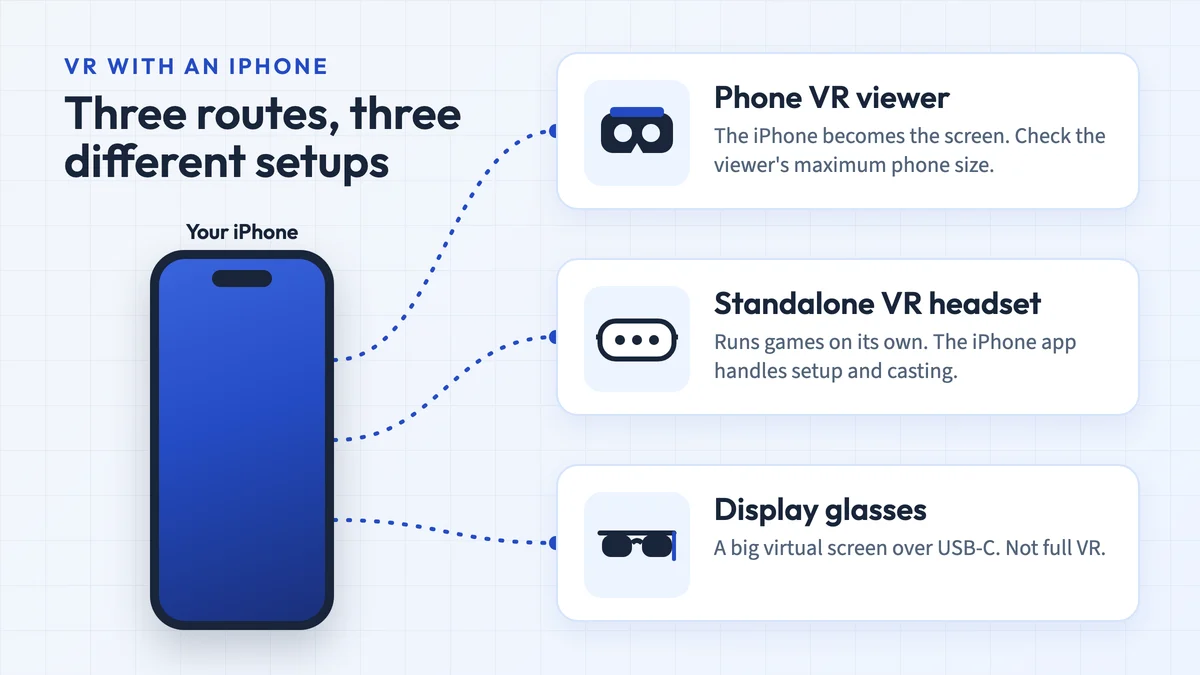
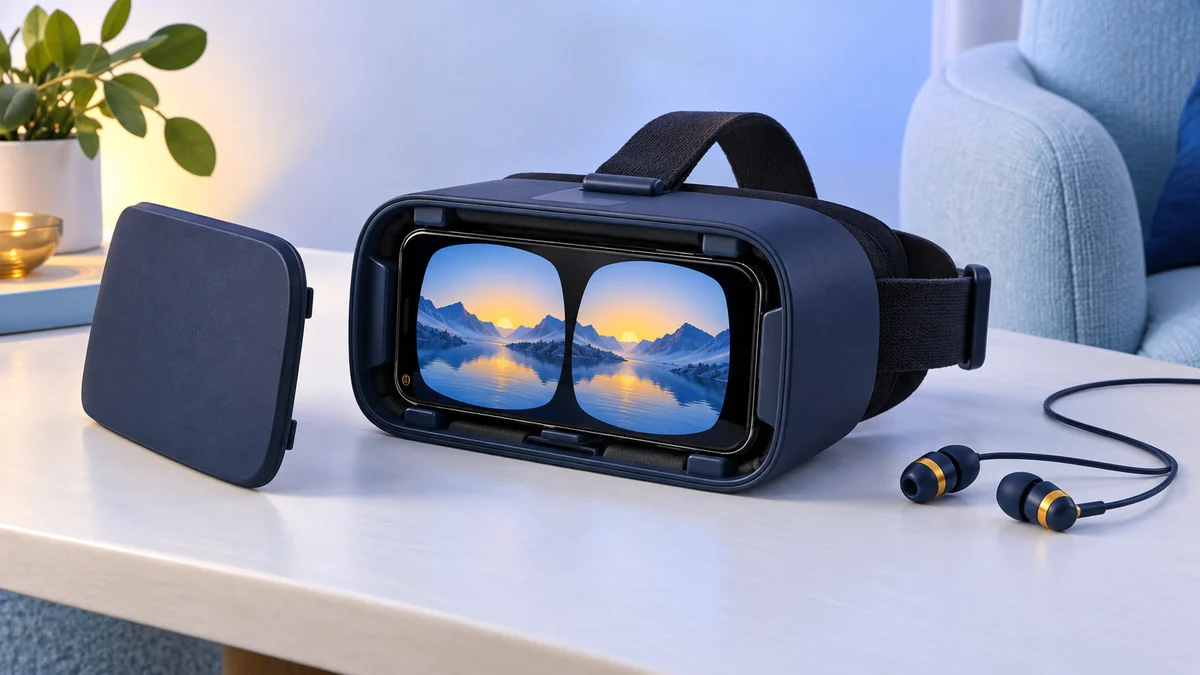
Still usable? Only in part. It is a passive phone holder with lenses, so it still works with apps that offer a Cardboard-style split-screen mode, such as the Google Cardboard app for Android and iPhone (the iOS version needs iOS 15 or later). YouTube's Cardboard mode works only in the Android app. We couldn't confirm that the Noon VR app, its activation codes or its PC streaming software are still available, and the 4.7 to 5.7-inch phone bay is smaller than current flagship phones such as Apple's 6.3-inch iPhone 18 Pro and 6.5-inch iPhone Air, according to Apple's comparison page.
What to consider instead: a Cardboard-compatible viewer sized for your phone for 360-degree video, or a standalone Meta Quest 3S or Quest 3 for full VR. Both alternatives this review originally suggested, the Google Daydream View and the Noon VR Pro, are no longer current either. See current alternatives.
Original review introduction
VR headsets let you play a wide range of games and also watch videos and movies. When this review was written, the Noon VR Headset was one of the cheaper ways to do that with a phone.
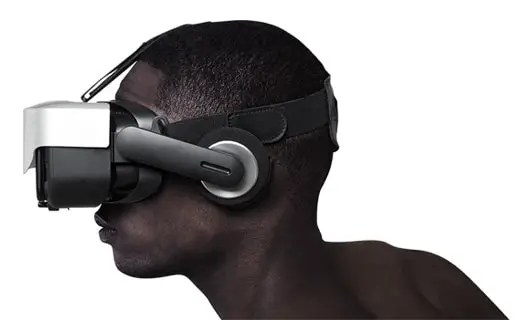
Designed to transcend the world around you, the Noon VR Headset can alter any smartphone into a personal and powerful virtual reality device. To give myself an interactive and immersive 3D experience, I just need to insert my phone into the Noon VR headset and I am good to go.
What to Know Before Buying the Noon VR Headset
With a wireless functionality, you can be absolutely mobile when you are using the Noon VR Headset. Do note that an Android or iPhone is required to use the headset. Downloading the Noon VR app was required for some of the headset’s features (we couldn’t confirm the app is still available). You don’t need a computer to use the headset though, which makes it quite accessible to everyone.
If you love gaming, you would be better off giving this headset a miss as it caters to videos and movie experiences. The headset also does not come with built-in headphones, so you will need your own pair for sound.
Presenting the Noon VR Headset
With just a finger tap, you can immerse yourself into a true cinematic experience with the Noon VR Headset.
I appreciate the functionality of the Noon VR App to browse and watch any videos that are stored on the phone through the headset. The affordable pricing of the headset is also a positive reason to consider it for the budget conscious VR enthusiasts.
Overall Packaging Presentation
The product is packaged in a small and narrow black box with a photo of the headset of the front and the features listed on the back. There is no internal padding or protection for the headset inside of the box.
What’s in the Box?
When you open the box, you see a plastic-wrapped headset and an instruction booklet.
Other items in the box include a protective cover for the headset, headband, and an activation code for the NoonVR App.
This activation code is really important to get started as this will help you connect your phone with your headset.
I was surprised that the headset was only wrapped in plastic and there wasn’t any form of padding or protection surrounding the headset. The headset is wireless, so there isn’t anything that needs to be connected to the headset, that’s why we see no cables.
Specifications
The Noon VR Headset comes in black color and its dimensions are 164W x 87 H x 97 D mm.
The headset offers a 95-degree field of view and supports devices with full HD screens between 4.7” and 5.7”.
If your smartphone offers a gyro sensor, then the headset can have head tracking and tap UI features.
The resolution would need to be 1,920 x 1,080 or higher. With the help of TAP UX technology, you would not need a controller to use the headset.
Key Features
The headset is best for users who are looking for a great video viewing experience without a huge price tag. The headset comes with a companion app, making it easier to watch videos and movies. Focus dial makes it easier for users who are using the headset, and the adjustable headband makes it comfortable for everyone.
The tap feature makes it easy to access menus, pause or play a movie, and reorient your viewing if it gets messed up.
With the advanced VR rendering engine in the app, it helps render and optimize your videos, so you are getting a high frame rate VR experience.
Setup
Setting up the Noon VR Headset is quite easy and fortunately comes with a handy guide that you can also access online if you lost the one that comes in the box. These are the steps which you need to follow to get your headset ready for your VR experience:
- Download the Noon VR App through the Google Play Store or Apple App Store
- Register the app with the activation code that came with the headset
- Launch the Noon VR App
- Secure smartphone to the headset
- Apply protective cover
- Adjust the headset and headband to your comfort
I found the setup to be user-friendly and stress-free. The headset came with a step-by-step guide that offered photos to help you set the headset up. It may take a moment for your phone to download the app and accept the activation code. The rest of the process is relatively quick and painless. To save time, you could even set up the headband while the app is downloading.
The Room
The headset is roomy and offers extra room for glasses, which people with glasses would appreciate, like me. The optical lens has a feature that allows you to focus the lens with just a click of the button. There is padding inside of the headset which is removable and fastened with Velcro for easy replacement or upgrading.
Audio
The Noon VR Headset does not come with a built-in headphone feature, and you must provide your own.
The App
The Noon VR App was exclusive to this headset and came with a preloaded virtual reality content library for your pleasure. Pick your favorite videos and download them onto your smartphone, so you can view them at any time you want.
Design and Comfort
The headset comes with an adjustable strap with Velcro, so it almost fits anyone’s head comfortably but also keeps it snug and in place. Weighing 230g, you can comfortably wear the headset for long periods of time without your head or neck getting fatigued.
Requirements
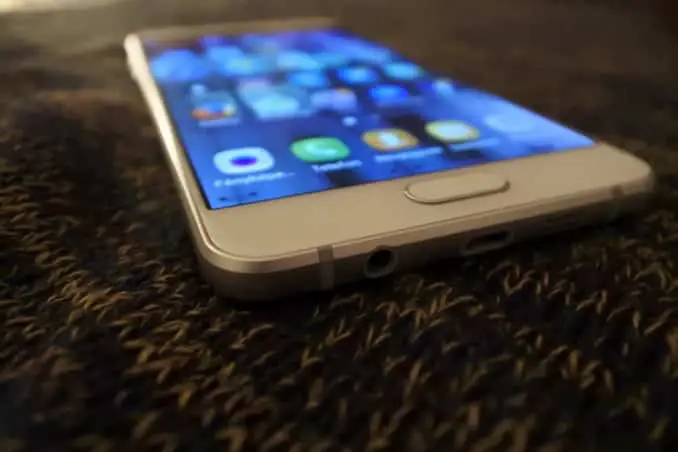
You must have a compatible smartphone in order to use this headset. The smartphone must have a 4.7” to 5.7” screen to work with the headset. Compatible devices listed at the time include:
- Samsung: Galaxy S6, S6 Edge, S6 Edge Plus, S5, S4, S3, Note5, Note4, Note Edge, Note3, Note2, A5
- Apple: iPhone 6, 6 Plus, 6S, 6S Plus
- LG: G4, G3, G2
- Google (made by LG): Nexus 5
- Xiaomi: Mi4, Mi Note, Red Mi2, Red Mi Note
- One Plus: One
- Huawei: Honor 6 Plus, Y625
- HTC: HTC D820t
- Sony: Xperia Z3, Xperia Z2
All of these phones were released between 2012 and 2015. A newer phone will only fit if its screen is no larger than about 5.7 inches, which rules out most current flagship models.
Performance
I enjoyed that the Noon VR Headset was compatible with my iPhone, and I was able to download the app to my smartphone easily. Being able to remotely connect to my PC and watch some of my favorite movies or videos was great.
Since the headset is wireless, it gives me the freedom to wander my house as I want. The Noon VR App offered cool features like video conversation and a wide collection of VR content.
What Buyers Said About the Noon VR
When looking on the internet for reviews on the Noon VR Headset, I found some positive reviews for the headset. Reviewers mentioned that the headset was affordable which I agree with and it makes a great feature.
View the listing on AmazonPaid link · Historical or unverified listing
Noon VR Alternatives From the Original Review
If you look at other options, you can see that there are two major alternatives to the Noon VR Headset.
Google Daydream View
Note: Google stopped selling the Daydream View in October 2019, and Daydream is not supported on Android 11 or later, so it is not a practical alternative today. The section below describes the headset as it was when this review was written.
The Google Daydream View is a soft, lightweight fabric headset that is simple to wear and came with an expressive controller. Like the Noon VR Headset, the Google Daydream View uses a smartphone to immerse you in a VR world.
Fewer smartphones were compatible with Google Daydream than with the Noon VR.
If you were an Apple user, you were out of luck with the Google Daydream.
Unlike the Noon VR, you could play games with the Google Daydream. Since the headset came with its own controller, there was a wide variety of games for it. It also supported Netflix VR, YouTube VR, Hulu and a variety of sports apps for videos and movies.
The headset came in three colors and fits comfortably with glasses. The top strap on the headset is removable which makes it quite comfortable and provides a snug fit.
There is a secret location on the back of the headset where you can easily store the controller, so it doesn’t get lost. It is slightly heavier than the Noon VR, weighing 261g.
| Headset | Controller | Wireless | Android and iOS compatible | Headphones included |
|---|---|---|---|---|
| Google Daydream View | Yes | Yes | No | No |
| Noon VR | No | Yes | Yes | No |
At the time, the Google Daydream View was a good option if you wanted a phone headset that offered more than the Noon VR Headset, thanks to its controller and wider range of games. It never worked with iPhones, and with Daydream support gone from current Android versions, we no longer recommend it.
View the listing on AmazonPaid link · Historical or unverified listing
Noon VR Pro
The Noon VR Pro is the big brother of the Noon VR and offers plenty of upgrades. The Noon VR Pro has a 101-degree view compared to the 95-degree view on the Noon VR. The headset allows you to connect three devices on the same home WiFi network which you can share with friends and family.
The Pro is heavier than the Noon VR headset, weighing in at 385g compared to 230g. It does come with built-in headphones which offer high-quality 20kHz audio. To help prevent eye fatigue the lens is equipped with anti-blue light.
| Headset | Controller | Wireless | Android and iOS compatible | Headphones included |
|---|---|---|---|---|
| Noon VR Pro | No | Yes | Yes | Yes |
| Noon VR | No | Yes | Yes | No |
If you are a fan of the Noon VR Headset, then you shouldn’t hesitate to try the Noon VR Pro as it’s a good upgrade. The built-in headphones and anti-blue light lens make the headset worth it on its own. If you want a good headset to watch movies and videos with a good resolution, Noon VR Pro was a good option. We treat it as discontinued too, and it has the same app and phone-size limitations; see our Noon VR Pro review for its current status.
Being able to connect to three devices on the same WiFi makes it a great party headset to share videos and movies with friends and family. One issue that you could face though is the limited time you can use it for due to its higher weight, which might make it less optimal for long wears.
I was surprised that the Noon VR Pro wasn’t compatible with more smartphones. With all the upgrading it would have been nice if more smartphones had been compatible with it.
View the listing on AmazonPaid link · Historical or unverified listing
What to buy instead of the Noon VR
Both alternatives above are discontinued, so these are the options we would look at today:
- A Cardboard-compatible phone viewer. For 360-degree video on a budget, any viewer that fits your phone’s screen size works with the Google Cardboard app and apps that offer a Cardboard split-screen mode. On Android you can also use YouTube’s Cardboard mode. Our guides to VR headsets under $50 and smartphones for VR cover older options; check the maximum phone size before you buy.
- A standalone headset. If you want proper head and hand tracking, games and streaming apps without a phone, Meta’s Quest 3S starts at $349.99 and the Quest 3 at $599.99 (also on Amazon: Quest 3S, Quest 3; US prices, checked 24 September 2026; Meta raised them in April 2026).
Is the Noon VR Headset Still Worth Buying?
The Noon VR Headset is excellent for the cinematic experience that I am on the lookout for with the correct functionality.
Since the headset required no wires, I was able to move about my house freely and not be tied down by things that needed to be plugged in. I enjoyed the fact that I didn’t need a fancy gaming computer in order to enjoy my headset, all I needed was my smartphone.
Being able to watch my own personal videos on my headset was great, and if you’re into creating cinematic masterpieces, then this headset is right up your alley.
The price was the best feature of the headset, making it affordable and accessible to anyone who wants to try out a VR headset for movie and video. The headset is lightweight making it perfect for long periods of time without having to deal with a fatigued neck or head.
Click here to check whether the Noon VR Headset is still listed.
Note: this verdict reflects the headset when it was sold. Today we treat the Noon VR as discontinued, its app and PC streaming software may no longer be available, and it only fits phones with screens up to 5.7 inches. Unless you already own one and a compatible phone, a Cardboard-compatible viewer or a standalone headset from the alternatives above is the better choice.
Research behind this guide
Check the linked specifications and support documents, or read how we research. Original review experience stays attributed to its author.
View 8 sources
- Google Cardboard (Google AR & VR)
- Google Cardboard app (Apple App Store)
- Watch VR videos and 360 videos (YouTube Help)
- Compare iPhone models (Apple)
- Google Daydream View is no longer available from the Google Store (9to5Google)
- Google Daydream VR support dropped in Android 11 (GSMArena)
- Meta Quest headsets compared (Meta)
- An update on Meta Quest pricing (Meta)
Explore the related guides in VR headsets.