3dRudder Foot Controller Review: Status and Alternatives
We may earn a commission when you buy through links on this page. As an Amazon Associate I earn from qualifying purchases. How this works
The 3dRudder is a legacy accessory for existing owners and buyers comfortable with unsupported hardware. It moves controls to your feet while you sit, freeing your hands for other actions. Its maker has closed. For PC use, investigate the SteamVR driver or standard-controller mapping. Before buying old stock or a used unit, confirm the exact version, available software and games you need.
The 3dRudder foot controller lets you move through games using your feet. If you are assembling your first VR setup, check its older software and hardware compatibility before adding one to your equipment.
This review explains the buying considerations, seated controls, setup and accessibility features. It also preserves the original product coverage and compares locomotion alternatives, so you can judge whether a foot controller suits how you want to play.
Compatibility and source notes
No longer made or supported. 3DRUDDER SA, the French company behind the controller, has been listed as closed (cessée) since 6 July 2026, according to the French government's company directory. The old official website no longer shows 3dRudder content. Any unit you find now is old stock or second-hand, with no manufacturer warranty or support.
Still usable? Mostly, on a Windows PC. The free 3dRudder Driver for SteamVR is still listed on Steam, and the device can also act as a standard game controller, as described below. Don't expect further updates. Also, Windows Mixed Reality, which the 3dRudder once supported, was removed in Windows 11 version 24H2. We couldn't confirm whether the PSVR version or the phone apps still work.
What to consider instead: KAT VR's KAT Loco S sensors ($229 as of September 2026) or a VR treadmill such as the KAT Walk C2 or Virtuix Omni One. See the alternatives still on sale below. Checked 24 September 2026.
What to Check Before Buying a Foot Controller
There aren’t very many foot controller devices on the market, but there are significant differences between those few devices. So, you may want to think about a few things before purchasing the 3dRudder or any other foot controller device.
- Movement: Do you want to move around or sit? Some devices allow you to sit, while you keep your feet on the controller and move it with your foot movements. Others require you to stand and move. You don’t necessarily move around the room, but you will need to walk or run in place, etc.
- Accessibility: If you have limited use of one or both of your hands/arms or only have one arm, a foot controller may be a fantastic new opportunity to have a higher degree of control not only in games but other applications. If you have limited mobility in your lower extremities, then VR shoes are probably not a good option as they require a great deal of movement. Also, if you have only one leg/foot, you may do better with the SprintR (which is for a single foot) rather than the 3dRudder, which is intended for two feet.
- Haptic Feedback: Haptic feedback attempts to allow the user to feel what they are touching in the VR world. In the case of a foot controller, it tries to give the user the sensation of walking/running as well as feeling like whatever surface you are walking on (sand, sidewalk, water, etc.). Some foot controllers include haptic feedback, and others don’t. That being said, even if a device claims to have haptic feedback, it doesn’t necessarily mean that their feedback is good or realistic.
- Support: Check that the maker is still in business and that drivers are still maintained. The 3dRudder and both alternatives covered in the original version of this review no longer appear to be on sale.
Presenting the 3dRudder Foot Controller
View the listing on AmazonPaid link · Historical or unverified listing
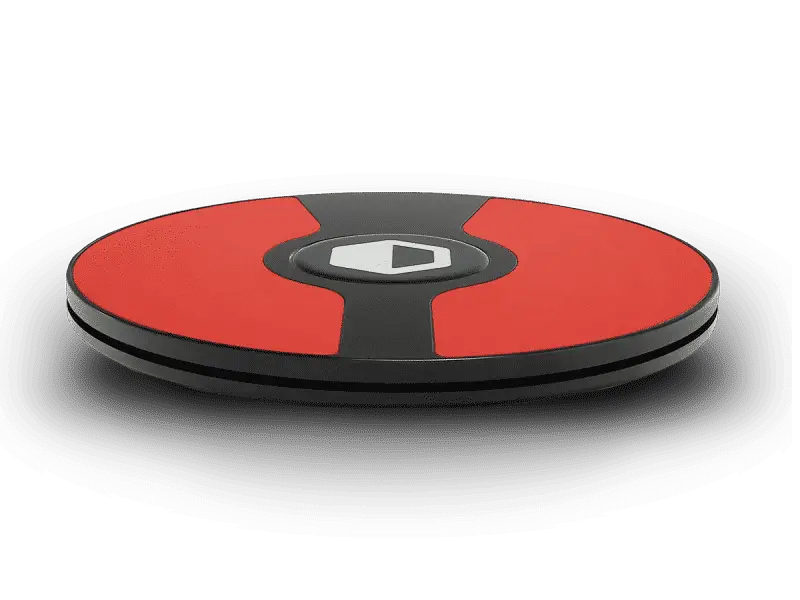
The 3dRudder is a simple, but potentially revolutionary, accessory for both PCs and gaming consoles. The device has a simple, but elegant circular design. At just under 15 inches in diameter, it’s about the size of a Roomba. The top is flat, and the bottom curves much like a balance board. Some models have fins on top to help position your feet on the controller.
Using the 3dRudder Foot Controller
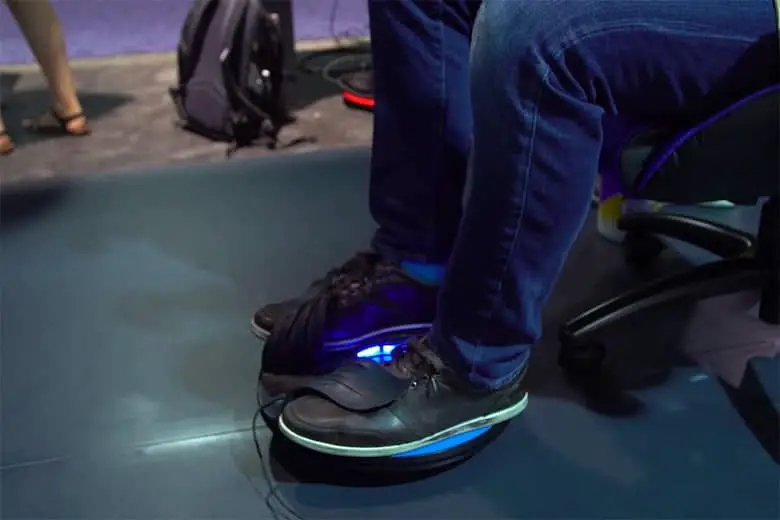
To use the 3dRudder, you sit down and rest your feet on the top of the controller and then move your feet to lean to the left, right, forward, or backward to move your avatar.
You can also rotate your feet clockwise or counter-clockwise to turn your character. Pressure sensors and accelerometers track the movement for accurate control, and the pressure sensors can even allow you to move up and down or jump.
When this review was written in 2019, the device was compatible with PC, PSVR (a PSVR version was announced for April 2019), Xbox (using the Xbox Adaptive Controller), Oculus Rift, HTC Vive, and WMR VR headsets, and could also connect to a smartphone, Android or iPhone. There were also over 40 games which supported the 3dRudder. With the company now closed, that list will not grow, and Windows Mixed Reality support ended with Windows 11 version 24H2.
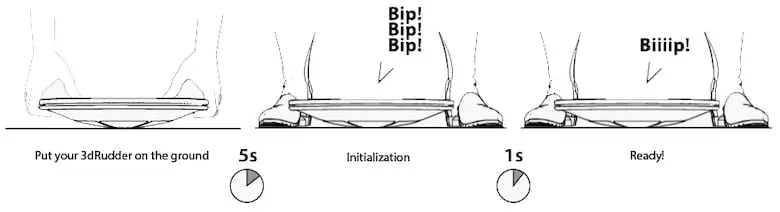
Installing the 3dRudder couldn’t be easier. The foot controller can be connected wirelessly or by USB to get it started. Regardless of the system, it should be recognized and operational within a few seconds. You can further set the controller up for a specific configuration, but it isn’t necessary.
Although the controller is designed to withstand a weight of up to 286 pounds, it isn’t intended for you to stand on it. In addition to the possibility of breaking the device, balance becomes a real issue when using it with virtual reality applications. The recommended position is being seated with your knees bent at a 90-degree angle, so your feet rest vertically on the foot controller.
So, what makes the 3dRudder so revolutionary?
Typically, when playing a game, one hand is used to control your character, whether using a gamepad or keys on a keyboard. Doing this limits what you can do in the game and slows your response time. By shifting the motion controls to your feet, it frees you to use both hands for other aspects of the game.
Additionally, the use of your feet in VR applications can reduce the possibility of nausea and dizziness. Your body more readily accepts the movement in the virtual reality world because your feet are moving. Using your feet allows some applications to be played without teleporting and snap rotating, making a more realistic experience.
Also, for people who have limited use of one or both hands, you now have a way to use your feet to control not only characters in games, but your mouse or browser in everyday use.
The 3dRudder’s potential really scores here, as it is customizable both for gaming and other uses. It is compatible with the free TocaEdit X360 controller emulator (x360ce), and 3dRudder provided extensive instructions for configuring it.
You can also configure the 3dRudder with JoyToKey, which allows you to map the controls of the 3dRudder foot controller to specific keyboard keys or combinations of keys. Doing this can be particularly useful in massive multiplayer online role-playing games (MMORPGs) or other applications which use keyboard shortcuts.
Due to the versatility you get by being able to map the controls of the 3dRudder, you can create and save specific configurations for specific applications or situations. 3dRudder also provided pre-created configurations for many of the games which were compatible with their controller.
The 3dRudder has leatherette pads for your feet, which help with grip, as well as a rubberized grip on the bottom. One issue, however, that has been reported is that the rubberized grip on the bottom doesn’t grip very well on certain floor surfaces, like hardwood or thick carpet. So, the controller can slide out of position, requiring you to reposition the controller during the game.
So, you may want to experiment with your 3dRudder to find the best surface for grip, possibly using a rug or mat to increase the grip.
View the listing on AmazonPaid link · Historical or unverified listing
3dRudder Features
The developers of the 3dRudder have given it several features to make it as adaptable as possible for whatever your needs are. It is excellent as a VR controller and is compatible with your regular PC and console games as well as non-game applications.
Let’s check out the features and benefits of the 3dRudder in detail.
Hands-Free Mobility
No longer do you have to give up the use of one of your hands to move around in your game. The 3dRudder VR foot controller lets you move your avatar around using your feet, freeing up your hands for other uses in the game.
Moving from hand controlled movement to foot controlled movement has the added benefit of reducing the possibility of feeling dizzy or sick while playing VR games. The full body engagement causes your mind to more readily accept the movement in the virtual reality environment as natural.
Quick and Easy Setup
The 3dRudder can be connected either wirelessly or through USB. There is no software to install. You simply connect the device to your PC or console, and within seconds the foot controller is ready to be used. It is truly plug and play.
You can also edit the configuration if you wish, but that is entirely optional. For SteamVR games, 3dRudder later released a free SteamVR driver (May 2020), which is still listed on Steam with Windows 10 as the minimum requirement.
Ease of Use
3dRudder says on their website that their device is, “Surprisingly intuitive, it will take you a few seconds to familiarize with the controls of the 3dRudder.” I’m not sure I’d describe it as that quick and easy, but it probably won’t take you long to get the hang of it.
The way you have to move your feet isn’t something you typically do. So, you have to get used to that kind of movement. Add to that doing those movements while your opponent is shooting at you or while you’re dodging an obstacle in the road moving at 100 mph, and you can see how it may take a little bit to get to the point where the movements are instinctual. However, the benefits of freeing up your hands make a little practice worth it.
I suggest starting with just the device itself (no game) and practicing the movements. Then start with a game you are familiar with while you get used to using those movements in action.
PC and Console Compatibility
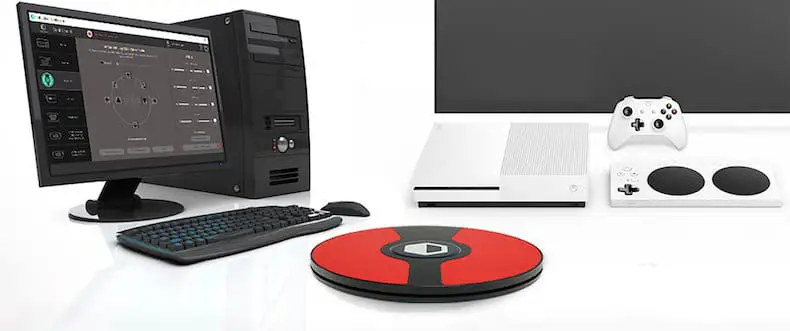
So many gaming accessories are limited in their compatibility to one console or just a PC. It’s nice to have one that you can use on multiple platforms. Actually, “multiple platforms” doesn’t quite do it justice. You can use the 3dRudder on just about any platform.
Originally designed for PC, the foot controller can also be used for VR with the Oculus Rift, HTC Vive, and WMR VR headsets. It is compatible with the Xbox as long as you have an Xbox Adaptive Controller, and a PSVR compatible version was scheduled for release in April 2019. As if that wasn’t impressive enough, it can even connect to an Android smartphone or iPhone via Bluetooth.
Note: this compatibility list dates from 2019. Microsoft removed Windows Mixed Reality in Windows 11 version 24H2; existing WMR headsets only keep working with Steam through November 2026 on Windows 11 version 23H2. We couldn't confirm that the PSVR edition shipped as planned, or that the 3dRudder phone and configuration apps can still be downloaded now that the company has closed. PC use through the SteamVR driver or as a standard controller is the safest bet.
Game Compatibility
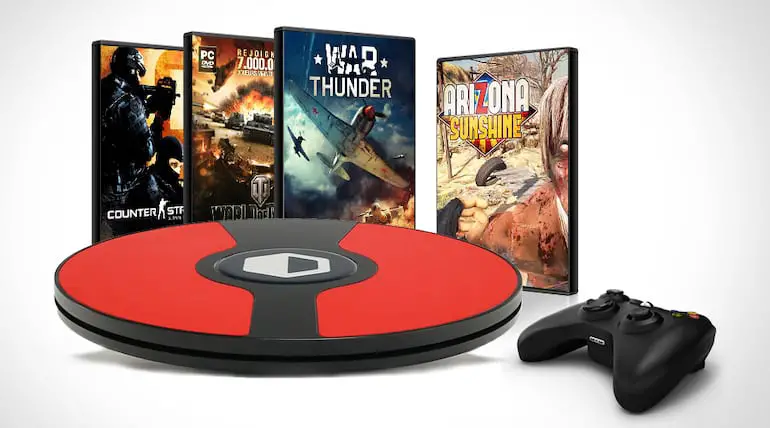
Since the 3dRudder is seen as a joystick controller by your PC or console, it works with a wide array of games and applications. However, there are some games which 3dRudder has worked with to create compatibility specifically for their foot controller.
In 2019, there were over 40 games specifically compatible with the 3dRudder. These titles included Honor and Duty: D Day, Forza Horizon 4, Borderlands 2, World of Warcraft, Counter Strike: Global Offensive, Google Earth VR, Killing Floor: Incursion, Doom VFR, Narcosis, Skyrim, Fallout 4 VR, and many more.
3dRudder said at the time that they were working with several more game developers, including on several “big titles” (their words), though they wouldn’t specify which. Since then, the SteamVR driver has opened up the SteamVR library in general; Steam says it covers over 2,000 titles.
Emulated Keyboard Input
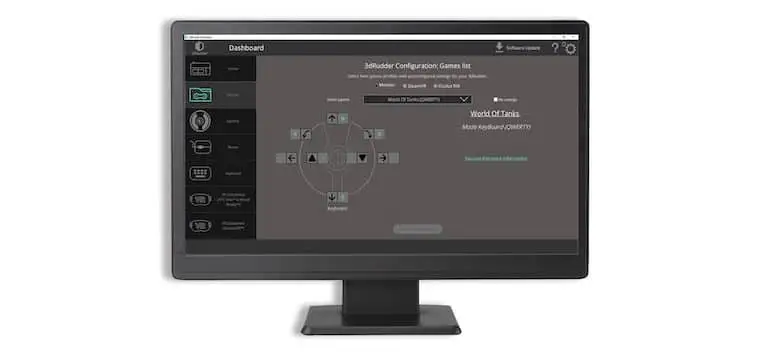
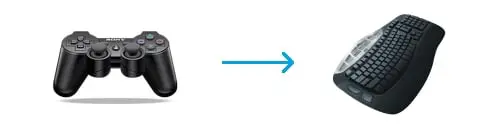
Maybe games where you run around or drive/fly aren’t your thing. 3dRudder may still be an excellent option for you. With the ability to emulate keyboard input, you can use it for games and other applications which use the keyboard or keyboard shortcuts.
Compatible with JoyToKey
JoyToKey is a magnificent piece of software that enables you to emulate a keyboard or mouse with almost any joystick, gamepad, or other controllers. It is shareware: you can download and use it for free, and buy a licence key from within the app if you find it useful. JoyToKey is still maintained (version 7.3.3 was released on 30 April 2026), which makes it one of the more future-proof ways to use a 3dRudder now.
The 3dRudder is fully compatible with JoyToKey, which means you can map the foot controller to be used as a mouse or keyboard.
Accessibility
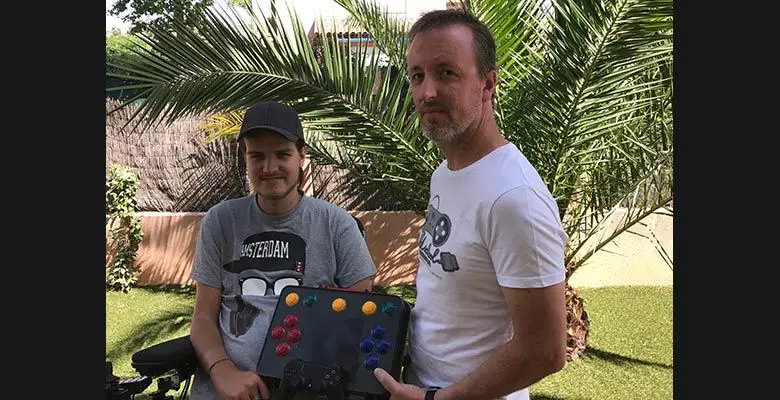
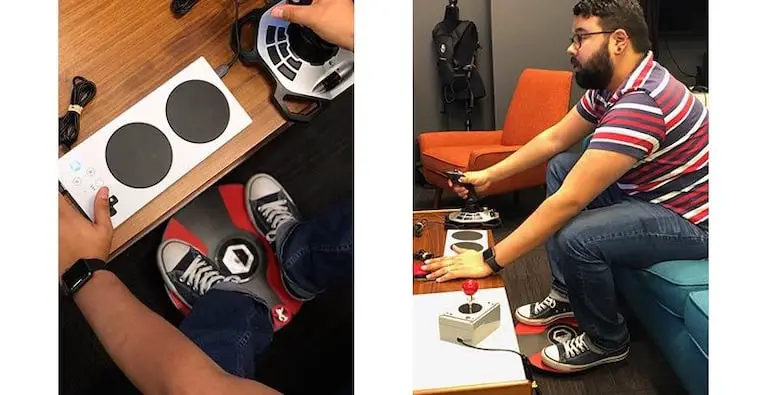
Many people struggle to use traditional gamepads or even keyboards and mice. The ability to use their feet with a controller can open up a whole world of possibility that was closed off to them before.
Avoid Room-Scale Limits
One of the issues in virtual reality is how to move around a huge virtual environment while you are, in reality, in a relatively small space, like a living room or bedroom. Most developers address this with room-scaling, but that only helps so much.
By using a foot controller which operates from a sitting position (the position for which most games are designed), you can move freely without the spatial limitations.
Play Without Teleportation and Rotation Snap
Movement in VR can be problematic sometimes. When your body is in a relatively stationary position, but your eyes are seeing you moving around, it can make you feel dizzy or nauseated. One solution developers have used to address this is moving avatars in games using teleportation or rotation snaps. This limits movement, but isn’t natural.
By integrating your legs and feet in movement, your mind more readily accepts the movement your eyes are seeing, which reduces the potential for dizziness and nausea while allowing you to play without teleportation and rotation snaps, making the game feel more natural and immersive.
3dRudder Black Edition (bundle)
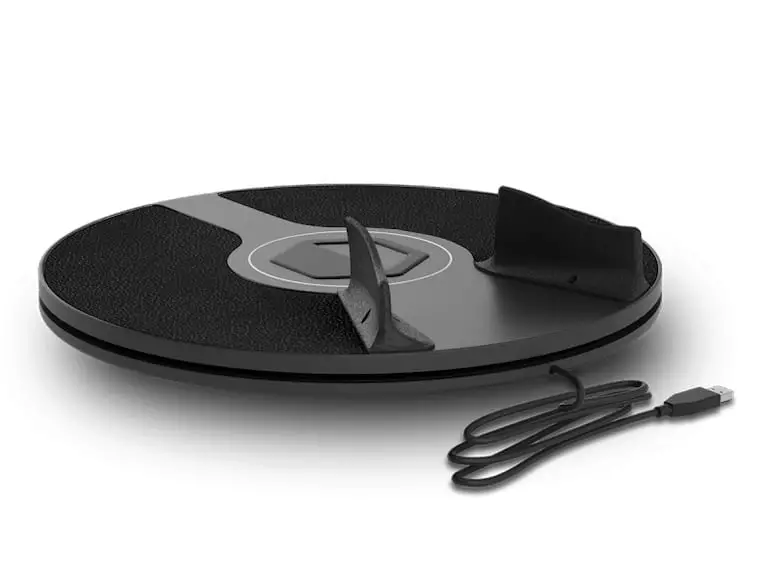
There’s nothing cooler than black. It says you’re a fighter, and you are ready to go. The Black Edition bundle comes with black foot leatherettes, a black plastic design for the controller, and two fins/foot bars. When this review was written, the Black Edition bundle was only available in the PC and VR compatible model, not the PSVR model.
Transportable
The 3dRudder is less than 15 inches in diameter and just over 3 inches thick. It only weighs about 6 pounds. With its lightweight design and relatively small dimensions, you can take it with you wherever you go. If you want to challenge your friend to a VR game at their house, you can take your foot controller with you and dominate.
What Users Say About the 3dRudder
The 3dRudder is a pretty amazing and helpful accessory for virtual reality applications, games, and accessibility. Everything looks great on paper (or your screen), but how does it work in real life?
I looked around the Internet to find what other people thought about the device and their comments were pretty positive.
The individual comments quoted in the original version of this review are no longer part of the page. For a current indicator, the free 3dRudder Driver for SteamVR has a “Mostly Positive” rating on Steam, with 78% of 14 user reviews positive when we checked in September 2026. That is a small sample.
3dRudder Alternatives
The foot controller market is pretty specific, and there isn’t much competition for the 3dRudder. The competition that is out there has some significant differences, almost to the point where it’s difficult to compare.
That being said, it’s always good to know what else is out there and how it may be better or worse for your situation before you make a purchase. Below are the two alternatives from the original review, followed by options that are still on sale.
SprintR
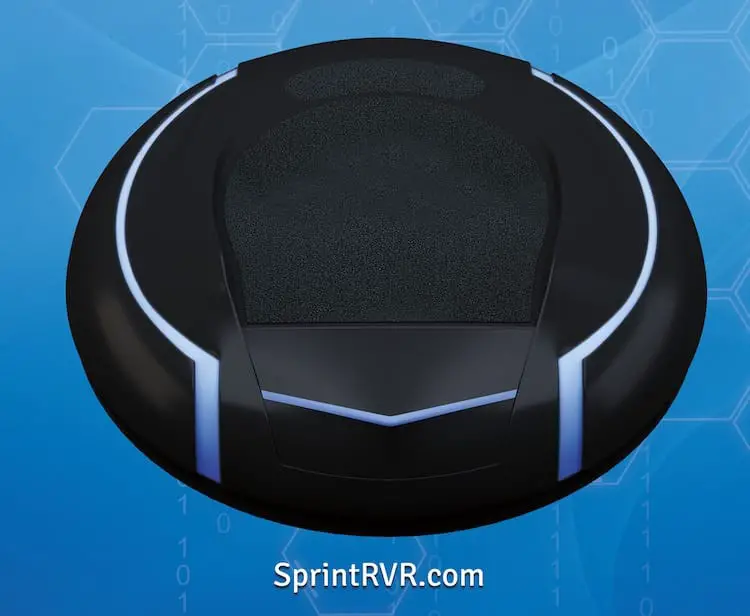
The SprintR VR foot controller is the alternative that is the most similar to the 3dRudder. Like the 3dRudder, you keep the SprintR on the ground while you sit behind it (or stand above it) and you use your foot to move the controller which, then, moves your character.
One significant difference, however, is that the SprintR foot controller only has you using 1 foot. Some may find this more comfortable to use while others may find it more difficult. This one-foot design, however, makes it possible to use the SprintR while standing. You don’t put your full weight on the device, but you can stand and have your foot resting on it.
Another difference is that the SprintR includes some vibration for haptic feedback. This isn’t a sophisticated form of haptic feedback, just vibration, but it’s something.
Finally, the SprintR has a flat bottom. Instead of leaning the device on a rounded bottom, you apply pressure with your foot and push in the direction you want to move.
Beyond those differences, the SprintR is very similar to the 3dRudder, allowing for similar control of character movements and for reconfiguration.
If you feel like haptic feedback in the form of vibration is a game-changer, then this may be the foot controller for you. Also, if you prefer to sit with your legs apart, the SprintR lets you do that. For accessibility, if you only have one foot, then you need to go with SprintR as the 3dRudder is designed for two feet.
In 2019, the SprintR was not available for normal consumer use and was only sold as a devkit. As of September 2026, the former SprintR website hosts an unrelated service, and we found no sign that the SprintR is still sold, so we have removed the links to it.
Similarities
- Control the movement of your avatar with your feet
- Customizable configuration
- Wired or wireless options
Differences
- Designed for use with one foot instead of two
- Flat bottom
- Basic vibration haptic feedback
- Was only available as a devkit and no longer appears to be sold
Taclim VR Shoes
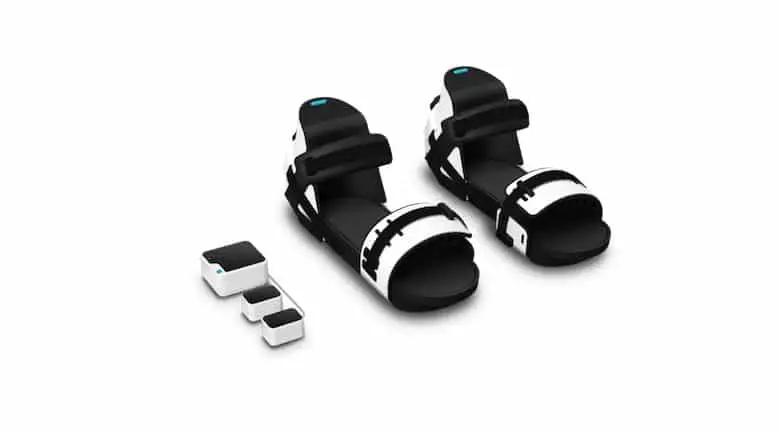
This foot controller is quite different from either the 3dRudder or SprintR VR foot controllers. The Taclim VR Shoes slide onto your feet, similar to a pair of sandals. Moving in the VR shoes requires you to physically move around. You can walk or run in place to move your character and can even do kicks.
The Taclim VR Shoes also have a somewhat more realistic VR haptic experience than the SprintR. You are supposed to be able to feel whether you are walking in sand, on hard floors, etc. It does a decent job most of the time, but they haven’t mastered the haptic feedback very well, and some surfaces feel quite unrealistic.
The Taclim VR Shoes might be a good fit for you if you want to move around and really want a haptic experience.
The Taclim VR Shoes are no longer available: the old Taclim website now redirects to Cerevo’s list of discontinued products, where Taclim is included.
Similarities
- Control the movement of your avatar with your feet
- Is wireless
Differences
- Movement, such as walking and jumping, is required
- Includes haptic feedback
- Discontinued by Cerevo
- These are shoes, like sandals, instead of a board you rest your feet on.
Foot and locomotion controllers still on sale
Here is what we found when we checked the manufacturers’ sites in September 2026. The first three are still on sale; Cybershoes, a seated option, has been retired. None of these is a seated foot board like the 3dRudder, so check how you want to play before buying.
| Product | How it works | Status and price |
|---|---|---|
| KAT Loco S | Set of three wireless tracking sensors worn on the body; walk on the spot or move in room-scale; KAT lists SteamVR and Meta Quest support | On sale, $229 |
| KAT Walk C2 (Core and Plus) | Standing omnidirectional treadmill; a sit module is included with the Plus and sold separately for the Core | On sale; regular prices $1,098 (Core) and $1,598 (Plus), often discounted |
| Virtuix Omni One | Standing omnidirectional treadmill for home use | Sold to consumers; price not shown on the home page |
| Cybershoes | Seated shoe attachments used with a swivel chair | Retired in 2025; site kept as an archive |
Is the 3dRudder Still Worth Buying?
The 3dRudder is a wonderful VR and gaming accessory. It can free your hands and give you an edge against your competition. It can also make games and computer use more accessible for those who struggle to use traditional gamepads, mice, and keyboards.
The foot controller may also let you play virtual reality games in a more natural and engaging way, eliminating the need for teleportation and rotation snaps and making your experience more immersive.
The 3dRudder is a fantastic innovation that is worth checking out. You can find more information or look for a remaining 3dRudder VR Foot Controller by clicking here.
Note: because the manufacturer has closed, we only suggest buying a 3dRudder second-hand or as cheap old stock, for use on a Windows PC with the SteamVR driver, JoyToKey or x360ce. If you want a supported product with a warranty, look at the alternatives still on sale above.
If you have used a 3dRudder or one of the other foot controllers, leave a comment and let us know what your experience was like.
Research behind this guide
Check the linked specifications and support documents, or read how we research. Original review experience stays attributed to its author.
View 9 sources
- 3DRUDDER (SIREN 807632708) – Annuaire des Entreprises, French government
- 3dRudder Driver for SteamVR – Steam
- Deprecated features in the Windows client – Microsoft Learn
- JoyToKey – official site
- Discontinued products – Cerevo
- KAT Loco S – KAT VR
- KAT VR – official site (KAT Walk C2 range)
- Virtuix Omni One – official site
- Cybershoes – official site (archive)
Explore the related guides in VR accessories.