Honest PlayStation VR Headset Review
We may earn a commission when you buy through links on this page. As an Amazon Associate I earn from qualifying purchases. How this works
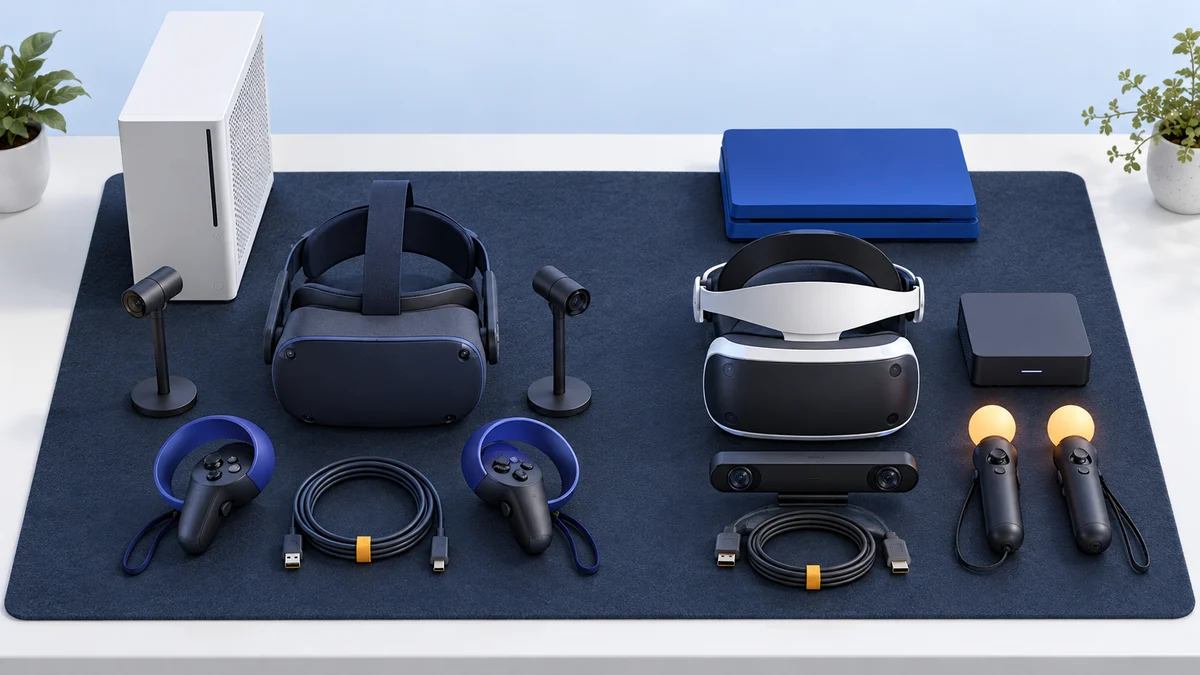
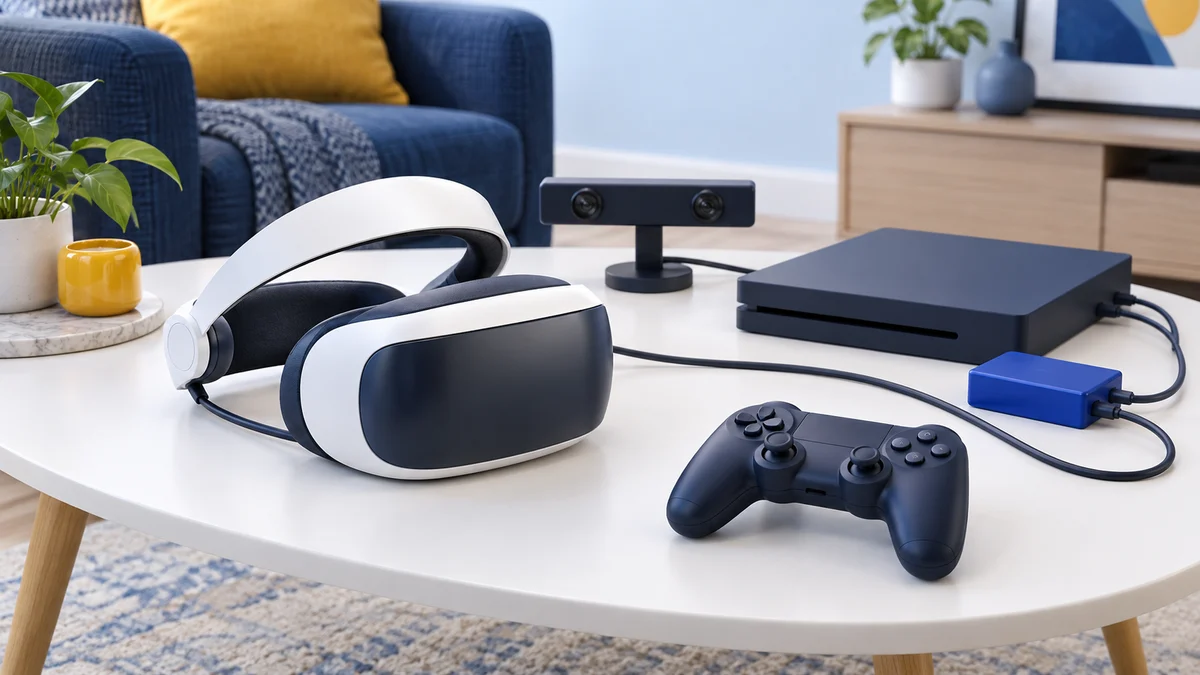
A used original PlayStation VR mainly suits someone who already owns a PS4 and wants its existing VR games. You need the PlayStation Camera and the controllers required by each game. On PS5, it also needs the camera adaptor and still runs only PS4 VR games. PS VR2 is a separate PS5 platform and does not play original PS VR games. Compare the current alternatives before buying a bundle, and see our PS5 VR headset guide for where PS VR2 is still sold.

128 GB configuration
Standalone VRStandalone games with Fresnel lenses.
Check first: Check the app library, optical fit and return policy.
Check price on Amazon Paid link · Amazon
512 GB configuration
Pancake opticsPancake lenses and a higher-resolution display than Quest 3S.
Check first: Compare the complete purchase, including any accessories.
Check price on Amazon Paid link · Amazon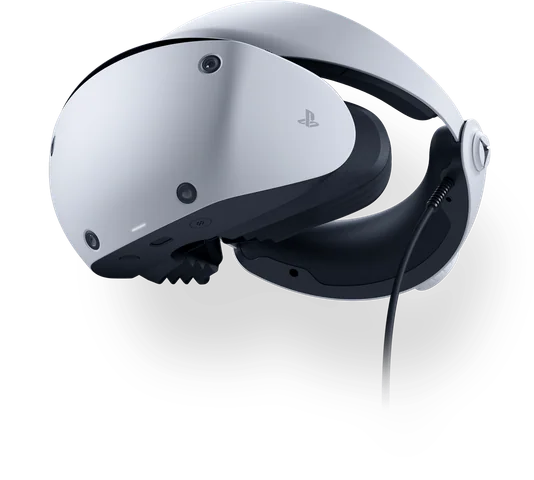
Check the exact retailer bundle
PlayStation VRA headset for PS5, with a separate adapter option for PC VR.
Check first: PC use needs the adapter and a compatible DisplayPort setup.
Check price on Amazon Paid link · AmazonShopping for PlayStation VR starts with your console and game library. The original headset needs a PlayStation Camera, while PS5 use adds an adaptor. PS VR2 uses a different library, so the two headsets cannot replace each other for every game.
Dustin’s original review explains the console, controllers and cables, followed by graphics, audio and his experience. Read it alongside the status notes, then compare alternatives before choosing a complete bundle.
Product status and source notes
Still sold? No, not new. The original PlayStation VR (2016) was discontinued in 2024, so you will only find it used or as leftover stock. Still usable? Yes, on a PS4 or PS4 Pro with a PlayStation Camera. It also runs PS VR games on a PS5, but only with the PlayStation Camera adaptor, which Sony stopped giving away free on 26 November 2024, and no PS5 games support the original headset. What to consider instead: for a PS5, PlayStation VR2, which does not play original PS VR games; for a standalone headset, the Meta Quest 3 or Quest 3S. The review below is Dustin's original hands-on review, with outdated facts corrected.
Is the PlayStation VR still worth buying?
Only if you already own a PS4 and can find a cheap used PS VR bundle that includes the PlayStation Camera; the camera is required for tracking. Sony has moved on to PS VR2, no PS5 games support the original headset, and PS VR2 is not backward compatible with PS VR games, so what you are buying into is mostly the existing PS4 VR library. If you are shopping for a new headset, see the current alternatives below.
Dustin's original review introduction (2020)
I have had my PlayStation VR since it launched in October 2016.
The device is a mainstay in my living room, and I love it more than I do my in-laws.
The headset brings a cost-effective VR solution as you don’t need a PC to play games.
This headset has gotten better with time.
Today I’m going to be giving you my honest PlayStation VR Review, sharing why it’s so great.
Things to Consider When Buying a PlayStation VR Headset
Getting a PlayStation VR headset is a major purchase and there are some things you need to consider.
I got my headset right away without thinking, but in hindsight, I wish I would’ve waited.
There are some of the things I think you should consider before pulling the trigger on this purchase:
- Console - You need a PS4 console to run PlayStation VR (or a PS5 with the PlayStation Camera adaptor, which only runs PS4 VR games). I had the launch console when I got my PSVR, and it ran the games “okay”. If you want to run the games well, you need a PlayStation 4 Pro. The beefier hardware makes for a smoother experience. This is the best decision I made in regards to this headset.
- Motion Controllers - The PlayStation VR uses old Move controllers for their motion games. These aren’t nearly as good as the Touch controllers from Oculus or the Vive controllers, at least in my opinion. I have had a few times where the tracking wasn’t good enough for my taste, and you should know that this limitation is in place for PSVR.
- Cables - Admittedly, the PlayStation VR does have a lot of wires. I have a boatload of wires running from my console to a breakout box, which then runs to my headset across the floor. This can cause you to trip over cables if you’re not careful and is something to be aware of before you make a purchase.
The ideal PlayStation VR user is someone who already owns a PS4 console. I believe that anyone can use VR, but some intense experiences are better left to those who don’t get queasy easily.
Presenting the PlayStation VR Headset
Sony’s PlayStation VR headset was one of the best-selling VR headsets when this article was first published; Sony reported 5 million units sold by the end of 2019. The device launched in October 2016 and brings VR to the PS4 console. The revised CUH-ZVR2 model, released in November 2017, added HDR passthrough to the TV, a redesigned cable and built-in stereo headphones.
The headset itself is well-designed. I love the way this thing feels on my face, and my sweaty gorilla body doesn’t ever make for foggy lenses. Weighing in at 21 ounces, the PSVR headset is balanced well on your head and can be worn for extended periods.
The headset’s main specs are as follows:
- Weight of 21 ounces
- 5.7-inch 1080p OLED display (960 x 1080 per eye)
- 90-120 Hz refresh rate
- 100° field of view
- 9 built-in LEDs tracked by the PlayStation Camera (required)
The PlayStation VR was sold in multiple bundles: the headset alone, or combos with Move controllers, the camera and games. Today these bundles turn up mainly on the used market.
If you don’t already have a Move controller set and a PlayStation Camera, look for a used bundle that includes them.
Pros
- Doesn’t require a gaming PC to run
- Hundreds of great games available
- Excellent 3D sound supported
Cons
- Move controller tracking isn’t the best
- Older models don’t have HDR passthrough
- Graphics aren’t as good as on a $2,000 PC
View the listing on AmazonPaid link · Historical or unverified listing
PlayStation VR Features and Benefits
The PlayStation VR has some compelling features that make it a great headset. These key features can be broken down as follows:
Graphics
The PlayStation VR’s graphics are nice, especially in bright games. The technology shines in games like Astro Bot, which is teeming with life. The resolution is low though, which makes games look a bit blurry and there is some screen door effect present.
If you do run on the PS4 Pro, things are a bit better. The higher horsepower of the machine slightly improves the visuals in VR, and the framerate is better.
Controls
The PlayStation VR can be used with the DualShock 4, Move controllers or the PlayStation VR Aim controller.
If I have my choice, I normally choose the Dualshock as it is more accurate for games where you’re seated.
The Move is old technology, and while it works, it’s not the best solution in VR. The tracking can be inaccurate.
It’s like having hands made of oven mitts, whereas Oculus Touch is like having gloves.
Audio
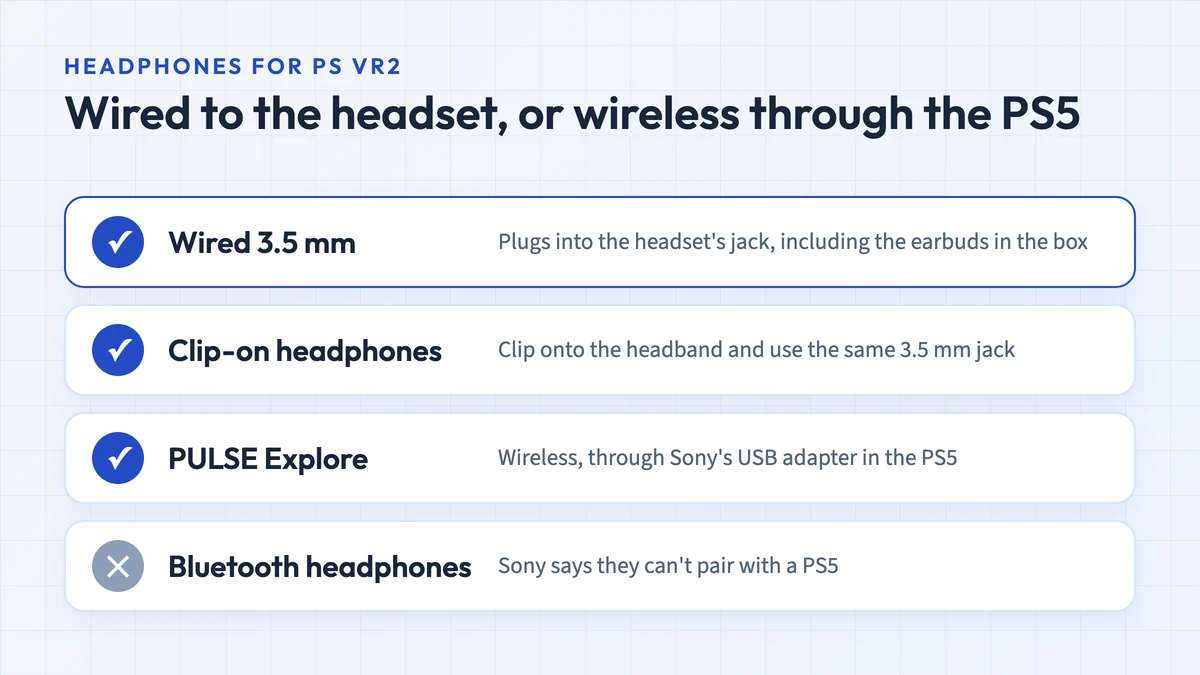
The PlayStation VR has an audio jack built into the cable harness. Here, you can use the earbuds that come with the headset, or you can choose your own. I tend to use my PlayStation Gold Wireless Headset and it sounds a lot better. If you do use a headset, you should plug it in so that there isn’t lag between the game and your ears.
Software
The PlayStation VR uses the same software as the PS4 console itself. The operating system does work well in the headset, but it doesn’t have the same oomph of the Oculus software.
The upside here is the huge library of games available for PlayStation VR. I have so many different games that I’m yet to play them all. I highly recommend you check out Beat Saber, Astro Bot Rescue Mission VR, PlayStation VR Worlds, and Pinball FX2 VR.
The Overall Experience
Tying everything together, the PlayStation VR is an excellent VR headset. I have some gripes with the controls and the screen door effect, but that’s about it. I think the PSVR compares well to its competition. When you’re playing games in VR and the experience is good, you’ll hardly notice these faults.
Over the past several years, I’ve put in a lot of time with the PlayStation VR. I think it has the ability to change how VR evolves. Needless to say, I’m a big fan.
Alternatives to the PlayStation VR Headset
As much as I love the PlayStation VR, I’ll be the first to admit that it’s not for everyone.
If you don’t have a PS4, or want something without wires, you’ll want to look elsewhere.
I’ve compiled a list of alternative VR headsets if you don’t think the PSVR is for you.
Note: all three alternatives below are also discontinued. The original Oculus Quest was discontinued in September 2020 and only received maintenance and security updates until 2024. Sales of the Oculus Go were ended in 2020, and its store stopped accepting new apps and app updates in December 2020. The original HTC Vive has been replaced by newer models, and HTC has aimed the Vive line at business users since 2021. See the current alternatives for headsets you can buy new.
Oculus Quest
The Oculus Quest brings a full VR experience to players without any wires.
Even better, the Quest doesn’t need a gaming PC to power it. You simply download games and play.
This is a great piece of tech, and perhaps the only downside is that it doesn’t get PlayStation exclusive software.
Similarities
- Great build quality
- Lots of great games
- Focused on gaming
Differences
- Can’t play PlayStation exclusive software
- Has different controller type
- Uses a battery, so time to play is limited
View the listing on AmazonPaid link · Historical or unverified listing
HTC Vive
If you have a gaming PC, the HTC Vive is as good a headset as they come.
I have logged a lot of time in this headset and can say it has a higher resolution than the PSVR and better tracking.
The Vive uses the Steam VR library to load games and feels a lot like the PlayStation Store.
If you’re looking to get heavy into VR and have a heavy duty rig, the Vive is a great choice.
To find out more about this headset, please read our HTC Vive headset review.
Similarities
- Has hundreds of games
- Needs wires to connect to PC
Differences
- Needs base stations set up to track movement
- Requires a gaming PC to run
- Controllers are more accurate
View the listing on AmazonPaid link · Historical or unverified listing
Oculus Go
The Oculus Go isn’t a heavy-duty headset, but that doesn’t mean it isn’t great. I love the wireless experience, and the Go is great for media consumption. You can play games on the Go, but there are only three degrees of freedom versus the PSVR’s six degrees. This means that you can spin, but you can’t get up and walk around in VR.
If you think that watching movies or TV in VR are going to be your main focus, then I’d recommend the Go to you. To find out more about this headset, please read our Oculus Go headset review.
Similarities
- Feels great on your head
- Can play games and media
Differences
- Completely wireless
- Three degrees of freedom
- Uses Oculus interface
View the listing on AmazonPaid link · Historical or unverified listing
Current Alternatives
PlayStation VR2 is the direct successor for PS5 owners. According to Sony’s product page, it uses two 2000 x 2040 OLED displays at up to 120 fps, a 110-degree field of view, eye tracking and four built-in cameras for inside-out tracking, so no PlayStation Camera is needed. A separate PC adapter, released in August 2024, lets it run SteamVR games. It cannot play original PS VR games, and it works only with a PS5 or a PC with the adapter.
Meta Quest 3 and Quest 3S are standalone headsets that need no console or PC. The Quest 3 (also on Amazon) is Meta’s higher-end model and the Quest 3S (also on Amazon) the cheaper one; our Quest 3 vs Quest 3S comparison explains the differences. Neither plays PlayStation exclusives.
Our Original Verdict on the PlayStation VR
The PlayStation VR is special.
I have spent hundreds of hours in this thing, flying jets, being a robot, and shooting bad guys.
It is amazing and has changed how I look at VR technology. If you have a PS4, this is a must-buy and I recommend you to check it out.
Note: this recommendation dates from when the PS VR was still on sale. It is now discontinued, so it only makes sense as a cheap used purchase for an existing PS4 owner. PS5 owners who want new VR games should look at PlayStation VR2 instead.
Research behind this guide
Check the linked specifications and support documents, or read how we research. Original review experience stays attributed to its author.
Explore the related guides in VR headsets.