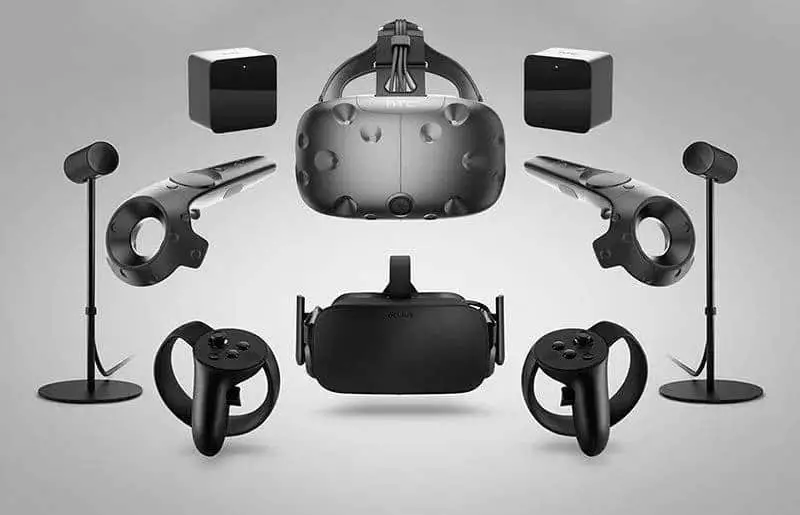
HTC Vive vs. Vive Pro: A Comparison Battle of Two Titans
We may earn a commission when you buy through links on this page. As an Amazon Associate I earn from qualifying purchases. How this works
Vive Pro is the more capable headset in this historical comparison, but both models are discontinued. Existing Vive owners can weigh the display upgrade against their working setup. First-time buyers should check base stations, controllers and the Pro’s DisplayPort connection before comparing prices. HTC’s cited support list includes Windows 11 for the Pro; we could not confirm the same official support for the original Vive.
Check the exact retailer bundle
VIVE headsetA standalone and PC VR option discussed in this guide.
Check first: Check the required PC connection and accessory setup.
Check price on Amazon Paid link · AmazonThe Vive Pro comparison matters most if you already own a working Vive kit. You may be able to reuse its base stations and controllers. For a first purchase, both headsets are discontinued, so a headset-only offer needs closer scrutiny.
Start with your budget and use, then compare the display upgrade and PC connections. John’s original recommendation explains the launch-era price trade-off; the source notes below explain today’s limitations.
Platform status and source notes
HTC Vive and Vive Pro: status checked 24 September 2026
Neither headset is sold new by HTC any more. HTC's current product list covers the Vive Focus series, XR Elite, Flow, Eagle glasses and a Pro series entry that now only means the Vive Pro 2, and the old Vive Pro product address now lands on the Vive Pro 2 page. Even the Vive Pro 2 is gone: its page says "VIVE Pro 2 is no longer available" and points buyers to the Vive Focus Vision.
Still usable? Yes, if you have working base stations and controllers. HTC still publishes Vive and Vive Pro system requirements. The Vive Pro's list includes Windows 10 and 11, but the original Vive's list stops at Windows 10, which Microsoft stopped supporting on 14 October 2025. We couldn't confirm official Windows 11 support for the original Vive.
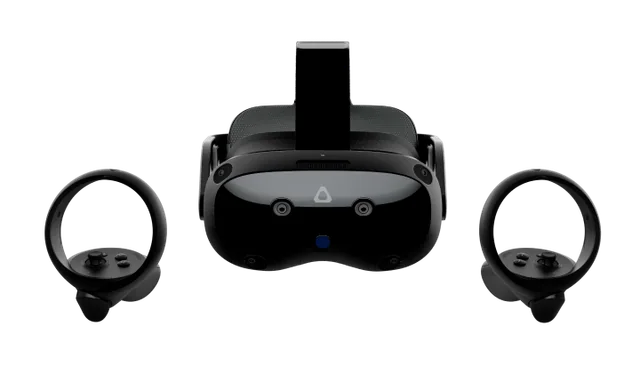
What to consider instead: HTC's current PC-capable headset is the Vive Focus Vision (2448 x 2448 pixels per eye, standalone or PC VR over Wi-Fi or a wired DisplayPort kit, no base stations needed). Meta Quest headsets are the other common choice; see our Quest 3 vs Quest 3S comparison. If you're buying one of these two used, the Vive Pro is the better headset. Check that the listing includes base stations and controllers, because HTC first sold the Pro as a headset-only upgrade.
Original comparison opening (2020)
If you’re only looking for my recommendation and aren’t interested in why, here you go. Unless you are the type who absolutely has to have the best, stick with the HTC Vive.
Is it worth upgrading to the Vive Pro?
Note: This recommendation dates from when both headsets were still on sale. Both have since been discontinued, so the links above may lead to used, third-party or unavailable listings. The comparison below is still useful if you're choosing between the two second-hand or deciding whether to upgrade a Vive you already own.
The Vive Pro is undoubtedly a step up, but its price is also a pretty big leap. If you’ve got the Vive, should you upgrade? If you’re looking to buy a new VR system, is it worth spending the extra money on the Pro? Let’s find out.
I’ll compare the two headsets and let you know how much of an improvement there is with the Pro and whether it’s worth the extra expense.
What to Check Before Choosing a Vive or Vive Pro
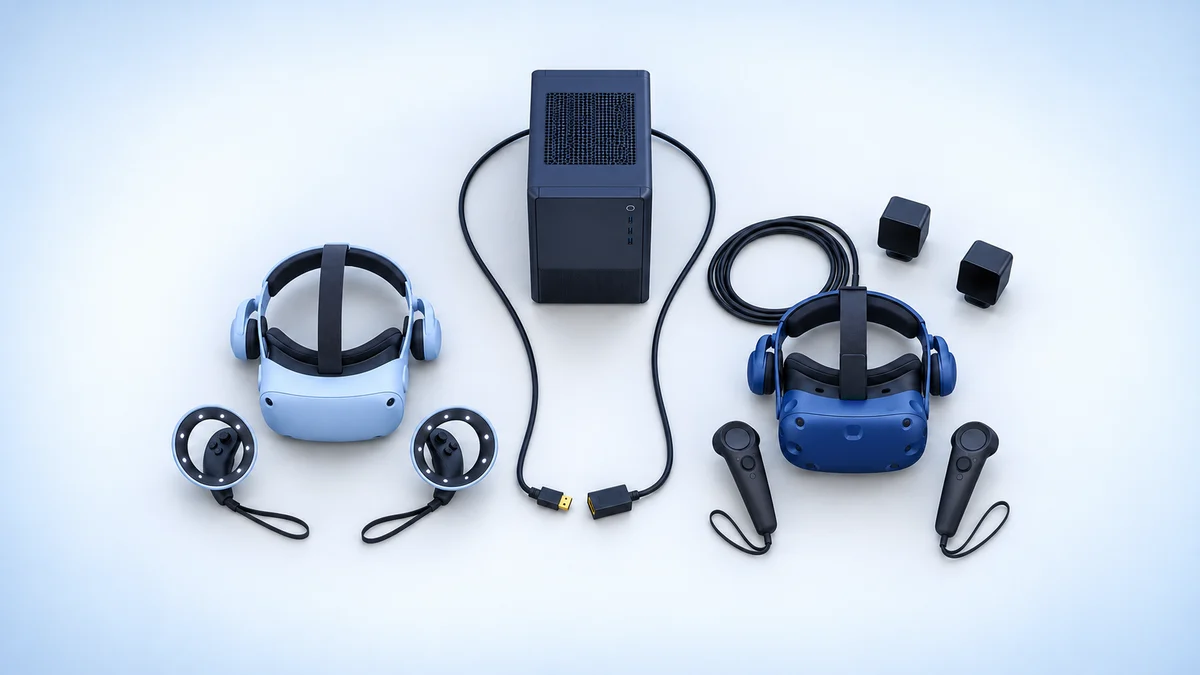
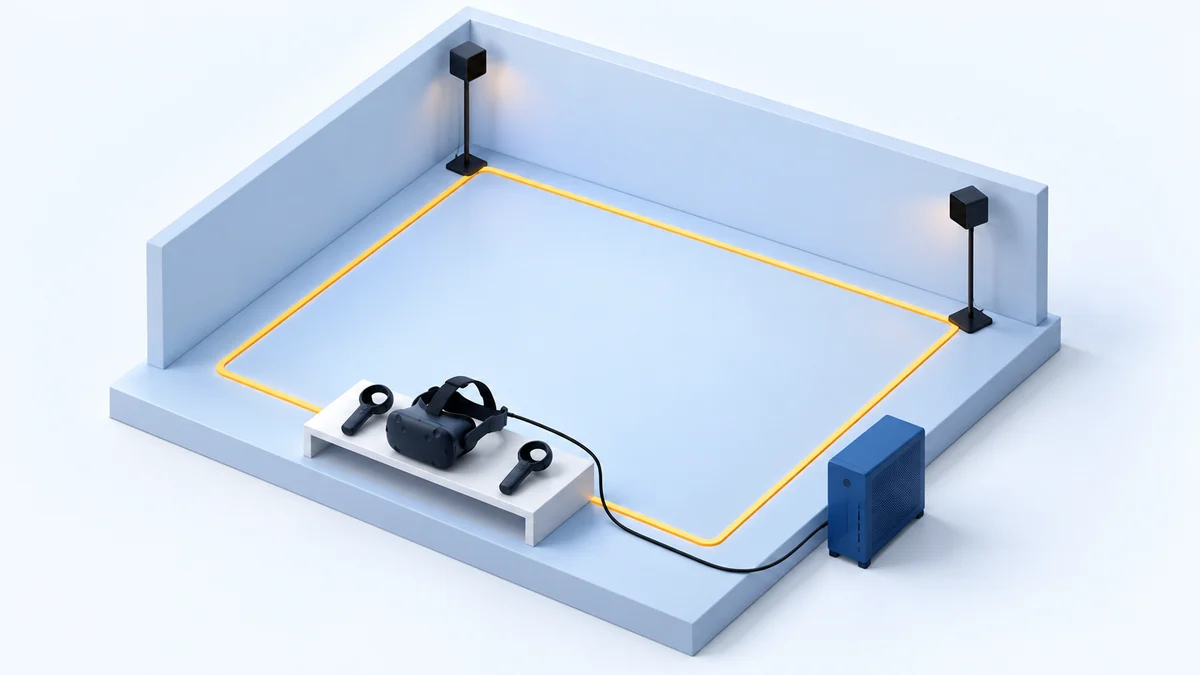
For an upgrade, inventory the working Vive equipment you already own. For a first setup, inventory the used listing instead: the original Pro was sold as a headset-only upgrade, so base stations and controllers may be separate purchases. Neither headset runs standalone.
Then check your PC’s video output. The Pro requires DisplayPort where the original Vive also accepted HDMI. The comparison below separates the headset improvements from the rest of the equipment you need.
What’s In Your Wallet?
Price is going to play a role in your decision today. So, you’ll need to decide how much you are willing to spend on your virtual reality experience. For many people, we may be talking about an entire week’s pay.
How Committed To The Experience Are You?
In this article, I’m comparing two headsets from the same brand, and one headset is the new, upgraded model of the other. So, you know one is going to be better than the other. The real question in this comparison is how much better is the Pro and how much those improvements matter to you. I’ll let you know how much better the Pro is. You’ll have to decide how important is it.
How Much Do You Plan To Play?
There’s a difference between playing virtual reality for fun from time to time and being a dedicated player who uses their headset for hours at a time. The more you use the headset, the more improvements in comfort and resolution affect you.
How Much Better Is the Vive Pro Than the Vive?
Original 2020 comparison: The first-person observations and launch-era verdicts below are John’s original coverage. They are retained for readers comparing older hardware; they are not recommendations to buy a first setup today.
In this comparison between the Vive and Vive Pro, I’ll be looking at the following attributes of your VR experience.
- Visual Experience
- Comfort
- Audio Experience
- VR Immersion
- Ease of Use
- Computer Requirements
- Cost
I’m not including hand-controllers or setup in this list as they are the same for both headsets.
With each aspect I review, I’ve decided to use a different approach than I normally do. I won’t be telling you who the “winner” is. Frankly, it is always the Vive Pro. Instead, I will tell you how big of an improvement it is.
Visual Experience
One of the more prominent upgrades for the Pro is its visuals. The field of vision remains 110-degrees, and the refresh rate is still 90Hz like the Vive. However, the Pro increased the resolution by 78%.
The Vive’s resolution is 1080 x 1200 per eye, while the Pro has 1440 x 1600 per eye. So, what does this mean for your experience?
Overall, the images in the Pro are brighter and crisper. Colors are more vibrant, and details are more realistic than on the Vive. For example, the reflection of the sky off the hood of your car in Assetto Corsa in the Pro looks more like you are driving a freshly waxed car.
In addition, the high resolution greatly reduces the Screen Door Effect (SDE). Where the Vive has a pretty pronounced SDE, it’s barely noticeable with the Vive Pro. The lenses are the same on both headsets, so the “god rays” are the same for both.
Lastly, text is clearer and easier to read. This is especially helpful in apps where the text is small.
Level of Improvement: High – The resolution is 78% higher, and colors look more vibrant. The Pro gives a clearer, brighter, and more realistic image with less screen door effect and better readability of text.
Comfort
Both the Vive and Vive Pro are comfortable. However, improvements to the ergonomics and padding have made the Pro much more comfortable. This is especially true if you use your headset for extended gaming sessions.
The Vive uses a 3-strap velcro harness. It’s reasonably easy to adjust. You just unfasten the strap, adjust, and refasten. The Pro uses a combination of a halo and velcro strap harness. The halo portion is rigid and goes around the side and back of your head. You can easily adjust it with a knob in the back. A third velcro strap goes over the top of your head, giving additional support.
Even though both headsets have similar weight, the Vive Pro does a better job distributing that weight. The Vive places more weight on your forehead. This can become uncomfortable during longer sessions. Additionally, the Pro has more padding in the back, on the forehead, and around your nose. This makes it very comfortable to wear for long periods.
Lastly, both headsets can adjust the lenses for both the distance between your eyes and the lenses and the distance between your pupils. The Pro, however, gives the option for a little more room between your eyes and lenses, which makes it more comfortable for people who wear glasses.
Level of Improvement: Medium – The Pro is a little more comfortable for casual, short use. It’s in the long gameplay sessions that you can feel the difference. Also, people who wear glasses find the Pro easier to put on and use.
Audio Experience
A noticeable difference between these two headsets is apparent as soon as you pull them out of the box. The Vive Pro has headphones. The Vive does not. So, right off the bat, you know that with the Vive you either need to use third-party headphones or spend a little extra on the HTC Deluxe Audio Strap.
The built-in headphones on the Pro are good, and you can flip them up to hear outside sounds more easily when needed. However, this feature may also be a problem. It’s difficult to get the headphones pressed to your ear, which can lessen the overall sound, especially the bass. You may find that you want to use third-party headphones anyway.
Beyond the headphones, HTC has improved the sound quality on the Pro. It has better spatial audio, which gives a more realistic experience. Noises sound like they are coming from the direction you would expect in real life. You still get a great audio experience with the Vive, but the Pro is a little better.
Level of Improvement: Low – The fact that high-quality third-party headphones usually sound better diminishes the benefit of the built-in headphones on the Pro. The improvements to the spatial audio are nice, but they don’t blow you away.
VR Immersion
In the end, this is really what it’s all about, right? The VR experience of the Pro is definitely better than the Vive. The improved graphics and spatial audio help to more fully immerse you in your virtual world. In addition, the increased padding around your face and, particularly, your nose, better block out light from outside the headset.
The ergonomics of the Pro headset also help. With the better distribution of weight, it’s easier to forget you are wearing a headset. Also, HTC put physical volume controls on the Pro headset. So, you don’t have to take yourself out of your game to navigate to the audio controls in the software just to adjust the volume.
Level of Improvement: Medium – The combined effects of the audio and graphics enhancements on the Vive Pro make the VR world more realistic. The improvement in headset design of the Pro further immerses you.
Ease of Use
Both headsets are similar in the way you use them, but the Pro has made a few notable improvements making it easier to use. The rigid halo harness of the Pro with the knob for adjusting your fit is easier to use than the velcro straps of the Vive.
Also, the Vive Pro uses only a single wire to connect to the link box. So, there are fewer wires to get in your way while using your headset. That said, both the Vive and Vive Pro have a wireless adapter you can purchase separately. Finally, the placement of audio controls on the outside of the headset makes adjusting audio quicker and simpler.
Level of Improvement: Low – The improvements are nice, but not game-changers. The biggest game-changer is the wireless adapter, and that works with either headset.
Update: HTC’s current wireless adapter page lists only the Vive Pro series and Vive Cosmos series as compatible and no longer mentions the original Vive. The adapter also needs a desktop PC with a spare PCIe slot.
Computer Requirements
The computer requirements for both HTC VR systems are similar but not identical. The Vive works with USB 2.0 or newer and an HDMI 1.4 or DisplayPort 1.2 output. The Vive Pro needs USB 3.0 and a DisplayPort 1.2 connection.
Here are HTC’s published requirements for both headsets:
| HTC Vive | HTC Vive Pro | |
|---|---|---|
| Processor | Intel Core i5-4590 / AMD FX 8350 or better | Intel Core i5-4590 / AMD FX 8350 or better |
| Graphics (recommended) | NVIDIA GTX 1060 / AMD RX 480 or better | NVIDIA GTX 1070 / Quadro P5000 / AMD Radeon Vega 56 or better |
| Graphics (minimum) | NVIDIA GTX 970 / AMD R9 290 or better | NVIDIA GTX 970 / AMD R9 290 or better |
| Memory | 4 GB RAM or more | 4 GB RAM or more |
| Video output | HDMI 1.4 or DisplayPort 1.2 | DisplayPort 1.2 or newer |
| USB | 1x USB 2.0 or newer | 1x USB 3.0 or newer |
| Operating system | Windows 7 SP1, 8.1 or 10 | Windows 7 SP1, 8.1, 10 or 11 |
Figures from HTC’s Vive and Vive Pro support pages. Note that HTC recommends a stronger graphics card for the Pro, so the two are not quite identical. Windows 7, 8.1 and 10 no longer receive regular Microsoft support.
Level of Improvement: Low/Medium – On the one hand, this difference isn’t very significant if you are purchasing a new computer. On the other hand, if you want to use your current computer and you don’t have a DisplayPort 1.2 connection (which many graphics cards don’t have), this becomes very significant.
Cost
I don’t like to reference specific prices in my articles because they change frequently. For example, the cost of the Vive has dropped to almost half what it was less than two years ago. That said, if I don’t talk about price in this comparison, I am missing the most significant difference between these headsets.
Without referencing specific prices, I think it’s safe to say that the Vive Pro is nearly triple the cost of the Vive. For most people, the price difference is more than they make in a week. It’s definitely a better headset, but that’s a lot to ask.
I should note, though, that if you already have a Vive, your lighthouses and hand-controllers work with the Vive Pro. So, you can save a considerable amount of money by purchasing the HTC Vive Pro headset by itself.
Level of Difference: High – For most people, you’ll notice the difference in your bank account depending on which headset you purchase.
Note: Neither headset is sold new by HTC any more, so the launch-era price gap no longer applies. Used prices vary with condition and with whether base stations and controllers are included, so compare complete kits rather than headset-only listings.
Is the Vive Pro Worth the Extra Money Over the Vive?
The HTC Vive Pro is a definite improvement on the Vive. They improved the system in just about every way that matters. However, the question really isn’t whether the Pro is better. The question is whether it has enough of an improvement over the Vive to make it worth spending that much more money.
HTC Vive or Vive Pro: Which One I Recommend
Note: The recommendation below is from when both headsets were new. HTC now sells neither of them, nor their successor, the Vive Pro 2 (2448 x 2448 pixels per eye, up to 120Hz, works with both generations of base stations), and suggests the Vive Focus Vision instead. For a new headset, look at the Focus Vision or a Meta Quest (see our PC VR headset guide). If you're buying used, the reasoning below still applies.
I recommend the HTC Vive. For the vast majority of people, I don’t think the upgrades in the Pro justify the vast price difference. You can still have an excellent VR experience with the HTC Vive, which will more than satisfy most people.
However, if you are the type who wants the best or if you’ve got money to burn, then the HTC Pro is the way to go.
So, why wait? You can purchase the HTC Vive here or the HTC Vive Pro here.
If you already have a Vive system and want to purchase just the Vive Pro headset, you can do that here.
Lastly, I highly recommend investing in the HTC wireless adapter. Untethering from your computer makes a huge difference in your experience.
If this article has been helpful, please share it with your friends.
Research behind this guide
Check the linked specifications and support documents, or read how we research. Original review experience stays attributed to its author.
View 9 sources
Explore the related guides in VR comparisons.