Best VR Headsets for PC in 2026
We may earn a commission when you buy through links on this page. As an Amazon Associate I earn from qualifying purchases. How this works
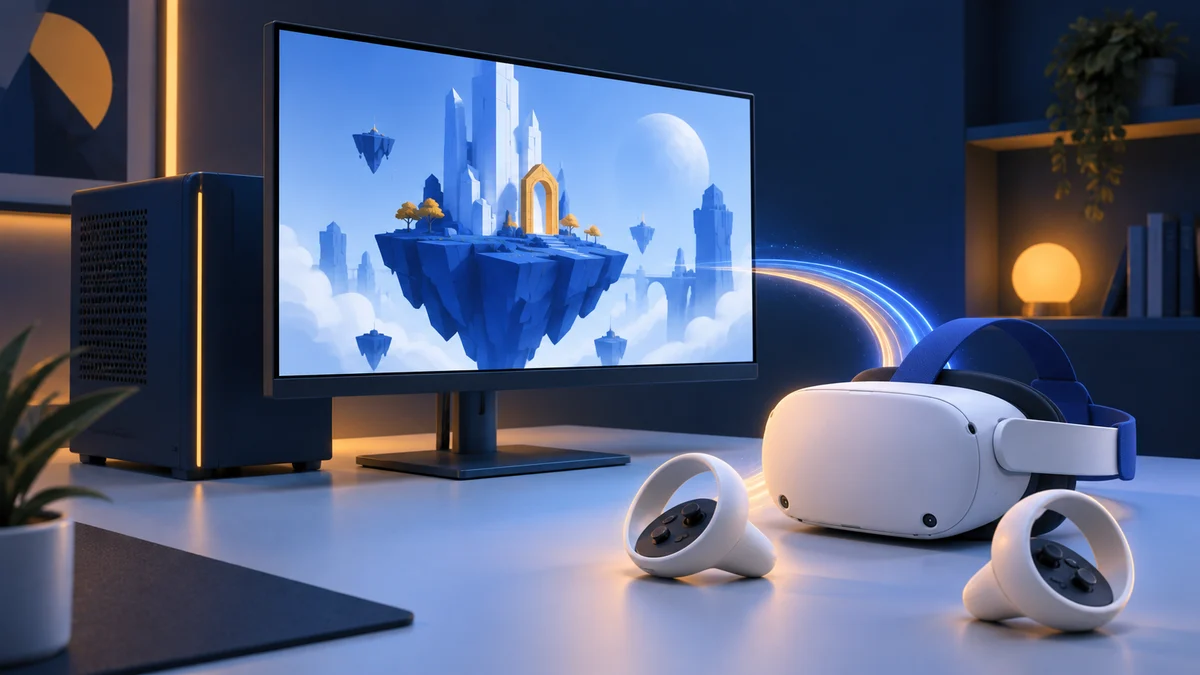
For most people buying their first PC VR headset, Meta Quest 3 is the one to get. It comes with controllers and built-in tracking, connects to a gaming PC by USB cable, Air Link or Steam Link, and still plays standalone games when the PC is off.
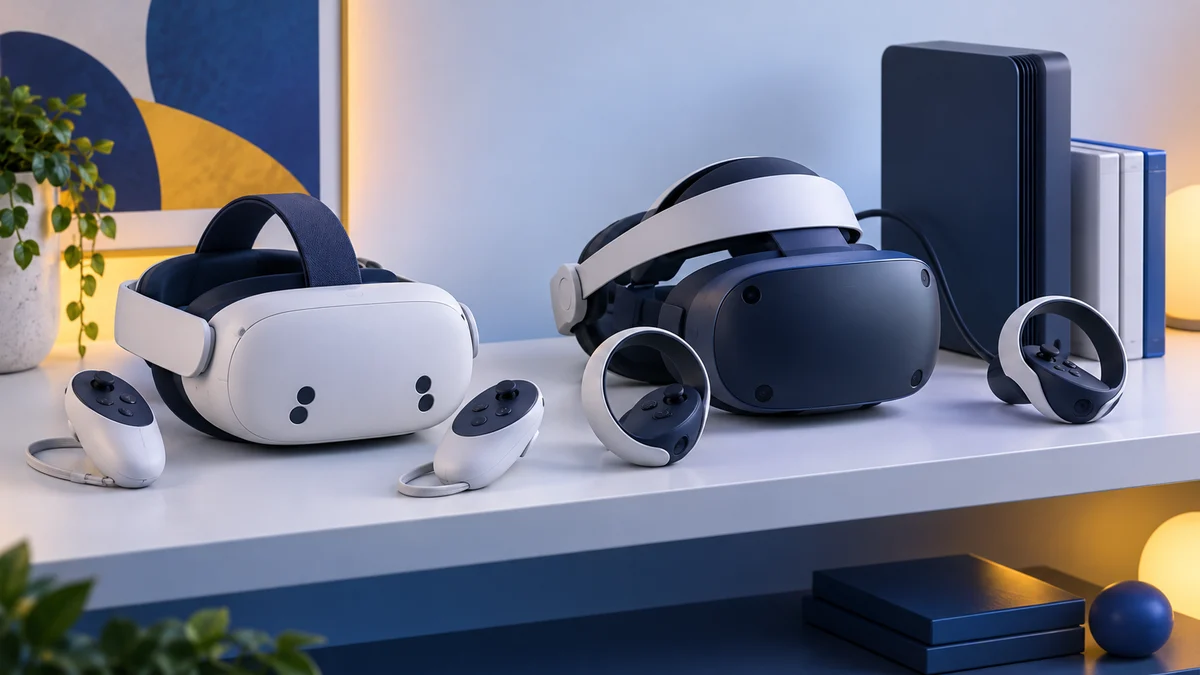
Cheaper: Quest 3S, with the same PC routes and simpler Fresnel lenses. Steam-first and wireless: Valve Steam Frame. You already own SteamVR base stations: Bigscreen Beyond 2. Flight and racing sims: Pimax Crystal Light, if your graphics card can drive it; our sim racing and flight sim guide compares every option. You already own PS VR2: Sony's PC adapter.

512 GB configuration
Best for most PC VR buyersControllers and tracking included; connects by USB, Air Link or Steam Link and also runs standalone games.
Check first: Your graphics card against Meta’s Link support list.
Check price on Amazon Paid link · Amazon
128 GB configuration
For a lower-cost startThe same PC connection routes, with Fresnel lenses and a lower-resolution display.
Check first: Whether sharper text and lens adjustment matter for your games.
Check price on Amazon Paid link · AmazonYour first PC VR purchase includes more than the headset. The GPU, video output and connection route determine what can run. Existing controllers or base stations also change the total cost, so start with what you own and the games you want. If you're not sure you need PC VR at all, our best VR headset guide compares standalone, PS5 and premium headsets too.
Compare the setup table and shortlists, then check ports, tracking, audio and software support. Recommendations use manufacturer documentation checked on 13 October 2026; we have not tested these current headsets. Prices and delivery need checking at purchase. Read how we research.
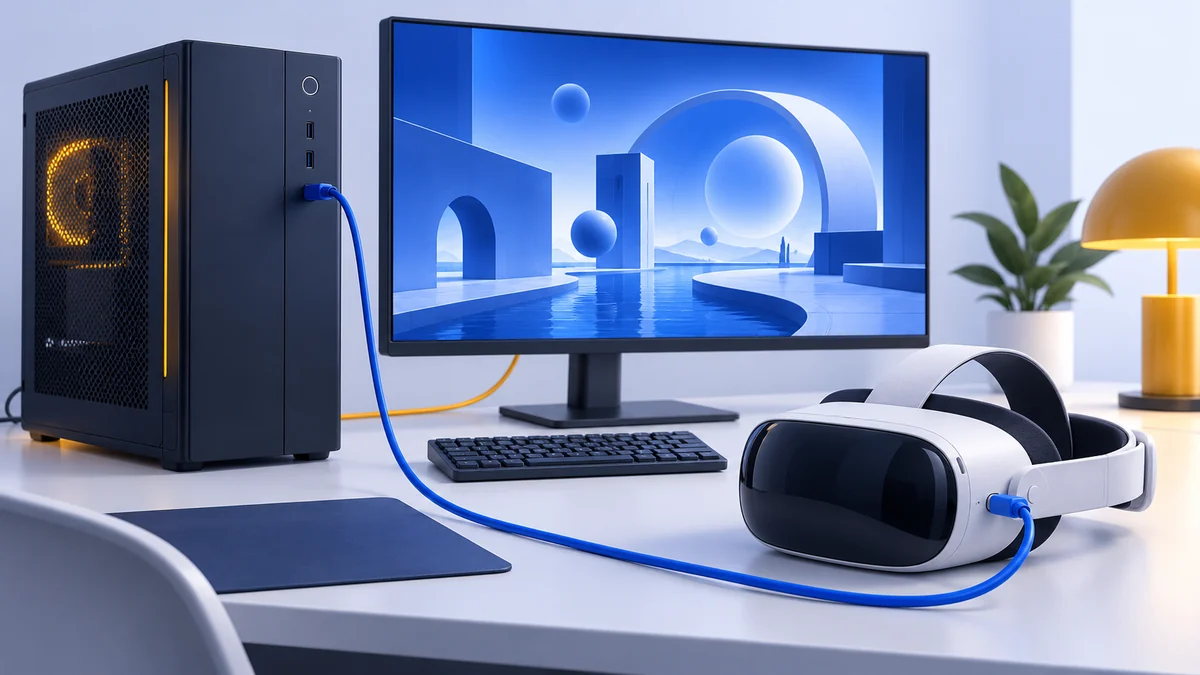
Choose by your starting point
Starting from scratch
Investigate Quest 3 or 3S when you want controllers included and a headset that also works without the PC.
Already own SteamVR tracking equipment
Compare Beyond 2 as a headset upgrade. Include the cost of controllers and base stations if you do not already have them.
Already own PS VR2
Check the PC's direct DisplayPort output, Bluetooth and Sony adapter requirements first.
If you have not decided whether to use a PC at all, read standalone vs PC VR. This page compares hardware purchases; our Quest SteamVR guide covers connecting a headset you already own.
Compare the setups
Connection and bundle details checked on 16 October 2026. Start with the ports and equipment you already have, then compare the cost examples.
| Headset and reason to compare it | PC connection | Tracking and controllers | Extra purchases to check |
|---|---|---|---|
| Meta Quest 3 Pancake lenses; standalone flexibility | USB Link, Air Link or Steam Link; Meta specifies USB 3.2 at 5 Gbps for Link | Built-in tracking and Touch Plus controllers; no base stations | A suitable Link cable or local wireless setup; check the supported GPU list |
| Meta Quest 3S Lower-cost Quest option with Fresnel lenses | The same USB Link, Air Link and Steam Link routes as Quest 3 | Built-in tracking and Touch Plus controllers; no base stations | A suitable cable or local wireless setup; storage is for standalone apps, not PC games |
| Valve Steam Frame A Steam-focused wireless route | Dedicated wireless adapter included; check Valve's PC compatibility guidance | Inside-out camera tracking; Steam Frame controllers included | A 45 W or higher USB-C charger if you need one; confirm the current kit and order process |
| Bigscreen Beyond 2 / 2e Compact PC-only headset; eye tracking on 2e | DisplayPort 1.4 with DSC and two USB 3.0 ports | SteamVR base stations; compatible controllers for games that need them | Facial interface, audio and any tracking equipment you do not already own; controllers can be unnecessary for wheel/HOTAS sims |
| Pimax Crystal Light Display detail for a capable PC | Wired PC connection; check Pimax's graphics-card and port requirements | Inside-out tracking; check whether the chosen offer includes controllers | Controllers if needed; a Lighthouse setup uses additional tracking equipment |
| VIVE Focus Vision Standalone and direct-PC options | VIVE Hub over Wi-Fi, or USB and DisplayPort with the Wired Streaming Kit | Inside-out tracking; left and right controllers in the headset package | Wired Streaming Kit if absent from the bundle, or a suitable wireless network |
| PS VR2 Extend a headset you already own | Direct DisplayPort 1.4, USB 3.0 and compatible Bluetooth 4.0 or later | Reuse the PS VR2 headset and its Sense controllers | Sony PC adapter and DisplayPort cable; Bluetooth adapter only if needed. Sony does not support DisplayPort over USB-C |
See Meta, Valve, Bigscreen, Pimax, VIVE and Sony’s PC support for the exact configuration and requirements. This is a shortlist, not a measured performance ranking.
For the detailed checks, use Meta's Link setup requirements, Pimax's PC requirements and VIVE's package contents.
Want a virtual monitor instead? Displaying an ordinary PC game on a screen inside a headset is a different task from playing an immersive VR version. Check the app's supported display mode and your controls first. For a wearable desktop display, our AR glasses for work guide covers video outputs and desktop software; for cinema-style playback, see watching videos from a PC.
Headsets to shortlist
Meta Quest 3: for a flexible first setup
Quest 3 has pancake lenses and 2,064 × 2,208 pixels per eye, according to Meta’s comparison. It can run standalone apps when the computer is off and connect to a compatible gaming PC when you want PC VR.
Choose it if you want both roles and the optical upgrade over Quest 3S matters to you. Skip it if you specifically require direct DisplayPort video or already have a headset that meets your needs. PC streaming still depends on the PC and connection.
Check price on AmazonPaid link
Meta Quest 3S: for a tighter headset budget
Quest 3S uses Fresnel lenses and a lower-resolution display, while retaining the current Quest processor generation. Its smaller storage option is worth considering for PC-focused use because PC games are installed on your computer, not the headset.
Choose it when access to PC VR and current standalone Quest apps matters more than the optical upgrade. Skip it if reading, fine detail or lens adjustment is the main reason you are buying. Compare the exact offers in our Quest 3 vs Quest 3S guide.
Check price on AmazonPaid link
Valve Steam Frame: investigate the Steam-focused route
Valve’s Steam Frame page describes a dedicated wireless streaming arrangement using an included 6 GHz adapter. The official page also details its reservation and ordering process. Check that process and the supported region before assuming an immediate delivery date.
Choose it for further comparison if you want Valve’s integrated Steam hardware approach. Skip a rushed order if you need a confirmed arrival date or have not checked the specific PC games and standalone support you want. This guide does not claim that every SteamVR title runs locally on the headset.
Bigscreen Beyond 2: for an existing tracking setup
Bigscreen lists 2,560 × 2,560 pixels per eye and 107 g for the headset alone. Its requirements include SteamVR base stations, DisplayPort 1.4 with DSC, and a compatible PC. Base stations are sold separately; compatible controllers are another purchasing consideration.
Choose it for further comparison when compact headset hardware and your existing SteamVR equipment make the complete setup attractive. Skip it for standalone use or when you want to avoid mounting tracking equipment. Do not compare its headset-only weight directly with another model’s complete strap and battery assembly.
Pimax Crystal Light: for display-detail priorities
Pimax’s store lists 2,880 × 2,880 pixels per eye. That specification makes it worth investigating for simulations and other uses where small details matter; our best VR headset for sim racing guide compares it with Quest 3 and Bigscreen Beyond 2. It does not establish the frame rate your computer will achieve.
Choose it for further comparison if you have a capable PC and want a wired headset for detail-oriented sessions. Skip it if you need standalone use, easy room-to-room portability, or have not budgeted for the PC workload. Check Pimax’s current configuration, ports and return terms before ordering.
VIVE Focus Vision and PS VR2: check the required kit
HTC offers a Focus Vision PC VR wired bundle. It is worth comparing if you want its standalone features and a supported DisplayPort route. Confirm that the offer contains the wired equipment you need; the headset name alone does not establish bundle contents. HTC labels 120 Hz DisplayPort support as beta on its specification page.
PS VR2 can extend a headset you already own to SteamVR. Sony requires a PC adapter, a DisplayPort 1.4 cable and compatible USB and Bluetooth. DisplayPort over USB-C is not supported by the official adapter. Check this restriction especially carefully on laptops, and read our PS VR2 PC adapter guide for the setup and the features you lose on PC.
Choose the PS VR2 route when its complete compatible setup makes sense. Skip it for wireless or standalone use. Our Quest 3 vs PS VR2 comparison also explains which PS5 features are unavailable on PC.
Check the complete setup
Budget for what is missing
Write down the headset, computer, games and required connection or tracking equipment. Compare exact bundles. A headset-only price can look attractive until you add the missing controllers, base stations or adapter.
The examples below use US manufacturer prices checked on 16 October 2026. They assume you already own a compatible gaming PC. Subtotals exclude the PC, games, tax and shipping.
Example: Quest 3 with a USB connection
- Quest 3 512 GB: $599.99, with its controllers, tracking and built-in audio.
- Meta's official Link cable: $79.99. This example chooses that cable; it is not required for Air Link or Steam Link.
Headset and cable subtotal: $679.98. Check the PC's supported GPU and USB connection before ordering. For wireless instead, budget for the network changes you actually need; the Link versus Air Link guide compares those routes.
Example: Beyond 2 with tracking equipment you own
- Beyond 2 headset: $899; this is the model without eye tracking.
- Universal-Fit Cushion: $80. It is a different option from the cheaper Universal-Fit Light Seal or the Custom-Fit Cushion.
Headset and cushion subtotal: $979. This example reuses compatible SteamVR base stations, controllers and an audio setup. The soft strap, headset cable and link box are included. If you need tracking equipment, audio or prescription inserts, add their actual costs before comparing this with another setup. Bigscreen says controllers can be skipped for sims that use a wheel or HOTAS; base-station tracking is still required.
Check the PC and its ports
Use our PC VR requirements guide before purchasing. Check the exact GPU, its supported features and the physical output you will use. “Gaming laptop” does not establish compatibility with a direct DisplayPort headset. For a planned upgrade, our graphics card, CPU and laptop guides provide the next checks.
Choose wired or wireless intentionally
Wireless streaming provides freedom from a PC cable but adds a local connection to maintain. A wired connection changes cable routing and movement. A USB-streamed Quest connection also differs from a direct DisplayPort setup; read Link vs Air Link before buying a cable expecting a different headset architecture.
Judge lenses as well as resolution
Panel pixels are only one part of the image. Lens fit, rendered resolution and software affect the outcome. Evaluate text or detail that resembles your intended use, and check returns if you cannot demo the headset.
Understand the tracking system
Some headsets use onboard cameras; Beyond uses SteamVR base stations. Existing tracking equipment can change the upgrade calculation. If full-body or expressive avatar tracking is a priority, our VRChat headset guide explains the additional setup.
Check controllers in the box
Confirm whether the exact offer includes compatible controllers. A seated simulation with separate input hardware can have different needs from a room-scale game. Read the game’s supported input rather than assume every headset-only purchase is ready to play.
Plan your audio
Look at speakers, headphone connections and microphones. Include any necessary audio accessory in the total. For voice-based games, confirm the microphone as well as the output device.
Check software support
SteamVR is only one piece of the setup. Quest PC routes and Sony’s adapter have their own software requirements. Verify the specific game and connection app. More hardware choices do not imply universal compatibility.
Platform support and older hardware
Windows Mixed Reality has a support deadline
Microsoft says WMR is removed in Windows 11 version 24H2. Existing devices work with Steam through November 2026 if users remain on Windows 11 version 23H2; afterward the platform no longer receives support or updates. That makes an inexpensive used WMR headset a poor starting point for a new setup.
Standalone features are a separate benefit
A headset’s passthrough or standalone app library can be useful, but it does not automatically improve PC game performance. Check how you would use those features away from the PC. Our mixed reality setup guide covers room-based use.
For the software side, explore VR games, VR apps and watching 180/360 and 3D videos from a PC. Match hardware to a use you want today rather than a broad promise about future apps.
Choose a next step
If you are starting from scratch, compare Quest 3 with Quest 3S and check your PC. If you already own base stations, price a complete Beyond setup. If you own PS VR2, compare the existing Sony PC adapter listing with the cost of another headset, after checking the required ports.
Do not buy until you can name the required equipment and the games the setup will run. For Quest accessories, use our problem-by-problem accessory guide rather than add an entire bundle by default.
PC VR headset FAQ
What is the best VR headset for a first PC setup?
Meta Quest 3 for most people: it includes controllers and tracking, connects by cable or wirelessly, and works without the PC. Quest 3S offers the same routes with simpler optics for less. Bigscreen Beyond 2 and Pimax Crystal Light suit buyers with existing base stations or a strong graphics card and a focus on detail.
How good a PC do I need for VR?
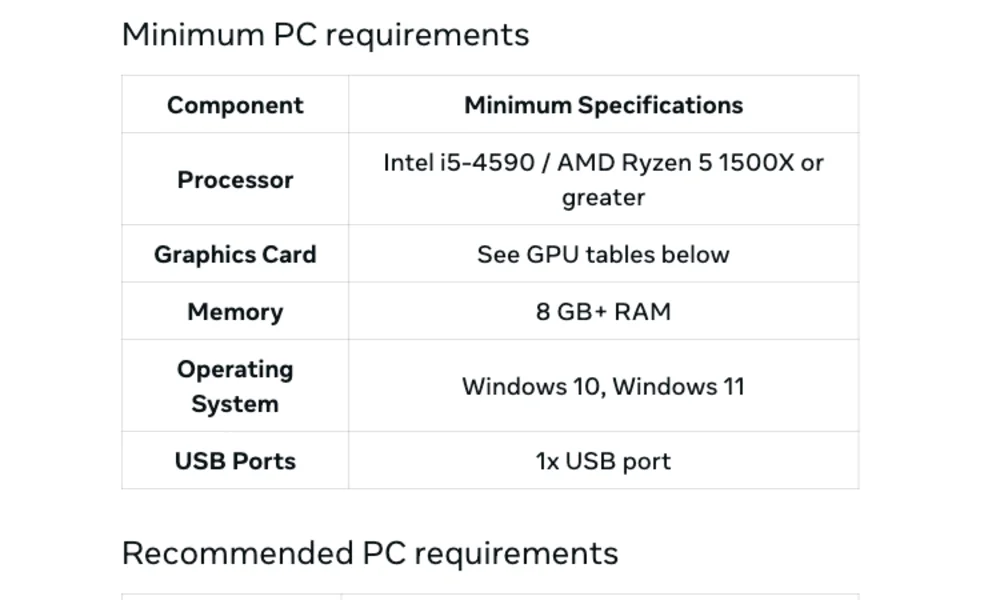
For Quest over Meta Horizon Link, Meta's minimum is an Intel Core i5-4590 or AMD Ryzen 5 1500X, 8 GB of RAM and a supported GTX 970 or GTX 1060-class card; it recommends 16 GB and an RTX 20-series or newer card. Bigscreen Beyond 2 and Pimax Crystal Light ask for 16 GB and an RTX 2070-class card with DisplayPort 1.4. Check your exact parts with our VR PC requirements guide.
Is VR more demanding on the CPU or the GPU?
The graphics card does most of the work and is the part most likely to rule a PC out. The processor matters more in simulators and games with heavy physics or many players. Manufacturers' CPU minimums are modest, while the higher-resolution DisplayPort headsets ask for more graphics power than Quest Link does.
Does more headset storage improve SteamVR performance?
No. In a streamed PC session, the game runs and is installed on the computer. Choose headset storage for standalone apps.
Can I play PC VR without a cable?
Supported wireless routes include Steam Link and Air Link on Quest, along with other manufacturer setups. Your PC still runs the game, and local network quality matters.
Can I use PS VR2 with a laptop?
Only if it meets Sony's PC requirements, including a compatible direct DisplayPort output. Sony says DisplayPort over USB-C is unsupported by its adapter.
Should I buy a used Windows Mixed Reality headset?
We do not recommend it as a new setup. Microsoft has removed WMR from Windows 11 24H2 and gives the remaining Steam route a November 2026 support deadline.
Older headset reviews
Our archive has individual reviews of older headsets, many of which are no longer sold. Examples include the HTC Vive, Oculus Rift, Pimax 5K Plus, Pimax 8K and HP Windows Mixed Reality headset. The full list is in the VR review archive.
Earlier recommendations (discontinued)
The headsets below were recommended in earlier versions of this guide (2020–2022). All of them are now discontinued. We list them, with their original shop links, so returning readers can see what changed. They aren't current recommendations, and anything still offered is likely to be old or used stock.
The 2020 conclusion recommended the HTC Vive Pro or Rift S for PC gamers and the Oculus Quest as the best all-round headset. HTC confirmed in March 2020 that the original Vive Pro was “end of life” (UploadVR).
Oculus Quest (discontinued)
The first Oculus Quest (2019) was our top standalone pick. The original author used it from launch as his everyday headset, because it was far quicker to start than his wired PlayStation VR. It was discontinued in September 2020, and its software updates were limited to maintenance and security patches until 2024 (Wikipedia). The Quest 3 and 3S above are its current successors.
Old Amazon listing for the Oculus Quest (discontinued)
PlayStation VR (discontinued)
The original PlayStation VR was our console pick. The original author owned one from launch and enjoyed its seated DualShock 4 games, but he found the PlayStation Camera and Move controller tracking weaker than the Oculus Touch controllers. Sony replaced it with PS VR2 in 2023, and Wikipedia lists its lifespan as 2016–2024 (Wikipedia). Our original PSVR review is still in the archive.
Old Amazon listing for PlayStation VR (discontinued)
Oculus Rift S (discontinued)
The Oculus Rift S (2019, 2560 × 1440 combined resolution) was our affordable PC VR pick. The original author found its inside-out tracking a little steadier than the first Quest’s and liked its Guardian boundary system. Facebook announced in September 2020 that Rift S sales would end in 2021, and it made no more PC-only headsets (Road to VR). For PC VR on a Meta headset today, use a Quest 3 or 3S with Link.
Old Amazon listing for the Oculus Rift S (discontinued)
Samsung Gear VR (discontinued)
The Samsung Gear VR was our phone-based pick. It was the one mobile headset the original author’s wife liked after a bad first try with Google Cardboard. It only worked with compatible Samsung phones and offered 3DoF tracking. Meta ended Gear VR app development support with Oculus SDK Suite 1.42 (Meta for Developers). Oculus accounts were shut down in January 2023, and The Gear VR Codex reports that people who never had an Oculus account can’t sign in at all (The Gear VR Codex). We don’t recommend buying one. See our Gear VR review for the historical review.
Old Amazon listing for the Samsung Gear VR (discontinued)
Oculus Go (discontinued)
The Oculus Go was our pick for a standalone 3DoF headset that didn’t need a phone. The original author liked its built-in spatial audio and used it with a Bluetooth gamepad. Facebook announced the end of Go sales in June 2020. The store stopped accepting new Go apps and updates after 4 December 2020, and system updates ran only through 2022 (Wikipedia). Our Oculus Go review remains in the archive.
Old Amazon listing for the Oculus Go (discontinued)
This guide replaces an earlier version by John, first published January 2020.
Research behind this guide
Check the linked specifications and support documents, or read how we research. Original review experience stays attributed to its author.
View 26 sources
- Meta Store: Compare Quest 3S vs Quest 3
- Meta Quest Help: Windows PC requirements for Meta Horizon Link
- Meta Quest Help: Set up and connect Meta Horizon Link and Air Link
- Meta Store: Steam Link on Meta Quest
- Steam: Steam Frame hardware page
- Engadget: Valve confirms that it has stopped making the Index VR headset
- Bigscreen: Bigscreen Beyond 2 product page
- Bigscreen: A lower price, a sleek new look and a shipping update
- Pimax: Crystal Light product page
- Pimax Store: Pimax Crystal Light
- HTC Vive Store: Vive Focus Vision wired bundle
- PlayStation Support: How to prepare for using PS VR2 with PC
- PlayStation Blog: PlayStation VR2 players can access games on PC with adapter starting on August 7
- Microsoft Learn: Using SteamVR with Windows Mixed Reality
- Road to VR: Facebook to discontinue Rift product line in 2021
- UploadVR: HTC discontinues Vive Pro and Focus models
- Wikipedia: Oculus Quest
- Wikipedia: Oculus Go
- Wikipedia: PlayStation VR
- Meta for Developers: Gear VR app development no longer supported from Oculus SDK Suite 1.42
- The Gear VR Codex: Meta killed the Gear VR
- VIVE: Focus Vision specifications
- Meta Store: Quest 3 and official Link cable US prices
- Meta Store: Quest 3S specifications
- Bigscreen: Universal-Fit Cushion
- Pimax: PC requirements for Crystal Light
Explore the related guides in VR headsets.