Oculus Rift vs. Samsung HMD Odyssey Plus: Which One to Choose?
We may earn a commission when you buy through links on this page. As an Amazon Associate I earn from qualifying purchases. How this works
For a first PC VR setup, look beyond both discontinued headsets. The Odyssey+ originally won this comparison, but Windows Mixed Reality was removed from current Windows 11. A working Rift avoids that particular dependency, while still needing its sensors, controllers and Meta PC software. If evaluating a used kit, check every part and the supported operating system before considering alternatives.

128 GB configuration
Standalone VRStandalone games with Fresnel lenses.
Check first: Check the app library, optical fit and return policy.
Check price on Amazon Paid link · Amazon
512 GB configuration
Pancake opticsPancake lenses and a higher-resolution display than Quest 3S.
Check first: Compare the complete purchase, including any accessories.
Check price on Amazon Paid link · AmazonA used Rift and Odyssey+ offer different setup risks. The Rift needs external sensors and Touch controllers. The Odyssey+ avoids room sensors, but its Windows Mixed Reality platform was removed from current Windows 11. Check that software limit before choosing for better display specifications.
Review sharing and tracking needs, then compare the PC requirements and software. John’s original verdict is retained as historical coverage. First-time buyers can jump to the alternatives or compatibility questions.
Platform status and source notes
Oculus Rift vs. Samsung Odyssey+: status checked 24 September 2026
Still sold? No. Neither headset is made any more. The original Rift was replaced by the Rift S in 2019, and Facebook (now Meta) ended the whole Rift line in 2021. The Odyssey+ (October 2018) runs on Windows Mixed Reality, which Microsoft deprecated in December 2023 and removed in Windows 11, version 24H2.
Still usable? A second-hand Rift can still work: Meta's Link PC requirements page still lists Rift and Rift S specs (Windows 10 or later), but extra sensors and Touch controllers now mostly come from the used market. The Odyssey+ is the riskier buy. According to Microsoft, it only works with Steam on Windows 11, version 23H2 or earlier, and all Windows Mixed Reality support ends in November 2026. On newer Windows it needs Oasis, a community-made driver that, according to Wikipedia, Valve began bundling with the SteamVR beta in September 2025 and that still has limitations.
What to consider instead: a Meta Quest 3S or Quest 3, which work standalone and can also connect to a Windows PC for PC VR games. See current alternatives below.
Original comparison opening (2020)
In a hurry? This comparison originally picked the Samsung HMD Odyssey+ (check the price). Both headsets are now discontinued, and the Odyssey+ relies on Windows Mixed Reality, which Windows 11, version 24H2 removed, so read the status box above before buying either one.
It’s time to get out of the VR kiddie pool of cardboard cell phone holders and move to the big kid’s pool where you can move around and have some real fun.
If you’re going big, you want a great VR headset and don’t want to waste hundreds of dollars.
The Oculus Rift used to be the gold standard for virtual reality. Then the HTC Vive gave it a real challenge, but the Oculus remained the most popular, barely. Now, the Samsung HMD Odyssey+ is looking to unseat the Rift.
Let’s find out if the Oculus has become “too old for this…stuff” or if the newcomer falls short.
What to Check Before Buying a Used Rift or Odyssey+
First establish which operating system will run the headset. The Odyssey+ relies on Windows Mixed Reality on older supported Windows versions, or the unofficial Oasis driver on newer versions. The Rift needs Meta’s PC software and external sensors. Those requirements outweigh the old contest over pixels.
Next check the complete used kit and the games you intend to run. Sharing the headset and the kinds of hand movements your games require are useful secondary checks.
1. Do You Want To Play With Your Friends?
Of course, you can play games with your friends on both devices, but one makes it a bit easier in certain circumstances.
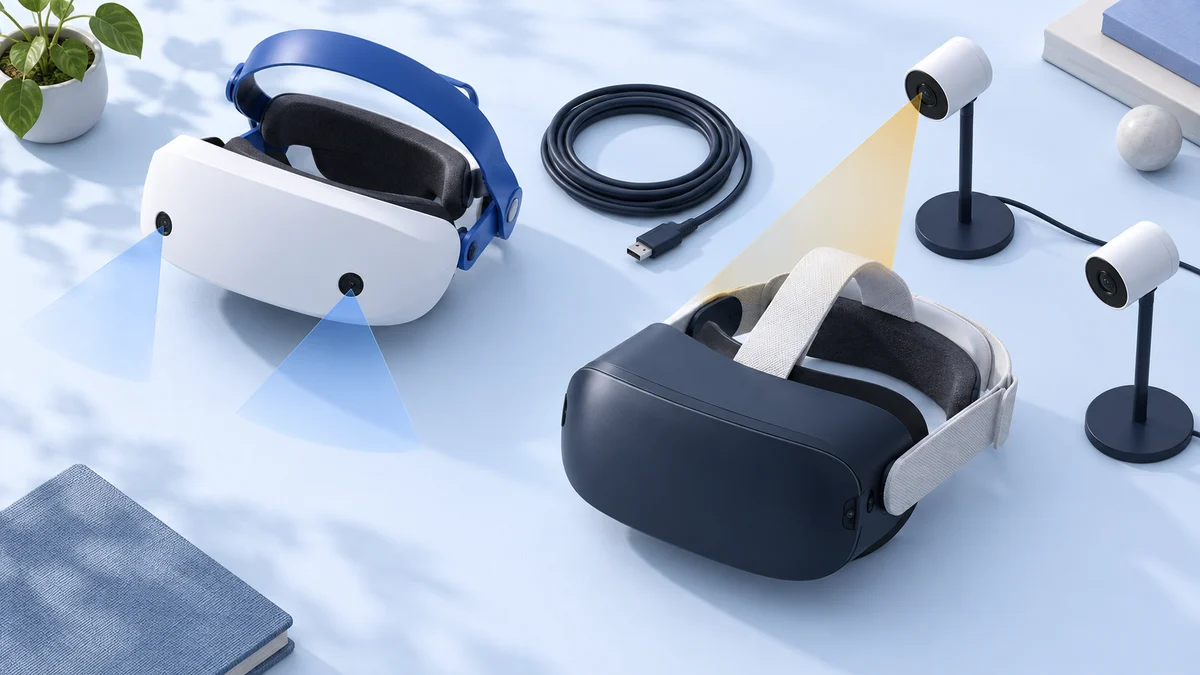
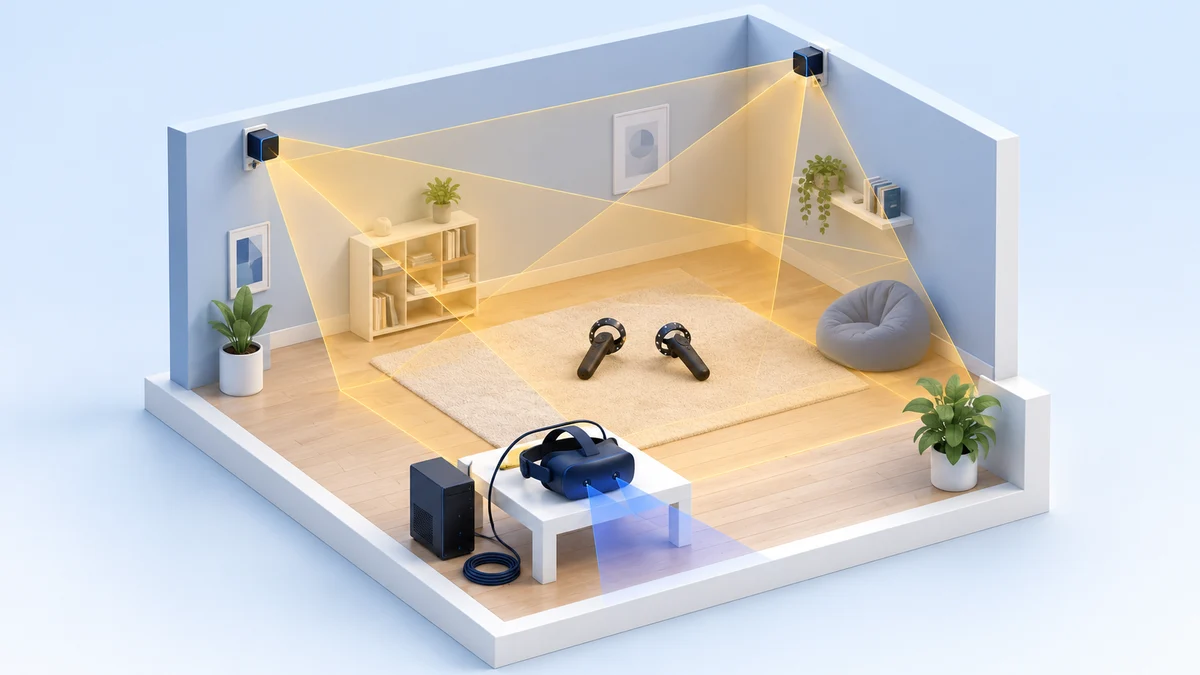
The Samsung uses inside-out tracking, which doesn’t require base station sensors. So, you can easily take it to a friend’s house to use it there. The Oculus’ base station sensors make that impractical.
The other difference is with the headset padding. The Odyssey has soft leather covered padding that you can easily wipe off if you start to sweat. The Rift has more absorbent padding (no leather).
So, if you want to be able to pass your headset around between your friends, but don’t want to bathe in their sweat, you may want the leather option.
2. How Active Are Your Hands In VR?
Both virtual reality systems are excellent at tracking. However, the inside-out tracking of the Samsung creates blind spots. When you move your hands (and thus your hand controllers) by your side or behind you, the Odyssey often loses tracking of them until you move them into view of the front-facing tracking cameras.
If you generally keep your hands in front of you or aren’t playing games that require hand tracking of intense hand movements, then Samsung’s tracking works just fine.
Odyssey+ vs. Rift, Category by Category
Original 2020 comparison: The first-person observations and launch-era verdicts below are John’s original coverage. They are retained for readers comparing older hardware; they are not recommendations to buy a first setup today.
Samsung and Oculus both have done an excellent job creating their virtual reality systems.
They both have good visuals, are comfortable, and have great tracking. Without comparing the two, you’d probably be happy with either. However, when we compare them, they start to show some unmistakable differences.
In this comparison, I’m going to examine the following characteristics of the two headsets:
- Visual Experience
- Audio Experience
- Motion Tracking
- Comfort Design
- Hand Controllers
- Setup
- Computer Requirements
- VR App Library
Visual Experience
I think the area where there is a clear difference between the Rift and Odyssey is in the visuals. The Odyssey has twin AMOLED screens with 1,440px X 1,600px resolution (per eye). The Rift has OLED screens with a resolution of only 1,080px x 1,200px per eye.
That may not sound like a big difference, but in experience, it is quite noticeable.
The Rift has issues with the “screen door” effect, meaning you can see the individual pixels, like looking at something through a screen door. The Odyssey’s increased resolution pretty much eliminates any screen door effect.
The Rift also has issues with “God rays.” Images that have a stark contrast, like white letters on a black background, it can look like rays of light are shining out of the lighter colors. It’s like when you see the sun behind a cloud and rays streak out from behind the cloud. There is hardly any god rays with the Odyssey.
The differences don’t stop there. The Odyssey’s colors are brighter and more vibrant. They look truer to reality. Seen side-by-side, the Rift looks a bit dull.
Finally, there’s the field of view. This is how fully the image fills your vision. The larger the field of view, the more immersive your experience is. Technically, they both have the same field of view, 110 degrees. However, when using the headsets, the Odyssey looks bigger. This may be because the Odyssey’s headset is shorter and its screens are closer to your eyes.
Winner: The Samsung HMD Odyssey+ – With its better resolution, brighter colors, and larger image, the Samsung clearly beats the Rift.
Audio Experience
Both headsets have built-in headphones and deliver 3D spatial audio. In both headsets the audio is excellent. I would say they are basically the same except for one little, but very nice feature.
The Samsung Odyssey has volume controls built into the headset. They are located on the bottom side. So, rather than having to pause your game/video and change the volume in the software, you can simply reach up and click a button.
Winner: The Samsung HMD Odyssey+ – This one is almost a tie, but those volume buttons put the Odyssey over the finish line first.
Motion Tracking
Motion tracking is another area where there is a clear distinction between these two VR systems.
They use entirely different tracking systems.
The Oculus Rift uses outside-in tracking, meaning there are sensors you put up in the room which track your movement. These base station sensors do an excellent job. However, they work even better if you add a third sensor, which I highly recommend. The additional sensor doesn’t cost much, and it expands your playing area and makes the tracking nearly flawless.
The Samsung Odyssey uses inside-out tracking. This means there are cameras on your headset which “see” your hand controllers and other things in the room to track you. For the most part, this system works great and makes for a much easier setup.
The problem with the Odyssey’s inside-out tracking, however, is that there are only two cameras and both are located in the front of the headset. So, if your hands leave the visual range of the cameras, the system loses track of them. This can happen in games where you put your hands down to your sides or have to reach behind.
Winner: The Oculus Rift – The Rift has near perfect tracking, especially if you add the third sensor. The fact that the Odyssey can lose tracking of your hands makes Rift the clear winner.
Comfort Design
Let me say right off the bat that both headsets are comfortable. There are differences which I’ll discuss, but you won’t find either headset uncomfortable. So, where are the differences?
The harness design for the two heads is different. The Oculus uses a 3-strap harness system which goes around both sides of your head and over the top. This strap system is also elastic, so it adjusts to the shape of your head and firmly holds the goggles to the front of your face.
The Samsung has a rigid band system that goes around your head and puts almost all the weight of headset on your forehead. This feels fine and keeps the headset stable. It’s not elastic, so some people have said that it didn’t fit their head well, but those complaints are not the norm.
There is also a difference in how you adjust the harnesses. The Rift’s three straps have velcro.
So, you detach the velcro, pull the strap to the right length, and reattach. The Odyssey has an adjuster wheel on the back. So, you just use your finger to spin the wheel and adjust the size of the harness. The wheel is a simpler way to adjust the harness size.
The padding on the two headsets is also a difference. As I mentioned earlier, the Samsung has soft leather padding that is not very absorbent and is easily wiped off.
The Oculus has more absorbent padding, which can hold your sweat and become wet. This can become uncomfortable after a while if you sweat a lot while playing and it’s just gross if you are passing the headset between friends. That said, there are third-party leather replacement pads you can get for the Rift.
Winner: The Samsung HMD Odyssey+ – The easy adjustability of the harness and the leather padding put the Odyssey in the lead on comfort.
Hand Controllers
Both systems come with two hand controllers. Both systems also do an excellent job of tracking the hand controllers (with the exception mentioned above regarding Motion Tracking). Where the controllers distinguish themselves is in ergonomics.
The Rift has extremely ergonomic hand controllers which are widely considered the best of any VR system. Between their comfort, lightweight, and the way they freely sit around your hands, you can almost forget you’re holding them.
The Odyssey’s hand controllers are also comfortable, but you know you’re holding something. They don’t rest on your hand, you hold them. They are also heavier.
For most people, these attributes of the Samsung controllers are negatives. However, some people like it better. When they play games where they are wielding weapons, etc., these people feel like it’s more realistic to have something more substantial in their hands that they have to really hold. It’s more like holding those weapons. So, there is an element of personal preference here.
Winner: The Oculus Rift – They are light, intuitive, and ergonomic. Except for the few people who prefer having something heavier and bulkier, you can’t beat the Rift controllers.
Setup
Both systems use a tether system which requires you to install software and connect wires to your computer. When this comparison was written, the HTC Vive and Vive Pro were the only PC headsets with an official wireless add-on. Today, standalone headsets such as the Meta Quest 3S and Quest 3 can connect to a PC without a dedicated wireless kit.
Due to its inside-out tracking system, the Samsung Odyssey does not include setting up base station sensors around your room. This makes the Samsung’s setup much quicker and simpler. It also makes it mobile. You can easily disconnect your headset and take it to a friend’s house to use it there. I guess you could do that with the Oculus, but it would take a lot more work.
Winner: The Samsung HMD Odyssey+ – Both systems have pretty intuitive software setup. It’s the base station sensors that make the difference here.
Computer Requirements
The Rift and Odyssey have nearly the same computer requirements. You can find the Rift’s requirements on Meta’s support site and the Windows Mixed Reality requirements for the Odyssey on Microsoft Learn.
Technically, the Odyssey has two software versions, the Basic and the Ultra. However, frankly, the Basic version stinks. The quality of VR and quality of the visual experience in the Basic version are much worse. Unless you have no other choice, I recommend always going with the Ultra version. For this article, I’ve been using the Ultra version as the comparison.
Winner: Tie – They are essentially the same as long as you use the Ultra version for the Samsung.
Note: the operating system now matters more than the hardware. Microsoft says Windows Mixed Reality headsets are not supported on Windows 11, version 24H2 and newer, so an Odyssey+ needs a PC kept on an older Windows version or the community Oasis driver. Meta still publishes Windows 10 or later requirements for the Rift. The Samsung requirements page we originally linked no longer exists.
VR App Library
There are multiple places you can get virtual reality apps. Oculus has its store, Microsoft has its store, and then there’s SteamVR, one of the best sources for VR apps. The Odyssey is compatible with apps in all the stores. The Oculus is compatible with apps in the Oculus store and on SteamVR, but not the Microsoft Store.
It would be natural to think this automatically gives the Odyssey the edge since it has access to more apps. However, once you look at the apps in the Microsoft store compared to the other stores, you may change your mind. There aren’t many apps, and the ones they have aren’t very impressive.
There’s also one other thing to note. If you want to use SteamVR apps on the Samsung, you have to install Windows Mixed Reality for SteamVR (WMRSV). You then run the Steam apps through the WMRSV app. This can be a little cumbersome at times and even affect button arrangement on the controllers, making them less intuitive.
Winner: Tie – The Odyssey does have access to more apps, but the Rift handles SteamVR games better.
Note: this no longer applies. Microsoft's deprecation covers the Mixed Reality Portal app and Windows Mixed Reality for SteamVR, and Microsoft now only says existing headsets keep working with Steam (on Windows 11, version 23H2 or earlier) until November 2026. The Oasis driver for newer Windows is a SteamVR driver too, so the Odyssey+ has lost its app-library advantage. The Rift still uses Meta's PC app and SteamVR.
Oculus Rift vs. Odyssey+: Two Good Headsets
Both VR systems are very good, and you would probably be happy with either (or both). They also each have their pros and cons. What is important to you in your virtual reality experience may be different than others. This may cause you to consider one better than the other where others may choose differently.
So, what do I recommend?
Why the Odyssey+ Won the Original Comparison
The visual experience of the Odyssey is much better and that tips the scales for me. I also like the idea of being able to take the headset with me when I go on vacation or if I want to play a game with a friend at their house.
This wasn’t an easy decision. The superior tracking of the Oculus Rift and its more ergonomic controllers are a strong argument for the Rift. If Oculus comes out with a new version of Rift with better resolution and brighter colors, that would shift my vote back to the Rift. And, no, the Rift S doesn’t do that.
Note: this verdict is historical. Meta never made another Rift, the Rift S was discontinued in 2021, and the Odyssey+ depends on a Windows platform Microsoft has removed. Neither headset is a good new purchase today. The purchase links below are kept for reference only and may lead to used or third-party listings.
I hope this article has helped you make your decision. You can purchase a Samsung HMD Odyssey+ by clicking here.
What to Buy Instead of a Rift or Odyssey+
If you want PC VR today, we’d look at headsets that are still sold and supported. Prices below are US list prices we checked on 24 September 2026.
| Headset | Why consider it | Price (US) |
|---|---|---|
| Meta Quest 3S (128 GB) | Cheapest current Quest; standalone, and connects to a Windows PC through Meta Horizon Link | $349.99 at Meta |
| Meta Quest 3 (512 GB) | Sharper pancake-lens display than the 3S, same PC connection options | $599.99 at Meta |
| Valve Steam Frame (256 GB) | Valve’s standalone headset with Wi-Fi 6E PC streaming; pre-orders opened 14 September 2026 | $1,059, per Road to VR |
To connect a Quest to a PC, Meta lists a minimum of an Intel i5-4590 or AMD Ryzen 5 1500X, 8 GB of RAM and a supported graphics card (GTX 970 or better) on its Link requirements page. For a closer look at the two Quest models, see our Meta Quest 3 vs Quest 3S comparison. If you already own a Rift, our Oculus Rift review covers the original hardware.
Oculus Rift vs. Odyssey+ FAQ
Does the Samsung Odyssey+ work on Windows 11?
Not officially on current versions. Microsoft removed Windows Mixed Reality in Windows 11, version 24H2, and says existing headsets only work with Steam on version 23H2 or earlier, with support ending in November 2026. The community Oasis driver is the only route on newer Windows, and it has known limitations.
Can you still use an Oculus Rift?
Yes, if the hardware still works. Meta's Link PC requirements page still lists Rift and Rift S requirements, but Meta stopped making the original Rift in 2019, and replacement sensors and controllers are hard to find new.
Which one should I buy used?
If you must choose between them, the Rift has the more secure software future of the two, because it doesn't depend on Windows Mixed Reality. For most people, a current Meta Quest headset is a better use of the money.
If you found this article helpful, share it with your friends.
What did you think of my analysis? Which headset do you think is the best?
Let me know in the comments below.
Research behind this guide
Check the linked specifications and support documents, or read how we research. Original review experience stays attributed to its author.
View 9 sources
- Deprecated features in the Windows client (Windows Mixed Reality entry) - Microsoft Learn
- Using SteamVR with Windows Mixed Reality - Microsoft Learn
- Before you start: Windows Mixed Reality requirements - Microsoft Learn
- Meta Horizon Link PC requirements (includes Rift and Rift S) - Meta
- Facebook to discontinue the Rift product line in 2021 - Road to VR
- Oculus Rift CV1 - Wikipedia
- Windows Mixed Reality (Samsung HMD Odyssey+ specs, Oasis driver) - Wikipedia
- Compare Meta Quest headsets - Meta
- Valve Steam Frame price, release date and pre-orders - Road to VR
Explore the related guides in VR comparisons.