BoboVR Z5 Headset Review
We may earn a commission when you buy through links on this page. As an Amazon Associate I earn from qualifying purchases. How this works
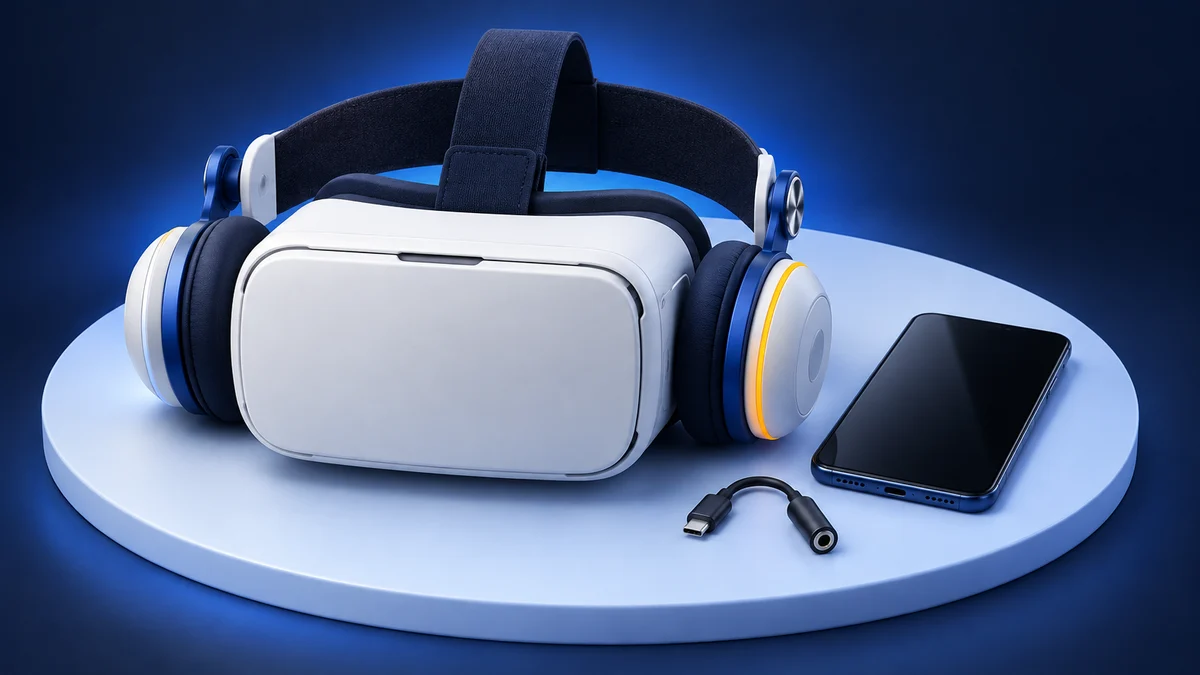
Do not buy the Z5 for Daydream. That platform has ended, and its bundled controller no longer has its original role. The viewer can still serve a 4.7–6.0-inch phone with a Cardboard app; its headphones need a compatible audio connection. BOBOVR did not list it at the September 2026 check. For a first headset with tracked games, see the standalone alternatives.

128 GB configuration
Standalone VRStandalone games with Fresnel lenses.
Check first: Check the app library, optical fit and return policy.
Check price on Amazon Paid link · Amazon
512 GB configuration
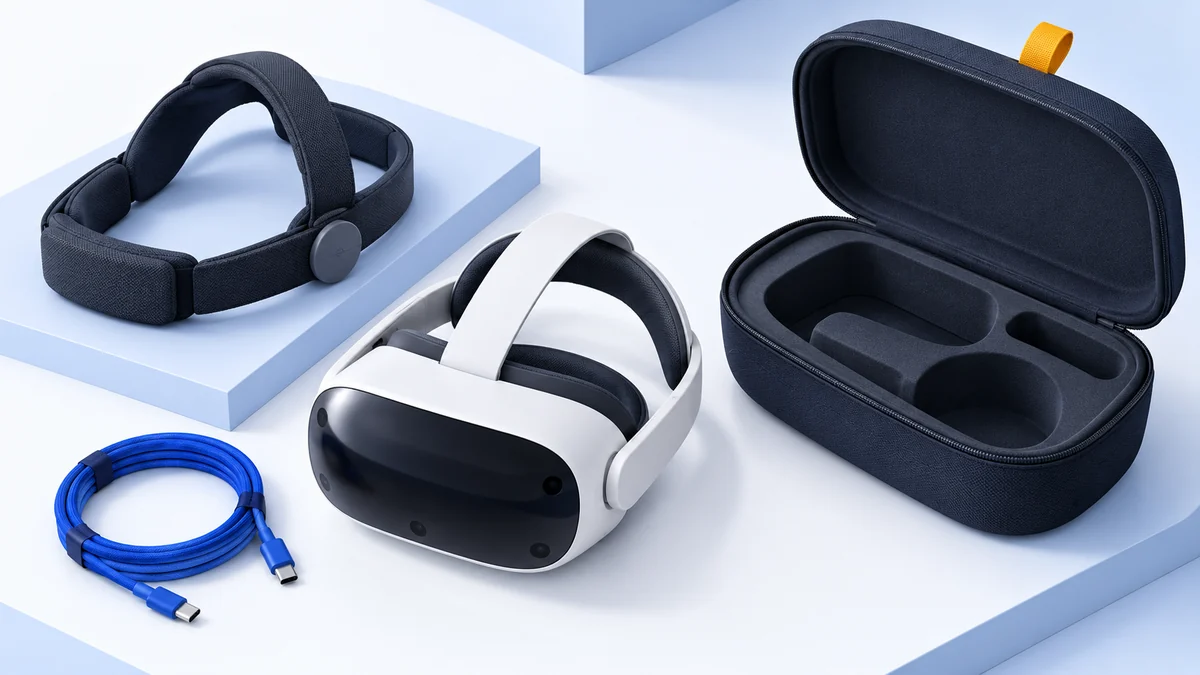
Pancake opticsPancake lenses and a higher-resolution display than Quest 3S.
Check first: Compare the complete purchase, including any accessories.
Check price on Amazon Paid link · AmazonThe BoboVR Z5 was built for Google Daydream phones and a bundled motion controller. Daydream support has ended, so the useful question is whether it can still serve your phone as a basic viewer. Its listed phone range is 4.7–6.0 inches.
If you're setting one up with the Cardboard app, start with the QR code. Below, the original review covers setup, headphone sound, lens adjustments, comfort and controller use. The status notes separate that experience from what remains usable, while the alternatives and FAQs help you plan a first VR purchase.
Product status and source notes
Is it still sold? Not by BOBOVR. The company’s online store no longer lists the Z5 or any other phone VR headset; it now sells head straps, batteries and other accessories for Meta Quest and PICO headsets and Meta’s smart glasses. The Amazon listing linked in this review returned Amazon’s “Page Not Found” page when we checked, so we could not confirm any stock or price. Any Z5 you find now is old stock or second-hand.
Is it still worth buying? Only as a cheap phone viewer, and only if your phone fits. The Z5 was built around Google Daydream, which is gone: Google announced on 15 October 2019 that it would stop selling its Daydream View headset, ended support for the Daydream software in October 2020, and Android 11 dropped the platform (Wikipedia, 9to5Google). The bundled controller therefore loses its main purpose. The tray was specified for 4.7–6 inch phones, while most current iPhones have 6.1–6.9 inch screens.
What works with it today? Google Cardboard apps and 360-degree video. Google still offers its Cardboard app for Android and iOS and still updates the open-source Cardboard SDK (v1.35.0, released 31 August 2026). YouTube’s Cardboard mode works in the Android app only: YouTube Help says it is not supported on iPhone and iPad.
What to consider instead: for full VR games and mixed reality, a standalone headset such as the Meta Quest 3S; see current alternatives below.
About the original review: The review below was published in January 2020. First-person observations and original product comparisons refer to that coverage. Later status and compatibility notes are labelled separately.
BoboVR Z5 QR code for Google Cardboard
When you set up the Google Cardboard app, it asks you to scan the QR code for your viewer, so that it can match the picture to the viewer’s lenses. The Z5 was designed for Daydream, and BOBOVR doesn’t publish a Cardboard QR code for it: its support pages and store no longer mention the Z5 at all, as we found on 16 October 2026.
Google’s own advice for a viewer without a code is to look for one on the maker’s website first; if there isn’t one, you can create one with Google’s viewer profile generator, which asks for measurements of the viewer’s lenses (Google Cardboard Help). Be careful with QR codes posted on third-party sites: they may have been made for a different viewer. To change the profile later, open the Cardboard app with the phone outside the viewer and use the option to switch viewer (Google).
Should You Buy a Mobile or a Tethered VR Headset?
Some of the popular headsets such as HTC Vive, Playstation VR and Oculus Rift can be expensive. You also need a gaming console or a high-end computer to pair with them. On the other end, you can see headsets that cost as little as $20.
So how do you figure out which one is good for you? Check out these factors before deciding on one.
Specifications to Watch Out For
For a mobile VR headset, you need a compatible smartphone. You may find that the headset doesn’t work accurately or is incompatible with older models.
Your Budget
If you have a high budget allocation, you can get a PlayStation or a high-end laptop with a graphics card. Mobile headsets offer good value for money.
Your VR Needs
If you are a fan of high-end gaming, I recommend choosing a tethered headset. As it will be wired to a gaming console or computer, it will have better motion tracking, graphics, and apps. For a great mobile immersive experience, your smartphone and a compatible VR headset would be good to get started.
Presenting the BoboVR Z5 Headset
The BoboVR Z5 is designed for Daydream VR. It is the newer version of the BoboVR Z4 that had positive reviews amongst VR enthusiasts.
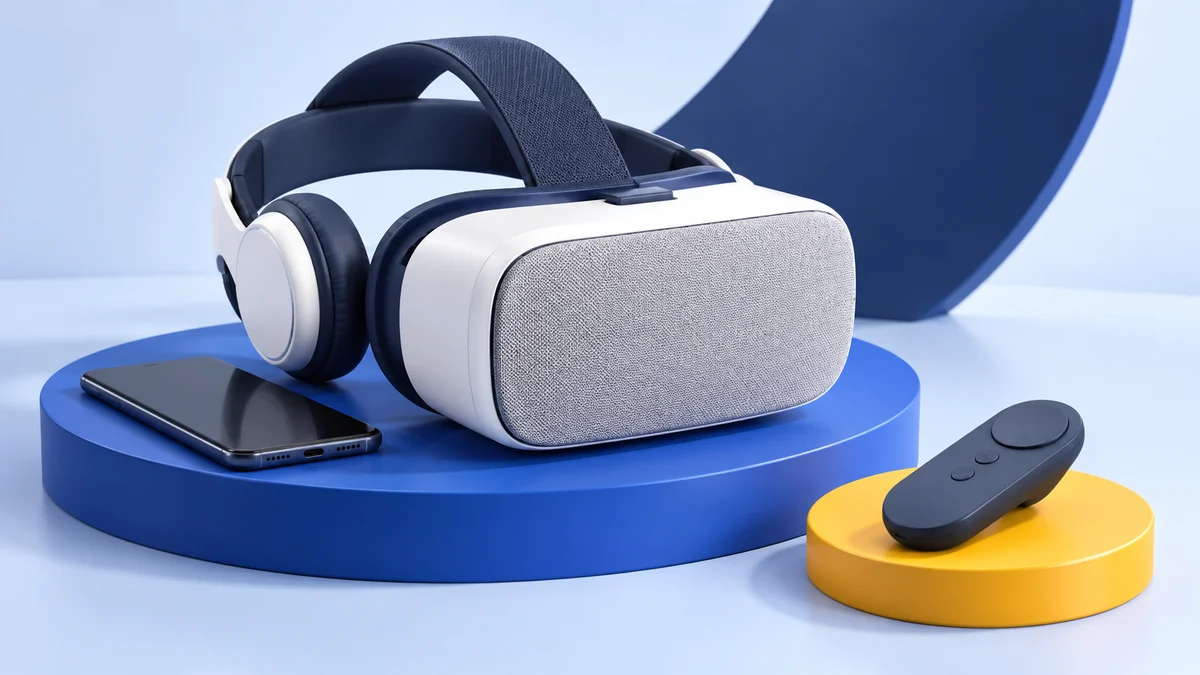
The Z5 comes with a daydream controller that can be paired up with a Daydream ready smartphone. If you don’t have a compatible phone as yet, skip the controller and use it as a regular VR headset.
Note: Daydream no longer works on current phones. Google ended support for the Daydream software in October 2020 and Android 11 dropped the platform, according to Wikipedia’s Daydream article, and Google’s old list of Daydream-ready phones now returns an error. Today the Z5 is best treated as the “regular VR headset” described above. We could not confirm whether its controller works as a generic Bluetooth controller in Cardboard apps.
The Z5 comes in minimalist white packaging. I liked the molded plastic insert that was in the box. It helps keep the contents safe for transportation. On unboxing, I got the headset wrapped in feather-soft plastic bag. Along with it were the Daydream VR controller and a soft lens cleaning cloth.
Specs
- Weight - 12.3 Ounces
- FOV - 120 Degrees
- Compatible with - 4.7 to 6 inch smartphones
- High-definition aspheric lens - 42mm aspheric / 0.39mm colour difference
- Adjustment possible for 0-200 hyperopia and 0 - 600 degrees myopia
- Customizable pupil distance
These are the launch specifications listed when this review was written. The Z5 is no longer on BOBOVR’s website, so we could not re-check them against a current manufacturer page.
Pros
- Affordable mobile headset, originally sold for Daydream-compatible phones
- Comes with cushioned headphones and a 3.5mm audio cable
- Comfortable to wear for extended gaming sessions
- Quick to setup
Cons
- Many users mentioned that the headset slips frequently to the nose
- Lacks a third strap on the head of the unit so tightening the 2 straps may leave red marks on your face
- May cause light to leak into your viewing area
- The built-in headphones need a 3.5mm audio jack or an adapter; none of the current iPhones on Apple’s comparison page lists a 3.5mm jack
- The phone tray is specified for 4.7 to 6 inch phones, while most current iPhones have 6.1–6.9 inch screens
- The Daydream platform it was designed for has been shut down
BoboVR Z5 Features & Benefits
VR Experience & Setup
I used the One Plus 5T to test the Z5. It easily fit into the smartphone’s clasp without the need to remove the phone case. You can pull the clasp to find the AUX headphones nestled within. Just plug it in, and you can get started. I did miss the select button on the controller when I switched it on.
If you plan to use the Z5 as a standalone headset, I recommend that you get a cheap Bluetooth controller. Otherwise, you will be taking the phone on and off from the mount too many times.
Audio & Sound Quality
I quite like the built-in headphones that come with the headset. They are cushioned and quite comfortable to wear. The sound quality is reasonably good but have ample scope for improvement. I found the bass to be bit weak, and the sound did get muffled at times.
The Z5 has a audio jack that makes it easy to plug in headphones for an immersive virtual reality experience. It enhances the audio quality by several notches.
VR experience and Visuals
The Z5 has progressive lenses that you can adjust to fit into your face. Swing the dark gray dial on the top to set the focus of the lens. Now you would notice a smaller light gray knob below the bigger one.
The smaller gray knob helps you resize the distance between the lenses. This feature is an improvement over the Google Daydream that does not have adjustable lenses.
Design and Comfort
I appreciate the fact that the headset can be mounted comfortably over glasses. If you wear glasses, that’s one more reason to pick up the Z5.
To adjust the head strap, I used the large gray knobs just above the earphones. You need to give a pull and turn it. The headset has a single adjustable strap. I like the way it sits a little lower on the head and is comfortable once you adjust it.
I liked the curved cushioned bar that keeps the headset in place. Its expandable and can be tightened at the time of mounting the Z5. The headset cushion fabric is soft and perforated. It has velcro on the sides and makes donning the Z5 very comfortable.
Its design takes inspiration from Google Daydream but sports a unique style. The outer headset of the area features a grey fabric that lends a blend of style and minimalism.
AR Ready
If you like augmented reality, the Z5 will be a good pick. The phone’s camera can see outwards that makes it compatible with augmented reality apps. Since Daydream does not offer AR, the Z5 scores here.
Motion Controller
The motion controller looks and works quite like the original Daydream View controller. I tested the controller with my all-time-favorite game of Eve Gunjack 2, and I liked it!
When I picked up the controller, I noticed that the square on the top is an activate button and a trackpad. On the right side, you will see the home and buttons positioned together. To adjust the volume, press the volume control buttons on the right side.
I found the strap missing on the headset, though there is a spot present for it. Do get a USB-C cable to charge your model as it doesn’t come with one. I was searching around for a space on the headset to store the controller when not in use.
But, I couldn’t find it as the Bobo doesn’t have one. The Daydream has that, which helps to keep it in a secure place and not get lost.
Ease of use
I found the Z5 easy to set up. I opened the front flap and secured the phone.
But the Z5 does not automatically go into the virtual reality mode. So, you will need to queue up the app and the video you want to watch before you can get started. You will need a QR Code to play the Cardboard apps, but the Z5 doesn’t come with one. If you want to play older Cardboard apps, this can be an issue.
What are Users Saying About the BoboVR Z5
I checked out user reviews online about the BoboVR Z5. The majority of the users had positive experiences. They liked that the headset offered compatibility with many Daydream friendly smartphones.
It can also be used as a standalone headset for other smartphones. Its controller is user friendly and makes for a good immersive experience when watching VR on the headset. They also commented that the Z5 offers good value for money.
Those reviews date from when Daydream was still supported, so the praise for Daydream compatibility no longer applies to a phone bought today.
Alternatives to the BoboVr Z5
Note: the three headsets below are the phone VR alternatives we picked when this review was written. When we checked, the VR Wear listing still loaded on Amazon, but the NeuTab and Pansonite links returned Amazon’s “Page Not Found” page, so treat availability, prices and phone sizes as unconfirmed. For options you can still buy new, see current alternatives at the end of this section.
VR Wear 3D VR Headset
I found the VR Wear 3D VR headset to be very similar to the Z5. It has high-quality lenses with breathable face padding. The viewing angle is better for the Z5 at 120-degree while the VR Wear offers only 105 degrees.
I found that larger phones up to 6.3 inches can fit into the VR Wear. For larger models, you might struggle a bit with the Z5. The VR Wear is compatible both with Android and iOS phones similar to the Z5. Well, the Z5 offers greater value for money as compared to VR Wear. It is also a better fit for you if you want a more immersive experience.
View the listing on AmazonPaid link · Historical or unverified listing
NeuTab VR 2nd Gen Virtual Reality VR Headset 3D Glasses
The NeuTab is lightweight and like Z5 in design. Both of them sport fabric covers and come with a motion controller. Other similarities include adjustable head straps and customizable focal distance.
I liked the fact that the Neutab has front padding that is removable to fit in phones. Phones from 3.5 to 6.5 inches can comfortably fit in on Neutab. The Neutab is a decent version of the original Cardboard. If you have an iPhone, the Neutab’s motion controller may not be compatible.
Pansonite Vr Headset with Remote Controller
The Pansonite sports an ergonomic design and it’s lighter than the Z5.
That’s a big advantage if you want to watch VR for extended periods. You also get a controller with the Pansonite like the Bobo that is easy to use and navigate.
You will find the Pansonite comfortable to use with 4.7 to 6-inch phones.
While the Z5 fits in well with if your smartphone is around 5.5inches. On affordability, the Z5 scores over the Pansonite.
What to Buy Instead of the Z5 Today
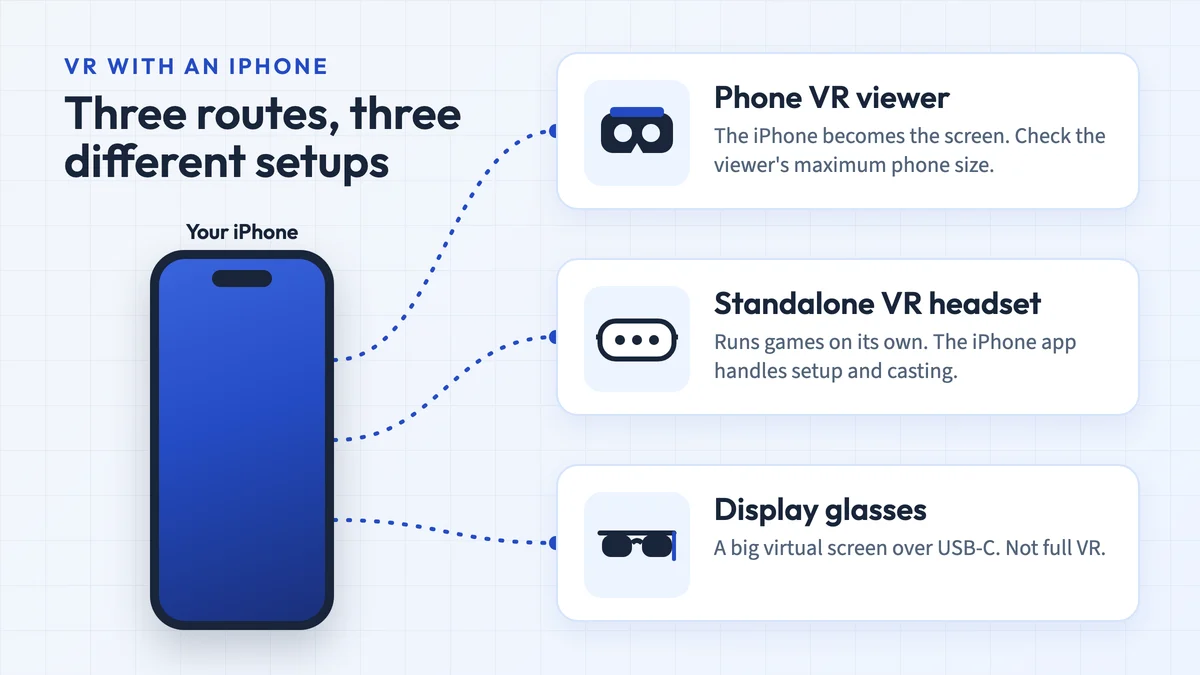
With Daydream gone, the choice today is between a simple phone viewer for Cardboard apps and a standalone headset. These are the main options:
| Option | What you get | US price |
|---|---|---|
| Meta Quest 3S | Standalone headset with its own processor and colour passthrough for mixed reality; 1832 × 1920 pixels per eye, Fresnel lenses | $349.99 (128 GB) or $449.99 (256 GB) |
| Meta Quest 3 | Same Snapdragon XR2 Gen 2 chip, sharper 2064 × 2208 pixels per eye, pancake lenses, 512 GB | $599.99 |
| Phone viewer for Cardboard apps | Works with the free Cardboard app on Android and iOS; check that your phone’s screen size is listed | Varies by seller |
Specifications are from Meta’s comparison page. Meta raised both headsets to these prices on 19 April 2026, according to Meta’s pricing announcement; prices checked 24 September 2026. For cheap phone viewers, see our best VR headsets under $50 and our guide to phones for VR.
BoboVR Z5 FAQ
Where is the BoboVR Z5 QR code?
BOBOVR doesn't publish a Google Cardboard QR code for the Z5, which was designed for Daydream. Google suggests checking the maker's website and, if there's no code, creating one with its viewer profile generator. See the QR code section above.
Is the BoboVR Z5 still sold?
Not by BOBOVR: its store now lists only accessories for Meta Quest and PICO headsets and Meta’s smart glasses. Any units still offered by marketplace sellers are old stock or second-hand.
Does the BoboVR Z5 still work with Daydream?
No. Google ended support for Daydream in October 2020 and Android 11 removed the platform. The headset still works as a basic viewer with Cardboard apps and 360-degree videos.
Does the BoboVR Z5 fit an iPhone?
Probably not a current one. The tray was specified for 4.7–6 inch phones, and most iPhones on Apple’s comparison page have 6.1–6.9 inch screens. YouTube’s Cardboard mode is also not supported on iPhone.
Is the BoboVR Z5 Still Worth Buying?
If portability is a factor for you, you may not prefer the Z5. But if you want an immersive experience with comfort, you will be in luck with this headset. It is one of the best options if you are not a Google Daydream Cardboard Headset fan.
It is affordable and offers a better alternative to Daydream in that budget. At this price point, it even comes with a Daydream controller and attached headphones.
That verdict dates from 2020. Daydream has since been shut down and BOBOVR no longer sells the Z5, so today it is only worth picking up cheaply, as a Cardboard viewer for a phone that fits its tray. For full VR games and mixed reality, a standalone headset such as the Meta Quest 3S is the better buy.
Research behind this guide
Check the linked specifications and support documents, or read how we research. Original review experience stays attributed to its author.
View 12 sources
- Google Cardboard Help: Missing or invalid QR codes
- Google Cardboard Help: Change virtual reality viewer
- Google Cardboard Manufacturer Help: Generate your viewer profile
- Google Daydream - Wikipedia
- Google Store stops selling Cardboard VR headsets - 9to5Google
- BOBOVR - All products
- Google Cardboard - Google AR & VR
- Cardboard SDK releases - GitHub
- YouTube Help: watching VR and 360-degree videos
- Compare iPhone models - Apple
- Compare Meta Quest headsets - Meta
- Meta Quest pricing update - Meta blog
Explore the related guides in VR headsets.