Review of the Best Smartphones for Virtual Reality
We may earn a commission when you buy through links on this page. As an Amazon Associate I earn from qualifying purchases. How this works
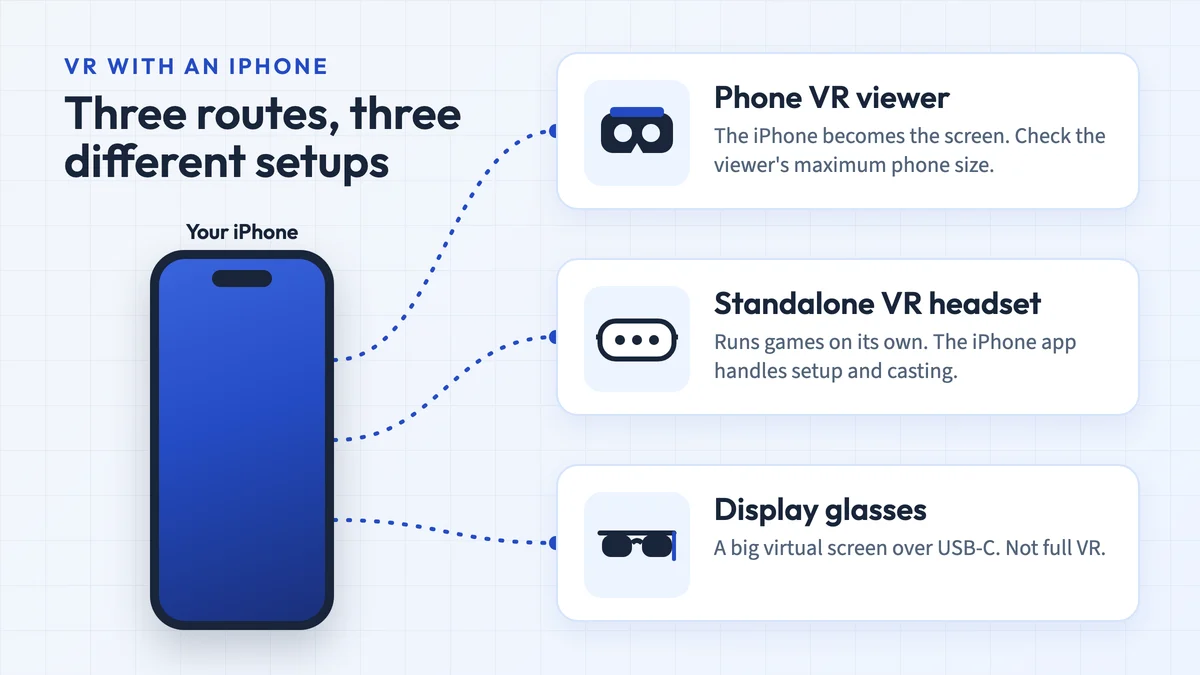
Choose the app before buying a phone or viewer. Confirm its OS requirements, a gyroscope, physical fit, lens profile and usable controls. The eight 2017–2018 phone groups below are historical; buying one does not restore supported Daydream or Gear VR access. For simple Cardboard experiences, check the phone you already own; iPhone owners can start with our best VR headset for iPhone guide. For positional tracking and controller games, compare a standalone headset instead.

128 GB configuration
Standalone VRStandalone games with Fresnel lenses.
Check first: Check the app library, optical fit and return policy.
Check price on Amazon Paid link · Amazon
512 GB configuration
Pancake opticsPancake lenses and a higher-resolution display than Quest 3S.
Check first: Compare the complete purchase, including any accessories.
Check price on Amazon Paid link · AmazonPhone VR compatibility starts with an app you can install. A VR Box-style viewer must also fit the phone and supply usable controls. A sharp screen alone cannot confirm the complete setup.
Use the platform checks first, then compare display, sensors and physical fit. The eight 2017–2018 phone groups preserve earlier specifications and recommendations. Tracked systems such as the original HTC Vive serve a different purpose, and the Rift line also ended.
Product status and source notes
Should you buy one of the old phones below for VR? We do not recommend buying a 2017–2018 phone to regain Daydream or Gear VR access. The model list is historical. Google's Daydream service update says the software is unsupported and may not work properly on Android 11 or later; Meta's Gear VR development update documents its wind-down.
What should you check on a phone you already own? The chosen app's current OS requirements, a gyroscope, the viewer's physical fit and profile, and working input controls. A high-resolution display or a “VR-ready” label does not establish all of these.
Which phone platform can you try? A Cardboard-style viewer with a compatible phone app. YouTube's Cardboard mode supports the Android app, not iPhone or iPad. Our iPhone SE guide and iPhone VR app list cover the separate iOS requirements.
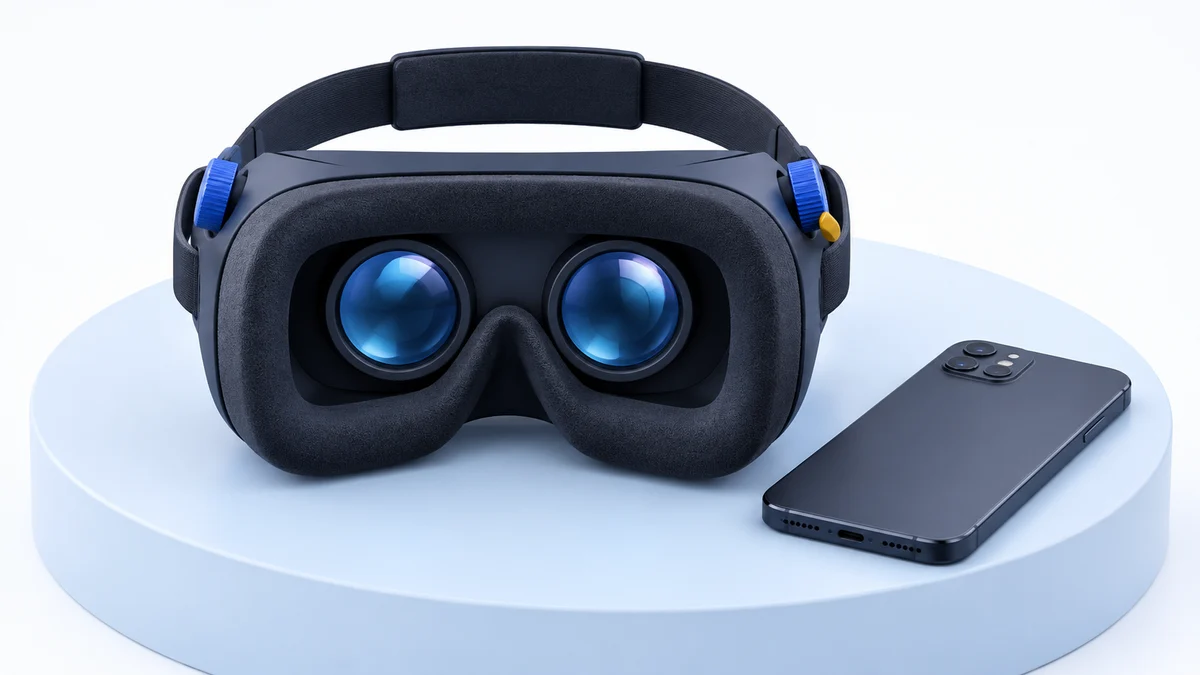
What if you want tracked-controller games? A standalone headset runs its own software. Meta's US comparison page showed the Quest 3S from $349.99 and the Quest 3 at $599.99 when reviewed on 12 October 2026. See our Quest comparison for the hardware differences; regional prices and offers vary.
Benefits of Virtual Reality-Enabled Smartphones
A phone viewer uses the phone’s screen, sensors and processing power. Keeping a phone you already own can reduce the cost of trying compatible Cardboard experiences. It does not give the phone the app library, positional tracking or controllers of a standalone or PC headset.
Smartphone & Platform Compatibility
Compatibility has four separate parts: the app must support your phone and OS, the phone needs suitable sensors, the viewer must fit and align its lenses, and the app must accept the available controls. The platform summaries below distinguish current phone-viewing options from discontinued ecosystems.
For an older passive viewer, our Pasonomi phone-fit and setup guide shows how to check the tray, input method and missing QR profile before relying on an old compatibility claim.
Google Cardboard
Google Cardboard provides a starting point for phone-based VR on Android and iOS. Check each app’s current requirements and the exact viewer’s fit. On iPhone, the Cardboard App Store listing currently requires iOS 15 or later.
Cardboard is the only one of these platforms still going. Google stopped selling its own viewers in 2021 but kept the Cardboard open source project running, and third-party viewers remain available. According to Google’s Cardboard help page, your phone needs a gyroscope; a “device incompatible” message usually means it doesn’t have one.
Google Daydream
Historical platform: Daydream paired a supported Android phone with a Daydream View headset and controller. Some phones in the original list were sold as Daydream-ready, but that old certification does not establish current app or service support.
Google’s service update says Daydream no longer receives software or security updates and may not work properly on Android 11 or later. Some third-party experiences may remain available as standalone Play Store apps. Investigate those apps individually; buying an old certified phone or installing unsupported workarounds does not restore a supported Daydream platform.
Note: Daydream is discontinued. Google stopped making the Daydream View in October 2019, then dropped Daydream support with Android 11, and the platform receives no updates. On any phone on this page that has been updated to Android 11 or newer, such as the Pixel 2 and Pixel 3, Daydream may not work. Some third-party VR apps remain on Google Play.
Samsung Gear VR
Samsung partnered with Oculus to come up with Gear VR which is compatible only with Samsung devices.
Historical platform: its Oculus software and controller once provided games and videos for selected Samsung models. A current Galaxy phone is not automatically compatible, and the original platform advantages are not current buying recommendations.
Note: Gear VR is no longer a practical option. Meta ended Gear VR app development support in November 2019, then stopped software updates, removed the Oculus Video and 360 Photos apps from download and stopped updating the Oculus Browser. Samsung's Galaxy Note10 and Note10+ are not compatible. The fan-run Gear VR Codex reports that since Oculus accounts were shut down in January 2023, new Gear VR setups often fail at sign-in, and users who never had an Oculus account have no known workaround. See our Gear VR vs Daydream comparison for the history of both platforms.
iPhone VR
Start with the specific iOS app. The official Google Cardboard listing requires iOS 15 or later; an old “iPhone 5S or newer” viewer claim does not establish current app compatibility. YouTube’s Cardboard mode is not supported on iPhone. Use our iPhone SE fit guide and iPhone VR games list to check the phone and app separately.
Windows Phone VR
Historical platform: Windows phones appeared in the original mobile-viewer discussion. They are not a recommended new purchase for this purpose: Microsoft ended Windows 10 Mobile support, and current iOS/Android app listings do not establish Windows Phone support.
The original guide favored Gear VR and Daydream for their controllers and libraries. That preference belongs to the historical comparison. For a new phone-viewing setup, confirm the chosen app and viewer rather than selecting a phone by old platform certification.
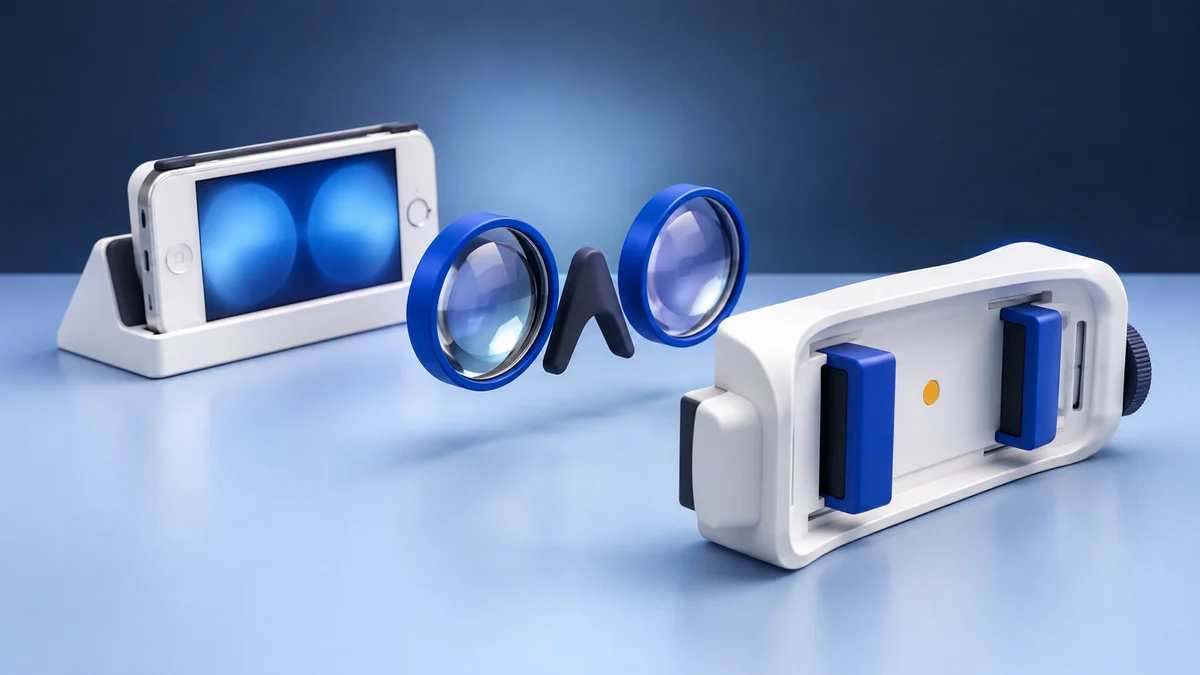
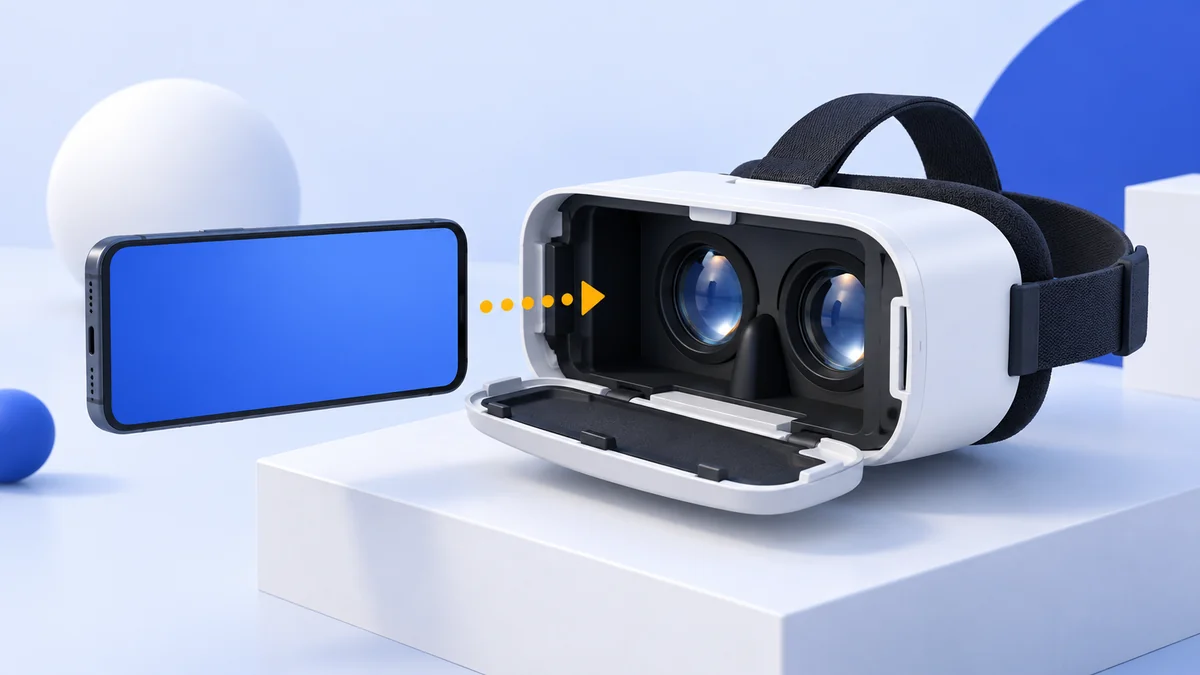
When you use mobile headsets, there are two lenses built-in, and the smartphone needs to be fitted in behind the lenses.
The device hardware and resolution have an impact on the quality of your experience.
The motion tracking feature is limited in phones as they have three-degrees-of-freedom (3DOF). It allows the device to follow the rotation of your head but not your position, so leaning or walking is not tracked.
Things to Consider when Choosing Smartphones for Virtual Reality
Before paying for a phone or viewer, confirm that you can install the chosen app on the phone you intend to use. Then make the physical and input checks below. Our VR Box review shows why a generic headset name and a bundled remote are not enough.
1. Screen Size
Use the exact viewer’s screen-size range and physical dimensions. A diagonal of 4–6 inches was common in older listings, but there is no universal fit rule. Check body width, thickness, camera placement, case clearance and whether the display aligns with the lenses.
2. Screen Resolution
Screen resolution is an important factor. The mobile headsets can pack in quite a punch if enlarged and clear pixels flow on your smartphone screen. A higher pixel makes the picture display more sharp and crisp.
You can go with a smartphone having a full HD display and resolution of 1920 x 1080 pixels.
Lower resolutions on the device can disappoint with blurry images.
3. Accelerometer
An accelerometer or the G-sensor measures the acceleration and enables you to control your movements.
It comes into use when you rotate your phone to convert it from portrait to landscape orientation.
It is best used while gaming.
4. Gyroscope
A gyroscope supports orientation tracking for phone VR. Google’s Cardboard setup guide says an incompatible-device message may indicate that the phone lacks one. Check your app’s requirements; an accelerometer alone does not establish support.
5. Magnetic Sensor
A magnetic sensor does not replace the gyroscope. Prioritize the input method your app supports, such as a viewer button or compatible controller, rather than assuming a sensor or bundled remote makes every menu usable.
6. Processor
An old chipset recommendation does not establish support for a current app. Use the app’s device and OS requirements, then consider performance and battery condition on the exact phone.
In 2017 Qualcomm released the Snapdragon 835 series that is optimized for virtual reality.
The product line comes with low latency, high pixel quality, and precise motion tracking.
Historical VR-Compatible Phones from 2017–2018
These eight model groups preserve the original comparison, including its hardware specifications and links. They are not ranked as current purchases. References to Daydream and Gear VR below describe their original platform context; software availability, used-phone condition and seller stock require separate checks.
1. Samsung Galaxy S9/S9+
The Galaxy S9 and S9+ were Samsung’s 2018 Galaxy flagships. The original comparison covered their Gear VR and Google Daydream context. Both platforms are historical options; an old hardware match does not confirm a working current service.
S9 and S9+ fit the Gear Galaxy S8 version released in September 2017. But trying to plug them in the Note 8 model can damage your phone!
Both S9 and S9+ come with a resolution of 2960 x 1440 pixels which allows for stunning visuals. But the S9 comes with a 5.8-inch display and 570 pixel density compared to 6.2-inches display with 529 pixel density on the S9+. S9 proves to be a surefire winner in graphics!
In the US, S9 and S9+ both feature a 2.8GHz Snapdragon 845 processor; international models used Samsung’s Exynos 9810. You have the option of selecting from 64GB, 128GB, or 256GB variants, and you can expand the capacity with a microSD card. The S9 has 4GB of RAM, while the S9+ has 4GB or 6GB depending on the version.
The Galaxy S9 comes with 3000 mAh battery while the S9+ packs in a 3500 mAh battery.
The Gear VR content library was part of the original comparison. For an existing S9, investigate a specific available Android app and viewer rather than buying for that old library.
Pros
- Crisp and high-resolution display
- Decent battery backup
- Up to 6GB RAM (S9+)
- Suitable for most mobile headsets
Cons
- Expensive
- Not very lightweight
View the listing on AmazonPaid link · Historical or unverified listing
2. HTC U11 Plus
HTC U11 Plus features the Snapdragon 835 Octa-core processor with single-core speeds of 2.45GHz making it an excellent choice for mobile headsets.
In 2017 HTC announced the HTC Link VR headset for Japan, which had its own display but used the phone’s hardware for content and processing power. We could not confirm that it ever supported the U11 Plus, and it is not a current product. For a U11 Plus you already own, check a specific Cardboard app and viewer; the chipset alone does not prove compatibility.
It comes with a 6.0-inch display that supports resolutions of 1440 x 2880 pixels with a 537-pixel density. This combination can give you a visual experience quite close to the Galaxy S9 with a 570-pixel density rate.
HTC lets you choose between a 128GB version with 6GB RAM or a 64GB version with 4GB RAM. You can expand the storage up to 512GB with external SD cards. It’s RAM provides enough power to pull through intensive VR applications and high-resolution videos.
HTC provides a 3930 mAh battery which is enough to give you extended hours of gameplay. Though you can’t access HTC content on this mobile, it’s not really a deal breaker. You can take your pick from the freely available online content or the ones those come with the headset app.
Pros
- Snapdragon 835 is ideal for running games and applications
- LTE Cat 15 adapter with high internet speeds up to 800Mbps
- Smart design and superior build quality
Cons
- Doesn’t have a headphone jack
- Low-resolution front camera
View the listing on AmazonPaid link · Historical or unverified listing
3. Samsung Galaxy S8/S8+
Samsung released Gear VR just for Galaxy S8 and S8+ models in 2017. These devices were on Google’s list of Daydream-ready phones before the platform was discontinued. They can also be paired with many other mobile headsets.
In the US, both the models feature a Snapdragon 835 processor (2.3GHz Quad + 1.7GHz Quad); international versions use Samsung’s Exynos 8895. The S8 comes with 5.8-inch AMOLED display while the S8+ has a 6.2-inch screen. Though both models support resolutions of 2960 x 1440 pixels, the S8 has a higher pixel density of 570 ppi compared to 529 ppi in S8+.
The Galaxy S8 comes only with 64GB storage while S8+ has a 128GB variant. The S8 comes with 4GB RAM; the S8+ has 4GB with 64GB storage or 6GB with 128GB.
Enjoy extended hours with the S8+ that comes with a 3500 mAh battery. You will get a 3000 mAh battery on the S8. You can enjoy content from both Samsung Gear apps and Google Play Store.
The S8 series was a lower-cost option in the original comparison. We do not recommend buying one now to restore Gear VR access; check current app and viewer support on a phone you already own.
Pros
- High-end specifications at an affordable price
- Supported apps and VR content
- Wireless charging available
- Edge-to-edge display
Cons
- Inconveniently placed fingerprint sensor
- Contains pre-loaded bloatware
View the listing on AmazonPaid link · Historical or unverified listing
4. Google Pixel 3/3 XL
Google Pixel 3 and 3 XL were associated with Daydream in the original comparison. That historical support does not carry over automatically to their current software. Their display and hardware differences are retained below for reference.
Both use P-OLED screens, but the Pixel 3 has a 2160 x 1080 resolution while the Pixel 3 XL has 2960 x 1440 pixels. The Pixel 3 comes with a pixel density of 443 ppi over a 5.5-inch screen while the XL comes with 523 ppi and a 6.3-inch display. The XL promises an enjoyable watch with its high pixel density.
Snapdragon 845 is ideal for applications providing an immersive experience and comes in both the models. A 4GB RAM is another common feature in the Google twins.
Both phones have variants of 64GB and 128GB. The Pixel 3 sports a 2915 mAh battery while the XL packs a more powerful 3430 mAh battery.
Google’s Daydream service update warns that the app may not work properly on Android 11 or later. Check a specific standalone Android app instead of assuming the old Daydream catalogue is available.
Pros
- Designed especially for Google Daydream
- Powerful processor
- Fast charging
Cons
- Low pixel density
- The battery is not very powerful
- Low RAM of 4GB
5. Google Pixel 2/2 XL
The original review positioned the Google Pixel 2 series as a cheaper alternative to Pixel 3. Its Snapdragon 835 specifications are historical reference, not a current recommendation to buy it for VR.
The Pixel 2 comes with a 5-inch screen with 1920 x 1080 resolution and 441-pixel density. The Pixel 2 XL is bigger with a 6-inch display, 2880 x 1440 resolution and pixel density of 538 ppi. Pixel 2 XL scores in graphics!
Both devices are available in 64GB and 128GB variants and have a 4GB RAM. The Pixel 2 XL has a strong 3520 mAh battery compared to the 2700 mAh battery on the Pixel 2.
The Pixel 2 series received updates up to Android 11, where Google warns Daydream may not work properly. Existing owners should check the current app listing and viewer requirements; preloaded Daydream content is not a dependable basis for a new purchase.
Pros
- Virtual reality compatible processor
- Dust and water-resistant body
- Neat and crisp visuals with AMOLED/OLED screen
- Fast charging battery
Cons
- Low pixel density
- Doesn’t have wireless charging
View the listing on AmazonPaid link · Historical or unverified listing
6. Samsung Galaxy Note 8
Samsung Galaxy Note 8 was the original guide’s preferred model because of its hardware and then-current Daydream/Gear VR context. That rationale is historical. For an existing Note 8, check the exact app and viewer fit; our Merge viewer review also needs to be read in its original product context.
The Snapdragon 835 processor (used in US models; international versions use the Exynos 8895) allows you to run the most demanding applications quite easily. It has a 6.3-inch, 2960 x 1440 display, 6GB of RAM and a 3300 mAh battery.
Pros
- Supports both Google Daydream and Gear VR
- Wireless charging available
- Durable aluminum frame
- Crisp display with optimum brightness, black levels, and contrast
Cons
- Not very lightweight
- Low volume mono speaker
7. Huawei P20 Pro
Huawei P20 Pro is on the list thanks to its specifications. Though it doesn’t feature on the recommended list of phones for Gear or Daydream, you can hook it up with many cheap mobile headsets.
It comes with a Kirin 970 octa-core processor (4×2.4 GHz & 4×1.8 GHz) which is new on our list. It’s quite powerful and comfortably runs your games and applications.
You can either choose the 256GB model with 8GB RAM or go for the 128GB one with 6GB RAM. Even though it has a 6.1-inch AMOLED screen and resolution of 1080 x 2240 pixels, its low 408-pixel density is not impressive.
Gameplay can last long with the robust 4000 mAh battery. It also supports 22.5W fast charging.
Google Play is your choice for content as the Pro does not work with the Daydream or Gear.
Pros
- Slim and lightweight design
- Suitable hardware specifications
- Robust battery of 4000 mAh
- Strong rear camera with 40 MP resolution
Cons
- Low pixel density
- Relatively expensive
- No Headphone Jack
8. LG V40
LG V40 is a bit pricey but its solid hardware more than makes up for it. You can use it to run games and videos right out of the box. The Snapdragon 845 processor (4×2.7 GHz & 4×1.7 GHz) makes the LG V40 a good choice.
Enhance your visual quality with the massive 6.4-inch screen that supports resolutions up to 1440 x 3120.
A high quality 537-pixel density and a strong 6GB RAM provide good support for your needs.
It comes with 128GB of storage, which you can expand to 512GB with an external SD card. Enjoy wireless charging with the 3300 mAh battery.
The original guide discussed the LG V40 alongside Daydream-era phones. That is not evidence that a current Daydream installation works or a reason to buy a V40/V30 now. Existing owners should check a specific Android app and viewer; YouTube’s Cardboard mode requires the supported Android app path described above.
Pros
- Smart design and lightweight phone
- Good display quality
- Features five different cameras
- Big screen with vibrant and rich images
- Wireless charging available
Cons
- The battery doesn’t last long
- Contains some bloatware
- You can easily scratch the all-glass design
View the listing on AmazonPaid link · Historical or unverified listing
Before replacing your phone, check whether a chosen Cardboard app supports the phone you already own. The viewer still needs to fit and provide usable controls; we have not tested every model/app combination in this historical list.
In such a scenario, having a smartphone with a minimum display resolution of 1080p or 1440p or higher is preferable. It will allow you to immerse yourself into the content and keep any distractions at bay.
Just remember to get a Cardboard headset that fits your phone.
For simple phone content, our VR Box 2.0 review explains the fit and input checks. For positional tracking and controllers, use the Quest 3 vs Quest 3S comparison. Gear VR and Daydream remain historical platform sections in this guide.
Which Phone Should You Use for VR Today?
The original guide preferred Note 8 over alternatives such as the Galaxy S9. That verdict depended on discontinued platform support and old pricing, so it is not our current buying recommendation.
Our current advice is to start with an app you can install on a phone you already own, then verify the sensors, physical fit, viewer profile and input controls. For iPhone, use the SE compatibility guide and current iPhone VR games list. For tracked-controller experiences, compare a standalone headset’s requirements instead of buying an old phone for Daydream or Gear VR.
Research behind this guide
Check the linked specifications and support documents, or read how we research. Original review experience stays attributed to its author.
View 25 sources
- Google: Daydream service update
- YouTube Help: Cardboard video support
- GSMArena: Google drops Daydream VR support with Android 11
- UploadVR: Samsung Gear VR software updates end
- Meta for Developers: Gear VR app development no longer supported from SDK Suite 1.42
- GSMArena: Galaxy Note10 and Note10+ are not compatible with the Gear VR
- The Gear VR Codex (fan site): Meta killed the Gear VR
- Engadget: Google stops selling Cardboard VR goggles
- 9to5Google: Google Store stops selling Cardboard VR headsets
- Google Cardboard
- Google Cardboard Help: Get started with Cardboard (Android)
- App Store: Google Cardboard
- Microsoft Support: Windows 10 Mobile end of support FAQ
- Road to VR: Facebook to discontinue Rift product line in 2021
- Meta: Compare Meta Quest headsets
- GSMArena: Samsung Galaxy S9 specifications
- GSMArena: Samsung Galaxy S9+ specifications
- GSMArena: HTC U11+ specifications
- GSMArena: Samsung Galaxy S8+ specifications
- GSMArena: Google Pixel 3 specifications
- GSMArena: Google Pixel 3 XL specifications
- GSMArena: Google Pixel 2 XL specifications
- GSMArena: Samsung Galaxy Note8 specifications
- GSMArena: Huawei P20 Pro specifications
- Wikipedia: LG V40 ThinQ
Explore the related guides in VR headsets.