Best VR Headsets for Kids: Choose by Age and Setup
We may earn a commission when you buy through links on this page. As an Amazon Associate I earn from qualifying purchases. How this works
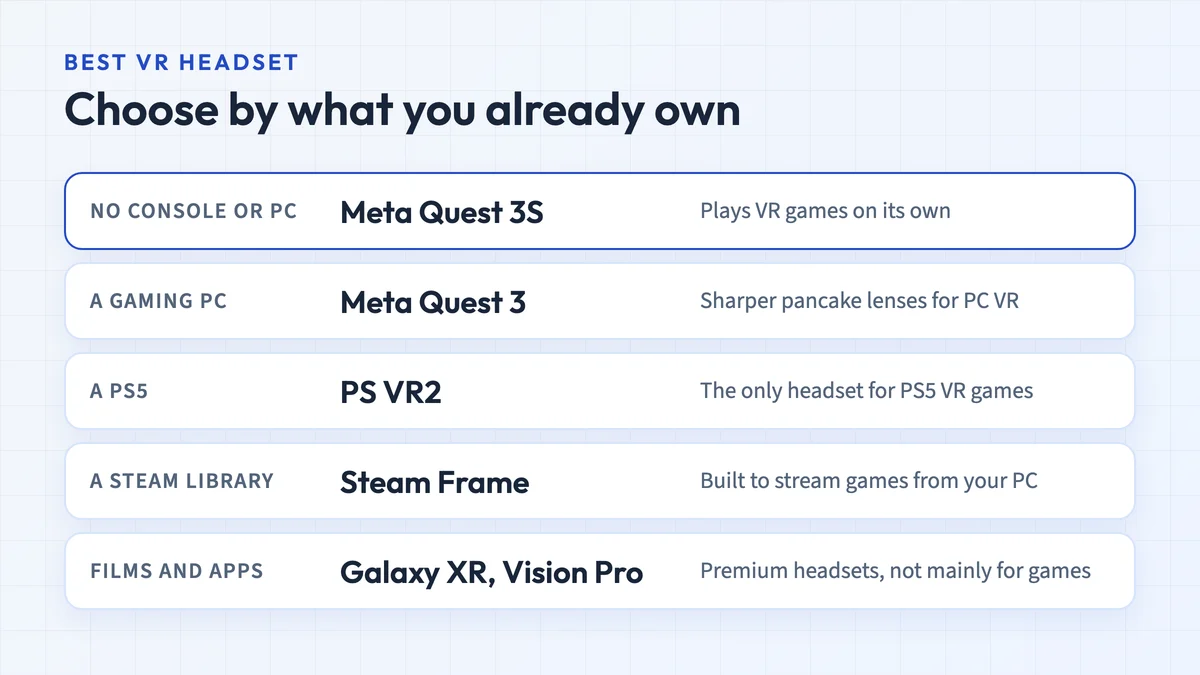
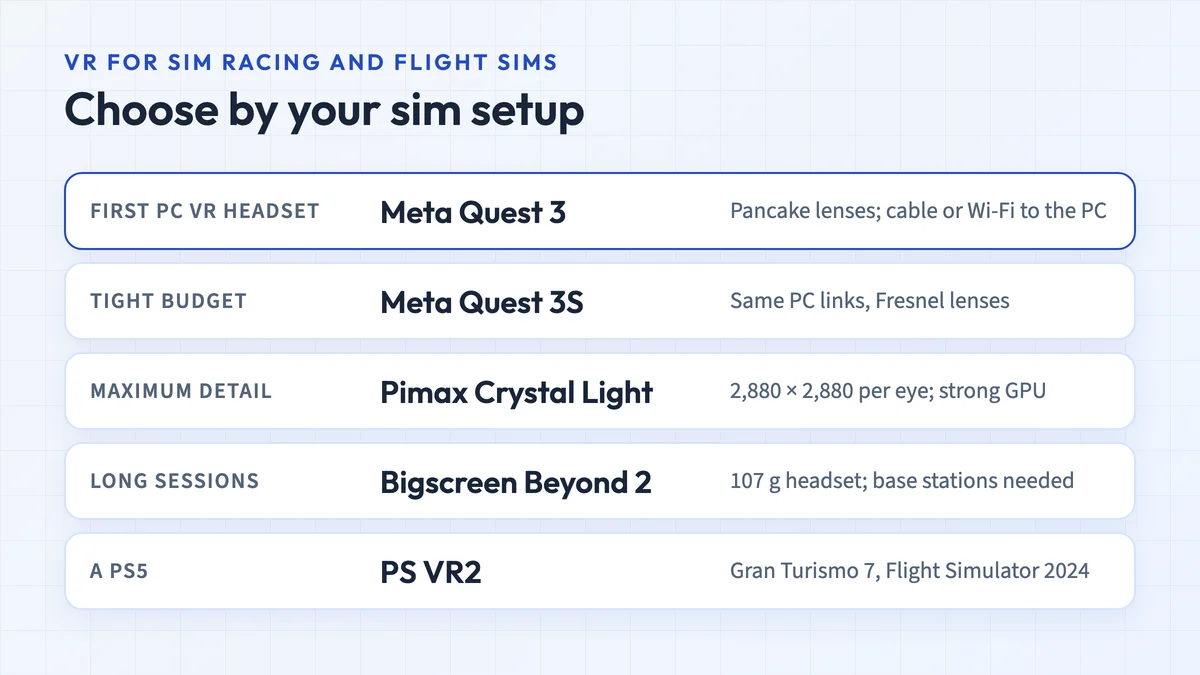
For a child who meets Meta’s age and fit requirements, start with the Quest 3S; consider Quest 3 for its pancake lenses and continuous lens-spacing adjustment. Quest accounts have a minimum age of 10 in supported regions, with parent-managed accounts for ages 10–12. For a PS5 household, PS VR2 is another option from age 12. Meeting an account age limit does not establish comfortable fit or readiness.

128 GB configuration
First standalone option to compareRuns its own apps without a gaming PC or console.
Check first: Local age rules, a parent-managed account for ages 10–12, optical fit and the intended apps.
Check price on Amazon Paid link · Amazon
512 GB configuration
For pancake lenses and continuous adjustmentA step up in optics within the same Quest account platform.
Check first: The same age and account rules apply; lens adjustment does not guarantee a suitable fit.
Check price on Amazon Paid link · AmazonThe best VR headset for kids depends on the child’s age, the apps they want and the equipment your household already owns. A standalone Quest runs its own apps; PS VR2 needs a host system; a phone viewer needs a separate phone and compatible software.
Compare the current choices first, then check lens alignment, parental controls and room setup. The five phone viewers from Brandon Gates’s original 2020 comparison remain in the archive section for owners identifying an older unit.
How this guide was updated
TechFuturae researched manufacturer specifications, account rules and published safety guidance on 16 October 2026. These are documented buying considerations, not results from testing headsets with children. Brandon’s original authorship is retained; the older comparison is condensed and labelled below. Prices and stock are left to the retailer.
Current VR headset choices for families
| Choice | Age and account check | What it needs | Why consider it |
|---|---|---|---|
| Meta Quest 3S | Minimum account age 10; parent-managed account for ages 10–12. Regional rules apply. | Its own apps and account; no gaming PC or console for standalone use. | The starting point for a first standalone setup. Check its three lens-spacing positions against the user’s fit. |
| Meta Quest 3 | The same Quest age and account requirements. | Its own apps and account; no gaming PC or console for standalone use. | Pancake lenses and continuous lens-spacing adjustment. These features still need a comfortable fit check. |
| PlayStation VR2 | Sony says it is not for children under 12. Set up the relevant family controls. | A PS5 and PS VR2-compatible games for this console setup. | An option for a household already using PS5. Check the game edition, cable space and complete headset bundle. |
Sources checked 16 October: Meta’s headset comparison, Quest Safety Center, Meta’s account guidance and Sony’s PS VR2 safety page.
Quest 3S: start here for standalone VR
The Quest 3S is the first option to compare when the child meets Quest’s requirements and you want a setup without a console or gaming PC. Before choosing storage or accessories, check that the intended apps support the child’s account and that the headset fits.
Quest 3S uses Fresnel lenses with three spacing positions. If you cannot align the image comfortably, a lower price is not a reason to accept the wrong fit. Our standalone VR guide explains the equipment involved.
Quest 3: compare the optics before paying more
The Quest 3 uses pancake lenses and continuous lens-spacing adjustment. Those are the main reasons to compare it with Quest 3S for a shared family headset. Neither feature guarantees a suitable fit for a particular child.
The two use the same Quest account framework. Read our Quest 3 versus Quest 3S comparison for the hardware differences; check the manufacturer’s fit guidance and return terms before choosing.
PS VR2: for an eligible player in a PS5 household
Sony’s guidance excludes children under 12. For an eligible older child or teen, check the actual PS VR2 games they want before buying hardware. A PS5 game does not automatically have a VR mode, and the original PS VR and PS VR2 have different libraries.
Use our PS5 VR headset guide for bundle and platform checks. PS VR2 also has a separate PC adapter route; the console recommendation here assumes PS5 use.
How to choose a VR headset for your child
Check age and account requirements first
Use the child’s real date of birth. Meta documents parent-managed accounts for ages 10–12 and supervision tools for teens aged 13–17. Check the current rules for your country and the exact device before purchase. For a child below the manufacturer’s minimum, wait; a generic phone viewer is not an automatic exception.
Check lens alignment, straps and controller reach
A headset should stay in position without painful strap pressure. Check whether the child can reach the controls, maintain a clear image and wear any required glasses or inserts according to the manufacturer’s instructions. Stop the fit check if it causes discomfort.
Prioritize a clear fit over field of view
A wider advertised field of view does not tell you whether the lenses align with the user’s eyes. Compare optical adjustment and the experience the child wants before treating an FOV number as a buying advantage.
Consider how the weight sits
A specification-sheet weight cannot establish comfort. Consider the front-to-back balance, adjustment range and the manufacturer’s fitting instructions. Adding a battery strap changes the complete setup as well as its cost.
Budget for the complete setup
Include the intended games, any required console or PC, and compatible prescription inserts where needed. Check subscriptions and purchase controls before accepting a bundle. Our Quest accessory guide explains optional straps, audio and connection accessories; you do not need every accessory to start.
Meta’s family page distinguishes Quest accounts for ages 10+ from Meta Horizon+ for ages 13+. An included subscription trial is not automatically usable by a child aged 10–12.
Check the actual apps and their age ratings
Look up the exact app on the headset’s store. Check its supported headsets, age rating, account eligibility, online interaction and additional purchases. A game being free or popular does not establish that it suits the child. The Quest games guide separates game types; it is not a children’s approval list.
Separate standalone, console and phone hardware
Quest runs standalone apps itself; optional PC VR needs a compatible computer. PS VR2 console use needs a PS5. A passive phone viewer supplies lenses and a holder, while the phone supplies the screen, sensors and software. For one of the older viewers below, measure the phone and tray rather than relying only on a screen-diagonal range.
Choose the activity before the hardware
- Games: confirm that the particular title runs on the chosen headset and is eligible for the child’s account.
- Apps: check controls and online features, not just whether the app has “VR” in its name.
- Films: check the streaming service or local-file app and its content restrictions. A phone viewer does not run Quest apps.
- Learning: follow the school or app provider’s device and account requirements. An educational label does not replace the manufacturer’s age guidance.
Start with one planned experience
Choose one suitable app and learn its controls together before downloading a large library. Check what the player will see and hear, and whether it connects them with other people. Plan a stopping point before the headset goes on.
What families gain and what they need to manage
Potential benefits: immersive games, 3D learning experiences and a different way to interact with digital content. Whether they are worthwhile depends on the particular activity and user.
Tradeoffs: setup cost, fitting and supervision, possible discomfort, and the privacy, communication and spending settings of connected apps.
Set up parental controls before the first session
Use the platform’s current family tools rather than lending an unrestricted adult account. Meta’s account guidance describes app permission and time-management tools for preteens; teen supervision has a different setup.
For PS VR2, Sony’s family guidance covers child accounts, communication restrictions, playtime and spending controls. Review the settings for the account that will actually play.
- Use the correct account and date of birth.
- Review the first app’s rating, communication features and purchases.
- Set the available time, privacy and spending controls.
- Keep an adult nearby and agree how the child will ask to stop.
Fit, room setup and discomfort
What the eye-health guidance establishes
The American Academy of Ophthalmology discusses eye strain, fatigue and motion sickness, while noting the lack of long-term studies. Lens coatings or adjustment mechanisms are not evidence that a headset protects a child’s eyes.
Watch for discomfort and blurred vision
The American Academy of Pediatrics distinguishes the limited short-term research from remaining uncertainties. Stop if the child reports blurred vision, headache, nausea or other discomfort. Follow the device’s instructions and seek medical advice for persistent or concerning symptoms.
Clear the activity area
Use the manufacturer’s required play area. Remove obstacles, manage any cable, and keep other people and pets outside the activity space. Passthrough and boundary features do not replace supervision.
Take breaks and stop when symptoms appear
Meta’s Safety Center asks parents to supervise use and ensure breaks. The AAP discusses cybersickness, including nausea and dizziness. Do not treat a fixed number of minutes as a guarantee that every child can tolerate a session.
Read the device’s health warnings
Read the exact headset’s health and safety warnings, including the seizure warning, before use. Discuss an existing health concern with the child’s clinician rather than relying on a buying guide to establish suitability.
Questions parents ask before buying
What is the best VR headset for a 10-year-old?
Compare Quest 3S first if the child meets Meta’s local age, account and fitting requirements. Use a parent-managed account for ages 10–12. Quest 3 is worth comparing for its optics, but the age rule and individual fit checks still apply.
Is a VR headset suitable for a 7-year-old?
The current headsets recommended here do not meet that age case: Quest accounts have a minimum age of 10 in supported regions, and Sony excludes children under 12 from PS VR2. We do not recommend bypassing those requirements with an adult account or assuming a phone viewer is suitable.
Is a cheap phone viewer the same as a Quest?
No. A phone viewer depends on a separate phone and compatible split-screen apps. It does not provide the Quest standalone platform or its account controls. Check the exact viewer’s age guidance, fit and software before considering one.
Do the most expensive lenses make a headset safe for children?
No price or lens specification establishes suitability. Check the manufacturer’s requirements, physical fit, app eligibility and published health warnings. A child’s discomfort is a reason to stop, not a reason to tighten the strap and continue.
Archive: the five phone viewers compared in 2020
These notes preserve the subjects of Brandon Gates’s original comparison. Use them to identify an older unit and its original features. They do not establish current support or suitability for a particular child.
Read the original phone-viewer comparison notes
Bnext phone VR headset
The original review described adjustable lenses and a head strap, with a quoted 4–6-inch phone range. Those features did not establish an appropriate age or session length. Historical Amazon listing.
VeeR VR Falcon
Brandon’s comparison described built-in headphones, lens adjustment and an action button. The original fit figures and included controller should be checked against the unit being identified. Historical Amazon listing.
Optoslon phone viewer
The original review listed a 4.7–6.2-inch screen range, lens adjustment and built-in headphones. It also noted a problem wearing glasses inside the viewer. The lens material does not establish medical eye protection. Historical Amazon listing.
Pansonite phone viewer
The old comparison described headphones, a handheld remote and a quoted 4.7–6.0-inch phone range. Those specifications belong to the older model; similar-looking viewers or a controller’s presence do not establish app compatibility.
DESTEK V4
The original review described a trigger button and a quoted 4.5–6.0-inch phone range. Keep this distinct from later DESTEK models. Our DESTEK V4 guide covers its hardware and limitations. Historical Amazon listing.
Why VeeR Falcon was the original pick
Brandon preferred the VeeR Falcon’s feature set in the 2020 comparison. That preference is retained as historical context. For a purchase today, start with the age, fit and platform decision at the top of this guide.
Research behind this guide
Check the linked specifications and support documents, or read how we research. Original review experience stays attributed to its author.
View 13 sources
- Meta: Quest 3S health and safety warnings
- Meta: Ensuring age-appropriate experiences on Meta Quest
- American Academy of Pediatrics: Virtual reality use and children
- Meta Quest Safety Center
- Meta Store: Meta Quest 3S
- American Academy of Ophthalmology: Are virtual reality headsets safe for eyes?
- 9to5Google: Google Store stops selling Cardboard VR headsets
- Google Cardboard – Google VR
- App Store: Google Cardboard
- Apple: Compare iPhone models
- Meta: Compare Quest 3S and Quest 3
- Sony: PS VR2 safety for players
- Meta: Family VR and subscription age requirements
Explore the related guides in VR headsets.