ReTrak Utopia 360° Virtual Reality Headset Review
We may earn a commission when you buy through links on this page. As an Amazon Associate I earn from qualifying purchases. How this works
Use the ReTrak Utopia 360 only if a compatible phone fits its tray and you have a working Cardboard-style app. Its adjustable lenses and camera slider do not turn it into a standalone VR system. The original phone list covers older models, and current manufacturer support has not been verified. Check the phone requirements and setup notes before using one; new buyers can compare the alternatives.

128 GB configuration
Standalone VRStandalone games with Fresnel lenses.
Check first: Check the app library, optical fit and return policy.
Check price on Amazon Paid link · Amazon
512 GB configuration
Pancake opticsPancake lenses and a higher-resolution display than Quest 3S.
Check first: Compare the complete purchase, including any accessories.
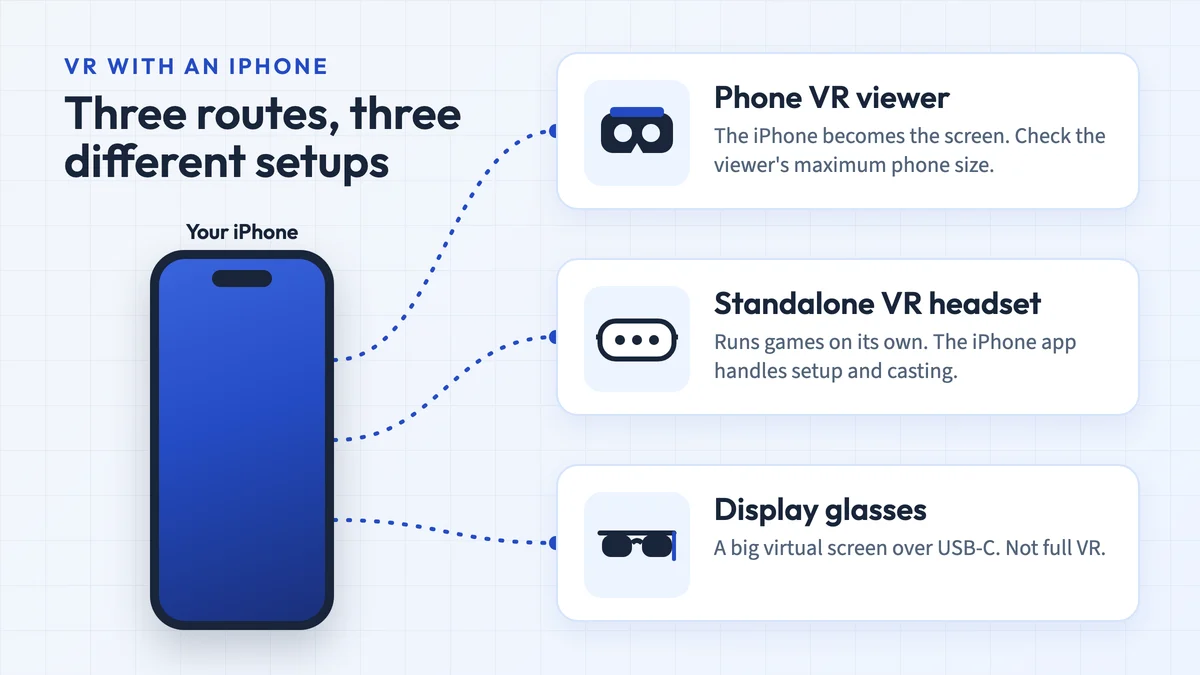
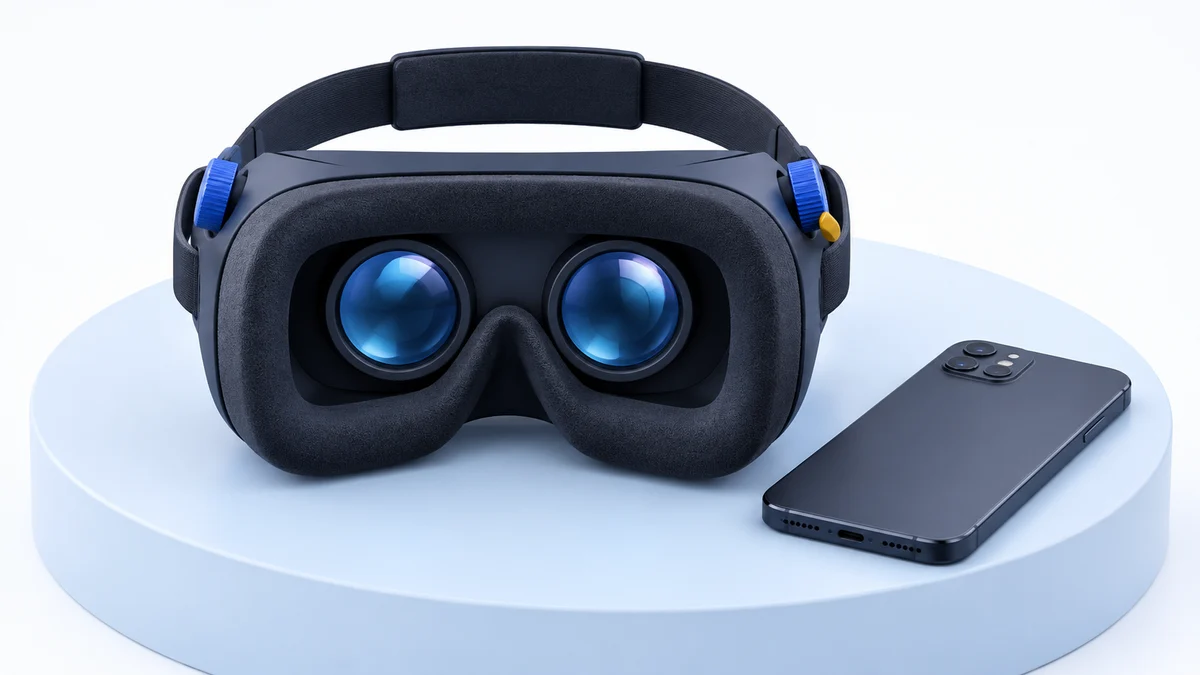
Check price on Amazon Paid link · AmazonThe ReTrak Utopia 360 holds your smartphone in front of two lenses. Your phone supplies the screen, sensors and apps. Before buying an old unit, check whether your phone fits and whether the content you want still runs.
Start with the phone requirements, then follow the setup and audio sections. The original review explains lens adjustments, the camera slider and the author’s experience. The alternatives distinguish occasional phone viewing from a complete VR gaming setup.
Product status and source notes
Product documentation. This is an older ReTrak Utopia 360 phone viewer. We have not verified current manufacturer support for this exact model. The original phone list below describes older handsets; it is not a compatibility guarantee for a phone you own today. Confirm the physical tray dimensions, app and controller requirements before considering one.
Still usable? Partly. It needs no software of its own, so it still works with apps that offer a Cardboard-style split-screen mode, such as the Google Cardboard app for Android and iPhone (the iOS version needs iOS 15 or later). YouTube's Cardboard mode works only in the Android app, not on iPhone. The official phone list below stops at 2017-era models, and whether today's larger phones, such as 6.1 to 6.9-inch iPhones, fit is unconfirmed.
What to consider instead: a Cardboard-compatible viewer sized for your current phone for 360-degree video, or a standalone Meta Quest 3S or Quest 3 for real VR games with motion tracking. See current alternatives.
Things to Consider Before Buying a ReTrak Utopia 360-Degree VR Headset
This virtual reality headset is perfect to take with you anywhere you go and your smartphone powers the headset. Keep your smartphone fully charged so that you are able to use it whenever you want to and your VR headset stays charged up. Keep in mind that you will need to use your own headphones to get optimum sound when using the headset.
If you love gaming and movies, then this headset is right up your alley. You can use the headset to watch your favourite movies and simulation games by downloading free apps from the Google Play Store or the App Store. The choice of phone VR apps is much smaller today than when this review was written: Google stopped selling its own Cardboard viewers in March 2021, and Cardboard now lives on as an open-source SDK that Google made public in 2019 and still updates occasionally.
Presenting the ReTrak Utopia 360-Degree VR Headset
The ReTrak Utopia 360-Degree VR Headset can take you to the other side of the continent, using 360-degrees to watch movies or battle zombies.
You just need to download an app to your smartphone, and you can instantly be transported into a different world.
Specifications
The headset comes with a built-in action button for maximum app compatibility and a sliding cover that you can use for augmented reality. The ReTrak Utopia 360-degree headset works with virtually all smartphones, making it easy to use for everyone. With a weight of 1.14 pounds, you don’t have to worry about your neck or head getting tired after prolonged use.
Key Features
The headset is perfect for users who are looking for a good VR viewer without a hefty cost. With 360-degree content you can look around in any direction by turning your head (the phone’s sensors track rotation, not walking around), and this headset is user-friendly and simple to use.
Setup
Setting up the ReTrak Utopia 360-Degree VR Headset is quite simple as it comes with a quick set-up guide. If for some reason the manual is not with your package or gets lost before you are done setting your headset up, you can also find it online.
- Charge your smartphone
- See quick start guide for a list of recommended apps to download
- Download the Utopia App
- Open the app once that is downloaded
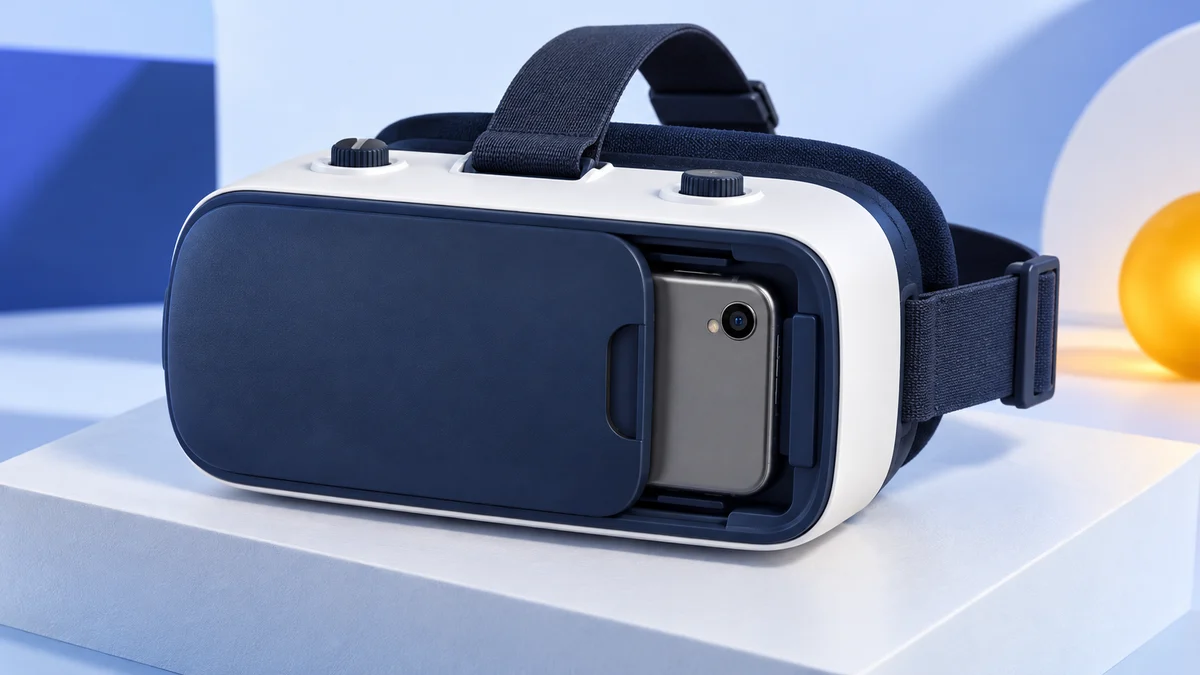
- Open the VR headset cover and insert your phone into the retractable cradle
- Plug in headphones and close the cover
- Put on the headset and adjust its straps for a comfortable fit
- Adjust the interpupillary distance by smartly using the wheel on the top of the headset
- Adjust the focal point by using the knobs on the side of the headset
- If the app requires AR, slide the front of the headset to the side to expose the camera
Note: we couldn’t confirm that the Utopia app is still available in either app store. If it isn’t, the Google Cardboard app is a good starting point.
Though downloading my preferred apps took a bit of time, it allowed me to charge my phone so that I could use the headset for a longer period. Overall, the process was effortless and easy to follow.
Requirements
In order to use the ReTrak Utopia 360-Degree VR Headset, you must have a smartphone. The following smartphones are compatible with the headset:
- iPhone: 6, 6s, 7, 7 Plus, 8, 8 Plus, and X
- Samsung: S5, S6, S6 Edge, S7, S7 Edge, S8, Note: 4, 5, 7
- LG: G3, G4, G5, G6, V10, V20
- Google: Pixel, Pixel XL
- Nexus: 5, 6P
- OnePlus: 5
- HTC: U11
This list comes from the original review and covers phones up to the 2017 iPhone X. Most current phones are larger: the standard models in Apple’s current iPhone line-up have 6.1 to 6.9-inch screens, so check the tray size before buying for a new phone.
Design and Comfort
The headset is designed with three straps that are adjustable to give you a snug fit while wearing it. There is a ventilated cushion to help keep you cool and a cushioned faceplate to make the headset more comfortable at the time of use.
With the headset weighing 1.14 pounds, it offers a lightweight feel so you can wear it for an extended period without feeling discomfort or fatigued in your head and neck.
Display Quality
The display quality for the headset depends on the quality of the smartphone you own. The headset comes equipped with a dual adjustable focus, with retractable focal length and interpupillary distance.
With the Lucidview lens system, you don’t have to worry about glare, and it is equipped with an anti-glare lens that helps reduce eye strain.
Apps
The VR headset entirely runs off apps that you can download to your phone. The types of apps that can be downloaded include:
- Books
- Business
- Education
- Entertainment
- Games
- Food and Drink
- News
- Weather
- Video
Apps that were available for the headset included:
- Ninja Warrior
- VR Baseball
- VR World
- The Guardian VR
These apps were distributed through the Google Play Store and the App Store; we couldn’t confirm that they are all still listed.
Audio
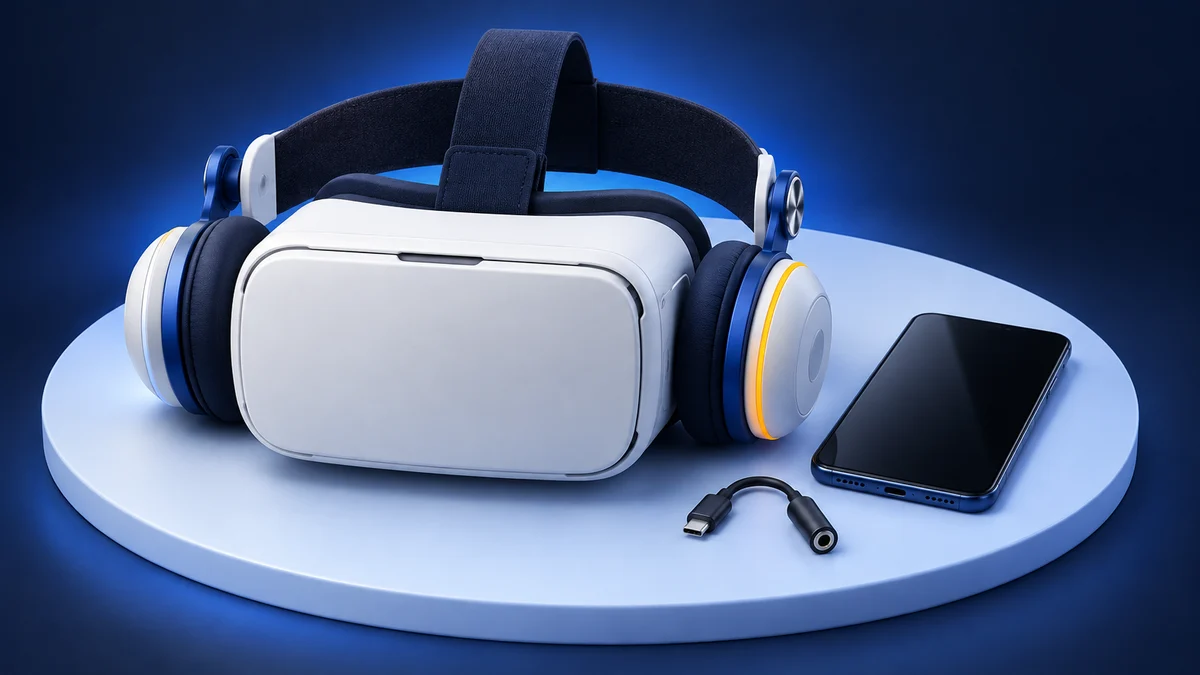
The ReTrak Utopia 360-degree VR headset does not come with any built-in headphones which means you need to provide your own for sound. Before placing your smartphone into the VR headset, make sure to plug the headphones in first. Many phones no longer have a 3.5mm jack (Apple dropped it with the iPhone 7), so you’ll need an adapter or Bluetooth headphones.
What Reviewers Said About the ReTrak Utopia 360
When glancing around the internet for reviews on the headset, I found some positive mentions for the ReTrak Utopia 360-Degree VR Headset. Many positive reviews suggest that the price and the overall quality of the headset were great.
Many reviewers feel that it is an enjoyable headset to use and fun to use for about an hour. Eye strain may develop if too much usage happens for extended periods of time. It comes with two versions – one with the headphones and one without. So, if you already have a good set of headphones, you can get just the headset and save up on some dollars.
Alternatives to the ReTrak Utopia 360
If you take a look at other options, you can find three major alternatives to the ReTrak Utopia 360-Degree VR Headset.
Noon VR Pro
The Noon VR Pro has a 101-degree field of view; we couldn’t confirm a field-of-view figure for the Utopia’s lenses. Both headsets use a smartphone to plug in, but the Noon VR Pro allows you to connect three devices to the headset on the same home WIFI network, making it shareable with friends and family.
The Noon VR Pro headset is slightly lighter than the ReTrak Utopia 360-degree VR Headset. The Noon headset weighs in at about 0.848 pounds, where the Utopia headset comes in at 1.14 pounds.
The good thing about the Noon VR Pro is that it comes with built-in headphones which offer high-quality 20kHz audio. It is also equipped with anti-blue light to help prevent eye fatigue.
| Headset | Controller | Wireless | Android and iOS compatible | Headphones included |
|---|---|---|---|---|
| Noon VR Pro | No | Yes | Yes | Yes |
| ReTrak Utopia 360-Degree | No | Yes | Yes | No |
The Noon VR Pro offers a lot of great upgrades that the ReTrak Utopia 360-Degree VR headset doesn’t. Between the built-in headphones and anti-blue light, it makes the headset worth buying. The headset is similar to the Utopia since you can watch movies and play games on it, all by downloading apps to your phone.
If you are looking to have a good time with friends, then the Noon VR Pro is where you want to go. Being able to connect three devices to the headset makes it great for parties or hanging out with my friends.
The only downfall to the headset was the lack of smartphones it was compatible with. The headset was a complete upgrade over Utopia, which resulted in a lesser number of compatible smartphones compared to Utopia headset which is compatible with many phones.
The Noon VR Pro is another older phone viewer with unverified companion-software support; see our Noon VR Pro review for details.
View the listing on AmazonPaid link · Historical or unverified listing
Pansonite VR
The Pansonite VR headset comes with a breathable leather padding to help keep you comfortable and feeling good after using the headset for an extended time period.
The lens is like the ones that are attached on the Utopia headset, they are adjustable and come with a moving button to make the headset wearable for all.
The headset weighs 1.39 pounds which is a little more than the Utopia headset. The additional pounds might make it a little harder to wear, and your head or neck could get tired.
Like the Utopia headset, the Pansonite VR Headset runs off your smartphone, and its display quality is determined by your smartphone.
| Headset | Controller | Wireless | Android and iOS compatible | Headphones included |
|---|---|---|---|---|
| Pansonite VR | Yes | Yes | Yes | Yes |
| ReTrak Utopia 360-Degree | No | Yes | Yes | No |
If you love using a controller while using a headset, then the Pansonite VR Headset is for you. The headset comes with its own lightweight controller that looks like a miniature version of an Xbox 360 controller. Unlike the Utopia headset, the Pansonite comes with built-in headphones that give you stereo sound.
Since this headset offered a lot of upgrades compared to the Utopia headset, I was shocked that it was only compatible with a handful of smartphones. Like the Utopia headset, it works with most iPhones and Samsung phones, but the smartphone users are not as lucky when it comes to usability of the Pansonite VR Headset.
This Pansonite model is a historical alternative; verify its phone fit and current app requirements before considering one. See our Pansonite 3D review for its current status.
Oculus Rift
The Oculus Rift is a headset that only works on PC. It is one of the big boys when it comes to the headset and is equipped with a ton of great games and apps that you can use. The headset comes with built-in headphones and two handheld controllers.
Unlike the Utopia, which only tracks head rotation through your phone, the Rift tracks your position too. It has a 110-degree field of view, and with three or more of its external sensors it supports room-scale play, according to Wikipedia.
| Headset | Controller | Wireless | Android and iOS compatible | Headphones included |
|---|---|---|---|---|
| Oculus Rift | Yes (Oculus Touch) | No (cable to a PC) | No (needs a Windows PC) | Yes |
| ReTrak Utopia 360-Degree | No | Yes | Yes | No |
The Rift is no longer made. Production of the original Rift ended in March 2019 when the Rift S replaced it, and Facebook ended the Rift line in 2021. You’ll only find it second-hand; see our Oculus Rift review for what still works.
Current alternatives
The alternatives above are all discontinued or unconfirmed, so here is what we would look at instead, based on our research:
- Any Cardboard-compatible viewer that fits your phone: the cheapest way to watch 360-degree videos and try the apps that still support the Google Cardboard format. Check the maximum phone size before you buy.
- Meta Quest 3S or Quest 3: standalone headsets with their own screens, motion controllers and full position tracking, which can also stream PC VR games. Meta lists the Quest 3S from $349.99 and the Quest 3 at $599.99 in the US (prices as of 24 September 2026, after an April 2026 price rise).
For more cheap phone headsets, see our guide to the best VR headsets under $50.
Is the ReTrak Utopia 360 Worth Buying?
The ReTrak Utopia 360-Degree VR headset is an excellent headset for both gaming and a cinematic experience. The headset requires no wires, so I was free to roam around my house and not be tied down by things that needed to be plugged in. The headset was affordable, and it didn’t require a lot of equipment for me to use it, all I needed was my smartphone.
The number of apps I could download for this headset was the best part of it. I was an avid user of games or videos, and instead, it got me hooked to the plethora of apps that catered to my liking.
The headset was lightweight, making it perfect for long periods without having to deal with a fatigued neck or head.
Today it only makes sense if you already own one or find it very cheap and it fits your phone; for new buyers, the current alternatives above are the safer choice.
Research behind this guide
Check the linked specifications and support documents, or read how we research. Original review experience stays attributed to its author.
View 11 sources
- Google Cardboard (Google)
- Google Cardboard app (App Store)
- Watch VR180 and 360-degree videos with Cardboard (YouTube Help)
- Google Store stops selling Cardboard VR headsets (9to5Google)
- Cardboard SDK (GitHub)
- iPhone 7 (Wikipedia)
- Compare iPhone models (Apple)
- Oculus Rift CV1 (Wikipedia)
- Facebook to discontinue Rift product line in 2021 (Road to VR)
- Compare Meta Quest headsets (Meta)
- An update on Meta Quest pricing (Meta)
Explore the related guides in VR headsets.