Review of the Pimax 4K Virtual Reality Headset
We may earn a commission when you buy through links on this page. As an Amazon Associate I earn from qualifying purchases. How this works
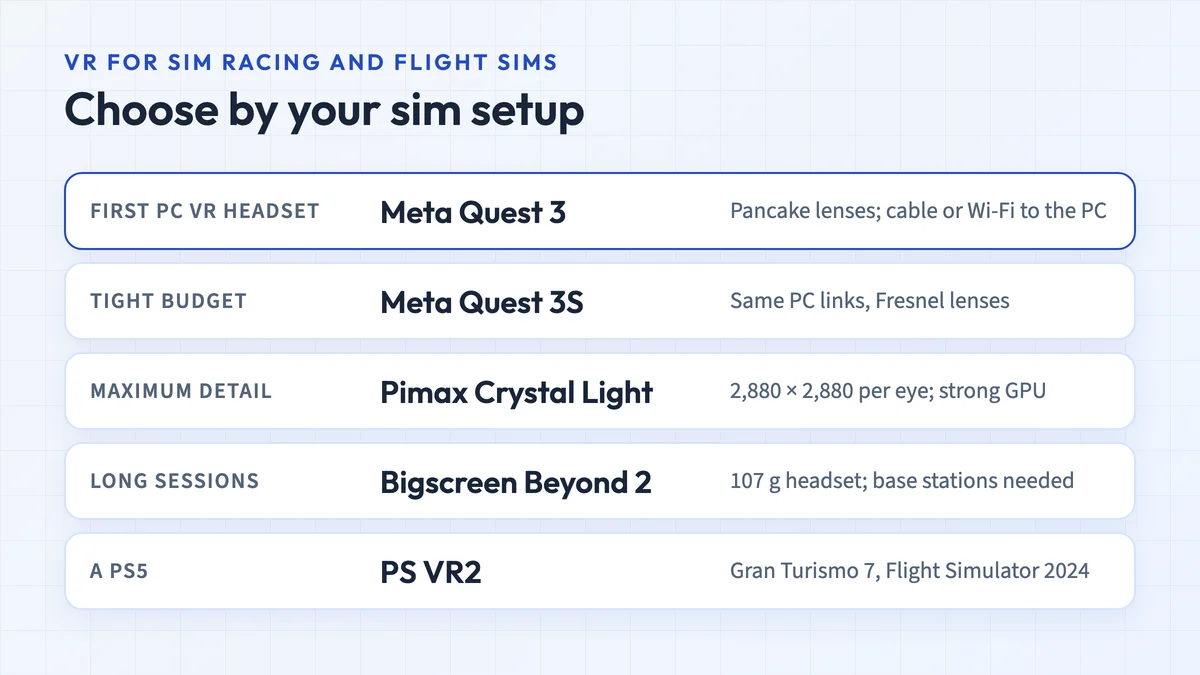
The Pimax 4K is a poor match for a first PC VR setup. It needs a gaming PC, tracks head rotation without positional movement, and came without motion controllers. Support in current Pimax and SteamVR software remains unconfirmed. A used unit only makes sense if you can verify that your intended apps and software work. Compare Quest PC connections and Crystal Light under current alternatives before choosing newer hardware.

128 GB configuration
Standalone VRStandalone games with Fresnel lenses.
Check first: Check the app library, optical fit and return policy.
Check price on Amazon Paid link · Amazon
512 GB configuration
Pancake opticsPancake lenses and a higher-resolution display than Quest 3S.
Check first: Compare the complete purchase, including any accessories.
Check price on Amazon Paid link · AmazonThe Pimax 4K name tells you about its display, but not whether it can run the VR games you want. Its rotation-only tracking and uncertain software support are the key limits to understand before considering a used unit.
Dustin’s original review explains the hardware and PC requirements, followed by display, comfort and software impressions. Use the status notes and alternatives to distinguish that historical experience from a first setup today.
Product status and source notes
No longer sold: the Pimax 4K was Pimax’s first headset, released in 2016, according to Wikipedia. Pimax’s own website now lists only the Crystal Light, Crystal Super, Dream Air and Dream Air SE, so the 4K is a second-hand purchase at best.
Still usable? Only in a limited way. It is a 60 Hz LCD headset that tracks head rotation only (3DoF), per the same Wikipedia article. Most current PC VR games expect positional tracking and motion controllers, which it lacks. We could not confirm that Pimax still supports it in current software.
Consider instead: a Meta Quest 3S or Quest 3 connected to a PC, or Pimax’s Crystal Light if you want a high-resolution PC headset (see current alternatives). Checked 24 September 2026.
Original review introduction
Virtual reality has come a long way in a short period. Visual quality is improving. Tracking is getting there.
Games are becoming more and more in-depth.
Still, some setbacks are keeping VR from reaching critical mass. Prices are too high. Resolution isn’t high enough.
Pimax Technology is looking to solve some of these issues with their series of headsets. They’ve released the Pimax 4K VR Headset, which offers a higher resolution than we’ve seen, and they’ve done it at a fair price.
In this Pimax 4K VR Headset review, I’m taking a look at the ins and outs of the device, and while it does solve some of the inherent issues (cost and resolution), there are some stumbling blocks that keep it from being great.
What You Need Before Buying the Pimax 4K
When you have the correct hardware, VR can be an amazing experience. There are apps and games that make you feel like “you’re there.” You can be underwater, in outer space, or a movie theater. You can be a Jedi, a pirate, or even an elephant. If you want to experience scenes like these, then VR is definitely something you should consider.
Right now though, virtual reality remains a pipe dream for most users. You need a powerful PC to support the technology, and you’ll need some room to play games that you move around in. These rules apply to the Pimax 4K, and if you don’t have either, you’re probably better off getting a standalone headset that doesn’t need a PC. (Note: the Gear VR, Oculus Go and original Oculus Quest suggested here when this review was written have all been discontinued; today that means a Meta Quest 3S or Quest 3.)
Before you make the splurge on a Pimax 4K headset you should consider:
- Having a PC with powerful hardware that can support VR
- Ensuring that you have space to use stand up apps
- That VR isn’t for everyone, and that the experiences can make you queasy
Presenting the Pimax 4K VR Headset
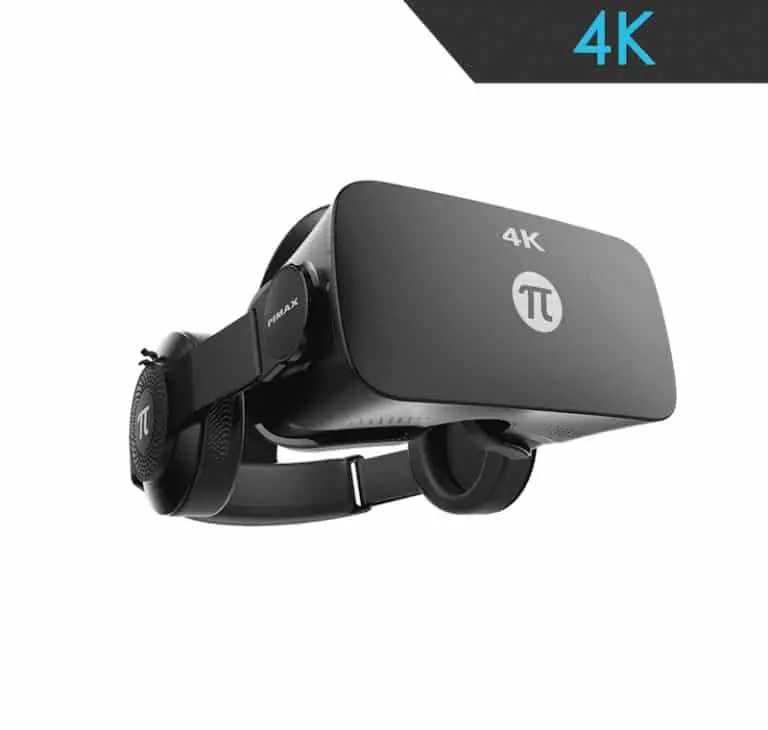
Pimax claims that their 4K VR headset model can help eliminate the dreaded screen door effect that has plagued every other consumer headset. They do this by delivering a 4K display: a combined 3840×2160 resolution (1920×2160 per eye) on an LCD running at 60 Hz, according to Wikipedia. That was a big step up from the original HTC Vive and Oculus Rift, which have a 2160×1200 resolution (1080×1200 per eye), although both of those run at 90 Hz.
Inside the box you’ll find the headset, 3D headphones, straps, a USB cable, and documentation. Pimax did a good job packaging this headset, although the device and packing don’t meet the standards of higher priced competition.
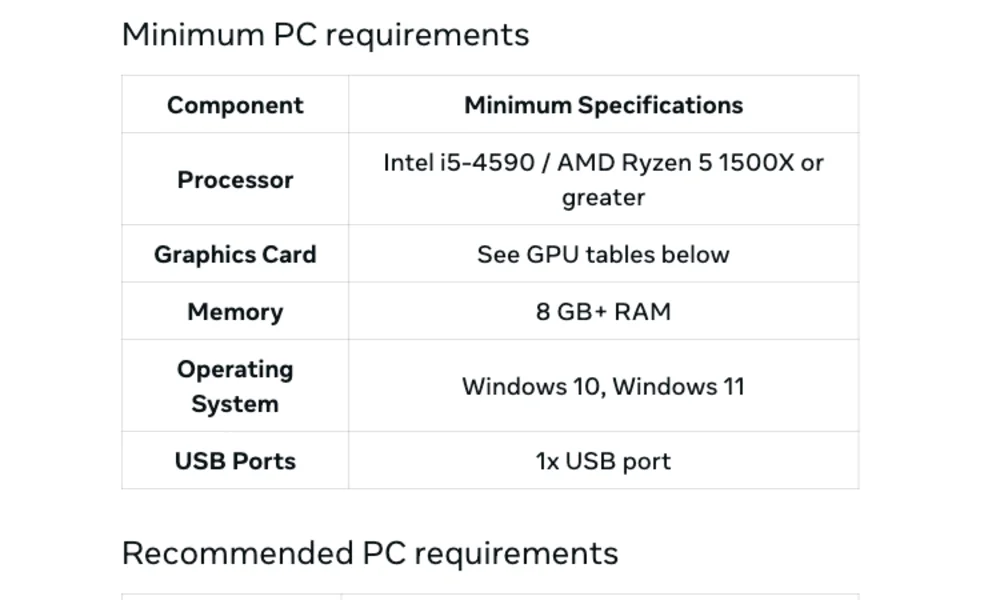
This headset does require you to have a PC, and you’ll need a proper rig to play. This means that you’ll need a decent graphics card and processor, which you likely won’t get with a standard setup. Without a doubt, this device is for serious computer users. Casual users will want to look for a standalone headset instead (the Oculus Go recommended here originally was discontinued in 2020).
Pros
- Higher resolution per eye than the competition
- Less expensive than other high-end headsets
- Comfortable when wearing for extended periods
Cons
- Some “god rays” visible
- Motion tracking isn’t fantastic (the headset tracks rotation only, not position)
- No controllers included
View the listing on AmazonPaid link · Historical or unverified listing
Pimax 4K Features
When I first put on the Pimax 4K headset, I was impressed by the resolution.
I have used just about every existing VR headset and have always seen some sort of screen door effect.
While the effect is here, you have to squint to be able to see it.
The resolution certainly does this headset a lot of favors, especially in bright light. In this aspect, Pimax has certainly delivered.
The Comfort
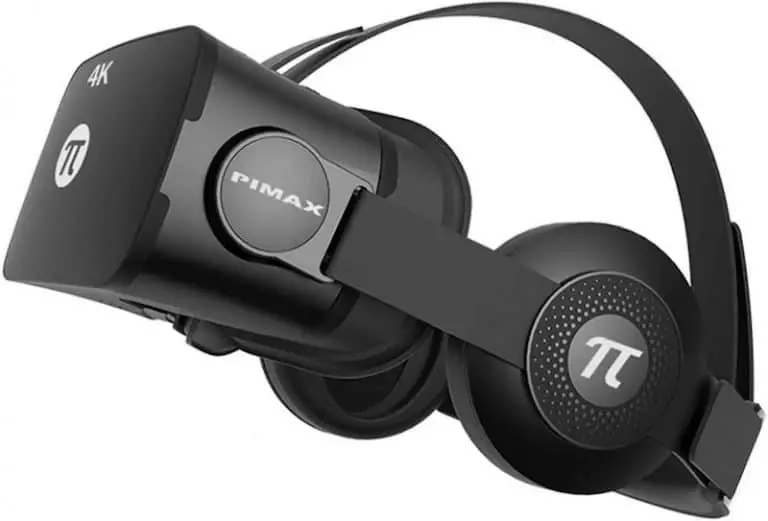
The comfort of the headset is also good. It is light enough to be worn for long periods. Weight has been an issue with other sets, but the Pimax 4K is well balanced and didn’t cause strain on my neck. Frankly, I wasn’t expecting the device to be as comfortable as it ended up being!
The included 3D headphones are acceptable, but I prefer the version that comes with the original Rift.
The headphones are functional, but they merely sounded “okay”. For the amount of money this headset costs, I expect higher quality.
When you purchase the Pimax 4K, you don’t get any controllers. This means that it’s up to you to pay extra for controllers. This is a real downside, as it pushes the cost of the headset up.
Pimax is Open-Ended
One nice aspect of the Pimax is that it is open-ended. This means that you can use Steam VR, the Oculus platform, or PiPlay (Pimax’s software). The PiPlay Store looks nice enough, but it isn’t as well fleshed out as the other two platforms. I also noticed it was a little choppy while navigating. If I’m being honest, I will probably not use the PiPlay Store outside of this review and will instead keep using Steam.
When you look at the overall picture, you can see some things that Pimax did well here, but some areas look rough. These rough edges are disappointing. I wasn’t surprised by the lack of premium features, but I am disappointed. If having everything first-rate is a must, then the Pimax 4K may be a bit of a letdown. If you can deal with these issues, you will likely enjoy the headset.
Note: the platform support described above is how things stood when this review was written. We could not confirm whether current versions of SteamVR, Meta’s PC software or Pimax’s own software still support the Pimax 4K, so don’t count on it.
Why Outside Opinions on the Pimax 4K Are Scarce
Being that Pimax is a smaller company than Facebook-owned Oculus or HTC, there is less press for the Pimax VR headsets. This has made it difficult to get a consensus on what others think of this product.
The user review videos that originally appeared in this section are no longer available, so we have removed them.
Alternatives to the Pimax 4K VR (original picks)
Admittedly, the Pimax 4K isn’t for everyone. There is a bit more work to do to set it up, and it’s not as polished as some of the competition. Below are some alternatives, which compare nicely to the Pimax 4K and were worth your consideration when this review was written. All three have since been discontinued; for headsets you can buy today, see current alternatives.
Oculus Rift
Oculus Rift – the granddaddy of them all remains a great VR headset. Facebook has pumped a lot of money into their Oculus subsidiary and it shows in all facets. The hardware is great, tracking works well, and the Rift sold at a good bargain once the Rift S replaced it. Production of the original Rift ended in March 2019, according to Wikipedia, and Facebook ended Rift S sales in 2021 when it stopped making PC-only headsets.
The Rift also includes a set of controllers, which work well and are handy for a lot of modern games coming out. If you factor this in, the Rift does compare favorably in many ways to the Pimax 4K.
Similarities
- Includes 3D headphones
- Well-built, good platform
Differences
- Includes touch controller
- Heavier
- Discontinued (as is its successor, the Rift S)
HTC Vive
HTC’s Vive was considered by many to be the best premium VR headset available when this review was written. The original Vive launched in April 2016 and no longer appears on HTC’s product page, so it is now a used-only purchase. The resolution is impressive, albeit not as high as the Pimax 4K. The Vive also supports room-scale VR, letting you move about as you play. The Vive hasn’t dropped in price as much as the Rift, but the value is still here for the set.
Like the other brands, the Vive is compatible with a lot of different software. If there’s something you want to play on your PC, then the Vive will more than likely support it. Once again, the inclusion of controllers is a nice touch that makes the Vive a good deal, even with its high price.
Similarities
- Compatible with the same software
- Is comfortable to wear for long periods
Differences
- Includes controllers
- More expensive than the Pimax 4K
- Includes room scale
View the listing on AmazonPaid link · Historical or unverified listing
Oculus Go
If you’re looking for VR but don’t have a powerful PC, then the Oculus Go was a great choice. The headset is wireless and requires only a mobile phone to set up. Note that Facebook (now Meta) ended Oculus Go sales in 2020 and stopped software updates after 2022. The experiences aren’t going to be as deep as a PC headset can give you, but there’s a lot to like with the Go.
I have used mine for hours. It’s ideal for media consumption and light gaming. For the price, you can’t beat the value of the Go.
Similarities
- Comfortable headset
- Built-in 3D audio
- Great for media consumption
Differences
- Less expensive
- Limited gaming experiences
- Poor battery life
View the listing on AmazonPaid link · Historical or unverified listing
Current alternatives to the Pimax 4K
Quest prices are Meta’s US list prices as of September 2026.
| Headset | What it is | Notes |
|---|---|---|
| Meta Quest 3S | Standalone headset that can also connect to a PC | From $349.99 (128 GB), per Meta’s pricing update |
| Meta Quest 3 | Higher-end standalone headset that can also connect to a PC | $599.99 (512 GB), per the same Meta update |
| Pimax Crystal Light | Pimax’s current entry PC VR headset | 2880×2880 per eye, up to 120 Hz, inside-out tracking and controllers included, per Pimax |
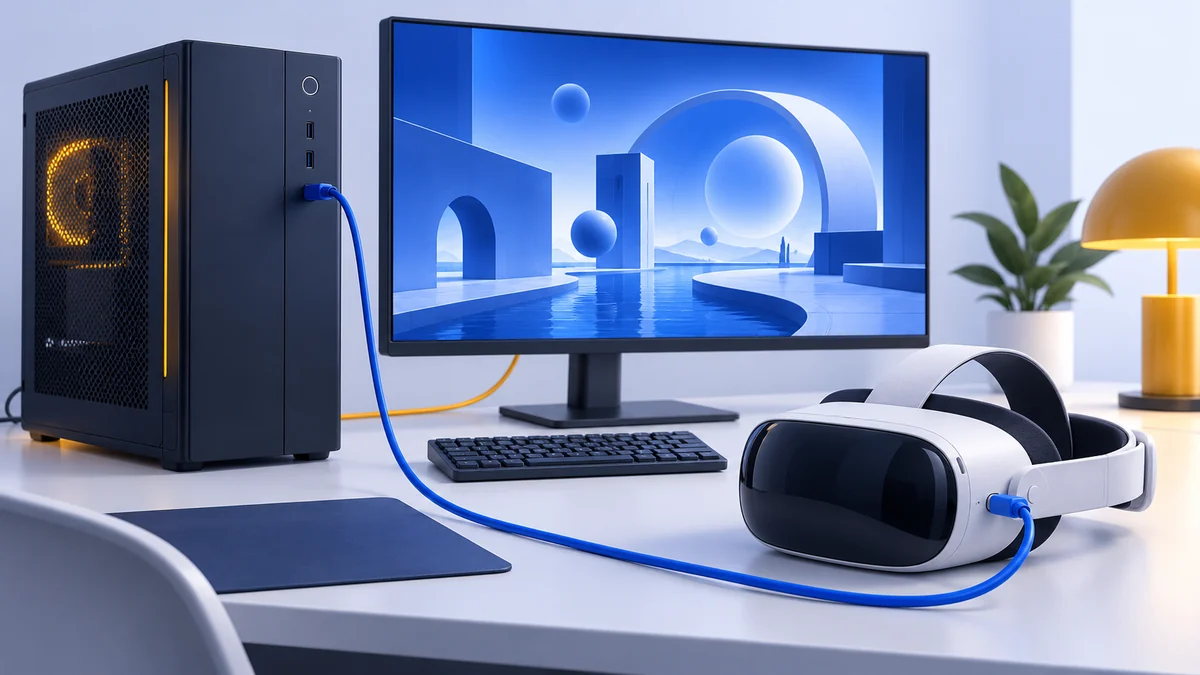
Quest headsets run PC VR games over a USB cable (Link) or Wi-Fi (Air Link), according to Meta’s support page. The Crystal Light is PC-only and Pimax lists an RTX 2070 or equivalent as the minimum graphics card.
Is the Pimax 4K Still Worth Buying?
The Pimax 4K does a great job of bringing high-resolution VR to users. Screen door effect is kept to a minimum, and the comfort of the headset is awesome. Some things do feel cheap, and the lack of any controllers included in the box is a letdown.
Still, the end result is a good headset from a budget-minded developer that will provide competition. Competition is what the VR industry needs, and it’s good to see Pimax providing it.
Note: the Pimax 4K is no longer sold new, and its 3DoF tracking and 60 Hz display make it a poor fit for today’s PC VR games. The link below points to the original product listing, which may no longer offer new stock; for a new headset, see current alternatives.
If you’re thinking that the Pimax 4K VR headset is something that you’re interested in, you can click here to find the latest pricing.
Pimax 4K FAQ
Is the Pimax 4K discontinued?
Yes. It was released in 2016, and Pimax’s website now lists only the Crystal Light, Crystal Super, Dream Air and Dream Air SE.
Does the Pimax 4K work with SteamVR?
It did when this review was written, but we could not confirm that current SteamVR and Pimax software still support it. It also tracks head rotation only (3DoF, according to Wikipedia), so SteamVR games that expect positional tracking and controllers won’t work properly.
Research behind this guide
Check the linked specifications and support documents, or read how we research. Original review experience stays attributed to its author.
View 10 sources
- Pimax (Wikipedia)
- Pimax official website
- Pimax Crystal Light (Pimax)
- Oculus Rift CV1 (Wikipedia)
- Facebook will discontinue the Rift product line in 2021 (Road to VR)
- HTC Vive (Wikipedia)
- VIVE products (HTC)
- An update on the evolution of the Oculus platform (Meta)
- An update on Meta Quest pricing (Meta)
- Set up Meta Horizon Link and Air Link (Meta support)
Explore the related guides in VR headsets.