Tepoinn 3D VR Glasses Review
We may earn a commission when you buy through links on this page. As an Amazon Associate I earn from qualifying purchases. How this works
Skip the Tepoinn 3D VR Glasses if your phone exceeds the review’s 5.5-inch limit or you want games with easy controls. This viewer relies on your phone and compatible split-screen apps; the original reviewer found video navigation awkward without a proper button. Current manufacturer support has not been verified. Owners should read the setup experience and phone limits; buyers should compare alternatives.

128 GB configuration
Standalone VRStandalone games with Fresnel lenses.
Check first: Check the app library, optical fit and return policy.
Check price on Amazon Paid link · Amazon
512 GB configuration
Pancake opticsPancake lenses and a higher-resolution display than Quest 3S.
Check first: Compare the complete purchase, including any accessories.
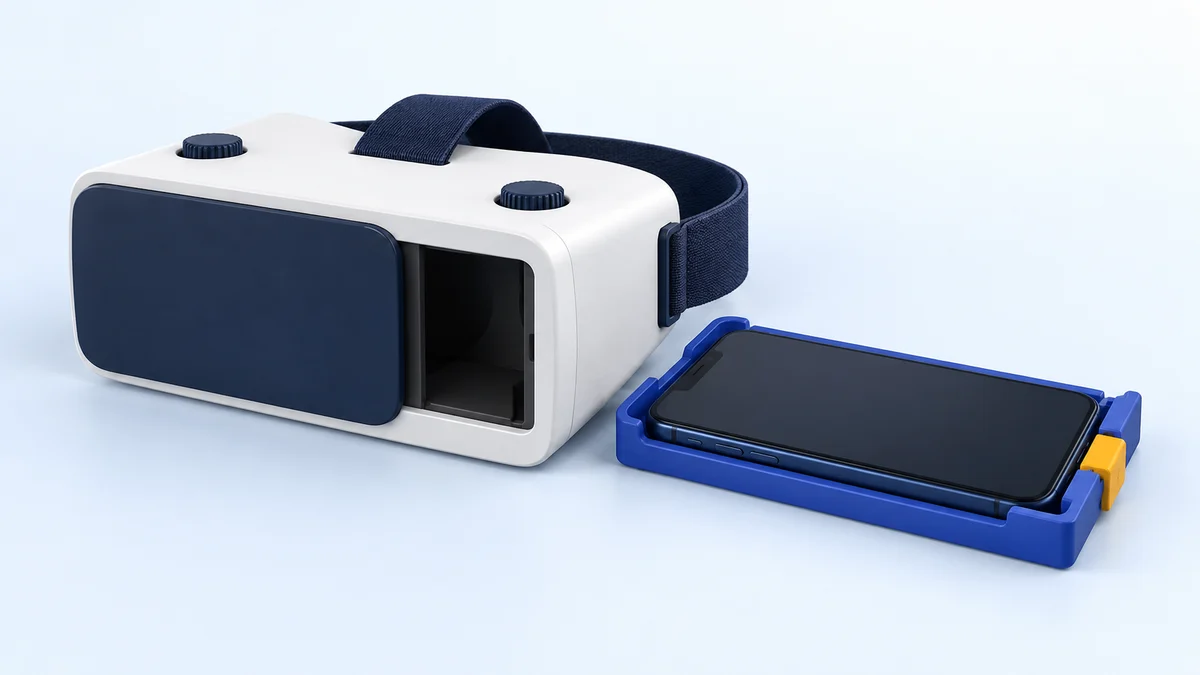
Check price on Amazon Paid link · AmazonThe Tepoinn 3D VR Glasses hold a small smartphone behind adjustable lenses. The review lists a 3.5–5.5-inch phone range, which makes phone fit a deciding factor. The lack of a proper input button also affects how you start and change content.
Follow Yuvika’s iPhone 6s setup experience, then read about glasses fit, viewing quality and app controls. The alternatives section helps you choose between occasional 360-degree video and a headset with tracked controllers.
Product status and source notes
Product documentation. We have not verified current manufacturer support for this exact Tepoinn model. Its screen-size range and remote description come from the original review. Check the physical tray, your phone’s sensors and the input method supported by your chosen app; a similar-looking viewer is not necessarily the same model.
Still usable? Only with a small phone. It is a passive phone viewer with no electronics, so it still works with split-screen VR apps such as the Google Cardboard app, which Google still offers for Android and iOS. But YouTube's Cardboard mode works only in the Android app, not on iPhone. The bigger problem is size: the headset takes phones of 3.5 to 5.5 inches, while Apple's lower-priced iPhone 17e has a 6.1-inch screen and the iPhone 17 a 6.3-inch screen, according to Apple's comparison page. Older compact phones such as the iPhone SE (3rd generation) or iPhone 13 mini still fit.
What to consider instead? The original alternatives are historical: Gear VR and the first Quest are discontinued, while current Noon VR software support has not been verified. For real VR, a standalone headset such as the Meta Quest 3S; for 360-degree video on a large phone, a viewer that fits your phone's size. See current alternatives.
Original review introduction
Are you curious about virtual reality, but don’t want to break the bank trying it out? If so, then Tepoinn may have a solution for you.
I picked up the Tepoinn as I wanted to try out an entry-level affordable headset. If you are comparing this with the Oculus Quest, let me tell you that they are miles apart, but the Tepoinn does serve its purpose.
In this Tepoinn 3D VR Glasses Headset review, I’ll let you know why I think it’s a decent VR headset for beginners.
What to Know Before Buying a VR Headset Like the Tepoinn
If you are planning to get a VR headset for yourself, there are a bunch of things you should know, as there are some pitfalls that you could run into if you’re not expecting them.
Here’s a list of the things I’d think about before spending your money on a VR headset.
Device Compatibility
Some VR headsets are designed to hold a smartphone, others work best with a high-end VR gaming laptop, and a few models need their own gaming consoles. Standalone headsets such as the Meta Quest 3S have their own processor and need neither a phone nor a PC.
Make sure you have the hardware to power a headset before you buy one.
Pricing
Okay, so the pricing is one of the simplest ways to classify different models. Mobile VR headsets start from the low $20’s and can go up to about a hundred bucks. The models compatible with gaming laptops and consoles start from $400 and are priced higher based on the quality of the experience and features on offer. Standalone headsets now sit in between: on 24 September 2026, Meta’s comparison page listed the Quest 3S from $349.99 and the Quest 3 from $599.99.
Make sure you know your budget before you dive in head-first to the labyrinth that can be VR headsets.
Size of the Screen
Screen size is a factor that you need to check for mobile headsets. All mobile VR headsets have different screen sizes that they are compatible with.
If your smartphone has a 6-inch screen, it will work only with models that can accommodate a 6-inch screen or larger. It will not work with devices that support sizes from 3.5 to 5.9 inches.
You’d think this is simple, but we’ve seen a lot of people buy the wrong device for their screen size. This matters even more now that most new phones have screens of 6 inches or more.
Presenting the Tepoinn 3D VR Glasses Headset
Tepoinn’s 3D VR Glasses Headset is a budget entry point into the world of virtual reality.
As such, it’s a no-frills experience that simply does what it says. Think of this headset as driving a station wagon, whereas something like an Oculus Quest is a Maserati.
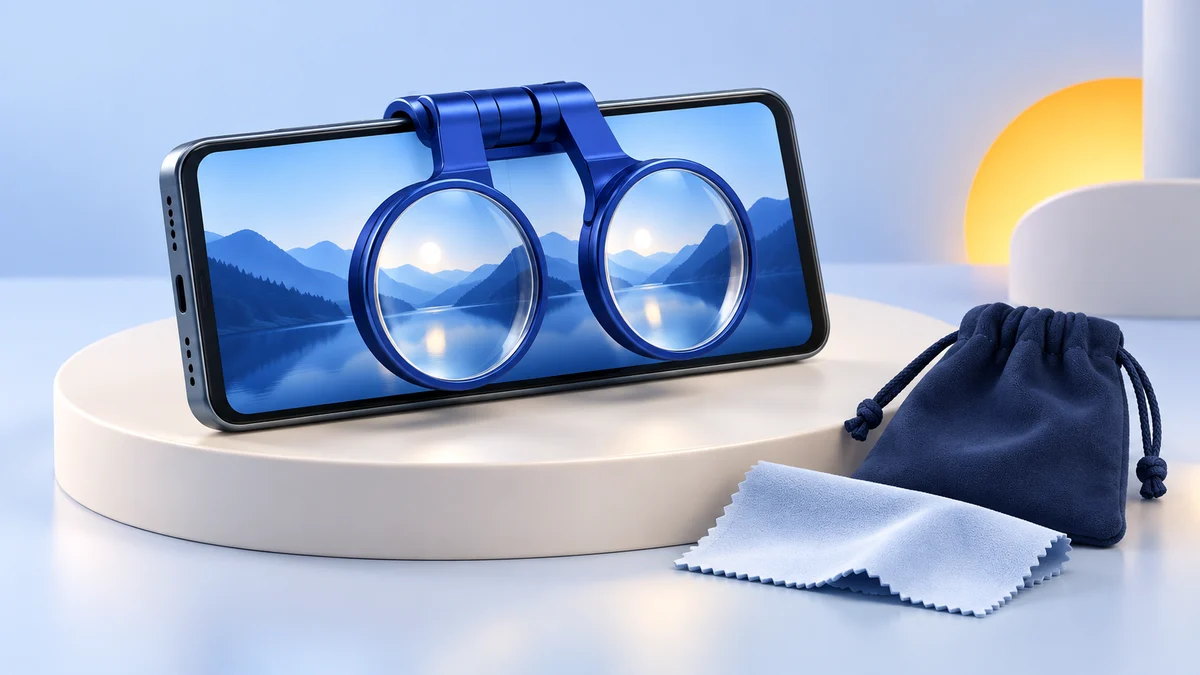
When I unboxed the Tepoinn, I found the headset along with a soft cloth. An instruction manual would have been a great help in setting it up but wasn’t present.
Specifications
These are the seller’s listed specifications from the time of the review; we could not re-check them against a current listing.
- 360-degree viewing experience
- Super foam face protection padding
- Dimensions: 7.8 x 3.9 x 5.5 inches
- Material: ABS plastic
- Field of view: 90 to 100 degrees
- Focal adjustment range: 2.1 to 2.5 inches
Pros
- Affordable entry level VR headset
- Easy setup
- Matt finishing with a minimalist design
- Comes with a magnetic case board that helps to dissipate heat
- Works with both iPhones and Android devices from 3.5 to 5.5 inches
- High definition resin optical lenses
Cons
- Does not work with smartphones bigger than 5.5 inches
- No button on the headset, which can make navigation tricky
- Phone cover needs to be removed every time you mount it on the headset
Features & Benefits of the Tepoinn 3D VR Glasses Headset
I got the Tepoinn 3D glasses headset with a lot of expectations when I saw more than 120 Amazon reviews.
I was simply raving to get my hands on it. Here’s my take on the headset.
Design and Comfort
If looks were the only criteria for our review, Tepoinn would win it by a mile. But unfortunately, there are other things we need to look at. I unboxed the headset and took out the Tepoinn. I wore it on with my glasses but was disappointed to see that the headset didn’t really fit well.
When I took the glasses off, it fit my face like a breeze. I also adjusted the pupil distance dial to make the view clear as I was going to get without my glasses.
The adjustable head strap fit in nicely and is comfy too. My guess is it would work well with any size head as it comes with nylon elastic head straps. The nose cutout area is made from vinyl, and that makes it comfortable to wear.
Setup
I decided to use my Tepoinn with my trusty iPhone 6s and proceeded to try and set up the device.
The instructions on the box mentioned using a QR code to pair it up with the smartphone. Even after searching the box, packaging and the website, I did not find any code. Ultimately, I spent a couple of minutes and managed to set it up. The visuals were a bit wonky. Once I adjusted the dials on the top and bottom the visuals became better. The dials are great to adjust the pupil distances and object distances.
For VR apps, make sure that you download it before strapping on the headset. Since it doesn’t come with a proper button, selecting the app and starting it can be awkward.
You will need to remove the phone when you want to change the video or set any function.
I found that the little magnets on the device worked good to ‘select’ something, so I continued using it.
Viewing Experience
I was not too impressed with the viewing experience on the Tepoinn. It did not fill up the field of view, and I found that light kept trickling in from the sides. When I made the room absolutely dark, it got somewhat better but still left a lot to be desired.
I should say that adjusting the lenses and making them centered improved the view by a mile.
Viewing videos side by side was not a pleasant experience as the screen was not in alignment. I tried adjusting the dials many times, but it still did not improve.
Smartphone Compatibility
The Tepoinn scores as its compatible with a wide range of smartphones. It pairs well with both iPhones and Android phones.
If you have a smartphone in the range of 3.5 to 5.5 inches, the device will accommodate them. 5.5 inches is the maximum screen size that can be used with the Tepoinn, so don’t go thinking you’re getting a Plus or Max sized phone in here.
That limit rules out most recent phones. According to Apple’s comparison page, the iPhone 17e has a 6.1-inch screen and the iPhone 17 a 6.3-inch screen. Older small models such as the 4.7-inch iPhone SE (3rd generation) and the 5.4-inch iPhone 12 mini and 13 mini are within the range, so check your phone’s screen size before buying.
VR Content
You can spoil yourself silly with the VR apps, videos, and movies in the App Store or Google Play. Since the device doesn’t have any buttons, interacting with the phone can be tricky. I took out the phone case on my iPhone 6S and then inserted it into the headset.
Every time I wanted to change the VR video, I had to remove the phone, press the button, select, and then put it back on. This makes the device impossible to use if you’re playing games. It’s pretty much a video-only device. If you are planning to watch VR and 360-degree videos, Tepoinn can work well. I didn’t find it awesome for gaming due to the lack of buttons and unavailability of a Bluetooth controller.
If you use an Android, taking on a Bluetooth controller would be more suitable rather than pulling the phone in and out of the device.
Phone VR content has shrunk since this review. Google stopped selling Cardboard viewers in March 2021 and now supports Cardboard as an open-source project, although the Cardboard app is still available for Android and iOS. YouTube’s VR mode is not supported on iPhone or iPad.
What Users Said About the Tepoinn 3D VR Glasses
The Tepoinn has hugely polarizing reviews online. While some VR enthusiasts love the simple and affordable headset, others were not satisfied by the device’s quality.
Some of the users complained that their viewing experience was not clear even after adjusting the two dials. Watching side by side videos is also not an enjoyable process as the visuals kept splitting up.
I also found a lot of comments on the lack of any user control buttons on the device. A few users tried using the small magnets on the front to navigate, and they were able to use it for selecting and starting apps.
VR gaming lovers were in for a disappointment with the Tepoinn. The headset doesn’t have any buttons that you can use for navigation, making gaming impossible.
Alternatives to the Tepoinn 3D VR Glasses Headset
You may wonder how something like a mobile VR headset can be so different from the competition, when they all do the same thing. To be honest, each headset has a few small features that set it apart, and this is the only differences you’ll see.
If you wish to check out alternatives for the Tepoinn, I have three VR headsets that you can pick from.
Note: the headsets below are historical comparisons: Gear VR and the first Quest are discontinued, and current Noon VR software support has not been verified. For headsets you can buy today, see current alternatives.
Samsung Gear VR with Controller (discontinued)
Samsung Gear was one of the most popular phone VR headsets, but it is no longer made. Engadget reported in May 2020 that the Gear VR was no longer available and that Samsung’s XR video service would shut down on 30 September 2020.
It was a super lightweight headset that gave access to the Oculus library of apps, games, and movies, but Oculus ended Gear VR software updates in March 2020 and stopped accepting new Gear VR apps in its store from September 2020.
It only works with older Samsung Galaxy phones, so we no longer recommend buying one. Find our full Samsung Gear VR headset review on this page.
Similarities
- 360-degree viewing experience
- Adjustable optical lenses
Differences
- Gear gives a highly immersive VR experience that the Tepoinn doesn’t have
- Samsung comes with a Bluetooth controller that the Tepoinn lacks
- Access the Oculus content library with Gear that the Tepoinn does not have access to
- Gear is comfortable to wear for extended periods, unlike the Tepoinn
View the listing on AmazonPaid link · Historical or unverified listing
Oculus Quest All-in-One Gaming Headset (discontinued)
Oculus Quest was a wireless, all-in-one VR headset that could wow VR users, providing a computer-class experience without any wires or PC. The original Quest was discontinued in September 2020, and its software support was phased out from 2023. Its current successors are the Meta Quest 3S and Quest 3, covered in current alternatives.
Similarities
- Minimalist design
- Easy to set up
Differences
- Quest is a standalone headset where you can watch VR without any smartphone
- Experience real-life VR immersion with the Quest, not available in the Tepoinn
- The Quest is portable and wireless unlike the Tepoinn
View the listing on AmazonPaid link · Historical or unverified listing
Noon VR Pro Headset (support unverified)
The Noon VR Pro was an affordable phone headset with Wi-Fi streaming features. FXGear still describes NOON VR, but the linked Noon VR domain leads to an unrelated website; current app and PC-streaming support have not been verified.
We couldn’t confirm that its Wi-Fi PC-to-VR streaming software is still available. You can find our full Noon VR Pro review on this page.
Similarities
- Affordable mobile VR headset
- Branded models
Differences
- Get PC-to-VR streaming to the smartphone with the Noon that the Tepoinn doesn’t allow
- Noon works with Wi-Fi while the Tepoinn does not
- Noon comes with high-quality stereo headphones
View the listing on AmazonPaid link · Historical or unverified listing
Current alternatives to the Tepoinn
If you want to try VR today, these are the options we would look at instead. Prices are from Meta’s comparison page, checked 24 September 2026.
| Option | What it needs | Best for | Starting price |
|---|---|---|---|
| Meta Quest 3S | Nothing: standalone headset | Entry-level VR games, apps and video | $349.99 |
| Meta Quest 3 | Nothing: standalone headset | Higher-end model, from 512GB storage | $599.99 |
| Cardboard-compatible phone viewer | A phone that fits the viewer | Occasional 360-degree video | Varies |
A Meta Quest 3S is the closest thing to a beginner’s headset today: it has its own processor, tracked controllers and app store, so none of the button and phone-swapping problems described in this review apply. If you only want to watch 360-degree videos now and then, a simple phone viewer still does the job, as long as it is sized for your phone and you use an app with a split-screen VR mode such as Google Cardboard. Our guide to VR headsets under $50 covers more phone viewers.
Are the Tepoinn 3D VR Glasses Worth Buying?
Honestly, I have to say that I wasn’t too impressed by the Tepoinn.
It’s okay if you want to try out VR for fun with friends without spending a ton, but other than that, it kinda sucks. If you want a high-quality immersive experience and can shell out a few more dollars, the alternatives listed are much better. Since the original alternatives are historical comparisons, see current alternatives for what to buy today, and check that your phone is no larger than 5.5 inches before buying the Tepoinn.
The original Oculus Quest is discontinued. Its historical listing is a product reference, not the current Quest recommendation.
Research behind this guide
Check the linked specifications and support documents, or read how we research. Original review experience stays attributed to its author.
View 8 sources
- Google Cardboard (Google)
- Watch VR videos and 360 videos (YouTube Help)
- Google Store stops selling Cardboard VR headsets (9to5Google)
- Compare iPhone models (Apple)
- Compare Meta Quest headsets (Meta)
- Samsung is killing its VR applications now that Gear VR is dead (Engadget)
- Oculus ends Samsung Gear VR updates (UploadVR)
- Oculus Quest (Wikipedia)
Explore the related guides in VR headsets.