VR Box 2.0 Headset Review: Is It Good, and Will It Fit Your Phone?
We may earn a commission when you buy through links on this page. As an Amazon Associate I earn from qualifying purchases. How this works
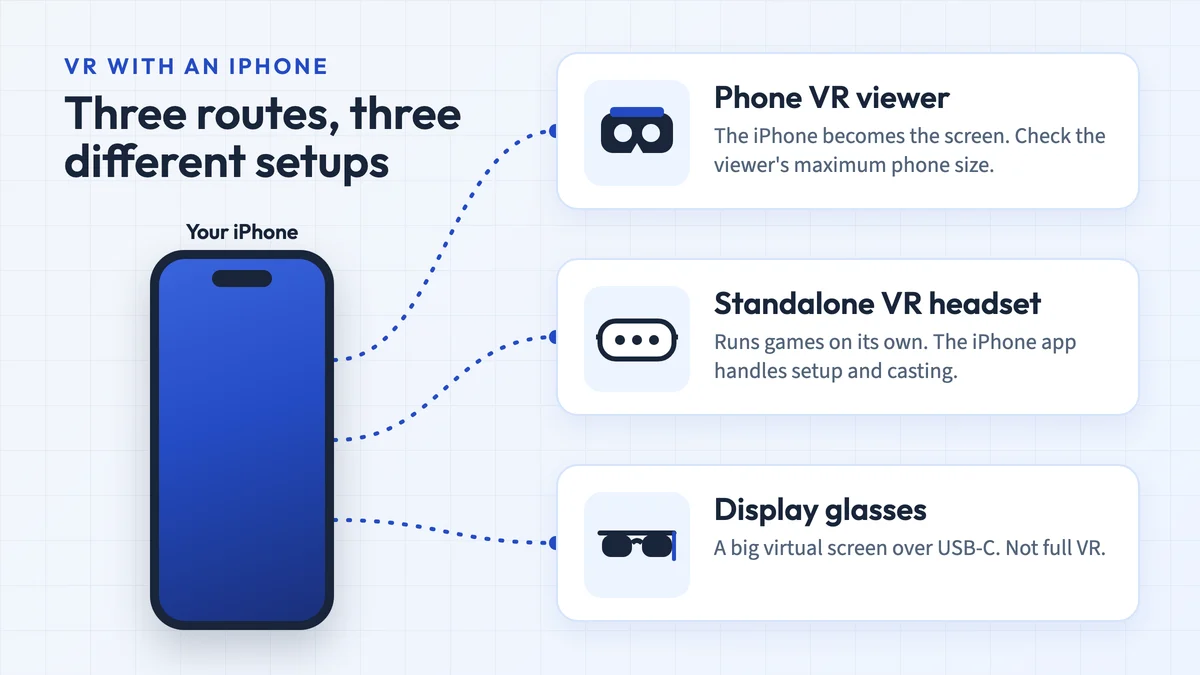
Only for simple 360-degree videos and Cardboard apps, on a phone that fits it. Its listing gives a 3.5–6.0-inch phone range, so it won't hold any current iPhone, all of which are 6.1 inches or larger, or a big Android phone such as the 6.9-inch Galaxy S26 Ultra. It has no built-in button, and YouTube's Cardboard mode works only on Android.
Better options: for a larger phone, choose a viewer whose listing names your screen size. For VR games with tracked controllers, a standalone headset such as the Meta Quest 3S is the real upgrade, at a much higher price.
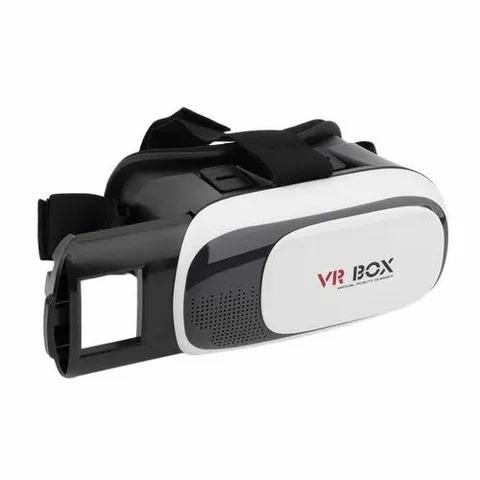
Phone viewer for 3.5–6.0-inch phones
Only for small phonesA basic viewer for 360-degree videos and Cardboard apps on a phone up to 6 inches.
Check first: Your phone is 6.0 inches or smaller; no current iPhone is.
Check price on Amazon Paid link · Amazon
128 GB configuration
For real VR gamesA standalone headset with tracked controllers that doesn’t need your phone’s screen.
Check first: Whether you want to spend standalone-headset money.
Check price on Amazon Paid link · AmazonA VR Box 2.0 makes your phone the display and computer. A low purchase price helps only if the tray holds your phone securely and your chosen app works with the available controls.
This review covers buying constraints, lenses, audio, phone compatibility and working content before comparing alternatives. Use the phone checklist and iPhone app guide to check your intended setup alongside the hardware.
Product status and source notes
Is it worth buying? Consider it only for inexpensive Cardboard-style experiences when your phone, chosen app and exact viewer work together. The original viewer was listed for 3.5–6.0 inch phones; matching the screen diagonal alone does not confirm fit. Check the seller's dimensions and return policy before buying.
Which listing do we link? One whose title still names 3.5–6.0-inch phones, checked 15 October 2026. Sellers use the “VR Box 2.0” name for different variants, so check the phone range, price and stock on the retailer's page.
What can it run? Phone apps with a Cardboard or split-screen VR mode. Google's Cardboard platform supports Android and iOS, but each app has its own requirements. YouTube's Cardboard mode works in the Android app and is not supported on iPhone or iPad.
What if you want tracked controllers and room-scale games? Compare a standalone headset such as the Meta Quest 3S with the Quest 3. The discontinued Gear VR and Rift sections below are historical comparisons, not current purchase recommendations.
Which phones fit the VR Box 2.0?
The listing’s 3.5–6.0-inch range is the first check. Phone sizes have grown past it: every iPhone sold today is 6.1 inches or larger, and so are many Android phones.
| Phone and screen size | Inside the range? |
|---|---|
| iPhone SE (2nd and 3rd generation): 4.7 inches | Yes |
| iPhone 12 mini, 13 mini: 5.4 inches | Yes |
| iPhone 12 to 16 standard models, 12 Pro to 15 Pro, 16e, 17e: 6.1 inches | No |
| iPhone 16 Pro, 17, 17 Pro, 18 Pro: 6.3 inches | No |
| iPhone Air: 6.5 inches | No |
| iPhone Plus and Pro Max models: 6.7 or 6.9 inches | No |
| Samsung Galaxy S26 Ultra: 6.9 inches | No |
iPhone sizes come from Apple’s model list and the Galaxy size from Samsung. A phone inside the range can still fail on thickness, a camera bump or a case, so check the tray before you buy. Find an Android phone’s screen size on its maker’s specification page. For a larger phone, read our best VR headset for iPhone guide or the VR headsets under $50 list.
Before You Buy an Entry-Level Headset Like the VR Box 2.0
Before we get started, though, there are a few things you should think about.
How Much are You Going to Use the Headset?
Many entry-level headsets are made of cheaper plastic which can break more easily. Additionally, low-quality lenses may cause blurriness. This can not only lessen your experience but cause nausea after prolonged use.
Which is More Important, Your Budget or Your Virtual Experience?
Entry-level headsets can be a great way to start to experience VR, but you’re just getting the tip of the iceberg. Higher-end headsets cost more, but they offer a much more immersive experience. They also have a much more extensive library of games and apps.
Presenting the VR Box 2.0
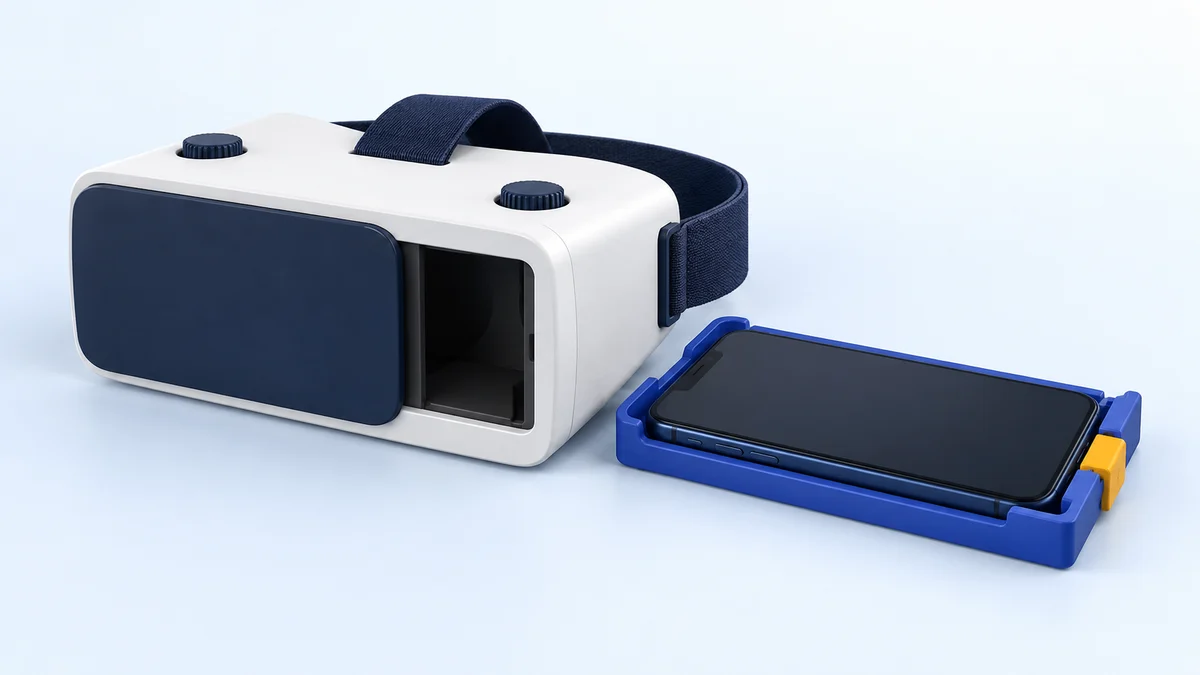
The VR Box 2.0 is a low-priced, basic virtual reality headset. It’s a decent way to enter the VR world, but don’t expect a lot from it. It has a 3-strap harness and soft padding. The padding isn’t particularly breathable, so your eyes/face may get warm after prolonged use.
The headset uses your smartphone for the VR screen and to run apps. So, you are limited to basic virtual reality games and 360-degree images and videos. Your phone is secured in an adjustable tray you slide into the side of the headset. The tray fits phones with 3.5” – 6” screens, measured diagonally.
The VR Box 2.0 uses spherical resin lenses. Unfortunately, spherical lenses tend to create blind spots or blurry anomalies within the screen’s image. You can adjust the lenses for focal distance (distance from your eye to the lenses) and pupil distance (distance between your eyes).
There are also no hand controllers or buttons on the headset. So, you have to remove your phone to navigate or buy a separate Bluetooth controller.
Update: the controller listing linked above now returns “page not found”. Some sellers bundle a small Bluetooth remote, but it only helps in apps that support one; the Cardboard SDK handles input through a viewer button, which the VR Box 2.0 lacks.
Pros
- Inexpensive
- Adjustable focal and pupil distance
- Sliding window on the front so you can use augmented reality
Cons
- Cheap plastic build
- Can get uncomfortably warm
- Spherical lenses can cause blind spots or blurry areas
- Listed for phones up to 6 inches, smaller than most current flagship phones
Check price on AmazonPaid link
VR Box 2.0 Features & Benefits
These descriptions cover the viewer in the original review. Marketplace variants can differ, and this update does not add new hands-on comfort or lens tests. Confirm the features of the exact listing you are considering.
The VR Box 2.0 offer several benefits which may make it a good option for your first VR headset.
Comfort
The VR Box 2.0 uses an adjustable 3-strap harness. This design not only secures the headset to your head but takes some of the weight of the goggles off your face. There is soft padding where the headset rests against your face. This makes for a comfortable fit. The padding and headset aren’t very breathable, though. So, your face may get warm when using the headset.
Audio
There are no built-in headphones, but there is a hole in the headset for your headphone’s wire. So, you can use any headphones or earphones for audio.
Initially, you may think that built-in audio is a plus, but often it isn’t. Many inexpensive VR headsets with built-in headphones have terrible audio quality. No built-in headphones mean you can use your own headphones for good audio.
Just thread the wire through one of the holes on the side of the headset and plug it into your phone. Of course, Bluetooth headphones work as well.
Adjustable Lenses
One of the more impressive features of the VR Box 2.0 is the adjustability of the lenses. Many headsets do not have adjustable lenses. For those that do, the lenses are connected. So, you must adjust them together. Unfortunately, our eyes don’t usually have the same visual acuity. So, it’s helpful to be able to adjust the lenses individually.
The original model offered pupil-distance and focus adjustments. Check the controls and adjustment range on the exact variant; we have not verified a prescription-correction claim for current listings.
Augmented Reality
The sliding window exposes the phone’s camera. That alone does not make an AR app usable inside the viewer: the app needs a suitable split-screen view and controls you can operate while wearing it. Check the exact app rather than treating camera access as a general compatibility claim.
Phone Compatibility
As I mentioned before, the VR Box 2.0 uses your smartphone for both screen and computing power. This makes VR much cheaper. However, it also means if your phone isn’t very good, your VR experience won’t be either.
The original model was listed for Android and iPhone devices with 3.5–6 inch screens. The phone brand and screen diagonal alone do not establish physical fit, lens alignment or app support.
Fit check: compare your phone's specifications, using Apple's model comparison or the relevant manufacturer page such as Samsung's Galaxy specifications, with the exact seller's viewer dimensions. Allow for the case, camera bump and tray clearance. We have not confirmed the fit of individual current phones.
What Works With the VR Box 2.0
The VR Box 2.0 has no software of its own. An app needs a split-screen VR or Cardboard mode, and it must also support your phone, viewer profile and available controls:
| Content | Status | Source |
|---|---|---|
| Google Cardboard app | Available for Android and iOS | Google AR & VR |
| Apps built on the Cardboard SDK | Check the individual app’s phone/OS and input requirements; SDK availability is not proof that an old app still works | GitHub releases |
| YouTube 360-degree and VR180 videos | Cardboard mode in the Android app only; not on iPhone, iPad or mobile browsers | YouTube Help |
| Samsung Gear VR / Oculus mobile apps | Not usable: they only ran inside Samsung’s Gear VR headset, which is discontinued | UploadVR |
Google’s setup guide asks you to scan the viewer’s QR code, which tells the app its lens parameters (Cardboard SDK README). Without a code for your VR Box 2.0 the default settings may leave the image slightly distorted; we found no official VR Box 2.0 profile. The same guide notes that Cardboard apps need a phone with a gyroscope.
What Buyers Say About the VR Box 2.0
The original review linked customer opinions for this listing. Those ratings describe a particular marketplace product and period, so they should not be generalized to every viewer sold under the VR Box 2.0 name.
Retailer snapshot, 24 September 2026: the linked listing averaged 3.1 out of 5 stars from 93 ratings, a third of them 1-star. We have not refreshed that rating for this editorial update. Read recent reviews of the exact variant, especially reports about your phone’s fit and the apps you want to use.
Alternatives to the VR Box 2.0
For a new purchase, start with the current Quest comparison or the phone-viewer fit checks. The Gear VR, DESTEK V4 and Rift sections preserve the original product comparisons and explain why their old recommendations no longer apply.
Samsung Gear VR with Controller (Discontinued)
Update: the Gear VR is no longer a practical alternative. In March 2020 Facebook ended new Gear VR features and pulled the Oculus Video and Oculus 360 Photos apps from it, and from 15 September 2020 new Oculus Store apps could no longer support it (UploadVR). The Galaxy Note10 and Note10+ launched without Gear VR compatibility (GSMArena), and users on the Samsung Community forum report that Gear VR support was removed with the One UI 4 update.
Historical comparison: the Samsung Gear VR headset used selected older Samsung phones for its screen and computing. It was a separate platform, not a universal viewer for current Galaxy devices. Meta’s development support update documents its software wind-down.
The Gear VR is of a sturdier build. It also has more comfortable and breathable face padding. It only has a 2-strap harness, though, which adds a little weight to your face. It comes with a controller. So, you can navigate your phone without removing it from your headset. You can also use the controller for games. Read our Samsung Gear VR headset review for more comprehensive analysis.
The controller and platform library distinguished Gear VR in the original comparison. Those historical advantages do not make it a recommended new purchase now; existing owners need to check their exact phone, installed software and account access.
Similarities
- Uses your smartphone
- No built-in audio
- Works with augmented reality
Differences
- Sturdier build
- Better aspheric lenses to prevent blurry spots
- Uses Oculus app store
- Comes with a controller
- 2-strap harness
- Limited to Samsung devices
Check price on AmazonPaid link
Destek V4 VR Headset
The Destek V4 is very similar to the VR Box. It is a mobile VR headset with a 3-strap harness. It does not have built-in audio. The lenses are also adjustable for both focal and pupil distance and help adjust for myopia.
The Destek also has some differences. It has a conductive button which helps you use your phone’s buttons without removing the phone. It also comes with a Bluetooth controller for navigation and gaming. Also, the lenses are aspheric, preventing distortion and blurriness.
Its button and lens design distinguished the V4 in the original comparison. That does not establish the availability or performance of a current DESTEK listing.
Update: the Destek V4 listing linked here now returns “page not found”; DESTEK’s store shows a newer V5 model instead. Our full Destek V4 review has more detail.
Similarities
- Mobile headset (uses smartphones)
- 3-strap harness
- Adjustable lenses
Differences
- Aspheric lenses
- Comes with a controller
- Has a conductive button
- Does not work with AR
Oculus Rift with Touch Controllers (Discontinued)
Update: the original Oculus Rift is discontinued. Production ended in March 2019 and the Rift S succeeded it (Wikipedia), and in September 2020 Oculus said it would end the Rift line in favour of the Quest (SlashGear). Meta’s PC VR route today is a Quest connected to a Windows PC via Meta Horizon Link or Air Link.
Historical comparison: the original review used the Rift to show the difference between a phone viewer and tracked PC VR. Its hardware description below is retained for that context.
The Oculus Rift VR system does not use your smartphone. It connects to your computer. This allows it to run much higher-quality games and apps and the graphics are stunning. It also, however, means you need to have a decent gaming computer.
When many people think of virtual reality, they think of moving through a virtual space. Lower-end headsets can’t do this. They only track your head turning. The Oculus Rift has motion tracking. There are external sensors you set up which track your head and hand movements. This allows you to move through the virtual space and give you a fully immersive VR experience.
For a new setup with positional tracking and controllers, start with the Quest 3 vs Quest 3S comparison. If you specifically want Windows PC VR, check the headset, computer and connection together in our PC VR requirements guide.
Similarities
- 3-strap harness
Differences
- High Definition graphics
- Hand controllers
- Full Motion tracking
- Uses your computer and has a built-in screen
- Has a huge library of excellent VR games and apps
- Built-in headphones (good ones)
Meta Quest 3S and Meta Quest 3
The current equivalent of the Rift experience is a standalone Quest headset. It needs no phone or PC, comes with Touch Plus controllers and offers full-colour passthrough for mixed reality, according to Meta’s pages for the Quest 3S and Quest 3.
Meta’s US comparison page displayed these prices when reviewed on 12 October 2026:
| Headset | Storage | Meta US price checked 12 October 2026 |
|---|---|---|
| Meta Quest 3S | 128 GB | $349.99 |
| Meta Quest 3S | 256 GB | $449.99 |
| Meta Quest 3 | 512 GB | $599.99 |
Prices and offers differ by country and retailer. Compare the lenses, display and setup requirements in our Meta Quest 3 vs Quest 3S guide.
Phone Viewers for Larger Phones
For 360-degree videos and Cardboard apps, a phone viewer is still the cheapest route. Check the supported screen size: many older viewers, including the VR Box 2.0, were designed for phones up to 6 inches, but some newer ones go larger. DESTEK’s V5 product page lists phones with 5.0–7.0 inch screens (the page title still says 5.5–6.8 inches); it was listed in stock at $39.99 on 24 September 2026.
Google stopped selling its own Cardboard viewers in March 2021 but kept the platform open source for other manufacturers (9to5Google). For more phone headsets, see our list of VR headsets under $50; many of those reviews date from the same period as this one.
Is the VR Box 2.0 Worth Buying?
The VR Box 2.0 is worth considering only for a small-budget phone-viewing setup that passes the fit, app and input checks above. The linked VR Box listing had an offer on 15 October 2026 and still names 3.5–6.0-inch phones. A bundled Bluetooth remote is useful only if your chosen app supports it.
For tracked-controller games, choose a supported standalone setup after comparing its requirements. For phone VR, use our compatible-phone checklist and iPhone VR app guide. The historical Gear VR, V4 and Rift comparisons above are not current buying picks.
VR Box 2.0 FAQ
Is the VR Box 2.0 still worth buying?
Only as a cheap viewer for 360-degree videos and Cardboard apps, and only if your phone fits the 3.5–6.0 inch tray. For games with motion tracking and controllers, a standalone headset such as the Meta Quest 3S is far better, at a much higher price.
Does the VR Box 2.0 work with iPhone?
Only with a small iPhone. Its 3.5–6.0-inch range covers the iPhone SE (4.7 inches) and the 12 mini and 13 mini (5.4 inches); every other iPhone from the iPhone 12 onward is 6.1 inches or larger, according to Apple. YouTube's Cardboard mode is not supported on iPhone. Our best VR headset for iPhone guide covers larger models.
What apps work with the VR Box 2.0?
Look for apps with a split-screen VR or Cardboard mode, then check their OS, viewer-profile and input requirements. An app built with the Cardboard SDK is not automatically compatible with every phone or viewer. Apps made only for Gear VR, Daydream or Meta Quest headsets do not run on it.
Does the VR Box 2.0 have a controller?
No. Some sellers bundle a small Bluetooth remote, but check that the apps you want support one.
Is the VR Box safe for your eyes?
The American Academy of Ophthalmology says ophthalmologists see no reason to think VR headsets damage eye development, health or function, though there are no long-term studies. Long sessions can cause eye strain because you blink less, and some people get dizzy or motion sick. Stop if your eyes feel tired or you feel unwell. Most headset makers say their devices aren't suitable for children under 12 or 13.
How does a VR Box work?
Your phone shows two slightly different images side by side, the lenses focus each eye on one of them, and the phone's gyroscope tracks which way you turn your head. Google's Cardboard setup guide notes that Cardboard apps need a phone with a gyroscope.
Does the VR Box 2.0 come with games?
No. It has no software of its own; you install apps with a VR or Cardboard mode from Google Play or the App Store.
Research behind this guide
Check the linked specifications and support documents, or read how we research. Original review experience stays attributed to its author.
View 24 sources
- Meta: Compare Meta Quest headsets
- Google: Daydream service update
- Meta for Developers: Gear VR development support update
- Apple: Compare iPhone models
- Google AR & VR: Google Cardboard
- Google for Developers: Open source Cardboard SDK
- GitHub: googlevr/cardboard releases
- YouTube Help: Watch VR180 and 360-degree videos with Cardboard
- 9to5Google: Google Store stops selling Cardboard VR headsets (3 March 2021)
- UploadVR: Facebook ends Samsung Gear VR software updates (31 March 2020)
- GSMArena: Galaxy Note10 and Note10+ are not compatible with the Gear VR (8 August 2019)
- Samsung Community: Gear VR support removed after update to One UI 4
- Wikipedia: Oculus Rift CV1
- SlashGear: Oculus Rift discontinued, focus now Quest (16 September 2020)
- Meta Quest Help: Set up and connect Meta Horizon Link and Air Link
- Meta Store: Meta Quest 3
- Meta Store: Meta Quest 3S
- Game Informer: Meta announces price increases for Quest 3 headsets (16 April 2026)
- Apple: Identify your iPhone model (screen sizes)
- American Academy of Ophthalmology: Are virtual reality headsets safe for eyes?
- Google Cardboard Help: Set up Google Cardboard (Android)
- GitHub: googlevr/cardboard (Cardboard SDK README)
- Samsung UK: Galaxy S26 Ultra
- DESTEK: V5 VR Headset product page
Explore the related guides in VR headsets.