Cheapest VR-Ready Laptops: What to Buy and What to Check
We may earn a commission when you buy through links on this page. As an Amazon Associate I earn from qualifying purchases. How this works
Start with an RTX 5060 gaming laptop, 16 GB of RAM and a suitable USB 3 port for Quest Link. Compare Lenovo LOQ 15, ASUS TUF Gaming A16, MSI Katana 15 HX and Acer Nitro V 15 configurations. Check GPU power as well as its name: the RTX 5060 ranges from 75 W to 115 W here. For PS VR2, a native DisplayPort output is essential; none of these picks has one.
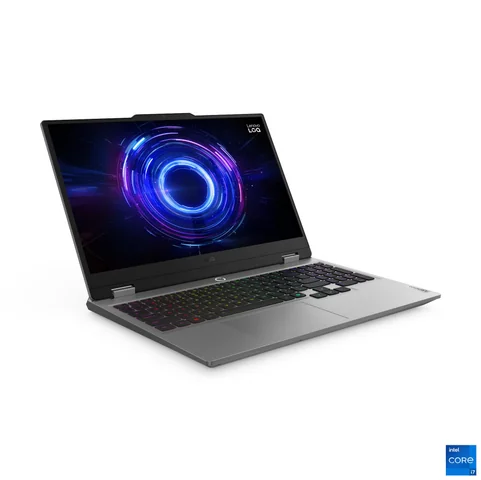
15IRX10 · Core i7-13650HX · RTX 5060
Laptop shortlist16 GB RAM and a 512 GB SSD in the linked configuration.
Check first: Confirm GPU power and the ports your headset needs.
Check price on Amazon Paid link · Amazon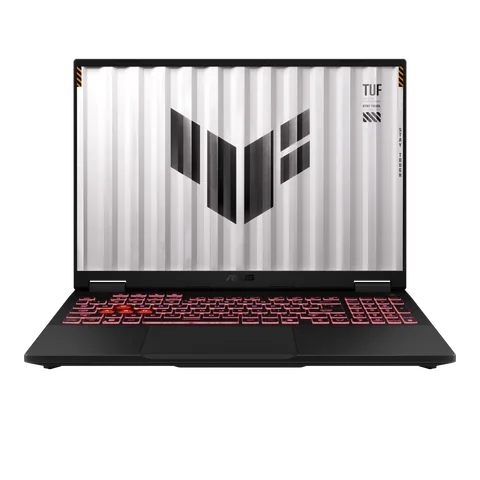
FA608UM-NS73 · Ryzen 7 260 · RTX 5060
Laptop shortlist16 GB RAM and a 512 GB SSD in the linked configuration.
Check first: Confirm the exact model and its USB-C video outputs.
Check price on Amazon Paid link · Amazon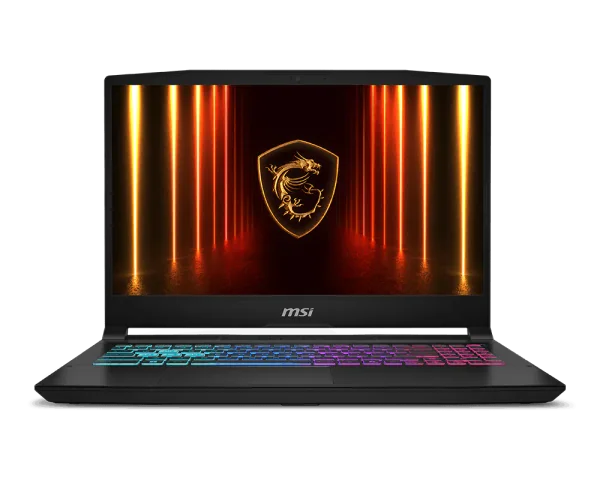
B14WFK-810US · RTX 5060
Laptop shortlistThe RTX 5060 configuration discussed in this guide.
Check first: Check the GPU power, memory and connection requirements.
Check price on Amazon Paid link · Amazon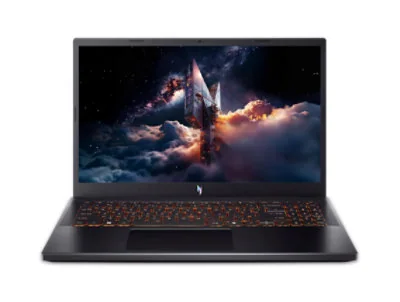
ANV15-52 · Core i7-13620H · RTX 5060
Laptop shortlistThe lower-GPU-power option discussed in this guide.
Check first: Confirm storage and the ports required by your headset.
Check price on Amazon Paid link · AmazonBuying a cheap VR laptop starts with the headset you want to connect. A suitable graphics chip is only part of the decision: its power limit, the laptop's ports and your wireless setup can determine whether the purchase works for you.
Compare five Lenovo, ASUS, MSI and Acer models below, then check the minimum specs and connection requirements. The buying checklist covers RAM, storage and portability before the setup steps show how to connect your headset.
Compatibility and source notes
Checked 24 September 2026. RTX 5060 configurations in this guide had sold for about $1,100 to $1,200 in the US during 2026; each entry retains its dated price evidence. An RTX 5050 laptop is the lowest tier considered here. Wireless Quest 3, Quest 3S and Steam Frame connections avoid the native DisplayPort requirement that limits PS VR2 laptop choices.
The picks use manufacturer specifications, headset requirement pages and published reporting; we have not tested these laptops ourselves. The six models recommended in 2020 are discontinued and retained under Earlier recommendations.
Cheapest VR-ready laptops worth considering
We looked for current laptops with an Nvidia RTX 50-series graphics chip and 8 GB of video memory, at least one USB 3 port for a Quest Link cable, and a specification page from the manufacturer that we could read. Laptop GPUs run at different power limits from one model to the next, so we also noted the maximum graphics power (TGP) wherever the maker publishes it. Each model name in the table links to the manufacturer’s spec page.
| Laptop | Graphics and power | Processor | Memory | Ports for VR | Weight |
|---|---|---|---|---|---|
| Lenovo LOQ 15 (15IRX10, 2025) | RTX 5060 at 100 W or RTX 5070 at 115 W | 13th- or 14th-gen Intel Core i5/i7, e.g. i7-13650HX | Up to 32 GB DDR5, 2 slots | USB-C 10 Gbps with DisplayPort 1.4, 3 x USB-A 5 Gbps, HDMI 2.1, Ethernet | From 2.4 kg |
| Lenovo LOQ 15 (15IPH11, 2026) | RTX 5050 or RTX 5060, both at 115 W | Intel Core Ultra 7 355 or 356H | Up to 32 GB DDR5-5600, 2 slots | Thunderbolt 4 with DisplayPort 2.1, 3 x USB-A (one 10 Gbps), HDMI 2.1, Ethernet | From 2.1 kg |
| ASUS TUF Gaming A16 (2025) | RTX 5050 or RTX 5060 up to 115 W; RTX 5070 at 100 W + 15 W Dynamic Boost | AMD Ryzen 7 260, Ryzen 9 270 or Ryzen 9 8940HX | 16 GB DDR5, 2 slots, up to 64 GB | Two USB-C with DisplayPort on most models (one 10 Gbps plus USB4 or a second 10 Gbps port), 2 or 3 x USB-A 10 Gbps, HDMI 2.1, Ethernet | 2.2 kg |
| MSI Katana 15 HX (B14W) | RTX 5050, RTX 5060 or RTX 5070, all up to 115 W | Up to 14th-gen Intel Core i9 HX; US RTX 5060 model has the i7-14650HX | DDR5-5600, 2 slots, up to 96 GB | USB-C 10 Gbps with DisplayPort, 3 x USB-A 10 Gbps, HDMI 2.1, Ethernet | 2.4 kg |
| Acer Nitro V 15 (ANV15-52-74SD) | RTX 5060 up to 75 W | Intel Core i7-13620H | 16 GB DDR4, up to 32 GB | USB-C 10 Gbps, 3 x USB-A 5 Gbps, HDMI, Ethernet | 4.65 lb (about 2.1 kg) |
None of these laptops has a dedicated DisplayPort or Mini DisplayPort socket, which matters only if you plan to use a PS VR2 (see the ports section).
Lenovo LOQ 15 (2025, RTX 5060): best value
Why it’s our pick: Lenovo’s detailed spec sheet covers everything that matters for VR, including the GPU power (100 W), and this model combines a reported US deal price of $1,199, two SSD slots and enough ports for any Quest connection method. If you find the MSI Katana 15 HX below at a similar price, its 115 W RTX 5060 and 1 TB SSD give it the stronger spec sheet.
Lenovo’s spec sheet for the LOQ 15IRX10 lists 13th-generation Intel Core i5 and i7 or 14th-generation Core i7 processors (for example the 14-core Core i7-13650HX), an RTX 5060 with 8 GB of GDDR7 at 100 W, or an RTX 5070 with 8 GB at 115 W. It has two SO-DIMM memory slots for up to 32 GB of DDR5 and two M.2 slots for SSDs, so both memory and storage can be upgraded later. Ports include three USB-A (5 Gbps), one USB-C (10 Gbps) with DisplayPort 1.4, HDMI 2.1 and Gigabit Ethernet, and wireless is Wi-Fi 6. It weighs from 2.4 kg.
On price, Tech Times reported that Best Buy was selling this LOQ 15 with a Core i7-13650HX, RTX 5060, 16 GB of RAM and a 512 GB SSD for $1,199 in early August 2026, down from $1,299.99. For comparison, Nvidia said RTX 5060 laptops started at $1,099 when they launched in May 2025. The same Tech Times report cites a Gartner forecast that rising memory and SSD costs will push average PC prices up 17%, and argues that buying current stock is likely to be cheaper than waiting.
The same configuration (Core i7-13650HX, RTX 5060, 16 GB of RAM and a 512 GB SSD) is listed on Amazon.
Watch out for: 512 GB fills quickly once you install a few large VR games, and there’s no native DisplayPort socket for a PS VR2.
Lenovo LOQ 15 (2026, RTX 5050 or RTX 5060): newest budget option
Why it’s our pick: it’s the newest version of the same budget line, and Lenovo’s sheet lists both its RTX 5050 and RTX 5060 at 115 W, higher than the 2025 model’s RTX 5060.
According to Lenovo’s LOQ 15IPH11 spec sheet, this model uses Intel Core Ultra 7 355 or 356H processors, an RTX 5050 or RTX 5060 with 8 GB of GDDR7, up to 32 GB of DDR5-5600 in two slots, and a 15.3-inch 16:10 screen at 165 Hz or 180 Hz. It swaps the USB-C port for Thunderbolt 4 with DisplayPort 2.1, and keeps HDMI 2.1, Gigabit Ethernet and Wi-Fi 6, with one 10 Gbps and two 5 Gbps USB-A ports. It weighs from 2.1 kg, has a 60 Wh battery and uses a 245 W power adapter.
The RTX 5050 is the lower-cost GPU option. It’s the lowest-tier RTX 50-series laptop chip, so it leaves the least headroom for demanding games and high-resolution headsets. Configurations and availability vary by country, so check Lenovo’s store or retailers for the exact version on sale near you.
ASUS TUF Gaming A16 (RTX 5050, 5060 or 5070): two USB-C video outputs
Why it’s our pick: most versions have two USB-C ports with DisplayPort, more than any other laptop here, plus room for up to 64 GB of memory and two SSDs, and ASUS lists its RTX 5050 and RTX 5060 at up to 115 W.
ASUS’s TUF Gaming A16 (2025) spec page lists five versions. The FA608UM pairs an 8-core AMD Ryzen 7 260 with an RTX 5060 (8 GB GDDR7, up to 115 W with Dynamic Boost), 16 GB of DDR5-5600 and a 512 GB SSD. The FA608PM has a 16-core Ryzen 9 8940HX with the RTX 5060 at 115 W, the FA608UP has an RTX 5070 at 100 W plus 15 W of Dynamic Boost, and the FA608UHI has an RTX 5050, also at up to 115 W, with 16 GB of RAM fitted as two 8 GB DDR5-5200 modules. All have a 16-inch 1920 x 1200 or 2560 x 1600 screen at 144 Hz or 165 Hz, two SO-DIMM slots, two M.2 slots, Wi-Fi 6E and Gigabit Ethernet, and weigh 2.2 kg.
For VR, the ports are the draw: most versions have two USB-C ports with DisplayPort (a 10 Gbps port plus a USB4 port, or a second 10 Gbps port on the Ryzen 9 8940HX model), two or three 10 Gbps USB-A ports and HDMI 2.1. The RTX 5050 FA608UHI has only one USB-C port with DisplayPort. ASUS kept the TUF Gaming A16 in the 2026 TUF lineup it announced in March 2026. On price, PC Guide reported that Newegg sold the Ryzen 7 260 and RTX 5060 version with 16 GB and 512 GB for $1,199.99 in April 2026, down from $1,549.99.
The RTX 5060 FA608UM-NS73 (Ryzen 7 260, 16 GB of RAM, 512 GB SSD) is listed on Amazon.
Watch out for: the RTX 5050 FA608UHI fills both memory slots with 8 GB modules, so adding memory means replacing them, and there’s no native DisplayPort socket for a PS VR2.
MSI Katana 15 HX (B14W, RTX 5050, 5060 or 5070): 115 W on every GPU option
Why it’s our pick: MSI rates every GPU option at up to 115 W, the highest figure in our table, so even the RTX 5050 version isn’t held back by a low power limit. The US RTX 5060 model pairs it with a 16-core Intel HX processor.
MSI’s Katana 15 HX B14W specifications cover three versions: the B14WEK with an RTX 5050, the B14WFK with an RTX 5060 and the B14WGK with an RTX 5070, all with 8 GB of GDDR7 and up to 115 W including Dynamic Boost. Processors go up to a 14th-generation Core i9 HX, and the screen is a 15.6-inch 1920 x 1080 144 Hz or 2560 x 1440 165 Hz panel. There are two DDR5-5600 slots for up to 96 GB, but only one M.2 SSD slot. Ports include a 10 Gbps USB-C with DisplayPort and Power Delivery, three 10 Gbps USB-A, HDMI 2.1 and Gigabit Ethernet, with Wi-Fi 6E. It weighs 2.4 kg and uses a 240 W adapter.
In the US, the RTX 5060 model is sold as the B14WFK-810US with a Core i7-14650HX, 16 GB of DDR5, a 1 TB SSD and the 1440p screen. Its standard price was $1,499.99, and Tech Times reported a July 2026 deal well below that, so compare current offers.
Check the B14WFK-810US on Amazon for its current price.
Watch out for: with a single M.2 slot, adding storage means replacing the SSD, and there’s no native DisplayPort socket for a PS VR2.
Acer Nitro V 15 (ANV15-52, RTX 5060): cheapest, but lower GPU power
Why it’s on the list: $1,099.99 was the lowest price we saw for an RTX 5060 laptop in this guide, but its GPU runs at a lower power limit than the others.
Acer’s spec page for the Nitro V 15 ANV15-52-74SD lists a 10-core Intel Core i7-13620H, an RTX 5060 with 8 GB of GDDR7 and a maximum graphics power of up to 75 W, 16 GB of DDR4 (32 GB maximum), a 512 GB SSD and a 15.6-inch 1920 x 1080 165 Hz screen. Ports are one USB-C (10 Gbps), three USB-A (5 Gbps), HDMI and Gigabit Ethernet, with Wi-Fi 6. It weighs about 4.65 lb (2.1 kg) and comes with a 135 W adapter. Acer’s US site listed it at $1,099.99 on 24 September 2026.
75 W is the lowest GPU power of any laptop in our table, well below the 100 W to 115 W that Lenovo, ASUS and MSI list for the same RTX 5060. That’s still enough to meet the published graphics requirements in this guide, but it leaves less headroom than the other picks.
Acer also lists the ANV15-52 with the same Core i7-13620H and RTX 5060 on Amazon; check which storage option you’re buying before you order.
Watch out for: the low GPU power and older DDR4 memory. Acer’s spec page also doesn’t say whether the USB-C port carries video, and there’s no native DisplayPort socket for a PS VR2.
If you can spend more: RTX 5070
The 2025 LOQ 15 is also sold with an RTX 5070 at 115 W, according to Lenovo’s spec sheet, and MSI and ASUS offer the RTX 5070 in the Katana 15 HX (115 W) and TUF Gaming A16 (100 W plus 15 W Dynamic Boost). Like the RTX 5060, it has 8 GB of video memory, but it gives more headroom for sharper headsets. That matters because newer headsets render a lot of pixels: the Steam Frame, for example, has a 2160 x 2160 display for each eye (Wikipedia). If you mainly want to play lighter games on a Quest 3S, the RTX 5060 is enough to meet every published graphics requirement in this guide.
Other budget lines to compare
HP Victus 15: HP’s spec sheet for the Victus 15-fb3000 series lists RTX 5050 and RTX 5060 options with AMD Ryzen processors, but the same sheet also lists older RTX 2050, RTX 3050, RTX 4050 and RTX 4060 options, so check the exact GPU. It has only two USB ports (one 5 Gbps USB-C with DisplayPort 1.4a and one 5 Gbps USB-A), plus HDMI 2.1 and Ethernet, and weighs from 2.29 kg. HP doesn’t list the GPU power on that sheet. When we checked on HP’s US store, the customizable Victus 15z-fb300 with an RTX 5050 or RTX 5060 was marked as discontinued, so we haven’t made it a pick. Retailers may still have stock.
Acer Nitro V 16: the 16-inch Nitro V models on Acer’s US site list their RTX 5050, RTX 5060 and RTX 5070 chips at 75 W or 85 W, and were priced from $1,199.99 (RTX 5050) upwards on 24 September 2026, more than the Nitro V 15 above.
Anything else: whatever you compare, check two figures for the exact configuration: the GPU power (TGP), which can differ between laptops with the same RTX chip, and the port list.
Do you need a VR-ready laptop at all?
Not always. The Meta Quest 3 and Quest 3S run games on their own. Since a price increase in April 2026, Meta’s US prices are $599.99 for the Quest 3 (512 GB) and from $349.99 for the Quest 3S (128 GB). Valve’s Steam Frame, which went on sale on 18 September 2026 from $1,059, is also a standalone headset: Road to VR notes that you don’t need a VR-ready PC to use it. Our Quest 3 vs Quest 3S comparison covers Meta’s two models.
A VR-ready laptop earns its place when you want PC VR: the SteamVR library, flight and racing simulators, and games that are too demanding for a headset’s own chip. Streaming from a laptop gives a Quest or Steam Frame the graphics power of the laptop’s GPU. A laptop can’t be upgraded as much as a desktop, so it makes most sense if you need to move it or don’t have room for a desktop. Our VR PC requirements guide covers desktops as well.
Two headsets often mentioned in older laptop guides are gone: Valve confirmed in November 2025 that it no longer makes the Index (PC Guide), and the Oculus Rift line ended in 2021 (Wikipedia). Sony hasn’t announced the end of the PS VR2, but VR.org reported on 18 September 2026 that new units were out of stock at Sony’s US store and major US retailers. By 15 October, Sony’s US store no longer listed the headset; our PS5 VR headset guide tracks where it’s sold. See our best VR headsets for PC for current choices.
Minimum specs for a VR-ready laptop
Each headset maker publishes its own list. These are the current official requirements for the most common ways to connect a headset to a Windows laptop.
| Headset and connection | Processor | RAM | Graphics | Connection |
|---|---|---|---|---|
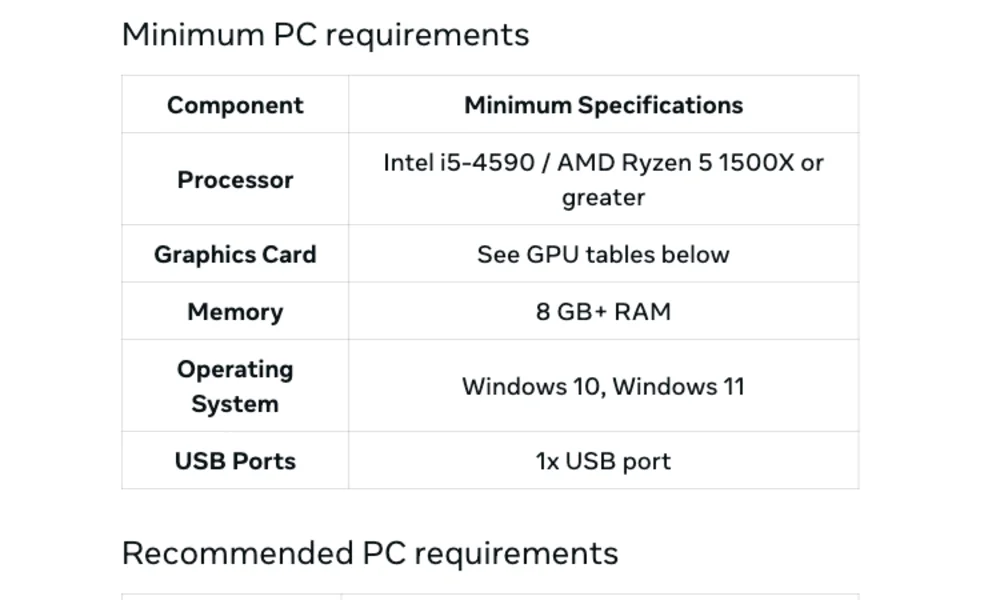
| Meta Quest via Horizon Link | Intel i5-4590 or AMD Ryzen 5 1500X minimum; Intel i7 or Ryzen 7 recommended | 8 GB minimum, 16 GB recommended | Supported list from GTX 970 up to RTX 50-series; RTX 2050 and Intel Arc not supported | One USB port minimum, USB-C recommended |
| Meta Quest via Steam Link | Intel i5-4590 or AMD FX 8350 recommended | 16 GB recommended | GTX 970 minimum; RTX 2070 or RX 6600 recommended | 5 GHz Wi-Fi 5 router minimum; Wi-Fi 6 or 6E router and a wired PC recommended |
| Steam Frame | No official minimum published that we could find | – | – | Wi-Fi 6E USB adapter included (Road to VR) |
| PS VR2 via PC adapter | Intel Core i5-7600 or AMD Ryzen 3 3100 | 8 GB | GTX 1650 or RX 5500 XT minimum; RTX 3060 or RX 6600 XT recommended | DisplayPort 1.4 (not over USB-C), USB 3.0, Bluetooth 4.0 |
| SteamVR headsets in general (Steam) | Intel i5-4590 or AMD FX 8350 | 4 GB | GTX 970 minimum; GTX 1060 or RX 480 recommended | HDMI 1.4 or DisplayPort 1.2, USB 2.0 |
These are minimums written with desktop graphics cards in mind. For a laptop you plan to keep for a few years, we’d aim for:
- Graphics: an Nvidia RTX 5060 laptop GPU with 8 GB, or at least an RTX 5050
- Processor: any current Intel Core, Core Ultra or AMD Ryzen gaming-laptop chip
- Memory: 16 GB, in slots you can upgrade
- Storage: a 1 TB SSD, or 512 GB plus a free M.2 slot
- Ports: a USB 3 port (USB-C is easiest for a Quest cable) and Ethernet if you stream over Wi-Fi
- Operating system: Windows 11; Meta’s Link software needs Windows 10 or 11
What to check before you buy
Start with the headset you’ll use, then check the laptop against its requirements in this order.
1. The graphics card matters most
VR renders two images at high frame rates, so the graphics chip decides how well games run. A laptop needs a dedicated Nvidia or AMD GPU; integrated graphics don’t meet any of the requirements above, and Meta doesn’t support Intel Arc graphics for Link.
Be careful with names. A laptop GPU is not the same as the desktop card with the same name, and power varies between laptops: Acer lists the RTX 5060 at up to 75 W in the Nitro V 15, Lenovo at 100 W in its 2025 LOQ 15, and MSI at up to 115 W in the Katana 15 HX. A higher power limit generally lets the same chip run faster, so compare this figure before the price. Older budget laptop chips are the ones to avoid. Meta doesn’t support the RTX 2050 for Link, and Road to VR’s summary of Meta’s list says the laptop RTX 3050 and 3050 Ti aren’t recommended. Our VR graphics cards guide explains the desktop options.
2. Processor and memory
Processor requirements are low: Meta’s minimum is still an Intel i5-4590 or AMD Ryzen 5 1500X, chips from 2014 and 2017. Any current gaming laptop processor clears that easily, so don’t pay extra for a faster CPU at the expense of the graphics card. Our best CPUs for VR page covers the details.
Memory matters more. Meta recommends 16 GB, and so does Valve for Steam Link. Memory prices rose sharply in 2026, and Meta blamed memory chip costs for its Quest price rise, so 8 GB configurations may look tempting. Choose 16 GB anyway, and prefer a laptop with SO-DIMM slots, like the Lenovo, ASUS and MSI models above, so you can add more later. Check how the memory is fitted, too: the RTX 5050 version of the ASUS TUF Gaming A16 uses two 8 GB modules, so upgrading means replacing both.
3. Ports: the step most buyers miss
What you need depends on the headset:
- Meta Quest 3 or 3S, wired: Meta asks for a USB-C cable that supports at least 5 Gbps, plugged into a USB 3 port on the PC (Meta). Every laptop in this guide has one.
- Meta Quest, wireless (Air Link or Steam Link): no port needed, but your Wi-Fi matters. Meta recommends a 5 GHz network for Air Link, and Valve recommends a Wi-Fi 6 or 6E router with the PC on a wired connection for Steam Link. An Ethernet port on the laptop helps.
- Steam Frame: Valve includes a Wi-Fi 6E USB adapter that gives the headset a direct 6 GHz link to the PC, so the laptop only needs a free USB port. Using the adapter is optional; you can also stream over your home network (Wikipedia).
- PS VR2: Sony says you need a dedicated DisplayPort or Mini DisplayPort output and that DisplayPort over USB-C isn’t compatible with the PC adapter. The adapter also has to plug straight into a USB 3.0 port, not a hub, and the PC needs Bluetooth 4.0 or later. Laptop Mag noted that few gaming laptops have a full DisplayPort, and none of the budget laptops above do. If PS VR2 is your headset, a desktop is the safer choice.
- Other DisplayPort headsets: HTC lists a DisplayPort 1.2 or newer output among its VIVE Ready requirements. Check that the laptop’s DisplayPort output is officially supported by the headset maker before buying.
4. Screen size and portability
The laptop’s screen doesn’t affect what you see in the headset, so buy the size you like for everyday use. Budget gaming laptops are heavy either way: the laptops in our table weigh between about 2.1 kg (Acer Nitro V 15 and 2026 LOQ 15) and 2.4 kg (2025 LOQ 15 and MSI Katana 15 HX) before you add the power adapter. A 15-inch model is easier to carry, while a 16-inch or 17-inch screen is nicer if the laptop mostly stays on a desk. Smaller, thinner laptops often have fewer ports and lower GPU power, so check both.
5. Storage, power and battery
VR games are large, so 512 GB is the practical minimum and 1 TB is better. Both LOQ 15 models and the ASUS TUF Gaming A16 have a second M.2 slot for adding another SSD; the MSI Katana 15 HX has only one. Treat battery life as irrelevant for VR: gaming laptops are meant to run plugged in when gaming, and the 2026 LOQ 15 ships with a 245 W adapter to supply that power. The battery helps only when you use the laptop away from the desk.
Windows Mixed Reality headsets are no longer an option
Older versions of this guide suggested cheap Windows Mixed Reality headsets from Acer, HP and others, because they ran on modest laptops. Don’t buy one now. Microsoft removed Windows Mixed Reality in Windows 11 version 24H2, including the Mixed Reality Portal and Windows Mixed Reality for SteamVR. Existing headsets keep working with Steam through November 2026, but only if you stay on Windows 11 version 23H2; after that, Microsoft stops all updates and support. A new laptop will ship with a newer Windows version, so these headsets won’t work on it. Our HP Windows Mixed Reality headset review has the background.
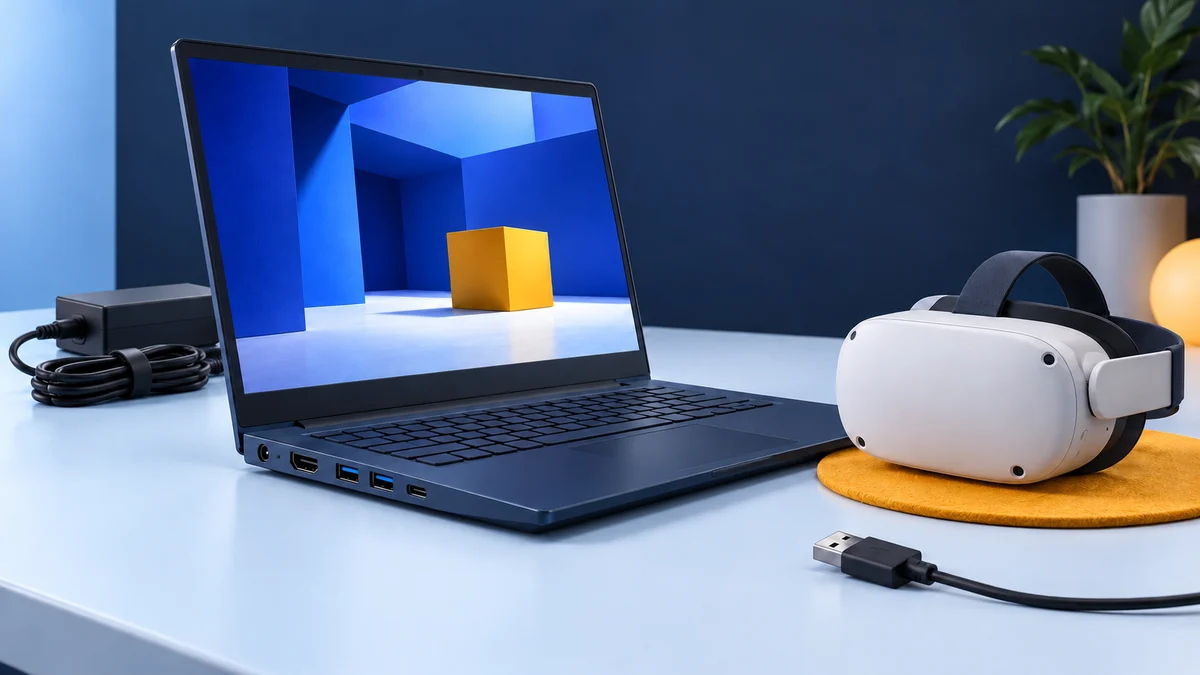
How to connect a laptop to a VR headset
The basic steps are the same for any headset:
- Plug the laptop into mains power and set it to its performance or gaming mode.
- Update Windows and the Nvidia or AMD graphics driver.
- Make sure VR apps run on the dedicated GPU, not the integrated graphics. Most gaming laptops let you choose this in the maker’s control app or in Windows graphics settings.
- Install the software for your headset: the Meta Horizon Link app for a Quest over Link or Air Link, or Steam and SteamVR for Steam Link, Steam Frame and PS VR2.
Then connect the headset:
- Quest over Link: connect a USB-C cable that supports at least 5 Gbps to a USB 3 port on the laptop and turn on Link in the headset (Meta).
- Quest over Air Link or Steam Link: put the headset on a 5 GHz or Wi-Fi 6 network, and connect the laptop to the router with an Ethernet cable if you can (Meta).
- Steam Frame: plug the included Wi-Fi 6E adapter into a USB port on the laptop, or stream over your home Wi-Fi instead.
- PS VR2: connect the PC adapter with a DisplayPort 1.4 cable to a native DisplayPort output, plug its USB cable directly into the laptop, and pair the controllers over Bluetooth (PlayStation).
Which cheap VR-ready laptop should you buy?
- Best value for most people: a Lenovo LOQ 15 or MSI Katana 15 HX with an RTX 5060, 16 GB of RAM and at least 512 GB of storage, whichever is cheaper when you buy. Both meet every published requirement in this guide except the PS VR2’s DisplayPort rule.
- Most ports: the ASUS TUF Gaming A16, with two USB-C video outputs on most versions and room for 64 GB of memory.
- Lowest cost: an RTX 5050 laptop such as the 2026 LOQ 15, or the Acer Nitro V 15 with its 75 W RTX 5060. Both work with a Quest or Steam Frame, but expect less headroom for demanding games.
- Check the GPU power: the same RTX 5060 ranges from 75 W to 115 W across the laptops in this guide.
- More headroom for sharper headsets: step up to an RTX 5070 if your budget allows.
- Skip: laptops with integrated graphics only, RTX 2050, RTX 3050 or RTX 3050 Ti graphics, and 8 GB of RAM.
- PS VR2 owners: buy a laptop only if it has a native DisplayPort or Mini DisplayPort output, or use a desktop.
- Already have a Quest and no PC? Try the headset’s own games first. You may not need a laptop at all.
VR-ready laptop FAQ
What makes a laptop VR ready?
A dedicated Nvidia or AMD graphics chip that's on the headset maker's supported list, enough RAM (16 GB is the usual recommendation), Windows 10 or 11, and the right connection for your headset: a USB 3 port for a Quest cable, good Wi-Fi for wireless streaming, or a native DisplayPort output for a PS VR2.
What is the cheapest VR-ready laptop?
The cheapest current laptops that meet the published requirements use an Nvidia RTX 5050 or RTX 5060. Of the RTX 5060 models in this guide, Acer listed the Nitro V 15 at $1,099.99 on 24 September 2026, the MSI Katana 15 HX had a July 2026 deal well below its $1,499.99 standard price (Tech Times), and Best Buy sold a Lenovo LOQ 15 for $1,199 in early August 2026 (Tech Times). The Acer's GPU runs at a lower power limit, though. Prices change often and 2026 memory costs have pushed them up, so compare the GPU, RAM and ports rather than the "VR ready" label.
Is an RTX 5050 laptop enough for VR?
It meets the letter of Meta's Link requirements, which list RTX 50-series GPUs as supported, and Sony's minimum for PS VR2. It's the lowest-tier chip in the RTX 50 laptop range, though, so an RTX 5060 is the safer choice if the price difference is small.
Can a laptop without a graphics card run VR?
Not PC VR. Meta, Valve, Sony and HTC all require a dedicated graphics card. A standalone headset such as the Quest 3S or Steam Frame can run its own games without any PC.
Can I use a Meta Quest 3 or 3S with a laptop?
Yes. Connect it with a USB-C cable to a USB 3 port using Link, or stream wirelessly with Air Link or Steam Link. The laptop needs Windows 10 or 11 and a GPU from Meta's supported list.
Can I use a PS VR2 with a gaming laptop?
Only if the laptop has a dedicated DisplayPort or Mini DisplayPort output. Sony says DisplayPort over USB-C doesn't work with the PS VR2 PC adapter, and most budget gaming laptops, including those in this guide, only offer DisplayPort through USB-C or Thunderbolt.
Can I use a MacBook for PC VR?
Not with Meta's Link software, which requires Windows 10 or 11. SteamVR, PS VR2 on PC and the other setups in this guide are also built around Windows PCs.
Laptops, cards and headsets we recommended in 2020
The 2020 version of this article recommended the laptops, graphics cards and headsets below. We list them with their original shop links so returning readers can see what changed. All of them are discontinued, and they aren’t current recommendations.
- Acer Nitro 5 (AN515-52, Core i5-8300H, GTX 1050 Ti) (discontinued). The original top pick. This 2018 configuration is no longer made; Acer’s current budget gaming laptops are the Nitro V models mentioned above.
- MSI GP73 Leopard (Core i7-8750H, GTX 1060) (discontinued). A 2018 17-inch model whose laptop GTX 1060 falls well below the RTX 2070 that Valve now recommends for Steam Link.
- Dell G3 15 (GTX 1050 or 1050 Ti) (discontinued). A 2018 budget model whose graphics fall well short of today’s recommended specs.
- Eluktronics P650HP6 (Core i7-7700HQ, GTX 1060) (discontinued). A 2017 model with a 7th-generation Intel processor.
- Acer Predator Helios 300 (PH315-51, Core i7-8750H, GTX 1060) (discontinued). This 2018 configuration has been replaced by several newer Helios generations.
- HP Omen 15 (15-dc0010nr, Core i5-8300H, GTX 1050 Ti) (discontinued). A 2018 configuration that’s no longer sold new.
- Desktop graphics cards from 2016 (discontinued): the original article named the Nvidia GTX 1060 and AMD Radeon RX 480 as the recommended cards, the GTX 1050 Ti and Radeon RX 470 as minimums, and the GTX 1070 and GTX 1080 as high-end options. These cards have been replaced by several newer generations and aren’t sold new by their makers.
- Oculus Rift (discontinued). The original Rift was replaced by the Rift S in 2019, and the Rift S was discontinued in 2021 (Wikipedia). Our Oculus Rift review covers the original headset.
- HTC Vive (discontinued). The 2016 Vive has been succeeded by newer HTC headsets (Wikipedia). See our HTC Vive review.
This guide replaces an earlier version by John, first published January 2020.
Research behind this guide
Check the linked specifications and support documents, or read how we research. Original review experience stays attributed to its author.
View 30 sources
- Meta Quest Help: Windows PC requirements for Meta Horizon Link
- Meta Quest Help: Set up and connect Meta Horizon Link and Air Link
- Meta Store: Steam Link on Meta Quest
- Meta: An update on Meta Quest pricing
- Meta: Meta Quest 3
- Road to VR: Meta Quest PC requirements for Horizon Link and Air Link
- Road to VR: Valve announces Steam Frame price, release date and accessories
- Wikipedia: Steam Frame
- PC Guide: Valve has discontinued its Index VR headset
- PlayStation Support: How to prepare for using PS VR2 with PC
- VR.org: PS VR2 is out of stock in the US
- Laptop Mag: The PS VR2 PC adapter will cost more for gaming laptop users
- Steam: SteamVR system requirements
- VIVE: VIVE Ready PC requirements
- Microsoft Learn: Features and functionality removed in Windows client
- Lenovo PSREF: LOQ 15IRX10 specifications
- Lenovo PSREF: LOQ 15IPH11 specifications
- Nvidia: GeForce RTX 5060 laptops available now
- Tech Times: Lenovo LOQ RTX 5060 drops to $1,199 at Best Buy
- ASUS: TUF Gaming A16 (2025) tech specs
- ASUS Pressroom: ASUS announces 2026 TUF Gaming laptop lineup
- PC Guide: RTX 5060 ASUS TUF Gaming A16 under $1,200 in Newegg deal
- MSI: Katana 15 HX B14W specifications
- Tech Times: MSI Katana 15 HX with RTX 5060 at $1,134
- Acer: Nitro V 15 ANV15-52-74SD tech specs
- Acer: Nitro V 16 (Intel) models
- HP Support: Victus by HP 15.6 inch Gaming Laptop 15-fb3000 series specifications
- HP Store: Victus by HP Gaming Laptop 15z-fb300
- Wikipedia: Oculus Rift
- Wikipedia: HTC Vive
Explore the related guides in PC VR.