PS VR2 PC Adapter: What You Need to Play SteamVR Games
We may earn a commission when you buy through links on this page. As an Amazon Associate I earn from qualifying purchases. How this works
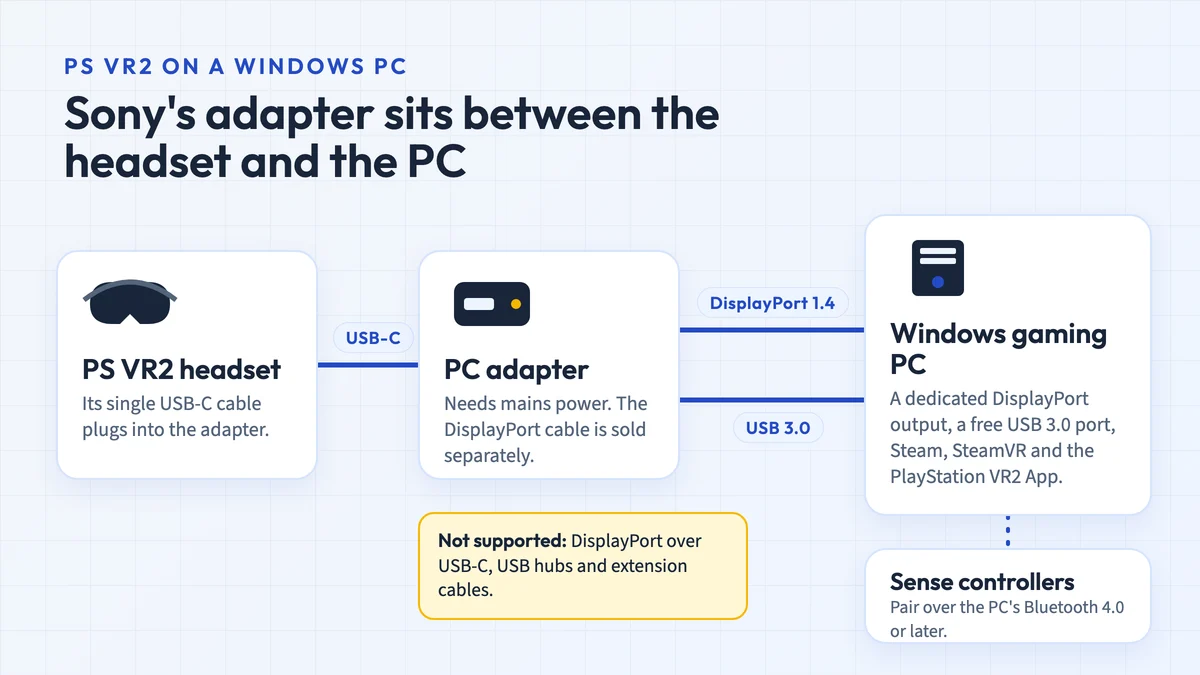
Sony's PS VR2 PC adapter connects a PlayStation VR2 headset to a Windows gaming PC, so you can play SteamVR games without a PS5. Your PC needs a dedicated DisplayPort 1.4 output (DisplayPort over USB-C isn't supported), a free USB 3.0 port and Bluetooth 4.0 or later for the controllers. The DisplayPort cable isn't in the box.
Before buying: on PC you lose eye tracking, HDR, headset vibration, adaptive triggers and full controller haptics. On 15 October 2026 Sony's US store listed the adapter as currently unavailable. Amazon US has a listing for Sony's adapter, but its specifications name a UK-style plug, and most other "PSVR2 PC adapters" there are third-party clones.
If you already own PS VR2 and a desktop gaming PC, the adapter is the cheapest route into PC VR: it opens the VR games on Steam to the headset you have. It doesn't make PS VR2 wireless or standalone, and your PS5 VR games don't carry over to the PC.
Check your PC's ports against Sony's requirements first, then decide whether the features you lose on PC matter for the games you want to play. The Bluetooth notes and setup steps follow.
Availability and source notes
Checked 15 October 2026. Sony launched the adapter on 7 August 2024 at $59.99, according to the PlayStation Blog. PlayStation Direct in the US showed it as "Currently Unavailable" and "Coming Soon"; Sony hasn't announced that it is discontinued. New PS VR2 headsets were also hard to find in the US in September 2026, while Sony's UK store had stock, according to VR.org; by 15 October Sony's US store no longer listed the headset at all (see our PS5 VR headset guide). Requirements, setup steps and the PC feature differences come from PlayStation Support. We have not tested the adapter or any third-party alternative.
You own PS VR2 and a desktop with DisplayPort
The adapter is worth it if your graphics card is on Sony's list. Budget for a DisplayPort 1.4 cable as well.
Your PC's only video output is USB-C
Sony's adapter won't work with it. A Quest headset connects to a PC over USB or Wi-Fi instead.
You don't own PS VR2 yet
Compare it with Quest 3 first: PS VR2 loses several PS5 features on PC, and new units were scarce in the US in September 2026.
What the adapter does
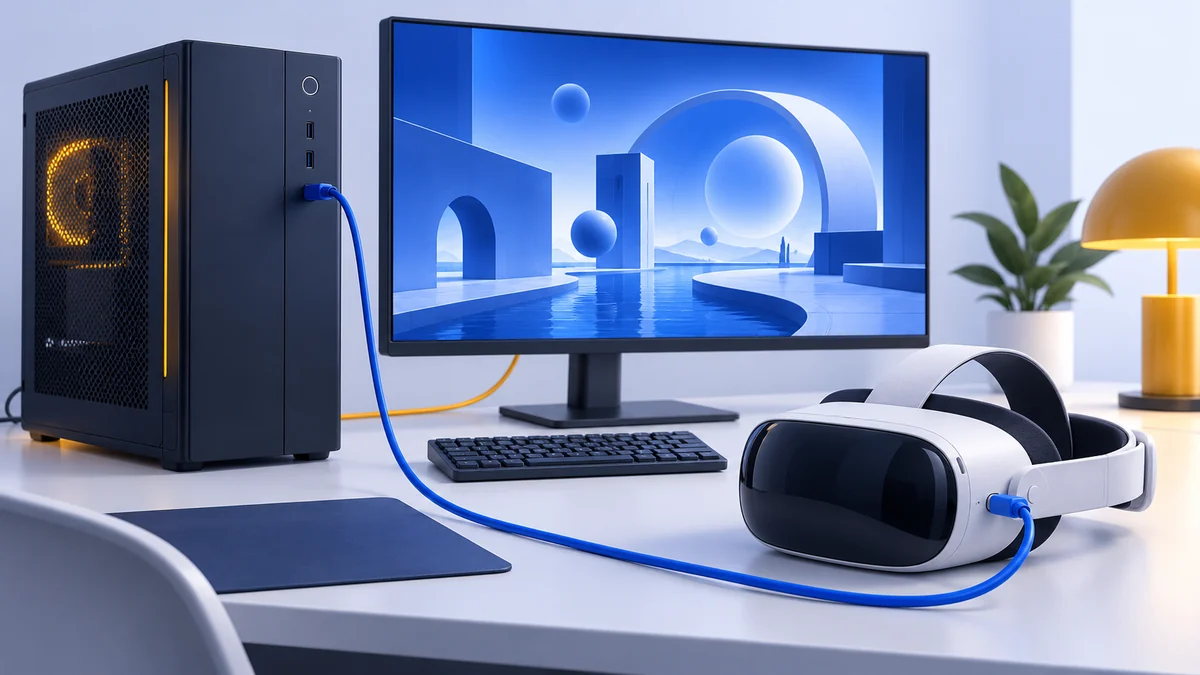
The adapter sits between the headset and your PC. The headset’s USB-C cable plugs into the adapter. The adapter plugs into a USB 3.0 port on the PC, connects to your graphics card with a DisplayPort 1.4 cable, and takes mains power from its own AC adapter, as Sony’s setup guide describes. Games then run through SteamVR, and Sony’s PlayStation VR2 App handles setup, the play area and firmware updates.
PlayStation Direct lists the adapter, an AC adapter, an AC power cord and a user manual in the box. You need to buy the DisplayPort 1.4 cable separately. A VESA-certified cable such as Cable Matters’ 6 ft DisplayPort 1.4 model covers a full-size DisplayPort on your graphics card; a Mini DisplayPort output needs a Mini DisplayPort to DisplayPort 1.4 cable instead.
Check price on AmazonPaid link
PC requirements
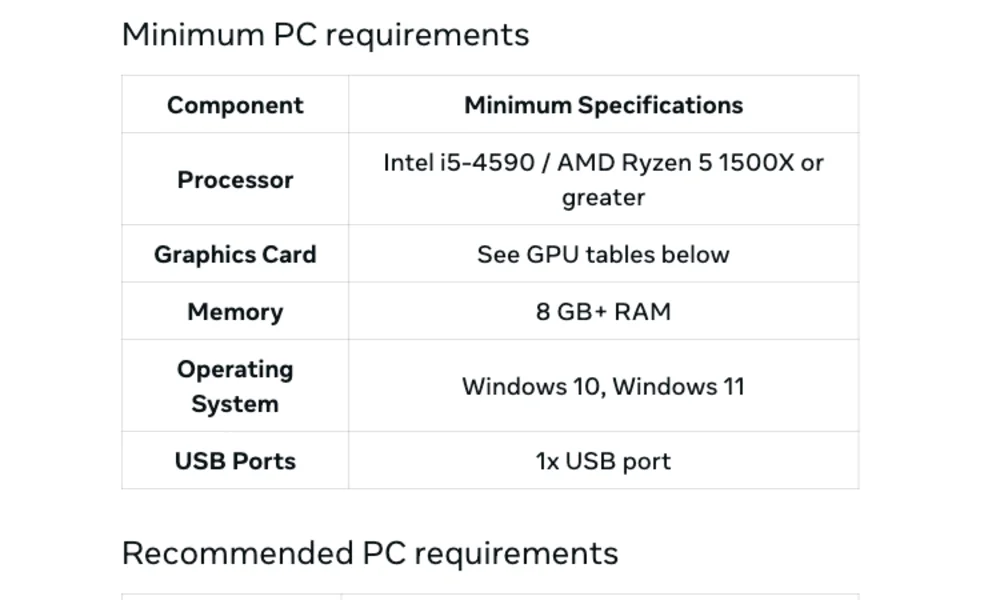
These are Sony’s requirements for PS VR2 on PC, from PlayStation Support (checked 15 October 2026):
| Part | Sony’s requirement |
|---|---|
| Windows | Windows 10 or 11, 64-bit |
| Processor | Intel Core i5-7600 or AMD Ryzen 3 3100 (AMD needs Zen 2 or later) |
| Memory | 8 GB or more |
| Graphics card | NVIDIA GeForce GTX 1650 or later, or RTX series (Turing or later); AMD Radeon RX 5500 XT or RX 6500 XT or later. Sony recommends an RTX 3060 or RX 6600 XT or later |
| Video output | DisplayPort 1.4 from a dedicated DisplayPort or Mini DisplayPort port. DisplayPort over USB-C isn’t supported |
| USB | A USB 3.0 port, connected directly with no hub or extension cable |
| Bluetooth | Bluetooth 4.0 or later. Some Bluetooth adapters aren’t compatible |
Check laptops carefully: if the only video output is USB-C, the adapter won’t work with it. Install the latest graphics driver before you start. Our VR PC requirements guide compares these figures with other headsets and shows how to find the graphics card in your PC.
What you lose on PC
PS VR2 works differently on a PC. Sony’s comparison lists these differences:
| Feature | On PS5 | On PC |
|---|---|---|
| Eye tracking | Yes | No |
| HDR | Yes | No |
| Headset feedback (vibration in the headset) | Yes | No |
| Adaptive triggers | Yes | No |
| Controller haptics | Full haptic feedback | A simple vibration only |
| See-through view at the play-area edge | Switches on automatically | Doesn’t switch automatically |
| Play area styles | Several | None; set a play area that suits each game |
| Games | PS VR2 games for PS5 | VR games on Steam |
If those PS5 features are why you chose PS VR2, a PC may disappoint you. If you mainly want the large SteamVR library on a headset you already own, they matter less.
Bluetooth for the Sense controllers
The Sense controllers connect to the PC over Bluetooth, not through the adapter. Sony requires Bluetooth 4.0 or later and warns that some adapters won’t work. It tested four USB adapters on 20 July 2024: the TP-Link UB500 (with TP-Link’s driver), Buffalo BSBT5D205BK, ASUS USB-BT500 and IO-DATA USB-BT50LE. Even for these, Sony says “operation is not guaranteed” (Sony’s list).
If you add a USB adapter, disable the PC’s built-in Bluetooth in Device Manager first, and install the adapter maker’s latest driver. The two adapters on Sony’s list that are sold in the US are on Amazon: the TP-Link UB500 and the ASUS USB-BT500.
How to set it up
These steps follow Sony’s PC setup guide:
- Install the software. Install Steam and sign in, then install SteamVR and the PlayStation VR2 App from Steam.
- Pair the controllers. Charge both Sense controllers and unplug their cables. Hold the PS button and the Create button on the left controller (PS and Options on the right) until the light blinks, then add each controller separately in Windows Bluetooth settings.
- Connect the adapter to the PC. Plug it into a USB 3.0 port, and connect it to your graphics card’s DisplayPort with the DisplayPort 1.4 cable.
- Power the adapter. Connect the AC adapter and power cord, and plug into the wall last. The adapter’s light turns solid red.
- Connect the headset. Plug the headset’s USB-C cable into the adapter and press the headset’s power button. The lights turn solid white.
- Run the app’s setup. Open the PlayStation VR2 App and follow its steps for the controllers, adapter, headset fit and play area, then start a game from SteamVR.
Light the room evenly and keep direct sunlight out, so the headset can track your surroundings.
Sony's adapter vs third-party adapters
Sony’s own adapter is model CFI-ZVP1, according to its instruction manual. In our 15 October 2026 check, Amazon US had a listing for it under the PlayStation brand, but the listing’s specifications name a Type G plug, the type used in the UK, and 240-volt input. Check the plug type and the seller before ordering. PlayStation Direct is the place to watch for US stock.
Check price on AmazonPaid link
Amazon’s search results also show third-party “PSVR2 PC adapters” from brands such as Warrky, YCE and Rzkipdy, often bundled with a DisplayPort cable and a power supply. They are not Sony products. Sony’s requirements, Bluetooth list and setup guide cover only its own adapter, so a third-party one comes with no Sony support. If you buy one, choose a seller with a clear return policy and test it with your graphics card before the return window closes.
PS VR2 PC adapter FAQ
Can you use PS VR2 on a PC?
Yes, with Sony's PS VR2 PC adapter and a Windows 10 or 11 PC that meets its requirements. You play VR games from Steam through SteamVR; PS5 VR games don't run on a PC.
Can I use PS VR2 without a PS5?
Yes. With the adapter, PS VR2 works with a compatible Windows PC, and Sony's PC setup doesn't involve a PS5 at all.
Does eye tracking work on PC?
No. Sony lists eye tracking, HDR, headset feedback and adaptive triggers among the features a PC doesn't support, and the controllers only give a simple vibration.
Will the adapter work with my laptop?
Only if the laptop has a dedicated DisplayPort or Mini DisplayPort output. Sony says DisplayPort over USB-C isn't compatible with the adapter.
Do I need a Bluetooth adapter?
Only if your PC has no compatible Bluetooth 4.0 or later. Sony tested four USB adapters, including the TP-Link UB500 and ASUS USB-BT500, though it doesn't guarantee them.
Has Sony discontinued the PS VR2 PC adapter?
Sony hasn't announced that. On 15 October 2026 its US PlayStation Direct store listed the adapter as currently unavailable and "coming soon". Amazon US had a listing for Sony's adapter, but its specifications name a UK-style plug.
Is PS VR2 or Quest 3 better for PC VR?
Quest 3 connects to a PC by USB cable or Wi-Fi without an adapter, and it also plays games on its own. PS VR2 needs the adapter and a DisplayPort output, and loses some features on PC. Our Quest 3 vs PS VR2 comparison covers the rest.
Research behind this guide
Check the linked specifications and support documents, or read how we research. Original review experience stays attributed to its author.
View 9 sources
- PlayStation Support: How to prepare for using PS VR2 with PC
- PlayStation Support: How to set up PS VR2 on PC
- PlayStation Support: Differences between PS VR2 on PS5 and PC
- PlayStation Support: Bluetooth adapters compatible with PS VR2 on PC
- PlayStation Direct: PlayStation VR2 PC adapter
- PlayStation Blog: PS VR2 players can access games on PC with adapter starting August 7
- Sony: PlayStation VR2 PC adapter (CFI-ZVP1) instruction manual
- Valve: SteamVR on Steam
- VR.org: PS VR2 out of stock in the US (18 September 2026)
Explore the related guides in PC VR.