SmartTheater Original VR Headset Review
We may earn a commission when you buy through links on this page. As an Amazon Associate I earn from qualifying purchases. How this works
The SmartTheater Original is worth keeping only if your phone fits and supports the split-screen app you plan to use. The original review reports success with an iPhone 8 and Galaxy S9, but larger phones can be incompatible. Availability is unconfirmed, and the old Daydream setup advice is obsolete. Check the phone requirements and updated content notes before comparing alternatives.

128 GB configuration
Standalone VRStandalone games with Fresnel lenses.
Check first: Check the app library, optical fit and return policy.
Check price on Amazon Paid link · Amazon
512 GB configuration
Pancake opticsPancake lenses and a higher-resolution display than Quest 3S.
Check first: Compare the complete purchase, including any accessories.
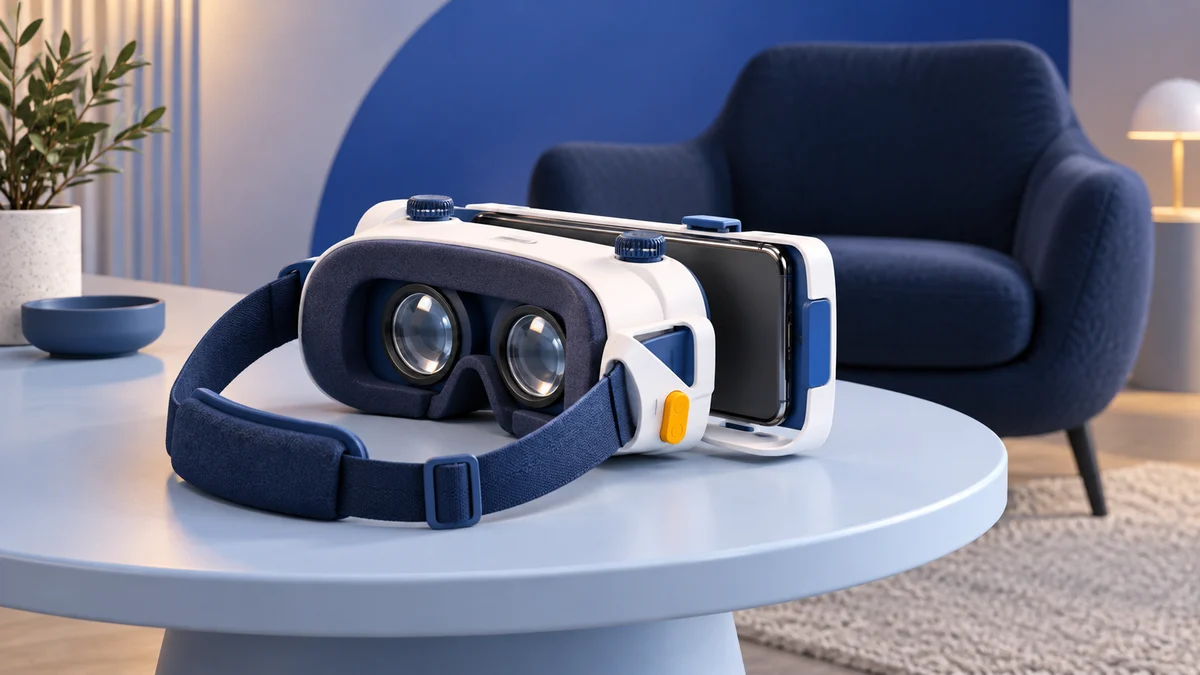
Check price on Amazon Paid link · AmazonThe SmartTheater Original uses your phone for its screen and VR apps. Physical fit matters, but your phone also needs a gyroscope for head tracking. Finding an old headset is only useful if you can pair it with working content.
Yuvika’s review takes you through setup, lens adjustments, phone compatibility and the input trigger. Read the content notes for changes to the original app advice, then compare alternatives if you are choosing your first headset.
Product status and source notes
Product documentation. We could not verify an active SmartTheater support page for this exact viewer. The review below remains useful for identifying the hardware, phone-fit limits and original controls. Confirm that the app you intend to use is still installable; do not rely on the historical Daydream setup advice.
Still usable? Yes, as a basic phone viewer. It has no electronics of its own, so it works with apps that offer a Cardboard-style split-screen mode, such as the Google Cardboard app for Android and iPhone (the iOS version needs iOS 15 or later). The Google Daydream app recommended below no longer applies: Android 11 dropped Daydream support. YouTube's Cardboard mode works only in the Android app. Check phone size first: this review lists larger phones such as the Galaxy Note 8 as incompatible, and most iPhones on Apple's comparison page have 6.1-inch or larger screens.
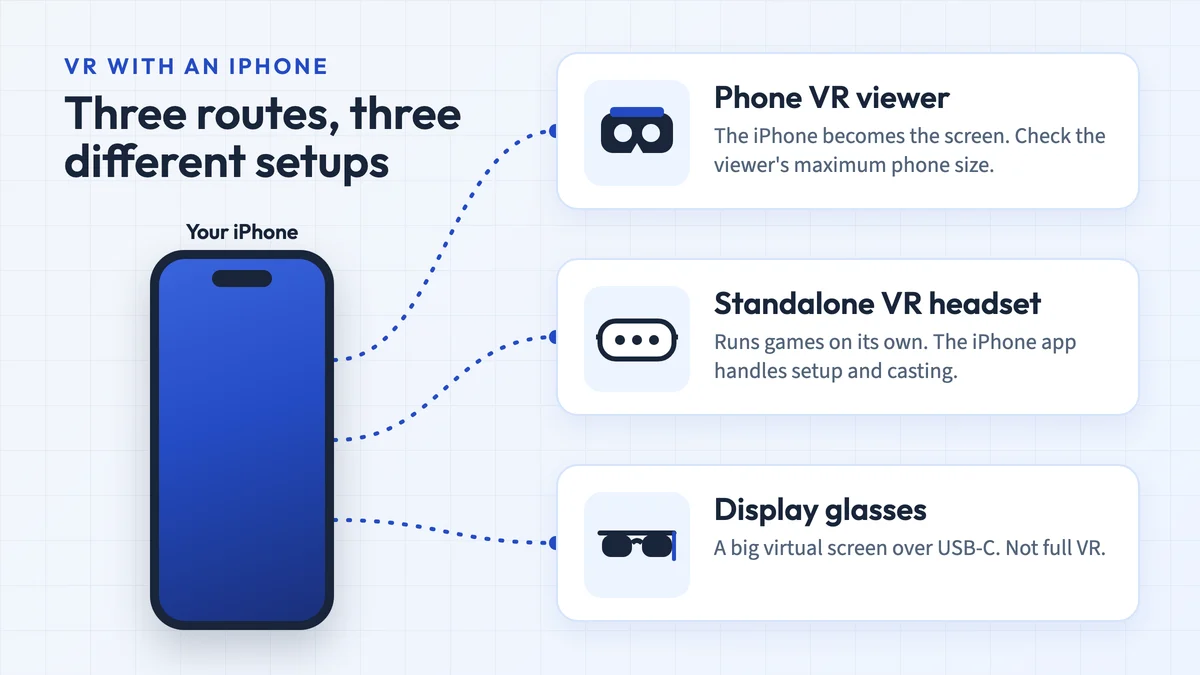
What to consider instead: a viewer sized for current phones, or a standalone headset such as the Meta Quest 3S for real VR games. The Oculus Go below is discontinued, and neither Polaroid nor Destek lists the other two alternatives any more. See what to consider instead.
Original review introduction
Are you searching for an affordable VR headset with high-quality immersive VR experience?
Well, I was in a similar space and wanted to get my hands on a simple but high-performance headset. My mind clouded up with the numerous options available in the market.
After scouring through tons of products, I found one that fit my expectations.
I’m going to review the SmartTheater Original VR Headset and share the best and the worst things about it.
What to Check Before Buying a Phone Headset Like the SmartTheater
Here are a few things to keep in mind, when you are looking for a mobile VR headset. After having used a bunch of VR headsets with my smartphone, there are some tips I would like to share with you.
Type of Smartphone
Do you have an Android or an iPhone? In the majority of the cases, the kind of smartphone you have has an impact on the user experience.
I have noticed that Android phones pair up well when you have headsets with controllers. You may have difficulty in connecting to the controllers if you have iPhones.
Budget
Mobile VR headsets can range from the tens of dollars to even a couple of hundreds for a headset. Pick one based on the features you want and your budget.
Assure yourself on the compatibility factor before shelling out dollars for your VR headset.
Smartphone Screen Size
Don’t miss this fine print. VR headsets work with a specific smartphone size. Many devices can accommodate up to 5.5 inches while others are good with 6 inches.
Before ordering one for yourself, make sure that your smartphone and headset will fit in together.
Presenting the SmartTheater Original VR Headset
With the SmartTheater, you can strap in your smartphone and get started with virtual reality!
When I unpacked the box, it came with the headset and an instruction manual to help you set it up.
Specifications
- Product dimensions are 8.2 x 3.7 x 9 inches
- Antimicrobial face foam padding
- Has an input trigger
- Weighs 0.7lb
- Sports 4-way adjustable high-quality lenses of 37mm
Pros
- Affordable VR headset
- Glass wearers will find it quite comfy to wear
- Feels comfortable and light for extended sessions
- Compatible with majority models of iPhone and Android
Cons
- Not compatible with bigger models such as Note 8
- Smaller smartphones of 5.5 inches and below can have screen distortions
- Doesn’t come with a controller
Features & Benefits of the SmartTheater Original VR Headset
The SmartTheater Original VR Headset is great for those who want to experience virtual reality on their smartphone without breaking the bank! Let me share what I like and don’t like about this device.
Design and Comfort
The device is super lightweight, and I loved its comfortable fit on my nose with the Galaxy S9.
It’s simple to use too.
The manufacturer claimed that almost any size of smartphone fits, though larger models such as the Note 8 don’t. I did try it with the iPhone 8 and my Galaxy S9. Guess what; both were good to go! It’s also available in a range of exciting colors like blue, red, green and pink.
If you wear glasses, wear them first and then strap on the headset. I recommend that you keep your smartphone centered at all times to get the best viewing experience.
Setup
Starting up was quite easy. I searched and downloaded the VR apps and games I wanted before strapping on the headset.
I downloaded Battleship Defense VR, VR Pandora Survive and VR Soccer header and was all excited about it!
Then I took a minute to strap on my S9 and put on my headset. I adjusted its lenses and jumped headfirst into the wonderful world of virtual reality.
Lenses and Viewing Experience
I was surprised to find that older SmartTheater models did not come with the adjustable lenses, but the newer ones do. If you have the newer version, adjust the lenses to get a good fit.
Once you do this, you will see one single and unified image. Now my eyes felt much better, and the entire viewing experience was more comfortable.
Smartphone Compatibility
Okay, so you need a smartphone with a gyroscope sensor, as SmartTheater’s instruction manual pointed out. It is an element embedded into the phone that allows VR apps to know the direction in which you are looking.
Gyroscope sensors are present in most of the Android phones and all iPhone models. You can easily check with this little trick. Just see if the image on the screen is rotating in sync with the direction in which you are looking.
If it does, you can use this device. If not, your phone will probably not work with this headset.
VR Content
You can enjoy a wide range of content from the App Store and Google Play. I recommend making your viewer profile with Google by downloading the Google Daydream app.
Once you are done, sync the headset with your smartphone and the apps you are going to play. Doing this may take a couple of minutes, but you will have a much better and clean viewing experience.
You can use almost all the apps available such as Discovery VR, NYT VR, InMind VR, InCell VR, Jaunt VR, and tons of other games and apps. Also, enjoy YouTube 360-degree videos in VR mode!
Note: This setup advice has changed. The Google Daydream app recommended above no longer applies: Google ended Daydream support with Android 11. Today the viewer profile is set in the Google Cardboard app, which asks you to scan the QR code on the viewer; we could not confirm whether the SmartTheater ships with one. YouTube's VR mode now works only in the Android app, and we could not confirm that all of the apps named above are still available in the app stores.
When you are in an app, it’s easy to move around. I simply launched the app and look at the item I wanted to select to choose it. This is the automatic gaze technology at work that selects an item just with a ‘gaze.’
Alternatively, you can use the input trigger. To use this, lightly press or pull on the input trigger and make your selection. I liked this feature and found it quite similar to a mouse click.
I got the cursor to the place to select and then toggled the trigger. Simple isn’t it!
What Other Users Say
Well, the fact that I like SmartTheater isn’t a secret. Let’s see what others had to say about it. Many of the users liked that it’s lightweight and the face foam padding made it comfortable to wear.
They liked the 4-way adjustable lenses on the device. Other users commented that they got distorted views when they used smaller sized smartphones, lower than 5 inches.
Alternatives to the SmartTheater Original
I find mobile virtual reality headsets to be quite similar to use. Any differentiating features in the devices can make your viewing experience better or worse. Let’s check out the alternatives to the SmartTheater.
Polaroid Virtual Reality 3D VR Smartphone Headset
Status: Polaroid’s website now lists only instant cameras, film, printers and accessories, with no VR headsets, and current manufacturer support for this older viewer has not been verified. See our Polaroid VR headset review.
I quite like this headset due to its comfort factor.
But it doesn’t have the features that the SmartTheater gives you.
Similarities
- Branded models
- Mobile VR headsets
- High-quality lenses
Differences
- SmartTheater is lighter than Polaroid
- Polaroid fogs up at times
- Speaker ports are pretty small in comparison to SmartTheater
Oculus Go (Discontinued)
Oculus Go was arguably one of the best mobile headsets on the market when this review was written. It is no longer an option: Facebook (now Meta) ended Oculus Go sales in 2020 and provided bug fixes and security patches only through 2022. See our Oculus Go review.
Similarities
- Simple and lightweight design
- Comfortable to wear for people with glasses
- Easy to set up
Differences
- Go works even without a mobile phone
- High quality and distortion free VR experience
- Comes with a controller
See the Oculus Go listing on Amazon (discontinued)
Destek V4 VR Headset
Status: Destek’s official store no longer lists the V4. Its successor, the Destek V5, is listed for 5.0 to 7.0-inch phones at $39.99, but it was sold out when we checked on 24 September 2026. See our Destek V4 review.
I have an affinity for the Destek V4 VR Headset.
It has a minimalist design, is comfortable to wear, and packs a wide 103-degree field of vision.
If you want a premium quality headset and budget is not a constraint, pick this device.
Similarities
- High-quality visuals
- Both are compatible with a wide range of phones
- Travel-friendly
Differences
- Destek fogs a bit at times
- It comes with a controller that the SmartTheater lacks
- Face padding made of soft leather
View the listing on AmazonPaid link · Historical or unverified listing
What to consider instead of the SmartTheater
Options confirmed on the makers’ own pages (prices checked 24 September 2026):
| Option | Type | Price | What to know |
|---|---|---|---|
| Homido V2 | Phone viewer | €49.99 at Homido, in stock | Android and iOS phones from 4.5 to 6.5 inches |
| Meta Quest 3S | Standalone headset | From $349.99 (US) | No phone needed; its own app store and games |
| Meta Quest 3 | Standalone headset | $599.99 (US) | No phone needed; 512 GB of storage |
The Homido V2 details come from Homido’s product page (see also our Homido V2 review). The US Quest prices come from Meta’s pricing update, effective 19 April 2026.
Is the SmartTheater Original Worth Buying?
The SmartTheater Original VR Headset is a great entry-level device to get started with VR.
If your smartphone is between about 5.5 and 6 inches, this will give you a reasonable viewing experience on the go. Smaller phones can show distortion, and larger ones such as the Note 8 may not fit.
Though the game apps are somewhat limited, it is a decent choice if you want a simple, no-frills device. Note that we could not confirm it is still sold.
If you prefer the Destek alternative, check the Destek V4 on Amazon.
Research behind this guide
Check the linked specifications and support documents, or read how we research. Original review experience stays attributed to its author.
View 12 sources
- Google Cardboard (Google AR & VR)
- Google Cardboard app (Apple App Store)
- Set up Google Cardboard (Google Cardboard Help)
- Watch VR180 and 360-degree videos with Cardboard (YouTube Help)
- Google drops Daydream VR support with Android 11 (GSMArena)
- Compare iPhone models (Apple)
- Polaroid official website
- Destek official store
- Destek V5 VR headset product page (Destek)
- Homido V2 product page (Homido)
- An update on the evolution of the Oculus platform (Meta)
- An update on Meta Quest pricing (Meta)
Explore the related guides in VR headsets.