HP Windows Mixed Reality Headset with Motion Controllers: Review and Current Status
We may earn a commission when you buy through links on this page. As an Amazon Associate I earn from qualifying purchases. How this works
Avoid the HP Windows Mixed Reality headset as a first PC VR purchase unless you understand its retired software requirements. Windows 11 24H2 removed the official WMR platform; the dated notes below explain older Windows support and an untested unofficial driver. If you already own it, check your Windows version before changing your setup. New buyers should compare supported alternatives.

128 GB configuration
Standalone VRStandalone games with Fresnel lenses.
Check first: Check the app library, optical fit and return policy.
Check price on Amazon Paid link · Amazon
512 GB configuration
Pancake opticsPancake lenses and a higher-resolution display than Quest 3S.
Check first: Compare the complete purchase, including any accessories.
Check price on Amazon Paid link · AmazonA used HP Windows Mixed Reality headset can look like an inexpensive route into PC VR. The first check is your Windows version, because the headset depends on a retired software platform. A working HDMI and USB connection cannot replace the software it needs.
This page explains the platform’s status before John’s original review of the hardware, controllers, tracking and setup. Read those sections to understand the equipment, then use the alternatives section to assess a replacement.
Can you still use the HP Windows Mixed Reality headset?
Product status and source notes
This review covers HP's first Windows Mixed Reality (WMR) headset, released in October 2017 at $449 with motion controllers included, according to Wikipedia's list of WMR headsets. HP no longer sells it new, and the platform it depends on has been retired: Microsoft deprecated Windows Mixed Reality in December 2023 and removed it in Windows 11, version 24H2, including the Mixed Reality Portal and Windows Mixed Reality for SteamVR. Microsoft says existing headsets keep working with Steam through November 2026 only if you stay on Windows 11, version 23H2, and that WMR gets no security updates, fixes or support after that. Windows 10 is only a short-term fallback, because its support ended on 14 October 2025 (Microsoft's consumer Extended Security Updates programme runs to October 2027). Wikipedia also reports that a reverse-engineered driver called Oasis, released in 2025, lets WMR headsets run in SteamVR on current Windows 11 builds, but only with Nvidia graphics cards; we haven't tested it, so treat it as an unofficial workaround. Our advice: only buy a used unit if it's very cheap and you're comfortable with that workaround; for most people a current headset such as a Meta Quest 3S used with a PC is the better choice (see what to buy instead). Checked 24 September 2026.
Note that “mixed reality” here is Microsoft’s brand name for this platform. The headset has no colour passthrough cameras, so it can’t do the passthrough mixed reality that modern headsets such as the Meta Quest 3 offer.
Original review: John’s hardware review below was published in 2020. Its original setup and software descriptions require the Windows compatibility context above; later corrections are identified in the text.
What to check before buying the HP Mixed Reality headset
If you are excited about trying out virtual reality or stepping up from a VR system based on your phone, you are probably ready to jump right in.
However, there are a few things you should consider before making your purchase to make sure your new virtual reality headset gives you everything you want.
1. Do you have a decent gaming computer?
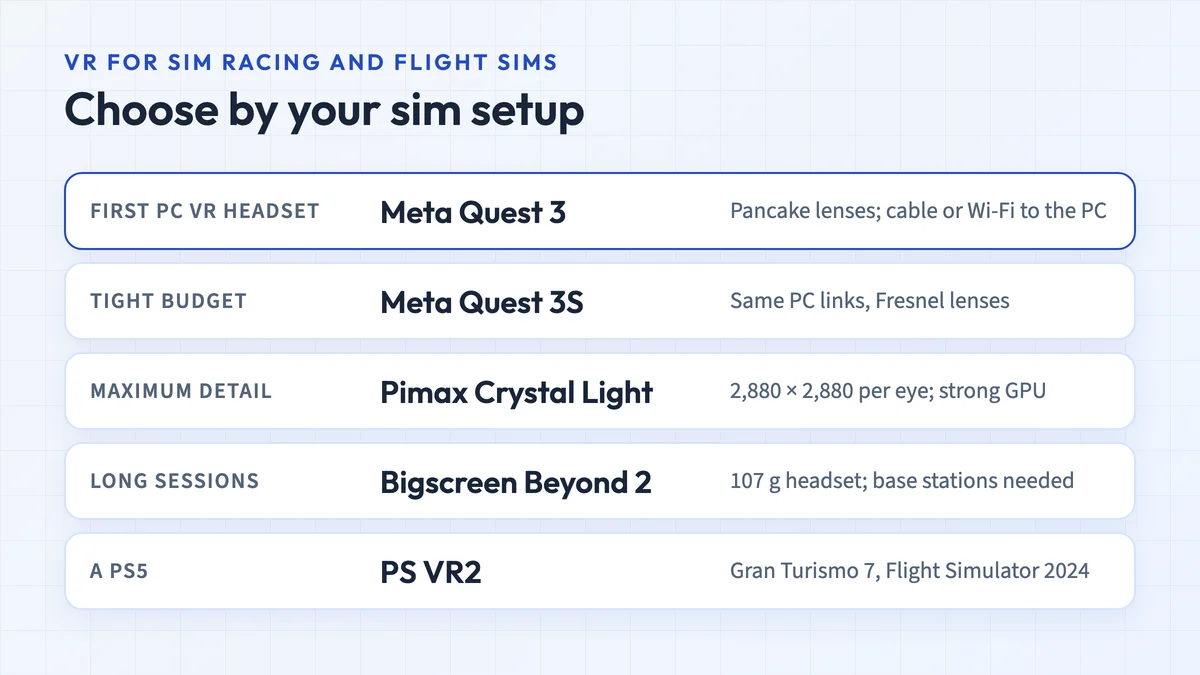
There is a wide range of virtual reality headsets available. When this review was written, the higher-end systems required you to be tethered to a gaming computer which supplies the needed computing power for high-quality games. Today, standalone headsets such as the Meta Quest 3 and 3S run games on their own and can also connect to a Windows PC with Meta’s Link and Air Link.
If you don’t already have a decent gaming computer, keep in mind that getting a tethered system means you also need a new computer.
2. Do you have a PC or a Mac?
If you are thinking a tethered VR system is for you, know that not all virtual reality headsets work with Macs. The HTC Vive and Oculus Rift do, but the Microsoft Mixed Reality systems (like what we are reviewing in this article) do not. Note: this has changed. Valve discontinued SteamVR for macOS in 2020, and both the Oculus Rift and Rift S have been discontinued, so in practice none of these PC VR systems is a Mac option today.
3. Are you more interested in VR experiences or active gaming?
Tracking is a significant difference in many of the middle to high-end VR systems. While some use external sensors, others use inside-out tracking (cameras on the headset), and still, others only have orientation tracking (only tracking your head turns).
If you want to be very active in your virtual environment, moving around and being able to move your hands freely while they are tracked, you are better off with a system that uses external sensors. (Inside-out tracking has improved a lot since this was written, and most current consumer headsets use it.)
If you plan to stand or sit in one position and not be too active with your hands an inside-out tracking system should work fine for you (as will the external sensors).
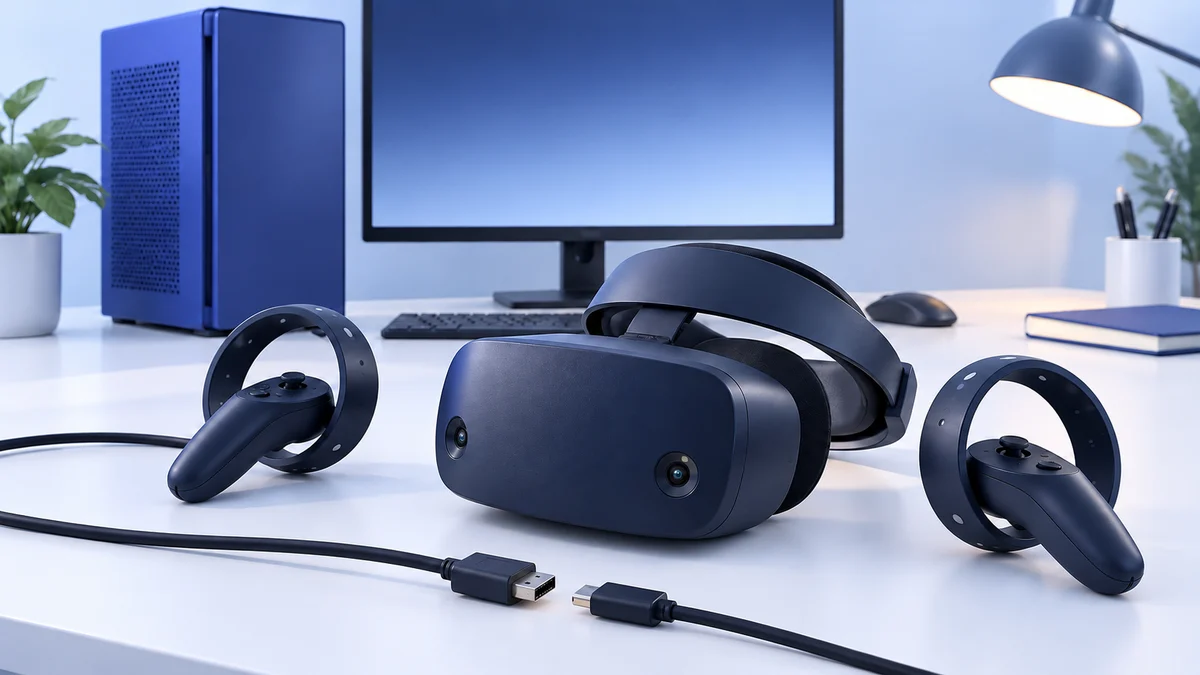
Presenting the HP Microsoft Mixed Reality Headset with Controllers:
The HP Microsoft Windows Mixed Reality Headset (HP MR Headset) is similar to the HTC Vive and Oculus Rift.
So, don’t let the name fool you. This is solely a virtual reality headset and does not do augmented reality. The cameras on the front of the headset are infrared, not visual, and are used for tracking, not for augmented reality.
Mixed Reality is Microsoft’s augmented and virtual reality platform which is built into Windows and works with Microsoft Hololens as well as their VR headsets. Thus, the confusing name of the headset.
Also, Microsoft has released the reference designs and mixed reality platform code to several third-party companies. So, just like you can find several brands of Windows PCs, you can find several brands of Mixed Reality headsets. This review is for HP’s headset.
The HP MR headset/controller bundle comes with both the VR headset and two, battery powered, hand-controllers. It launched for Windows 10 Fall Creators Update; Microsoft now lists support only for Windows 10, version 20H2 through Windows 11, version 23H2, and not for Windows 11, version 24H2 or newer. It requires a PC (sorry no Macs) with the following minimum specs:
- Notebook Graphics Card: NVIDIA GTX 965M / AMD RX 480M (2GB)
- Or PC Graphics Card: NVIDIA GTX 980 / AMD RX 480 (2GB)
- CPU: Intel Core i7 /AMD Ryzen 7 1700
- RAM: 16GB
Like all PC-based virtual reality systems, the better the system the better the performance. So, I recommend the NVIDIA RTX graphics cards and the 8th gen Intel Core i7 CPUs along with as much RAM as you can get.
Unlike other VR systems, like the HTC Vive, the Mixed Reality headset does not use external sensors for motion tracking. Instead, it uses the infrared cameras built into the headset to identify distinct objects in the room and use them as reference points for tracking.
The cameras also track the hand-controllers. This makes for quicker, easier setup, but causes some issues with tracking, particularly with tracking the hand controllers.
You could get games and other VR software from the Windows Store or Steam (with a little tweaking). Both routes depended on WMR software that Microsoft has since removed from current Windows 11.
Pros
- High-resolution graphics
- A robust library of games and software
- Quick and simple setup
- Good motion tracking
Cons
- More complicated to use Steam than other headsets
- Tracking sensors can easily lose hand-controllers
- A smaller field of view than other equivalent headsets
HP Mixed Reality headset features
When it launched, the HP Mixed Reality headset with controllers was one of the top tier virtual reality systems on the market. It has several great features which make it stand out, though it also has some areas that could use some improvement. Let’s explore the HP Mixed Reality VR system.
Design:
The HP MR headset is a well-designed virtual reality headset with a futuristic and stylish design. It has a single band headband with two cameras in the front (infrared) used for tracking which allow for 6 Degrees of Freedom. One of the unique features of this headset is that the VR goggles are hinged to the headband, allowing you to raise the goggles to view the outside world without having to remove the entire headset.
Comfort:
HP had comfort in mind when it designed this headset. Its weight is comparable to other PC based headsets, but the rigid headband design holds the headset comfortably on your head with good padding on the front and back. To adjust the size of the headband, you turn a knob in the back of the headband rather than using velcro for straps.
Unfortunately, with all the padding, the headset can get a bit warmer than other similar headsets which can be a little uncomfortable with extended use.
Controllers:
HP’s hand-controllers are lightweight and comfortable. They have ergonomic controls, though some of the buttons which are associated with Windows (rather than the game you are playing) can take some getting used to.
The hand-controllers are battery powered, so have a few extra AA batteries laying around just in case. They also use Bluetooth to connect to your computer. So, you need to have a computer with Bluetooth built-in, or you need to get a Bluetooth dongle.
All in all, the controllers work well and were some of the best on the market at the time.
Tracking
This is where the MS Mixed Reality systems set themselves apart. Unlike other PC-based VR systems, the HP MR systems use inside-out tracking, meaning they have cameras on the headset to track motion rather than using external sensors. This makes setting up the MR systems easier and allows for better portability, but it does have some downsides.
The camera-based sensors detect unique items around the room, like pictures or your TV/monitor. As you move, they track where those unique items are and determine your motion. While not perfect, this system works quite well so long as you are not in a room with things that are moving a lot (other than you). Too much external movement can cause glitches.
The other thing that can cause glitches is the tracking of the hand-controllers. Since the tracking is done entirely with two, forward-facing cameras which have a limited field of view, any time your hands move out of the range of the cameras, the system is unable to track them.
As long as your hands are in front of you, the tracking works great. However, the inside-out tracking can cause issues when you need to move your hands behind you or even down by your side.
Display Quality:
The HP MR headset has a 1440 x 1440 per eye LCD, which is better than the original Oculus Rift and HTC Vive, though not quite as good as the HTC Vive Pro. This gives a clear, crisp image. The screen has a refresh rate of either 60Hz or 90Hz, depending on your graphics card. It’s well worth getting the higher-end graphics card to have the 90Hz refresh rate as slower refresh rates can lead to nausea.
The headset also does not have any physical adjustments for the distance between your eyes. This can be adjusted to some extent in the software settings, but can also lead to some blurriness if your eyes are farther apart than average.
The field of view is either 90-degrees or 100-degrees depending on your graphics card. If you have a higher-end graphics card and get the 100 degree field of view, it’s pretty good, but not quite the 110-degrees of its competitors. The lower-end 90 degree view is pretty poor for VR headset standards.
Audio:
The HP Mixed Reality headset comes with a built-in ⅛ stereo/microphone audio jack. It can create spatial audio where you hear sounds from the direction they are supposed to be coming from, but the audio isn’t quite as advanced as other systems.
To get the best experience, I recommend getting something better than a base model set of headphones. You can find more information about choosing headphones here.
Requirements:
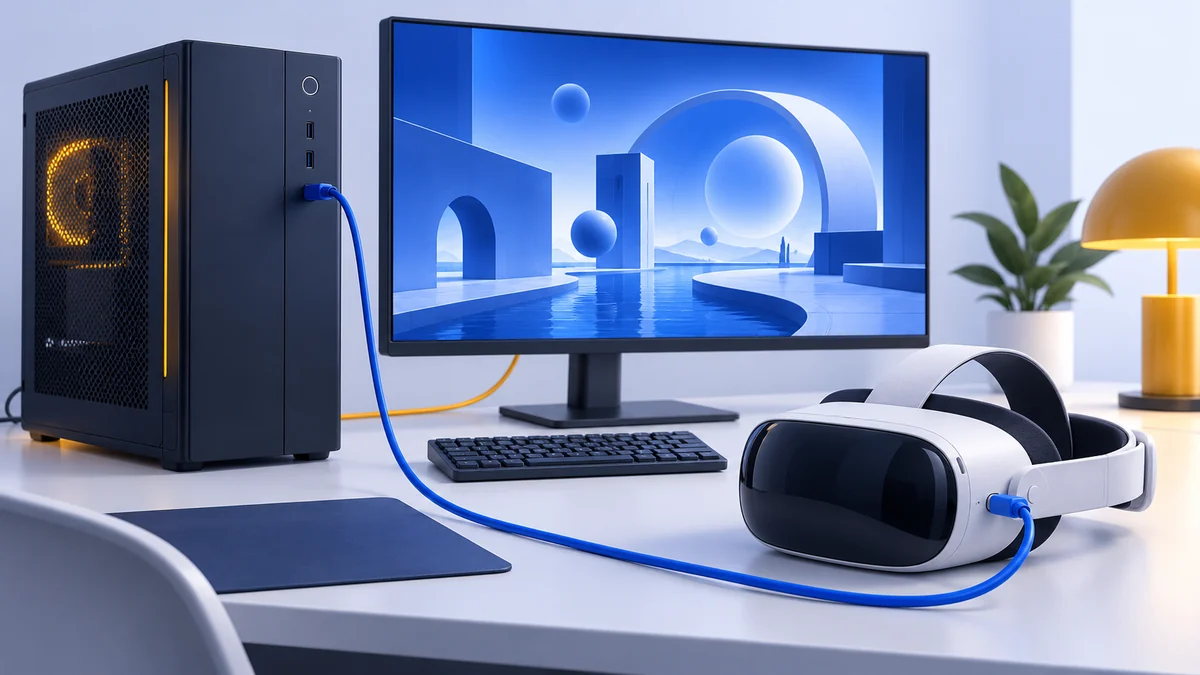
We have already written about the required specs for your computer. In addition to a decent graphics card, CPU, and RAM, you also need a free HDMI port, USB 3 port, and Bluetooth capability.
If you are already using your only HDMI port for your monitor/TV, but you have a free DVI port, you can use this adaptor to give yourself another HDMI port. If you are short on USB 3 ports, you can get a USB 3 hub here. Lastly, if you don’t have Bluetooth on your computer, you can pick up a Bluetooth dongle here.
Setup:
You’ll have a hard time finding a VR headset with an easier setup than the HP Microsoft Mixed Reality headset. You simply take the system out of the box, put some AA batteries into the hand-controllers, plug the included wire into the headset and then into your computer’s USB 3 and HDMI ports, and you are ready to get started.
You’ll need to do some calibration, which includes showing your headset around the room so it can learn the room for tracking, but there’s little else you need to do to use games from the Windows Store.
If you want to use your headset for apps on Steam, it takes a few extra steps. First, you will need to get the Windows Mixed Reality for SteamVR app off Steam. Then, you run it through the Mixed Reality’s Cliff House or Skyloft environments. It’s a little cumbersome, and this arrangement uses more RAM than if Steam natively ran on the HP MR system, but it works for the most part.
Note: this setup only works on Windows versions that still include Windows Mixed Reality. Microsoft's deprecation notice lists the Mixed Reality Portal, Windows Mixed Reality for SteamVR and the SteamVR Beta as removed in Windows 11, version 24H2. The Windows Mixed Reality for SteamVR store page is still up, but it won't bring the headset back on 24H2 or later. The Cliff House and Skyloft home environments are part of the removed WMR software.
Performance - The VR Experience:
All the specs, features, and dongles are great, but what really matters is your VR experience. Some aspects are great. The headset is comfortable to wear. The image is clear and crisp, as long as your eyes aren’t too far apart.
The controls and the tracking work well, though the controls when playing games in Steam may take a little getting used to. Also, the ability to raise the goggles without removing the entire headset is very convenient.
On the other hand, you’ll have a smaller field of view which may reduce your sense of immersion in the virtual world, and the hand-controller tracking issues can make some games almost unplayable.
Content - Apps and Games
The game and app library for all the PC-based VR headsets are quickly becoming indistinguishable both due to overlap from the various app sources (Steam, Windows Store, and Oculus Home) and the fact that the headsets have access to each of these sources. For example, all MS Windows Mixed Reality headsets can get access to Steam and Oculus Home…with some tweaking.
There is one exception, though. Microsoft has said they won’t allow the Vive and Oculus access to the Windows Store. So, any games or apps that are exclusive to the Windows Store are only accessible by Mixed Reality headsets.
So, technically, at the time of writing, the HP MS Mixed Reality headset had the most extensive library.
Note: this is no longer true. With Windows Mixed Reality removed from Windows 11, version 24H2, the Windows Store WMR apps and the WMR route into SteamVR no longer work on current Windows. The Oculus Home store mentioned above is now Meta's Horizon Link PC app, and it's aimed at Meta's own headsets.
What Buyers Said About the HP Headset
So, how does the HP Microsoft Windows Mixed Reality headset with controllers combo perform out in the wild? I read through several customer reviews and found the experiences to be mostly positive.
The HP was generally viewed as a good VR headset, especially for the price.
Here are a few of the reviews I found: customer reviews on Amazon
Alternatives to the HP Mixed Reality headset
The HP Mixed Reality VR headset had some good competition when this review was written. Depending on your situation, it may be the best option, or you may be better off with another system. Below are some brief comparative reviews of some of the HP MR competitors to help you decide if the HP is your best option. All three headsets below have since been discontinued; see what to buy instead for current options.
HTC Vive
When this review was written, the HTC Vive and Oculus Rift were the market leaders for PC-based VR headsets. HTC no longer lists the original Vive on its product page, and the Rift was replaced by the Rift S in 2019, which was itself discontinued in 2021. The Vive has very similar computer requirements as the HP. Any of the PC-based systems are going to need a decent gaming computer to get the most out of them.
While the HP has slightly higher resolution (1440 x 1440 compared to HTC’s 1080 x 1200), the Vive has a larger field of view (110 degrees), and both have a 90Hz refresh rate. If a higher resolution is what you want, the HTC Vive Pro beats out the HP with 2880 x 1600 (1440 x 1600 per eye), but you’ll pay for the higher resolution.
The Vive has an OLED screen, where the HP has an LCD screen. LCD screens can cause some blurring, especially with quick movements.
Where the HTC and HP really differ is in the setup. HTC uses external sensors that you mount to a wall or put on a high shelf. This is a more difficult setup, but provides better tracking, especially for the hand-controllers.
If you only plan to play in your home (one location) and want better tracking and a more immersive experience, then the HTC Vive may be the better choice for you.
You can learn more about the Vive or purchase one by clicking here.
Similarities
- Tethered to a PC
- Requires a decent gaming PC
- No built-in audio
- 90Hz refresh rate
Differences
- 3 strap, velcro headband
- 110-degree field of view
- Outside-in tracking (external sensors)
- Lower resolution
View the listing on AmazonPaid link · Historical or unverified listing
Oculus Go
I’ve mentioned the Oculus Rift several times in this review, and it compares very similarly to the HTC Vive mentioned above. So, I thought I’d mention the Oculus Go here, instead. The Oculus Go is the lower cost Oculus option, but it has a feature neither the HP Mixed Reality or HTC Vive have. It’s not tethered to a PC. That’s right. You can take it anywhere. You get freedom with the Go (thus the name).
The Oculus Go has all its computer processing built in, so it doesn’t require a PC or a phone like other virtual reality headsets. However, that built-in computer has nowhere near the computing power as a decent gaming computer (or even a not so decent one). So, you are much more limited in the apps you can use. You also have limited disk space.
The Go has a high resolution LCD screen (1280 x 1440 per eye), but only a 60Hz or 72Hz refresh rate depending on the app, which may cause some people to get nauseous when using it.
The other distinction is that the Oculus Go only has orientation tracking, meaning it can track when you turn your head, but it cannot track you moving through virtual space. This has a major impact on the immersive experience you can have with the Go.
The Oculus Go may be the headset for you if you want a VR system you can take with you anywhere. Note that Oculus announced in June 2020 that it would stop selling the Go later that year, and it stopped accepting new Go apps in December 2020, so it is only a curiosity today. You can read more in our Oculus Go review or check the Oculus Go by clicking this link.
Similarities
- High-resolution screen
- LCD screen
- No built-in audio
Differences
- 3 strap harness
- Not tethered to a PC
- Only has orientation tracking
- Limited computing power, apps, and disk space
View the listing on AmazonPaid link · Historical or unverified listing
Lenovo Mirage Solo
The Lenovo Mirage Solo is another stand-alone virtual reality headset. Like the Go, it is not tethered to a PC, making it mobile, but suffers from a lack of computing power and disk space.
The resolution of the Lenovo is similar to the HP at 1280 x 1440 per eye. It has a 75Hz refresh rate, splitting the difference between the HP and Go.
Tracking is another significant difference and, much like the refresh rate, the Mirage found a way to split the difference between the HP and Go. Whereas the Oculus Go only has orientation tracking, the Mirage has two cameras in the front that give it inside-out tracking.
While that sounds like the HP, it’s a much more limited form of inside-out tracking which is only able to track your surroundings within a 3’ x 3’ space. So, while you can dodge and move your hands, you can’t move around much, or the Lenovo will freeze until it reorients itself or you move back into your little 1-meter box.
Finally, the Lenovo Mirage Solo runs on an Android OS. So, your games are limited to what you can find in the Google Play Store, which is pretty limited in number and quality. Google stopped selling Daydream View in October 2019 and stopped certifying new Daydream devices, so the Mirage Solo’s platform is a dead end.
Are you the type of person who wants mobility, but also some motion tracking? The Lenovo Mirage Solo filled that niche at the time, but a current standalone headset does it far better.
You can find more info on the Mirage Solo here.
Similarities
- Similar resolution
- Both have inside-out tracking, though the Mirage’s version is much more limited
- Neither have built-in audio
Differences
- Not tethered to a PC
- Limited disk space and computing power
- Google Play Store is the only source for apps
View the listing on AmazonPaid link · Historical or unverified listing
What to buy instead of the HP headset
For a replacement, compare supported PC VR routes and check the complete offer. The availability note below was verified against HTC’s product page on 14 October 2026.
- Meta Quest 3S and Quest 3: standalone headsets that also work as PC VR headsets over a cable or Wi-Fi using Meta Horizon Link and Air Link. Meta’s comparison page listed the Quest 3S at $349.99 (128GB) and the Quest 3 at $599.99 (512GB) in the US on 24 September 2026. For most people replacing an old WMR headset, this is the simplest option.
- HTC VIVE Pro 2: HTC’s product page marks this headset as no longer available. Remaining retailer or used listings need separate checks for condition, availability and included tracking equipment. The VIVE product range is a starting point for checking alternatives; compare complete setups in our PC VR headset guide.
For a wider comparison, see our guide to the best VR headsets for PC.
Is the HP Windows Mixed Reality headset worth buying now?
The HP Microsoft Windows Mixed Reality Headset with controllers was a quality virtual reality headset that delivered an excellent VR experience for its time. In some areas, it outshone its competitors, while in others it lagged a bit.
That verdict no longer holds for new buyers. Windows Mixed Reality is gone from current versions of Windows 11, and the headset is only officially supported on older Windows versions that are running out of support. If you already own one, it can still work on Windows 11, version 23H2 until November 2026, or through the unofficial Oasis driver; if you’re buying, a current headset is the safer choice. You merely need to decide which features and benefits are most important to you and go with the VR headset that best gives you those features and benefits.
Research behind this guide
Check the linked specifications and support documents, or read how we research. Original review experience stays attributed to its author.
View 13 sources
- Deprecated features in the Windows client: Windows Mixed Reality (Microsoft Learn)
- Before you start: Windows Mixed Reality enthusiast guide (Microsoft Learn, archived)
- Windows 10 support has ended on October 14, 2025 (Microsoft Support)
- Windows Mixed Reality for SteamVR (Steam store)
- Windows Mixed Reality (Wikipedia)
- HTC Vive (Wikipedia)
- Oculus Rift (Wikipedia)
- Oculus Go (Wikipedia)
- Google Daydream (Wikipedia)
- VIVE products (HTC)
- VIVE Pro 2 availability (HTC)
- Compare Meta Quest headsets (Meta)
- Connect Meta Quest to a PC with Link and Air Link (Meta Quest Help Center)
Explore the related guides in VR headsets.