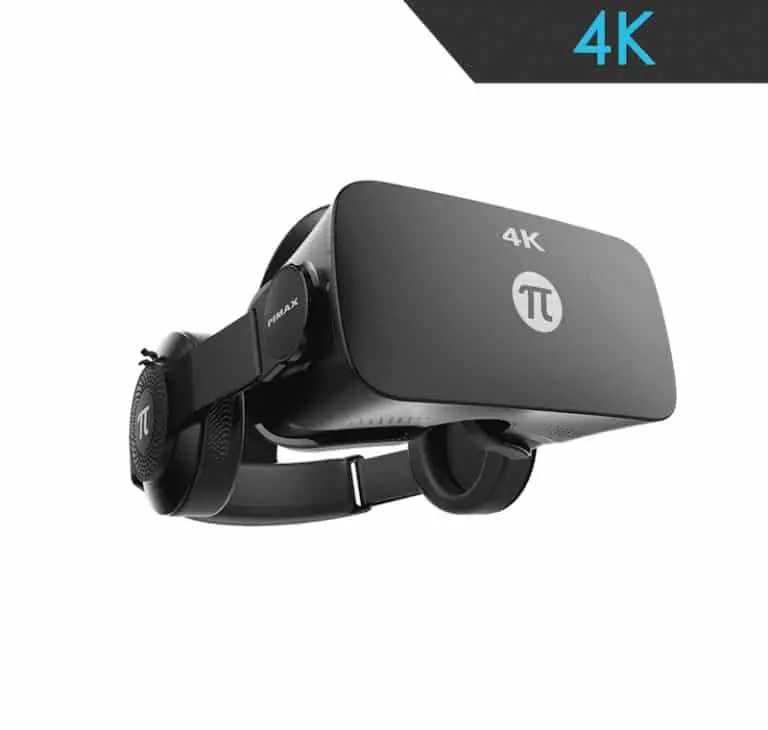
Pimax 8K VR Headset Review
We may earn a commission when you buy through links on this page. How this works
The original Pimax 8K is discontinued. Consider a used one only if you already own a capable gaming PC, SteamVR base stations and compatible controllers. Its “8K” name describes two 4K panels; the original headset upscales a lower-resolution input. Check the whole kit and software before buying. For a first setup, compare newer PC headsets in the current-status section, which explains what changed after the 8K.
Choosing a Pimax 8K by its name alone can hide two important details. The original model upscales its PC input, and its tracking equipment is a separate purchase. Check both before considering a used headset.
Dustin’s historical review covers PC and room requirements, display and field of view, then Rift and Vive comparisons. Finish with its status and newer alternatives to understand what belongs in a first PC VR setup.
Product status and source notes
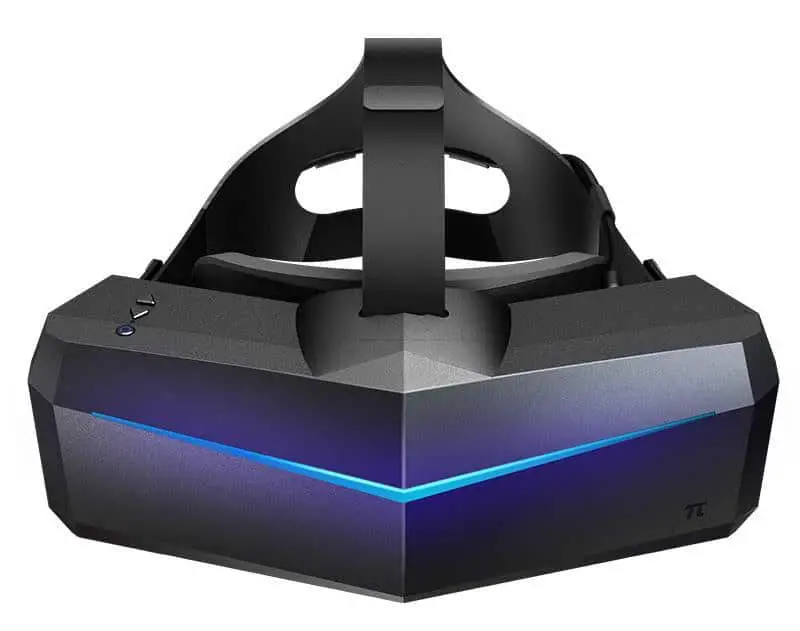
Discontinued. The original Pimax 8K (a 2017 Kickstarter headset that reached all verified backers by July 2019) is no longer in Pimax's current line-up, and its 8K X and 8K+ variants are gone too. The line-up now consists of the Crystal Light, Crystal Super, Dream Air and Dream Air SE. A used 8K still works as a SteamVR headset, but it needs external base stations and controllers, which were never included. If you want Pimax's wide-FoV approach today, look at the Crystal Super or Crystal Light instead.
Original review introduction
When you hear about VR headsets, your mind may instantly jump to Oculus or HTC.
This makes sense as they’re the largest VR brands out there. What you may not know is that there are other companies making headsets. One of these prominent competitors is Pimax, who is designing screens with high resolutions. When this review was written, their newest release was the Pimax 8K, which has a 4K panel per eye.
In this Pimax 8K headset review, I’ll let you know my honest thoughts and whether or not this stacks up to the competition.

Before You Buy a PC VR Headset Like the Pimax 8K
PC VR is awesome, as it provides a fantastic experience that’s better than anything you find on consoles or mobile devices. You often get better framerates, better visuals, and games that are better fleshed out.
With that said, there are some things you should consider before buying a PC headset, as you don’t want to jump in over your head.
Do You Have a PC Capable of Playing VR?
Not every PC on the market is capable of playing VR games.
This is due to two major factors: the load that games place on your PC and the double graphics processing that your computer’s GPU needs to do to deliver VR to your eyes. Because of this, you’ll want to make sure that your computer is what’s considered VR ready.
As of the publication of this article VR ready is generally considered as having:
- An Intel Core i5 4590 or AMD FX 8350 or better
- An NVIDIA GeForce GTX 1060 or AMD Radeon RX 480 or better
- 8 Gigs of RAM or more
- Video output of DisplayPort 1.2 or better
- At least 1 USB 3.0 port or better
- Windows 10
Note: those were general minimums of the time. A headset that drives two 4K panels needs much more GPU power than that, and Microsoft ended Windows 10 support on 14 October 2025, so a new PC VR setup should run Windows 11.
If you want to check out the best CPUs for VR, you can check out our article here.
Will You Play Sitting Down or Room-Scale?
VR experiences are delivered in two different ways: sitting and room-scale.
Sitting is reminiscent of playing a standard video game, as you’ll be in front of your keyboard as you play games. This is fantastic for experiences like flying a jet or driving a race car.
The other major way to play VR is by using room-scale experiences. This uses a tracking method to show your position relative to the base stations, letting you effectively move around a room that’s boundaries are set.
All headsets can handle sitting VR experiences, but not every headset is capable of room-scale VR.
If room-scale VR is important to you, then you should find a headset capable of allowing the movement.
What is Your Budget?
PC VR can get very pricey by the time you factor in the cost of buying a headset, making sure your computer is VR ready, and purchasing the different games. You need to make sure that you set a budget for making sure that you don’t go over it, as everything can add up quickly.
Presenting the Pimax 8K VR Headset
Pimax has a history of developing VR headsets that feature high resolutions.
Previous Pimax headsets have featured 4K and 5K resolutions, and the company is continuing to up their game.
The Pimax 8K’s resolution was unmatched at launch, bringing two different 4K panels, one for each eye.
It was a high-end product, offering an experience no other manufacturer matched at the time. Pimax has since moved on to the Crystal and Dream Air headsets (see below).
Specs:
- Resolution: two 3840x2160 panels (marketed as “8K”); the input signal is limited to 2560x1440 per eye and upscaled
- Refresh Rate: 80Hz
- Physical IPD Adjustment
- Audio: 3.5mm headphone jack, internal microphone
- Field of View: 200 degrees (advertised; about 160 degrees horizontal)
- Weight: 470 grams
The two 4K panels, the 2560x1440 input limit and the field-of-view figures match the Pimax 8K entry on Wikipedia. Pimax no longer publishes a spec page for the 8K, so we couldn’t confirm the refresh rate, weight and audio details against an official source.
Pros
- Very high resolution
- Ultra-wide field of view
- Manual IPD adjustment wheel
Cons
- Pricey
- Controllers and base stations not included
- Discontinued; only available second-hand
Check Pimax’s current headsets
Features and Benefits of the Pimax 8K
The Pimax 8K packed in a lot of great features that made it one of the premier VR devices on the market.
These features include:
The Absolutely Gorgeous 8K Display
The key selling point of the Pimax 8K VR headset is the two 4K displays that are built in. Because of cable bandwidth, the PC sends a 2560x1440 image per eye that the headset upscales to the panels (per Wikipedia); the 8K X variant later added native 4K input.
The screens are so sharp that you avoid the blurriness that you get from most other major devices on the market these days. Of course, this is contingent on the processing power on your computer, but even if you aren’t pushing out the highest-end resolutions on your computer, the screens still look better, as the pixel size is much smaller.
If your chief complaint about VR is the crummy displays, then the Pimax will solve that issue.
An Amazing Field of View
I really loved the resolution, but I was enamored by the ultra-wide 200-degree field of view (FoV) on the device.
This lets your eyes take in the VR world without requiring you to turn your head as much, rather letting your eyes swipe more left and right while still seeing what’s going on in the screen.
FoV is one of my chief concerns, as it takes me out of the moment when you look to the side and see the black end of the device.
6 Degrees of Freedom and Motion Tracking
The device does support 6 degrees of freedom, which lets you move along all six axes.
For the price of this headset, I wouldn’t expect anything less. This is worked together with Steam VR motion tracking to allow you to use room-scale experiences.
Sure, things aren’t as precise as Oculus’ inside-out motion tracking, but things work very well here.
Controller Support
While you can use a traditional controller for games, your best bet in VR is to use a specialized VR controller to get the best experience. There’s simply nothing better than reaching out to grab a gun and actually using your hands to do it. The 8K works with SteamVR-tracked controllers such as the original HTC Vive controllers, and Valve’s Knuckles (later sold as the Valve Index Controllers) were a popular pairing. Knuckles are Valve’s controllers, not Pimax’s, and none are included with the 8K headset.
Instead, they’re a whole different purchase that you have to make.
They’re pretty great, but the fact that they’re a whole extra purchase on top of a pricey headset is a tough pill to swallow (especially when the competition ships with base stations and controllers).
A Fresh Look at VR Games
I have to say that the improved field of view along with higher resolution had me trying out just about everything I could to see the difference between the Pimax 8K and the Oculus Rift.
Having tried a metric butt-ton of games, I can vouch that the following games are dope on the Pimax 8K:
- Superhot VR
- Space Pirate Trainer
- Doom VFR
- Dirt Rally
- X-Plane Flight Simulator (not especially a VR game, but it has a VR mode that’s amazing with the Pimax)
Comparison to the Rift and Vive
Most VR users have a Rift or Vive for their PC VR gaming. This is because the parent companies behind them are much larger than Pimax. For me, the question is: how does the Pimax 8K stack up to the competition?
Pimax 8K vs Oculus Rift
The Oculus Rift is the granddaddy of VR headsets, and in 2019 Oculus replaced it with the Rift S.
This upped the resolution and installed inside-out tracking that uses cameras on the headset for tracking. The Rift S itself was discontinued in April 2021, so neither Rift is sold new today.
I am a fan of both headsets, and there are certainly merits to both. I’d say that if you favor field of view and resolution, the hands-down winner is the Pimax 8K.
The Rift has access to the Oculus platform for games, and it’s the easiest way to plug in and start playing VR.
If this is the most important for you, then the Rift is the way to go.
Pimax 8K vs HTC Vive
The Vive is a very nice headset, and many say that it’s better than the Rift due to its better controls and more comfortable setup. I think that the Vive is more comfortable than the Pimax 8K, and the fact that controllers are included is a big plus in my eyes.
Once again, the Pimax comes out ahead in terms of resolution and field of view but if you’re looking for best value, the Vive is the better option.
What Others Have to Say About the Pimax 8K
I’ve taken a look at other sources that have to say about the Pimax 8K, and most users are genuinely impressed.
They enjoy the fact that the field of view is so wide, with some saying that reason alone is enough to buy and use the set. The resolution is also praised, as is the cooling fan that helps keep things from getting too hot and sweaty.
Is the Pimax 8K Still Worth Buying?
Only as a second-hand buy for someone who already owns SteamVR base stations and controllers. The 8K has been replaced several times over: Pimax followed it with the 8K X and 8K+ (announced in 2019), then the Crystal (2023), Crystal Super and Crystal Light (2024) and Dream Air and Dream Air SE (2025), according to Wikipedia. The competitors in this review have moved on too: the Rift S ended in 2021 and Valve discontinued the Index in November 2025.
Pimax’s current headsets, as listed on pimax.com:
| Headset | Resolution per eye | Field of view | Display |
|---|---|---|---|
| Crystal Super | 3840 x 3840 | 106°–140° | QLED + Mini LED |
| Crystal Light | 2880 x 2880 | 110° | QLED + Mini LED |
| Dream Air | 3840 x 3552 | 110° | Sony micro-OLED |
| Dream Air SE | 2560 x 2560 | 115° diagonal | Micro-OLED |
None of them matches the 8K’s advertised 200-degree field of view, but they have much sharper native input and, on the Crystal models, inside-out tracking with optional Lighthouse support. For other PC headsets, see our PC VR headset guide.
Our Original Verdict on the Pimax 8K
I’m a gigantic fan of the Pimax 8K. The headset doesn’t have to have the huge brand name of its competition to deliver a quality product, and that’s what we have here.
The resolution on the screen is incredible, and having a wide FOV makes even old VR games seem like a new experience. When this review was written, the recommendation was to pick one up if you could find one.
Note: the Pimax 8K is now discontinued, so the link below leads to Pimax’s store and its current headsets rather than the 8K.
Check out Pimax’s current headsets here.Paid link
Research behind this guide
Check the linked specifications and support documents, or read how we research. Original review experience stays attributed to its author.
Explore the related guides in VR headsets.